# Realtime API with WebSocket
[WebSockets](https://developer.mozilla.org/en-US/docs/Web/API/WebSockets_API) are a broadly supported API for realtime data transfer, and a great choice for connecting to the OpenAI Realtime API in server-to-server applications. For browser and mobile clients, we recommend connecting via [WebRTC](https://developers.openai.com/api/docs/guides/realtime-webrtc).
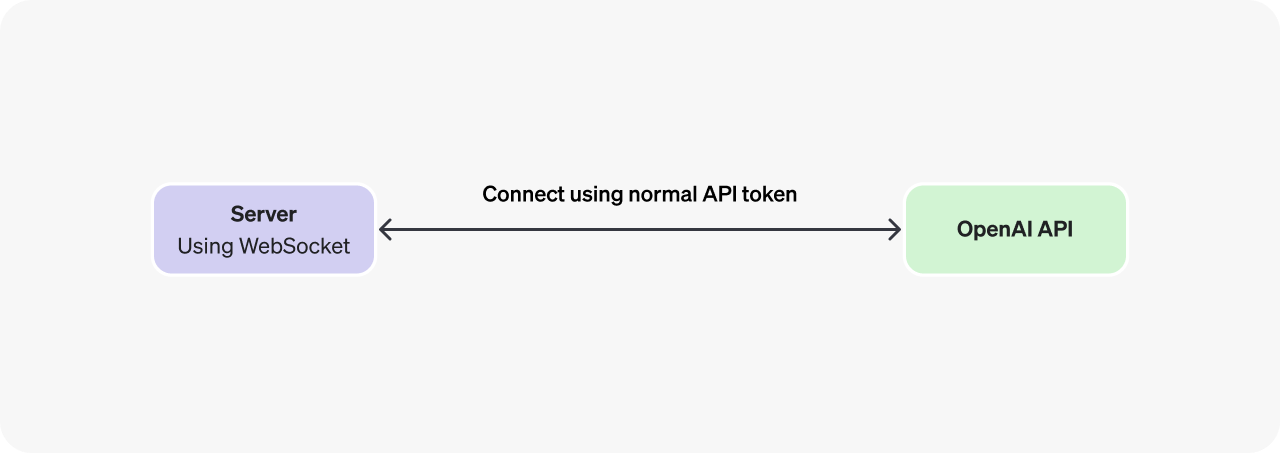
In a server-to-server integration with Realtime, your backend system will connect via WebSocket directly to the Realtime API. You can use a [standard API key](https://platform.openai.com/settings/organization/api-keys) to authenticate this connection, since the token will only be available on your secure backend server.
## Connect via WebSocket
Below are several examples of connecting via WebSocket to the Realtime API. In addition to using the WebSocket URL below, you will also need to pass an authentication header using your OpenAI API key. If your application assigns [safety identifiers](https://developers.openai.com/api/docs/guides/safety-best-practices#implement-safety-identifiers), pass the stable, privacy-preserving identifier for the end user in the `OpenAI-Safety-Identifier` header.
It is possible to use WebSocket in browsers with an ephemeral API token as shown in the [WebRTC connection guide](https://developers.openai.com/api/docs/guides/realtime-webrtc), but if you are connecting from a client like a browser or mobile app, WebRTC will be a more robust solution in most cases.
ws module (Node.js)
Connect using the ws module (Node.js)
```javascript
import WebSocket from "ws";
const url = "wss://api.openai.com/v1/realtime?model=gpt-realtime-2";
const ws = new WebSocket(url, {
headers: {
Authorization: "Bearer " + process.env.OPENAI_API_KEY,
"OpenAI-Safety-Identifier": "hashed-user-id",
},
});
ws.on("open", function open() {
console.log("Connected to server.");
});
ws.on("message", function incoming(message) {
console.log(JSON.parse(message.toString()));
});
```
websocket-client (Python)
Connect with websocket-client (Python)
```python
# example requires websocket-client library:
# pip install websocket-client
import os
import json
import websocket
OPENAI_API_KEY = os.environ.get("OPENAI_API_KEY")
url = "wss://api.openai.com/v1/realtime?model=gpt-realtime-2"
headers = [
"Authorization: Bearer " + OPENAI_API_KEY,
"OpenAI-Safety-Identifier: hashed-user-id",
]
def on_open(ws):
print("Connected to server.")
def on_message(ws, message):
data = json.loads(message)
print("Received event:", json.dumps(data, indent=2))
ws = websocket.WebSocketApp(
url,
header=headers,
on_open=on_open,
on_message=on_message,
)
ws.run_forever()
```
WebSocket (browsers)
Connect with standard WebSocket (browsers)
```javascript
/*
Note that in client-side environments like web browsers, we recommend
using WebRTC instead. It is possible, however, to use the standard
WebSocket interface in browser-like environments like Deno and
Cloudflare Workers.
*/
const ws = new WebSocket(
"wss://api.openai.com/v1/realtime?model=gpt-realtime-2",
[
"realtime",
// Auth
"openai-insecure-api-key." + OPENAI_API_KEY,
// Optional
"openai-organization." + OPENAI_ORG_ID,
"openai-project." + OPENAI_PROJECT_ID,
]
);
ws.on("open", function open() {
console.log("Connected to server.");
});
ws.on("message", function incoming(message) {
console.log(message.data);
});
```
## Sending and receiving events
Realtime API sessions are managed using a combination of [client-sent events](https://developers.openai.com/api/docs/api-reference/realtime_client_events/session) emitted by you as the developer, and [server-sent events](https://developers.openai.com/api/docs/api-reference/realtime_server_events/error) created by the Realtime API to indicate session lifecycle events.
Over a WebSocket, you will both send and receive JSON-serialized events as strings of text, as in this Node.js example below (the same principles apply for other WebSocket libraries):
```javascript
const url = "wss://api.openai.com/v1/realtime?model=gpt-realtime-2";
const ws = new WebSocket(url, {
headers: {
Authorization: "Bearer " + process.env.OPENAI_API_KEY,
"OpenAI-Safety-Identifier": "hashed-user-id",
},
});
ws.on("open", function open() {
console.log("Connected to server.");
// Send client events over the WebSocket once connected
ws.send(
JSON.stringify({
type: "session.update",
session: {
type: "realtime",
instructions: "Be extra nice today!",
},
})
);
});
// Listen for and parse server events
ws.on("message", function incoming(message) {
console.log(JSON.parse(message.toString()));
});
```
The WebSocket interface is perhaps the lowest-level interface available to interact with a Realtime model, where you will be responsible for both sending and processing Base64-encoded audio chunks over the socket connection.
To learn how to send and receive audio over Websockets, refer to the [Realtime conversations guide](https://developers.openai.com/api/docs/guides/realtime-conversations#handling-audio-with-websockets).