





Step-by-step guide
Bulk document review with the Agents API
This walkthrough covers mounted documents, reusable policy skills, specialist subagents, structured review artifacts, and human approvals.
Agents API features
- Sandbox
- Multi-agent
- Skills
- Workspace files
- Turn history
- Streaming
Why use the Agents API?
Review documents in parallel
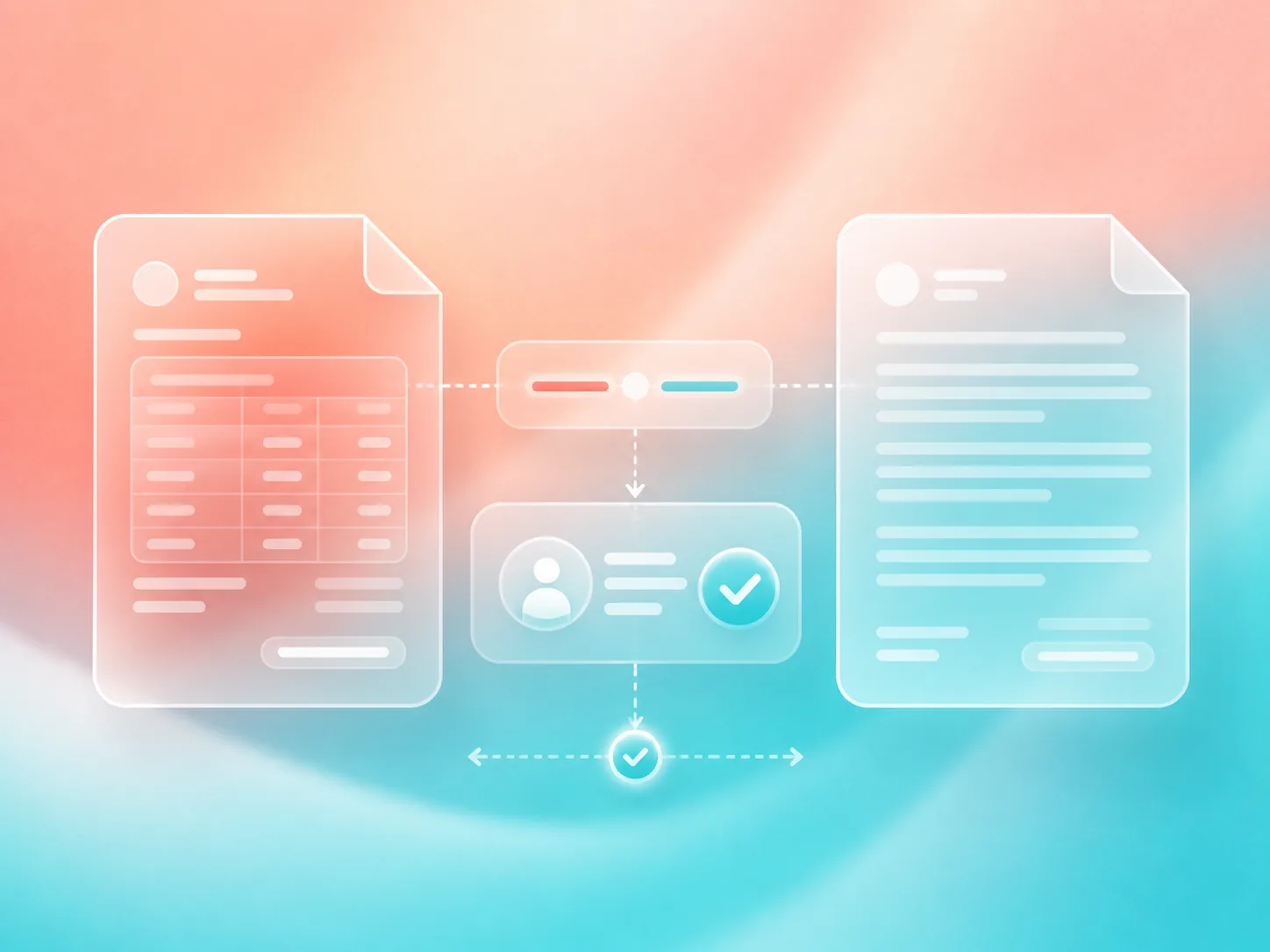
Enable multi-agent execution so the coordinator delegates individual invoices and contracts to specialist subagents instead of reviewing a batch sequentially.
Discover reusable policy skills
Mount an accounts-payable policy into the sandbox and register its capability root. Every specialist discovers the same skill instead of duplicating policy rules in application prompts.
Work directly with mounted files
Input documents are mounted read-only, while specialists write reports to a separate output directory that remains available after the sandbox exits.
Produce durable batch artifacts
Each document gets a machine-readable JSON report, and the coordinating agent produces a consolidated summary for the complete batch.
Keep approval with a person
The agent identifies risks and recommends a decision, but your application retains authority over payment approval and contract acceptance.
What you need
- Python 3.14+ and uv.
- A sandbox: self-hosted Docker or a third-party provider .
- An OpenAI API key.
- A folder of invoices or contracts to review. The example includes both.
The workflow at a glance
- Document folder
- Mounted policy skill
- Agent coordinator
- Specialist subagents
- Review artifacts
- Human approvals
Build the application
- 1
Set up
Clone the repository, copy the example's environment template, and build the Docker image that connects an isolated workspace to the Agents API.
git clone https://github.com/OpenAI-Early-Access/agents-api-python-preview.git cd agents-api-python-preview cp examples/apps/document_review/.env.example examples/apps/document_review/.env # Add OPENAI_API_KEY to examples/apps/document_review/.env. docker build -t agent-api-sandbox:latest examples/sandboxes/application_managed/docker - 2
Prepare the document folders
Separate source documents from generated artifacts. The input mount is read-only; the output mount is writable and preserves reports on the host. Use an empty output folder for each batch.
from pathlib import Path

input_directory = Path("examples/apps/document_review/sample_documents")
output_directory = Path("review-output")
output_directory.mkdir(exist_ok=True)

documents = sorted(path for path in input_directory.iterdir() if path.is_file())
With Docker Desktop, keep both folders under your home directory so the sandbox can access them.
- 3
Add a reusable review skill
Keep your accounts-payable rules in a standard SKILL.md file. The included expense-review-policy skill defines invoice checks, contract risks, decision statuses, and required report fields.
examples/apps/document_review/skills/
  expense-review-policy/
    SKILL.md

---
name: expense-review-policy
description: Review invoices and contracts against accounts-payable policy.
---

# Expense review policy

Policy ID: AP-104

- Recalculate invoice totals with Python.
- Escalate changed bank details and unsupported charges.
- Flag automatic renewal, unlimited liability, and unapproved data sharing.
- Return needs_info, escalated, or ready_for_approval.
The skill is mounted at runtime, so updating the policy does not require rebuilding the Docker image.
- 4
Create a multi-agent review session
Enable multi-agent execution, register the policy skill's capability directory, and tell the coordinating gpt-5.6-luna agent to have each specialist apply the discovered skill.
from agent_api_sdk import AgentAPISDK instructions = """\ Spawn specialist subagents before reviewing any documents. Have each specialist apply $expense-review-policy to its assigned files. Write one report per document, followed by /workspace/output/summary.json. Never approve payments. """ client = AgentAPISDK() session = await client.sessions.create( agent={ "model": "gpt-5.6-luna", "instructions": instructions, "reasoning": {"effort": "high"}, "multi_agent": {"enabled": True, "max_concurrent_subagents": 4}, }, environment={ "type": "self_hosted", "workspace_directory": "/workspace", "capability_directories": ["/workspace/skills"], }, ) environment_id = session.info.environment.environment_id - 5
Mount the documents and policy skill
Start the sandbox with separate document, policy, and artifact mounts. Documents and the reusable skill remain read-only, while specialists write reports into the output directory.
import os

import docker

skills_directory = Path("examples/apps/document_review/skills")

container = docker.from_env().containers.run(
    "agent-api-sandbox:latest",
    [
        "codex", "exec-server",
        "--remote", "https://api.openai.com/v1/agents/api",
        "--environment-id", environment_id,
    ],
    environment={"CODEX_API_KEY": os.environ["OPENAI_API_KEY"]},
    volumes={
        str(input_directory.resolve()): {
            "bind": "/workspace/input", "mode": "ro",
        },
        str(output_directory.resolve()): {
            "bind": "/workspace/output", "mode": "rw",
        },
        str(skills_directory.resolve()): {
            "bind": "/workspace/skills", "mode": "ro",
        },
    },
    detach=True,
    auto_remove=True,
)
Pass CODEX_API_KEY at runtime. Do not bake the project key into your image or print it in application logs.
- 6
Delegate the document reviews
Ask the coordinator to delegate the batch across specialist subagents. Each specialist discovers and applies the mounted policy before inspecting its document and writing a report.
summary_parts = [] specialists = 0 async for event in session.stream( input=( "Spawn specialist subagents, divide the documents in /workspace/input " "among them, and apply $expense-review-policy to every review. " "Write individual reports in " "/workspace/output, then finish with /workspace/output/summary.json." ) ): if event.type == "session.subagent.created": specialists += 1 elif event.output_text_delta is not None: summary_parts.append(event.output_text_delta) summary = "".join(summary_parts) - 7
Inspect retained command activity
Export retained sandbox commands and their turn IDs before deleting the session. Retained history currently includes coordinator commands, not the specialists' full activity. A null subagent ID identifies the coordinator.
import json

activity = []
after = None
while True:
    page = await session.list_items(limit=100, order="asc", after=after)
    for command in page.data:
        if command["type"] != "command_execution":
            continue
        turn = await session.retrieve_turn(command["turn_id"])
        activity.append({
            "item_id": command["id"],
            "turn_id": turn.id,
            "subagent_id": turn.subagent_id,
            "command": command["command"],
        })
    if not page.has_more:
        break
    after = page.after

(output_directory / "review-activity.json").write_text(
    json.dumps(activity, indent=2)
)
This is not a complete audit of specialist work. The complete example caches turn lookups. Command text can contain document content; protect the activity file like the reports.
- 8
Collect the review artifacts
Read each specialist's report from the mounted output directory, then load the coordinator's consolidated summary. Mark every document as awaiting human approval.
import json batch_summary = json.loads((output_directory / "summary.json").read_text()) reviews = [] for document in documents: report = json.loads( (output_directory / f"{document.stem}.json").read_text() ) reviews.append({ "document": document.name, "report": report, "status": "awaiting_approval", }) - 9
Inspect the review artifact
Each document gets its own report. For the invoice, the reviewing specialist records the arithmetic error, missing purchase order, and suspicious payment change.
{ "document": "invoice.txt", "policy_id": "AP-104", "decision": "escalated", "vendor": "Cedar Office Supply", "amount": 6420, "issues": [ "The claimed total exceeds the correct total by $900.", "No purchase order was provided.", "Payment instructions request a new bank account." ], "recommendation": "Reject pending verification." } - 10
Leave approval with a person
Inspect the generated reports before approving any invoice or contract. The agent identifies risks and recommendations but never executes an approval.
python -m json.tool review-output/invoice.json python -m json.tool review-output/contract.json - 11
Clean up the session
Stop the temporary sandbox and delete the Agents API session. The generated reports remain in the mounted output folder after the container exits.
try: container.stop() finally: await session.delete() - 12
Run the sample batch
Review the included invoice and contract together. Specialists inspect both documents and leave individual reports plus a consolidated summary in review-output.
uv run examples/apps/document_review/main.py \
  --input examples/apps/document_review/sample_documents \
  --output ./review-output
What you built
Two specialist subagents discover the mounted policy, review the batch, write individual artifacts, and leave every approval with a human reviewer.
Policy applied: AP-104
Documents reviewed: 2
Subagents created: 2

review-output/
  invoice.json    $900 overcharge; missing PO; changed bank details
  contract.json   Automatic renewal; unlimited liability; data sharing
  summary.json    Consolidated findings and recommended next steps
  review-activity.json    Command history with specialist IDs

Status: awaiting human approval
Make it your own
- Replace the sample skill with your team's accounts-payable or contract-review policy.
- Replace the local Docker container with your preferred isolated sandbox provider.
- Add application tools for vendor records, purchase orders, contract policies, or payment verification.
- Authenticate reviewers and persist every decision in your existing approval and audit system.
Related reading
- Sandbox providers
Choose a local or hosted provider for isolated document-review workspaces.