





Step-by-step guide
Build a GitHub issue investigation agent
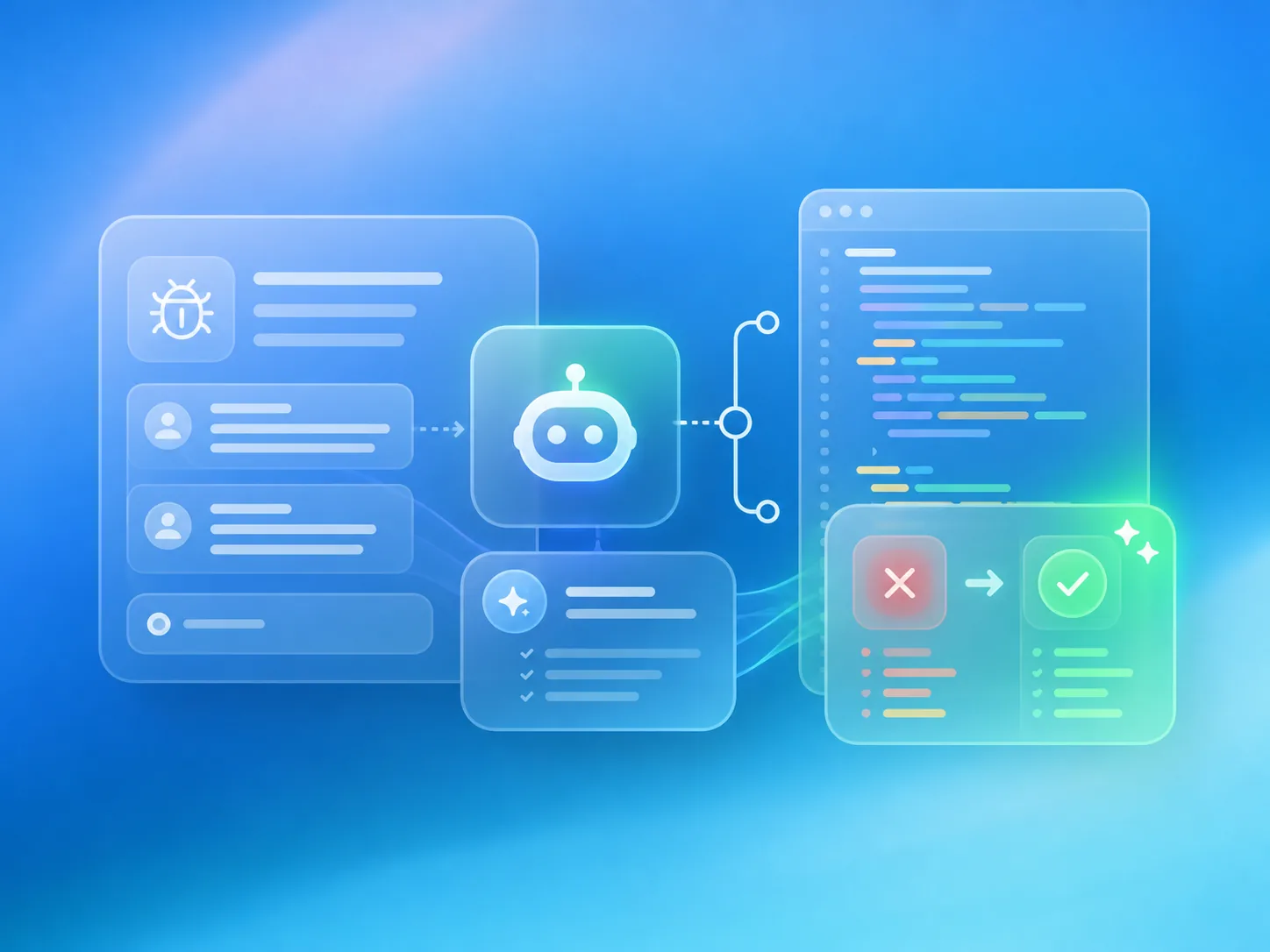
This walkthrough covers GitHub webhooks, authenticated repository checkouts, isolated coding sandboxes, test execution, and issue comments.
Agents API features
- Sandbox
- Workspace files
- Streaming
Why use the Agents API?
Start from a real product event
A signed GitHub webhook triggers the investigation automatically, without asking a developer to open a separate chat or manually restate the issue.
Give the agent a real repository
A self-hosted environment lets the agent inspect checked-out files, run the project's tests, and write a concrete investigation.
Keep each investigation isolated
Every issue receives a fresh workspace and sandbox, which are removed when the investigation finishes.
Return the answer to GitHub
Your application posts the agent's report back to the issue, where the people who reported the bug can act on it.
What you need
- Python 3.14+ and uv.
- A sandbox: self-hosted Docker or a third-party provider .
- An OpenAI API key.
- A GitHub webhook secret and a token with repository-read and issue-comment permissions.
The workflow at a glance
- GitHub issue
- Signed webhook
- Agent session
- Isolated checkout
- Issue comment
Build the application
- 1
Set up the investigator and build its sandbox
Clone the repository, copy the example's environment template, and build the Docker image containing Git, Python, and the Codex executor.
git clone https://github.com/OpenAI-Early-Access/agents-api-python-preview.git cd agents-api-python-preview cp examples/apps/github_issues/.env.example examples/apps/github_issues/.env # Add OPENAI_API_KEY and your GitHub credentials to .env. docker build -t agent-api-sandbox:latest examples/sandboxes/application_managed/docker - 2
Receive a GitHub issue webhook
When an issue arrives, verify its signature, skip duplicate deliveries, and start the longer investigation in the background. The runnable example implements those checks; the walkthrough keeps them as a comment.
from fastapi import BackgroundTasks, Request

@app.post("/webhooks/github")
async def github_webhook(request: Request, tasks: BackgroundTasks):
    # Verify GitHub's signature and ignore duplicate deliveries.
    event = await request.json()

    if event.get("action") == "opened":
        tasks.add_task(handle_github_event, event)

    return {"status": "accepted"}
Always implement signature verification and delivery deduplication in production. The included application already includes both.
- 3
Check out the repository in a fresh workspace
Read the repository clone URL from the verified webhook and create a shallow checkout in a separate temporary directory for each investigation.
import subprocess
import tempfile
from pathlib import Path

APP_DIRECTORY = Path(__file__).resolve().parent

with tempfile.TemporaryDirectory(dir=APP_DIRECTORY) as directory:
    workspace = Path(directory) / "repository"

    subprocess.run(
        [
            "git", "clone", "--depth", "1",
            event["repository"]["clone_url"],
            str(workspace),
        ],
        check=True,
    )

    result = await investigate_issue(event["issue"], workspace)
The runnable example authenticates private clones using Git configuration passed through the subprocess environment, not a token embedded in the URL or command.
- 4
Create an agent session for the issue
Tell the agent to reproduce the problem and explain the smallest likely fix. Ask it to write an investigation file rather than modifying source code or opening a pull request.
from agent_api_sdk import AgentAPISDK instructions = """\ Investigate the reported bug and inspect the repository. Run relevant tests and identify the likely root cause. Write /workspace/investigation.md without modifying source files. """ client = AgentAPISDK() session = await client.sessions.create( agent={ "model": "gpt-6-astra", "instructions": instructions, "reasoning": {"effort": "high"}, }, environment={ "type": "self_hosted", "workspace_directory": "/workspace", }, ) environment_id = session.info.environment.environment_id - 5
Attach the coding sandbox
Mount the checked-out repository into Docker and run the Codex executor with the session's environment ID. The executor connects outbound to the Agents API.
import os import docker container = docker.from_env().containers.run( "agent-api-sandbox:latest", [ "codex", "exec-server", "--remote", "https://api.openai.com/v1/agents/api", "--environment-id", environment_id, ], environment={"CODEX_API_KEY": os.environ["OPENAI_API_KEY"]}, volumes={ str(workspace.resolve()): {"bind": "/workspace", "mode": "rw"}, }, detach=True, auto_remove=True, ) - 6
Stream the investigation and read its report
Send the issue title and body as input. The agent can inspect source files, run tests, and write a concise Markdown report in the shared workspace.
issue = event["issue"] prompt = f"""\ Investigate issue #{issue['number']}: {issue['title']} {issue.get('body', '')} Run the relevant tests and write /workspace/investigation.md. """ async for stream_event in session.stream(input=prompt): if stream_event.output_text_delta is not None: print(stream_event.output_text_delta, end="", flush=True) report = (workspace / "investigation.md").read_text() - 7
Post the findings back to the GitHub issue
Publish the generated report through the GitHub Issues API. The report appears in the original conversation, so the reporter and maintainers can immediately see the diagnosis.
import httpx

comments_url = issue["comments_url"]
if not comments_url.startswith("https://api.github.com/"):
    raise ValueError("Expected a trusted GitHub API URL.")

async with httpx.AsyncClient() as http:
    response = await http.post(
        comments_url,
        json={"body": report},
        headers={
            "Authorization": f"Bearer {os.environ['GITHUB_TOKEN']}",
            "Accept": "application/vnd.github+json",
        },
    )
    response.raise_for_status()
Only send credentials to trusted github.com API URLs and grant the GitHub token the minimum issue-comment permissions it needs.
- 8
Release the sandbox and session
Always remove the Docker container and delete the agent session after the investigation. The temporary workspace is deleted when its surrounding context exits.
try: container.stop() finally: await session.delete() - 9
Try the sample issue or connect GitHub
The included sample reproduces a real failing shipping test without requiring GitHub credentials. Add a webhook secret and an issue-comment token when you are ready to connect a repository.
uv run examples/apps/github_issues/main.py --issue

# Add GitHub credentials to examples/apps/github_issues/.env.
uv run examples/apps/github_issues/main.py
When connecting a real repository, configure its webhook to send Issues events to https://your-app.example/webhooks/github.
What you built
A real issue produces a test-backed investigation in the same place your team already tracks the bug.
Issue #42: Express shipping becomes free for orders over $100

Reproduction:
shipping_cost(125, express=True) returned 0; expected 15.

Root cause:
The free-shipping condition runs before the express-shipping check.

Suggested fix:
Check express shipping first, then apply the standard-order discount.
Make it your own
- Replace local Docker with an isolated hosted sandbox provider when deploying the webhook receiver.
- Persist delivery IDs and session references so retries remain safe across application restarts.
- Add an explicit human approval step before applying code changes or opening a pull request.
Related reading
- Sandbox providers
Choose a local or hosted sandbox for isolated repository investigations.