
Local environments let you configure setup steps for worktrees as well as common actions for a project.
You configure your local environments through the Codex app settings pane. You can check the generated file into your project’s Git repository to share with others.
Codex stores this configuration inside the .codex folder at the root of your
project. If your repository contains more than one project, open the project
directory that contains the shared .codex folder.
Setup scripts
Since worktrees run in different directories than your local tasks, your project might not be fully set up and might be missing dependencies or files that aren’t checked into your repository. Setup scripts run automatically when Codex creates a new worktree at the start of a new thread.
Use this script to run any command required to configure your environment, such as installing dependencies or running a build process.
For example, for a TypeScript project you might want to install the dependencies and do an initial build using a setup script:
npm install
npm run build
If your setup is platform-specific, define setup scripts for macOS, Windows, or Linux to override the default.
Actions
Use actions to define common tasks like starting your app’s development server or running your test suite. These actions appear in the Codex app top bar for quick access. The actions will be run within the app’s integrated terminal.
Actions are helpful to keep you from typing common actions like triggering a build for your project or starting a development server. For one-off quick debugging you can use the integrated terminal directly.
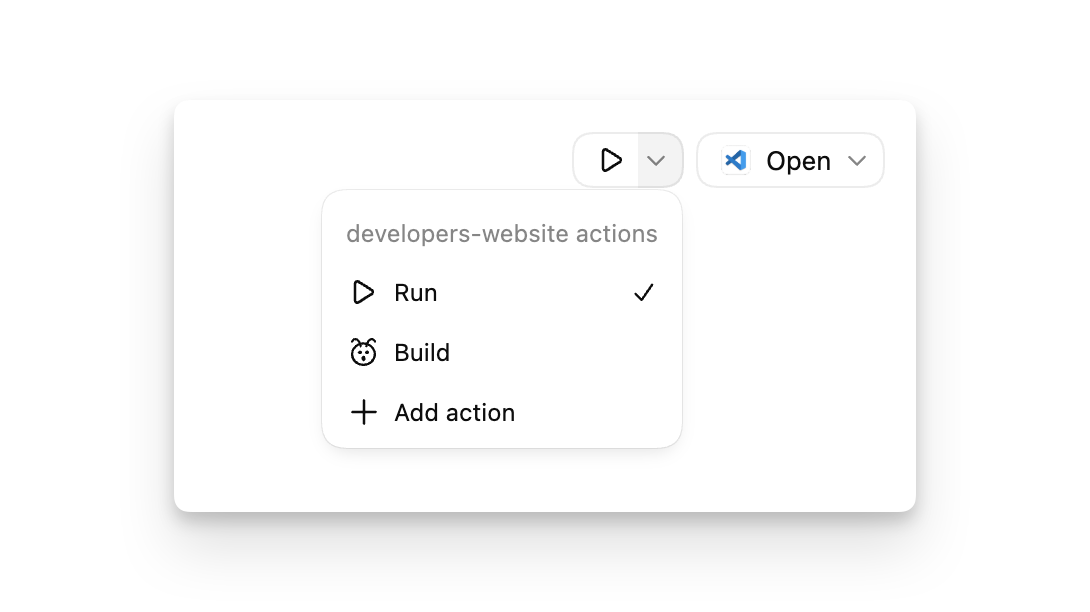
For example, for a Node.js project you might create a “Run” action that contains the following script:
npm startIf the commands for your action are platform-specific, define platform-specific scripts for macOS, Windows, and Linux.
To identify your actions, choose an icon associated with each action.