
Use the settings panel to tune how the Codex app behaves, how it opens files, and how it connects to tools. Open Settings from the app menu or press Cmd+,.
General
Choose where files open, how much command output appears in threads, and where terminal tabs open by default. You can also require Cmd+Enter for multiline prompts or prevent sleep while a thread runs.
Profile
Use Profile to review activity insights, lifetime tokens, peak tokens, streaks, your longest task, and token activity. You can also update your profile details, such as your picture, display name, and username, and save a profile card with usage highlights. Sharing profile cards is available on consumer ChatGPT plans.
Eligible users can also send Codex invitations from the profile menu. Choose Invite a friend on an eligible personal plan or Invite a coworker in an eligible Business workspace. See Invite friends and coworkers for current rewards, limits, and eligibility.
Keyboard shortcuts
Open Keyboard Shortcuts to review commands, change bindings, or reset custom shortcuts to their defaults. Use the search field to find shortcuts by command name, or switch to keystroke search and press a key combination to find the command that uses it.
Notifications
Choose when turn completion notifications appear, and whether the app should prompt for notification permissions.
Agent configuration
Codex agents in the app inherit the same configuration as the IDE and CLI extension.
Use the in-app controls for common settings, or edit config.toml for advanced
options. See Codex security and
config basics for more detail.
Appearance
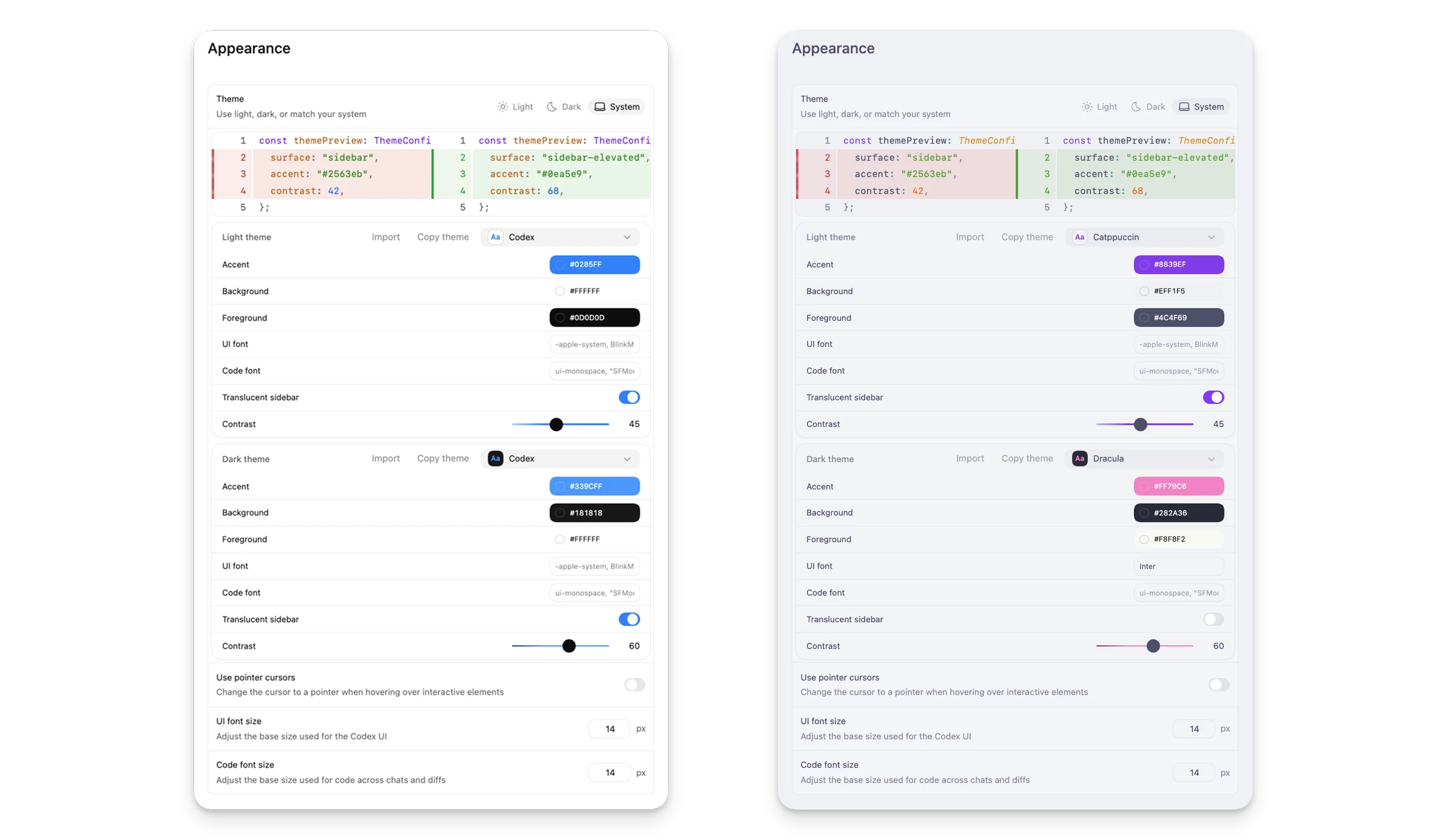
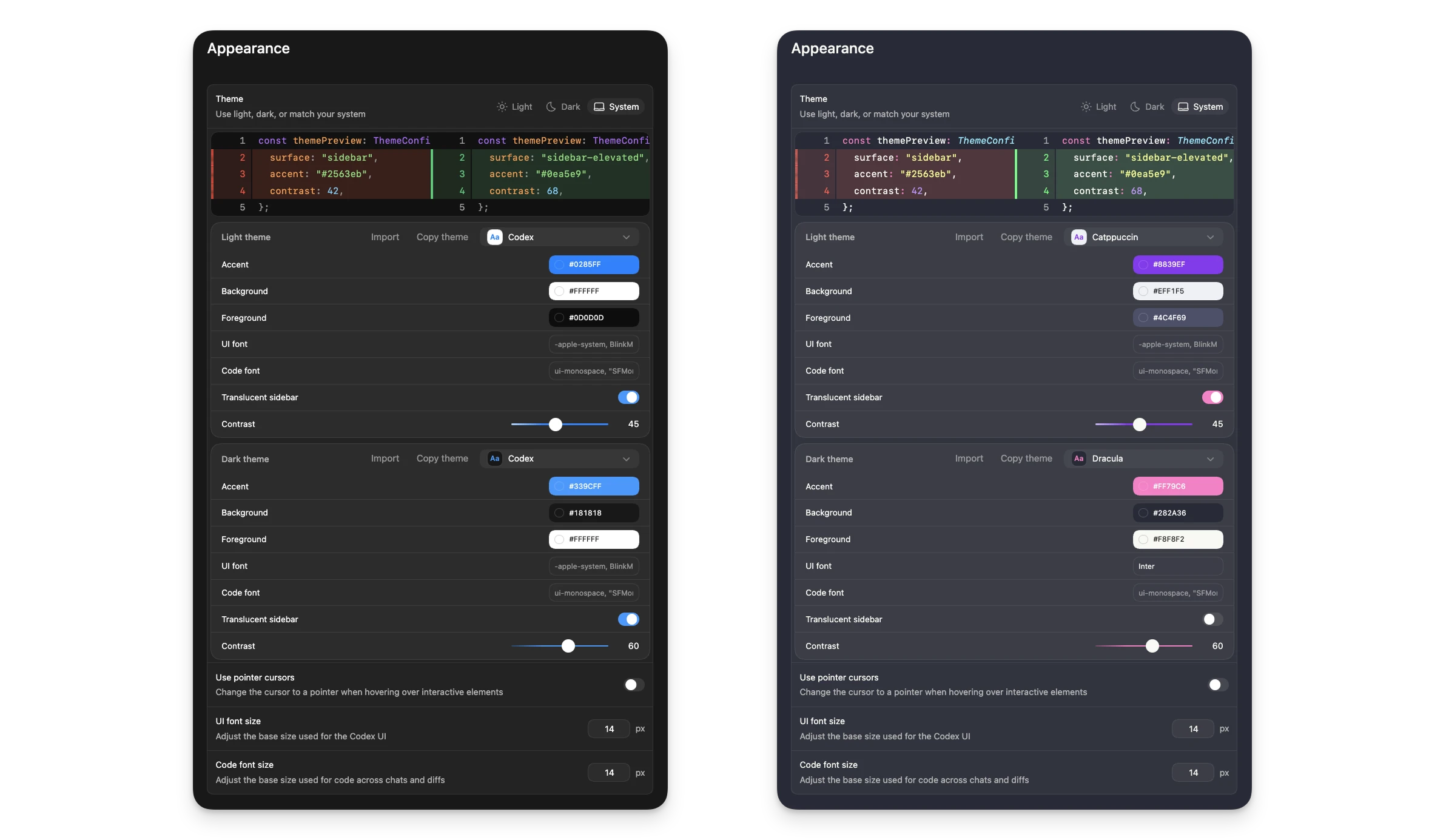
In Settings, you can change the Codex app appearance by choosing a base theme, adjusting accent, background, and foreground colors, and changing the UI and code fonts. You can also share your custom theme with friends.
Codex pets
Codex pets are optional animated companions for the app. In Settings,
go to Appearance and choose Pets to select a built-in pet or
refresh custom pets from your local Codex home. Type /pet in the
composer, use Wake Pet or Tuck Away Pet in Settings > Appearance, or
press Cmd+K or Ctrl+K and run the same commands to
toggle the floating overlay.
The overlay keeps active Codex work visible while you use other apps. It shows the active thread, reflects whether Codex is running, waiting for input, or ready for review, and pairs that state with a short progress prompt so you can glance at what changed without reopening the thread.
To create your own pet, install the hatch-pet skill:
$skill-installer hatch-petReload skills from the command menu. Press Cmd+K or Ctrl+K, choose Force Reload Skills, then ask the skill to create a pet:
$hatch-pet create a new pet inspired by my recent projectsGit
Use Git settings to standardize branch naming and choose whether Codex uses force pushes. You can also set prompts that Codex uses to generate commit messages and pull request descriptions.
Integrations & MCP
Connect external tools via MCP (Model Context Protocol). Enable recommended servers or
add your own. If a server requires OAuth, the app starts the auth flow. These settings
also apply to the Codex CLI and IDE extension because the MCP configuration lives in
config.toml. See the Model Context Protocol docs for details.
Browser
Use these settings to install or enable the bundled Browser plugin, set up the Codex Chrome extension, and manage allowed and blocked websites. Codex asks before using a website unless you’ve allowed it. Removing a blocked site lets Codex ask again before using it in the browser.
Under Developer mode, turn on Enable full CDP access to let Codex use the Chrome DevTools Protocol for performance profiling and deeper browser debugging. If your organization has disabled full CDP access, you can’t enable it locally. See Developer mode for setup, risk, approval details, and the administrator requirement.
See In-app browser for browser preview, comment, and browser use workflows.
Computer Use
Check your Computer Use settings to review desktop-app access and related preferences after setup. On macOS, revoke system-level access by updating Screen Recording or Accessibility permissions in macOS Privacy & Security settings.
Personalization
Choose Friendly, Pragmatic, or None as your default personality. Use None to disable personality instructions. You can update this at any time.
You can also add your own custom instructions. Editing custom instructions updates your
personal instructions in AGENTS.md.
Context-aware suggestions
Use context-aware suggestions to surface follow-ups and tasks you may want to resume when you start or return to Codex.
Memories
Enable Memories, where available, to let Codex carry useful context from past threads into future work. See Memories for setup, storage, and per-thread controls.
Archived threads
The Archived threads section lists archived chats with dates and project context. Use Unarchive to restore a thread.