


Purpose of this cookbook
This cookbook shows you how to embed the OpenAI Codex CLI into your CI/CD pipeline so that when your builds or tests fail, codex automatically generates & proposes fixes. The following is an example in a node project with CI running in GitHub Actions.
End to End Flow
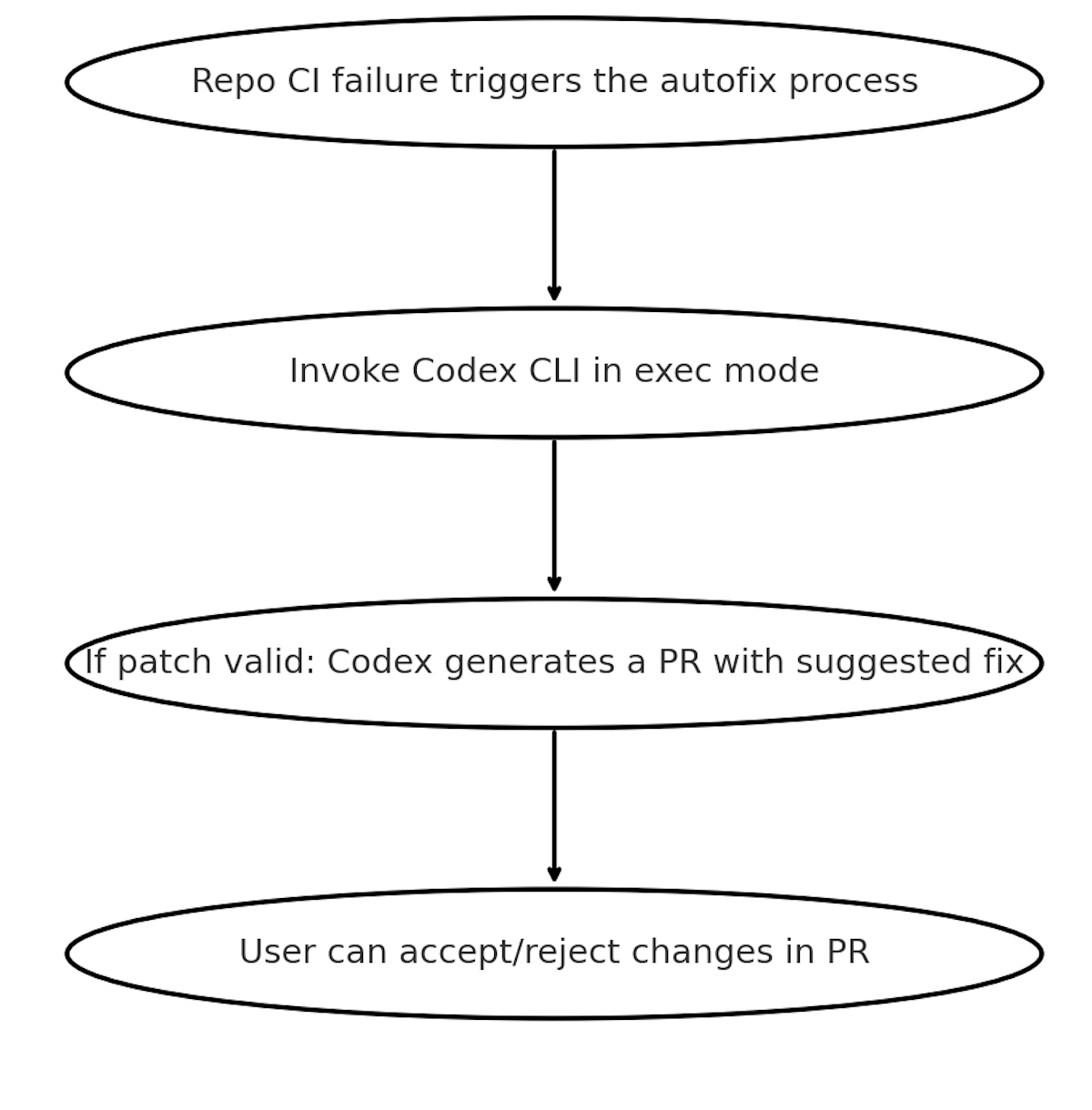
Below is the pipeline flow we’ll implement:
Prerequisites
-
A GitHub Repo with Actions workflows
-
You’ll need to create
OPENAI_API_KEYas an environment variable in GitHub settings under https://github.com/{org-name}/{repo-name}/settings/secrets/actions. You can also set this at org level(for sharing secrets across multiple repos) -
Codex requires python as a prerequisite to use
codex login -
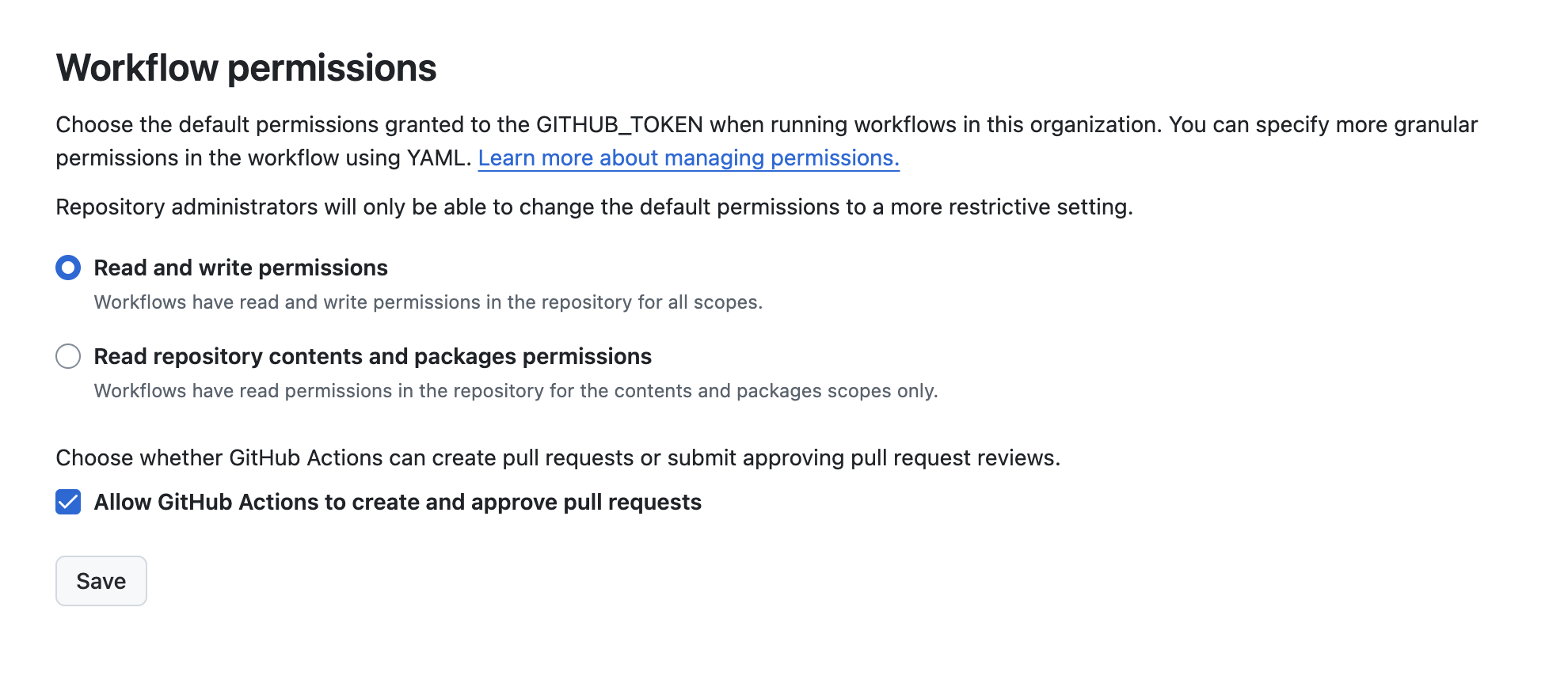
You’ll need to check the setting to enable actions to create PRs on your repo, and also in your organization:
Step 1: Add the Github Action to your CI Pipeline
The following YAML shows a GitHub action that auto triggers when CI fails, installs Codex, uses codex exec and then makes a PR on the failing branch with the fix. Replace “CI” with the name of the workflow you want to monitor.
name: Codex Auto-Fix on Failure

on:
  workflow_run:
    # Trigger this job after any run of the primary CI workflow completes
    workflows: ["CI"]
    types: [completed]

permissions:
  contents: write
  pull-requests: write

jobs:
  auto-fix:
    # Only run when the referenced workflow concluded with a failure
    if: ${{ github.event.workflow_run.conclusion == 'failure' }}
    runs-on: ubuntu-latest
    env:
      OPENAI_API_KEY: ${{ secrets.OPENAI_API_KEY }}
      FAILED_WORKFLOW_NAME: ${{ github.event.workflow_run.name }}
      FAILED_RUN_URL: ${{ github.event.workflow_run.html_url }}
      FAILED_HEAD_BRANCH: ${{ github.event.workflow_run.head_branch }}
      FAILED_HEAD_SHA: ${{ github.event.workflow_run.head_sha }}
    steps:
      - name: Check OpenAI API Key Set
        run: |
          if [ -z "$OPENAI_API_KEY" ]; then
            echo "OPENAI_API_KEY secret is not set. Skipping auto-fix." >&2
            exit 1
          fi
      - name: Checkout Failing Ref
        uses: actions/checkout@v4
        with:
          ref: ${{ env.FAILED_HEAD_SHA }}
          fetch-depth: 0

      - name: Setup Node.js
        uses: actions/setup-node@v4
        with:
          node-version: '20'
          cache: 'npm'

      - name: Install dependencies
        run: |
          if [ -f package-lock.json ]; then npm ci; else npm i; fi
      - name: Run Codex
        uses: openai/codex-action@main
        id: codex
        with:
          openai_api_key: ${{ secrets.OPENAI_API_KEY }}
          prompt: "You are working in a Node.js monorepo with Jest tests and GitHub Actions. Read the repository, run the test suite, identify the minimal change needed to make all tests pass, implement only that change, and stop. Do not refactor unrelated code or files. Keep changes small and surgical."
          codex_args: '["--config","sandbox_mode=\"workspace-write\""]'

      - name: Verify tests
        run: npm test --silent

      - name: Create pull request with fixes
        if: success()
        uses: peter-evans/create-pull-request@v6
        with:
          commit-message: "fix(ci): auto-fix failing tests via Codex"
          branch: codex/auto-fix-${{ github.event.workflow_run.run_id }}
          base: ${{ env.FAILED_HEAD_BRANCH }}
          title: "Auto-fix failing CI via Codex"
          body: |
            Codex automatically generated this PR in response to a CI failure on workflow `${{ env.FAILED_WORKFLOW_NAME }}`.
            Failed run: ${{ env.FAILED_RUN_URL }}
            Head branch: `${{ env.FAILED_HEAD_BRANCH }}`
            This PR contains minimal changes intended solely to make the CI pass.
Step 2: Actions Workflow kicked off
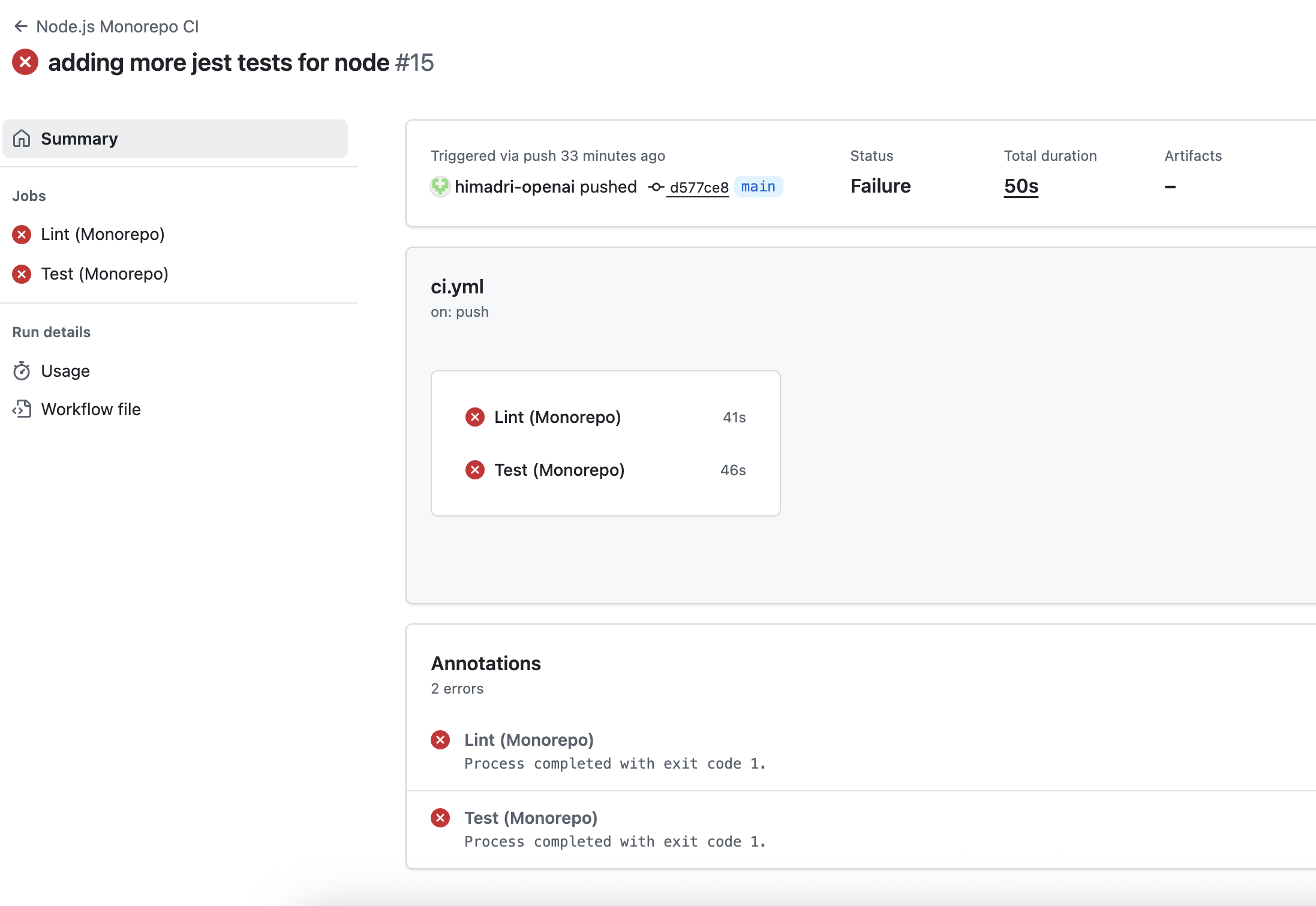
You can navigate to the Actions tab under Repo to view the failing jobs in your Actions workflow.
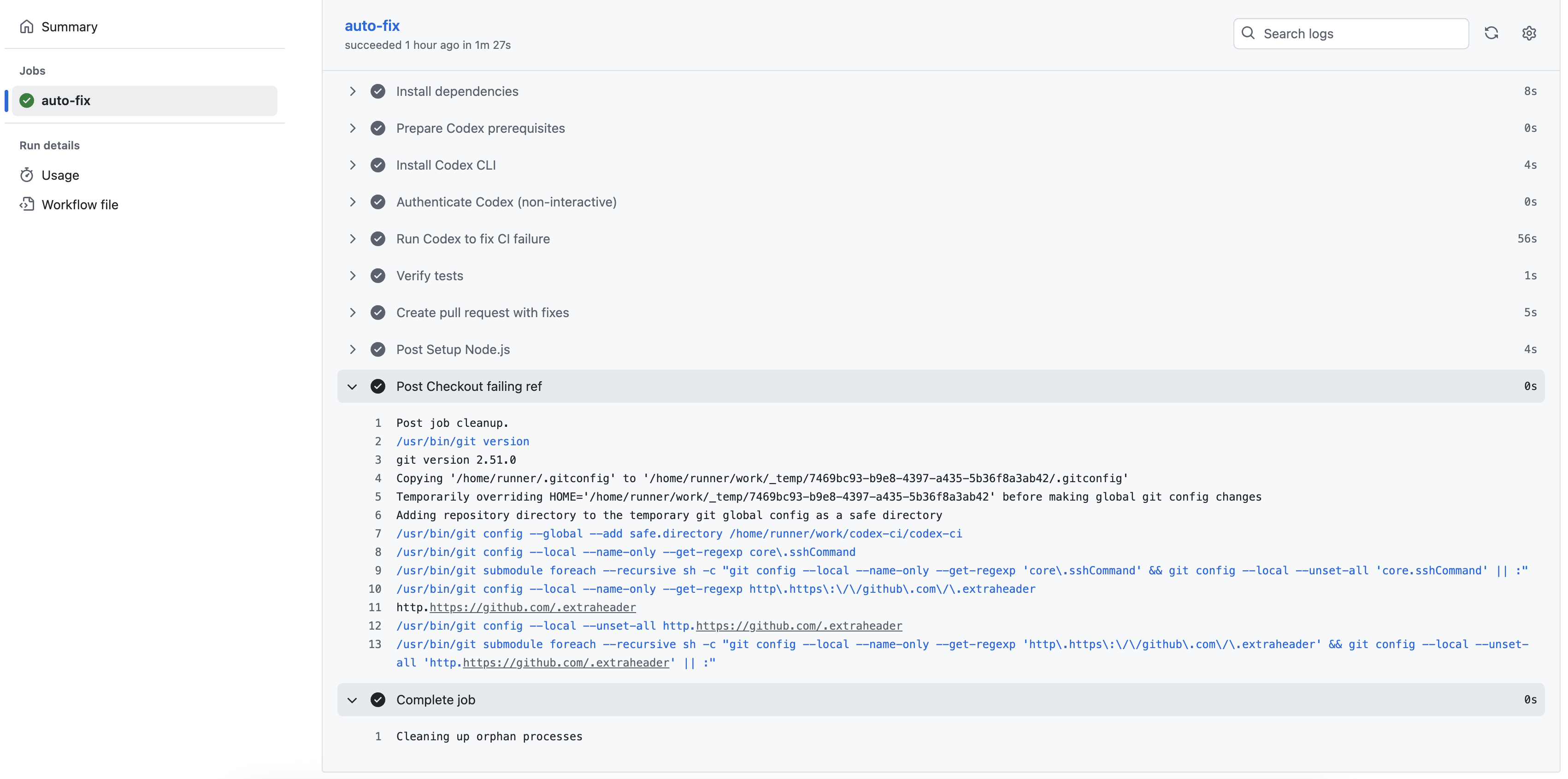
The Codex workflow should be triggered upon completion of the failed workflow.
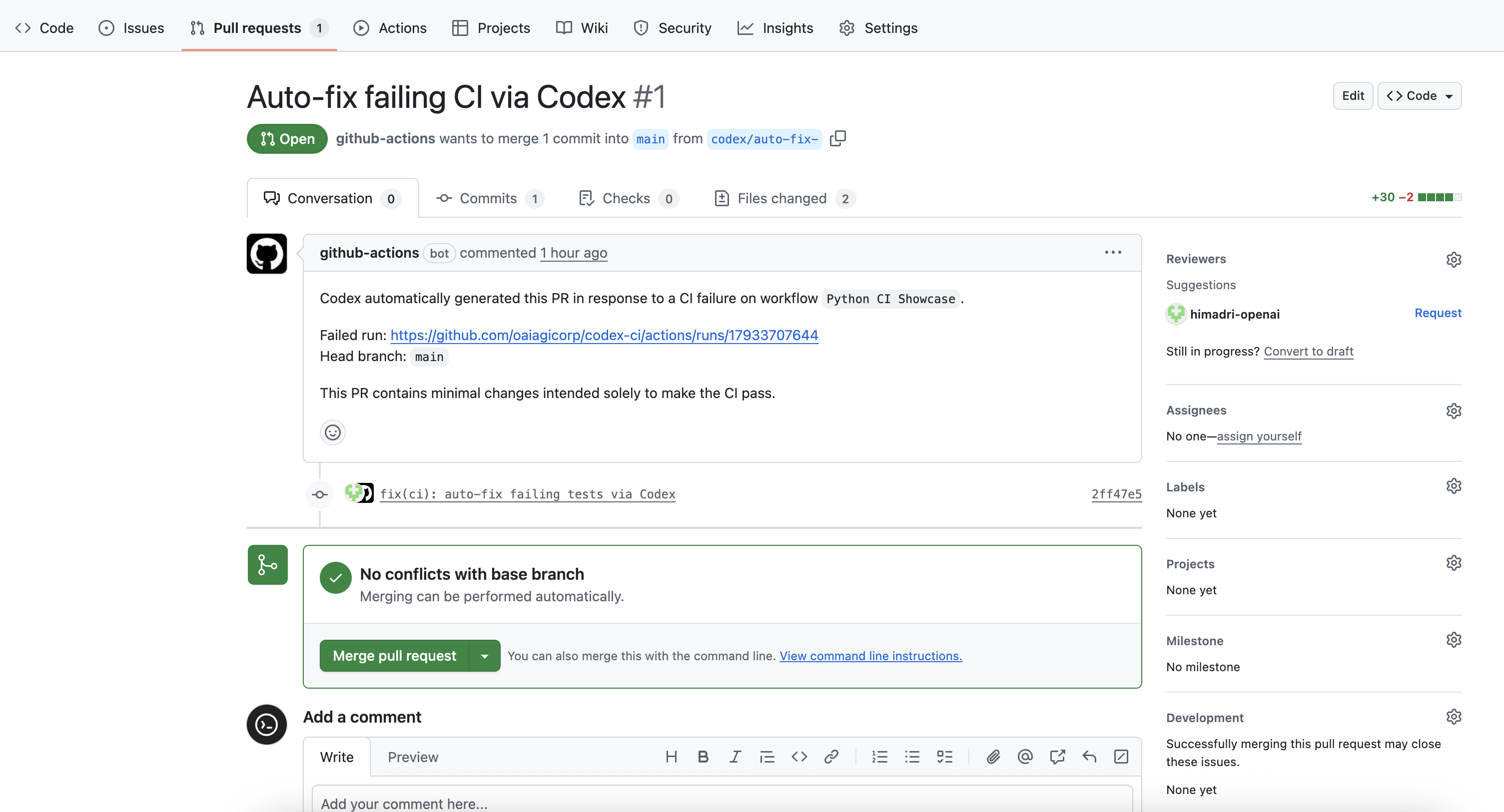
Step 3: Verify that Codex Created a PR for Review
And after the Codex workflow completes execution, it should open a pull request from the feature branch codex/auto-fix. Check to see if everything looks good and then merge it.
Conclusion
This automation seamlessly integrates OpenAI Codex CLI with GitHub Actions to automatically propose fixes for failing CI runs.
By leveraging Codex, you can reduce manual intervention, accelerate code reviews, and keep your main branch healthy. The workflow ensures that test failures are addressed quickly and efficiently, letting developers focus on higher-value tasks. Explore more about codex-cli and its capabilities here.