A API permite gerar e editar imagens a partir de prompts de texto usando gpt-image-2.5-sunburst e gpt-image-2.5-flare. Escolha Sunburst para fluxos de trabalho em que a precisão da edição é a prioridade, e Flare para gerar imagens com rapidez e alta qualidade no dia a dia. Você pode acessar os recursos de geração de imagens por meio de duas APIs:
Image API
A Image API oferece dois endpoints, cada um com recursos distintos:
Gerações: Gere imagens do zero com base em um prompt de texto
A API Responses permite gerar imagens como parte de conversas ou fluxos com várias etapas. Ela oferece geração de imagens como uma ferramenta integrada e aceita imagens de entrada e saída no contexto.
Em comparação com a Image API, ela acrescenta:
Edição em múltiplos turnos: Faça edições de alta fidelidade nas imagens de forma iterativa usando prompts
Entradas flexíveis: Aceita IDs de File de imagens como imagens de entrada, além de bytes
Para saber quais modelos da linha principal podem chamar a ferramenta de geração de imagens, consulte os modelos compatíveis.
Escolha a API adequada
Se você só precisa gerar ou editar uma única imagem a partir de um prompt, a Image API é a melhor escolha.
Se você quer criar experiências com o GPT Image que permitam gerar e editar imagens por meio de conversas, use a API Responses.
Com a Image API, defina model diretamente como gpt-image-2.5-sunburst ou gpt-image-2.5-flare. Com a API Responses, selecione um modelo da linha principal compatível no nível superior e especifique gpt-image-2.5-sunburst ou gpt-image-2.5-flare no campo model da ferramenta de geração de imagens.
As duas APIs permitem personalizar a saída ajustando qualidade, tamanho, formato e compressão.
Para saber mais sobre como personalizar a saída (tamanho, qualidade, formato, compressão), consulte a seção Personalizar a saída de imagens abaixo.
Você pode definir o parâmetro n para gerar várias imagens de uma vez em uma única requisição (por padrão, a API retorna uma única imagem).
Image API
Gerar uma imagem
Python
1
2
3
4
5
6
7
8
9
10
11
12
13
14
15
16
17
18import OpenAI from "openai";import fs from "fs";const openai = new OpenAI();const prompt = `A children's book drawing of a veterinarian using a stethoscope tolisten to the heartbeat of a baby otter.`;const result = await openai.images.generate({ model: "gpt-image-2.5-sunburst", prompt,});// Save the image to a fileconst image_base64 = result.data[0].b64_json;const image_bytes = Buffer.from(image_base64, "base64");fs.writeFileSync("otter.png", image_bytes);
1
2
3
4
5
6
7
8
9
10
11
12
13
14
15
16
17
18from openai import OpenAIimport base64client = OpenAI()prompt ="""A children's book drawing of a veterinarian using a stethoscope tolisten to the heartbeat of a baby otter."""result = client.images.generate(model="gpt-image-2.5-sunburst", prompt=prompt)image_base64 = result.data[0].b64_jsonimage_bytes = base64.b64decode(image_base64)# Save the image to a filewithopen("otter.png", "wb") as f: f.write(image_bytes)
1
2
3
4
5
6
7
8
9
10
11
12
13
14
15
16
17
18
19
20
21
22
23
24
25
26
27
28package mainimport ( "context" "encoding/base64" "os" "github.com/openai/openai-go/v3")func main() { client := openai.NewClient() result, err := client.Images.Generate(context.Background(), openai.ImageGenerateParams{ Model: openai.ImageModel("gpt-image-2.5-sunburst"), Prompt: "A children's book drawing of a veterinarian using a stethoscope to " + "listen to the heartbeat of a baby otter.", }) if err != nil { panic(err) } image, err := base64.StdEncoding.DecodeString(result.Data[0].B64JSON) if err != nil { panic(err) } if err := os.WriteFile("otter.png", image, 0o600); err != nil { panic(err) }}
1
2
3
4
5
6
7
8
9
10
11
12using OpenAI.Images;string key = Environment.GetEnvironmentVariable("OPENAI_API_KEY")!;string model = "gpt-image-2.5-sunburst";ImageClient client = new(model, key);GeneratedImage image = await client.GenerateImageAsync( "A children's book drawing of a veterinarian using a stethoscope to " + "listen to the heartbeat of a baby otter.");await File.WriteAllBytesAsync("otter.png", image.ImageBytes.ToArray());
1
2
3
4
5
6
7
8
9
10
11
12
13require "base64"require "openai"client = OpenAI::Client.newresult = client.images.generate( model: "gpt-image-2.5-sunburst", prompt: "A watercolor robot reading in a library")generated_image = result.data&.first or raise "No image returned"File.binwrite( "generated-image.png", Base64.strict_decode64(generated_image.b64_json))
1
2
3
4
5
6
7curl -X POST "https://api.openai.com/v1/images/generations" \
    -H "Authorization: Bearer $OPENAI_API_KEY" \
    -H "Content-type: application/json" \
    -d '{
        "model": "gpt-image-2.5-sunburst",
        "prompt": "A children'\''s book drawing of a veterinarian using a stethoscope to listen to the heartbeat of a baby otter."
    }' | jq -r '.data[0].b64_json' | base64 --decode > otter.png
1
2
3
4
5openai images generate \
  --model gpt-image-2.5-sunburst \
  --prompt "A children's book drawing of a veterinarian using a stethoscope to listen to the heartbeat of a baby otter." \
  --raw-output \
  --transform 'data.0.b64_json' | base64 --decode > otter.png
API Responses
Gerar uma imagem
Python
1
2
3
4
5
6
7
8
9
10
11
12
13
14
15
16
17
18
19
20import OpenAI from "openai";const openai = new OpenAI();const response = await openai.responses.create({ model: "gpt-6-astra", input: "Generate an image of gray tabby cat hugging an otter with an orange scarf", tools: [{ type: "image_generation", model: "gpt-image-2.5-sunburst" }],});// Save the image to a fileconst imageData = response.output .filter((output) => output.type === "image_generation_call") .map((output) => output.result);if (imageData.length > 0) { const imageBase64 = imageData[0]; const fs = await import("fs"); fs.writeFileSync("otter.png", Buffer.from(imageBase64, "base64"));}
1
2
3
4
5
6
7
8
9
10
11
12
13
14
15
16
17
18
19
20
21
22from openai import OpenAIimport base64client = OpenAI()response = client.responses.create(model="gpt-6-astra",input="Generate an image of gray tabby cat hugging an otter with an orange scarf",tools=[{"type": "image_generation", "model": "gpt-image-2.5-sunburst"}],)# Save the image to a fileimage_data = [ output.resultfor output in response.outputif output.type =="image_generation_call"]if image_data: image_base64 = image_data[0]withopen("otter.png", "wb") as f: f.write(base64.b64decode(image_base64))
1
2
3
4
5
6
7
8
9
10
11
12
13
14
15
16
17
18
19
20
21
22
23
24
25
26
27
28
29
30
31
32
33
34
35
36
37
38
39
40
41
42package mainimport ( "context" "encoding/base64" "os" "github.com/openai/openai-go/v3" "github.com/openai/openai-go/v3/responses")func main() { client := openai.NewClient() response, err := client.Responses.New(context.Background(), responses.ResponseNewParams{ Model: "gpt-6-astra", Input: responses.ResponseNewParamsInputUnion{ OfString: openai.String("Generate an image of gray tabby cat hugging an otter with an orange scarf"), }, Tools: []responses.ToolUnionParam{{OfImageGeneration: &responses.ToolImageGenerationParam{Model: "gpt-image-2.5-sunburst"}}}, }) if err != nil { panic(err) } saveFirstGeneratedImage(response, "otter.png")}func saveFirstGeneratedImage(response *responses.Response, filename string) { for _, output := range response.Output { if output.Type != "image_generation_call" { continue } image, err := base64.StdEncoding.DecodeString(output.AsImageGenerationCall().Result) if err != nil { panic(err) } if err := os.WriteFile(filename, image, 0o600); err != nil { panic(err) } return } panic("response did not include an image generation call")}
1
2
3
4
5
6
7
8
9
10
11
12
13
14
15
16
17
18
19
20using OpenAI.Responses;#pragma warning disable OPENAI001string key = Environment.GetEnvironmentVariable("OPENAI_API_KEY")!;ResponsesClient client = new(key);CreateResponseOptions options = new() { Model = "gpt-6-astra" };options.InputItems.Add( ResponseItem.CreateUserMessageItem( "Generate an image of a gray tabby cat hugging an otter with an orange scarf." ));options.Tools.Add(ResponseTool.CreateImageGenerationTool(model: "gpt-image-2.5-sunburst"));ResponseResult response = await client.CreateResponseAsync(options);ImageGenerationCallResponseItem image = response .OutputItems.OfType<ImageGenerationCallResponseItem>() .FirstOrDefault() ?? throw new InvalidOperationException("No generated image was returned.");await File.WriteAllBytesAsync("otter.png", image.ImageResultBytes.ToArray());
1
2
3
4
5
6
7
8
9
10
11
12
13
14
15
16
17
18
19
20
21
22
23
24require "base64"require "openai"client = OpenAI::Client.newresponse = client.responses.create( model: "gpt-6-astra", input: "Generate an image of a gray tabby cat hugging an otter with an orange scarf.", tools: [ { type: :image_generation, model: "gpt-image-2.5-sunburst" } ])image_call = response.output.find do |item| item.is_a?(OpenAI::Models::Responses::ResponseOutputItem::ImageGenerationCall)endunless image_call.is_a?(OpenAI::Models::Responses::ResponseOutputItem::ImageGenerationCall) raise "No image generation call returned"endencoded_image = image_call.result or raise "No image returned"File.binwrite("otter.png", Base64.strict_decode64(encoded_image))
Geração de imagens em múltiplos turnos
Com a API Responses, você pode criar conversas com múltiplos turnos que envolvam geração de imagens, fornecendo as saídas das chamadas de geração de imagens no contexto (você também pode usar apenas o ID da imagem) ou usando o parâmetro previous_response_id.
Isso permite aprimorar as imagens ao longo de vários turnos, refinando prompts, aplicando novas instruções e desenvolvendo o resultado visual conforme a conversa avança.
Com a ferramenta de geração de imagens da API Responses, os modelos compatíveis usados pela ferramenta podem escolher entre gerar uma nova imagem ou editar uma que já esteja na conversa. O parâmetro opcional action controla esse comportamento: mantenha action: "auto" para deixar o modelo decidir, defina action: "generate" para sempre criar uma nova imagem ou defina action: "edit" para forçar a edição quando houver uma imagem no contexto.
Forçar a criação de imagens com action
Python
1
2
3
4
5
6
7
8
9
10
11
12
13
14
15
16
17
18
19
20
21
22import OpenAI from "openai";const openai = new OpenAI();const response = await openai.responses.create({ model: "gpt-6-astra", input: "Generate an image of gray tabby cat hugging an otter with an orange scarf", tools: [ { type: "image_generation", model: "gpt-image-2.5-sunburst", action: "generate" }, ],});// Save the image to a fileconst imageData = response.output .filter((output) => output.type === "image_generation_call") .map((output) => output.result);if (imageData.length > 0) { const imageBase64 = imageData[0]; const fs = await import("fs"); fs.writeFileSync("otter.png", Buffer.from(imageBase64, "base64"));}
1
2
3
4
5
6
7
8
9
10
11
12
13
14
15
16
17
18
19
20
21
22
23
24from openai import OpenAIimport base64client = OpenAI()response = client.responses.create(model="gpt-6-astra",input="Generate an image of gray tabby cat hugging an otter with an orange scarf",tools=[ {"type": "image_generation", "model": "gpt-image-2.5-sunburst", "action": "generate"} ],)# Save the image to a fileimage_data = [ output.resultfor output in response.outputif output.type =="image_generation_call"]if image_data: image_base64 = image_data[0]withopen("otter.png", "wb") as f: f.write(base64.b64decode(image_base64))
1
2
3
4
5
6
7
8
9
10
11
12
13
14
15
16
17
18
19
20
21
22
23
24
25
26
27
28
29
30
31
32
33
34
35
36
37
38package mainimport ( "context" "encoding/base64" "os" "github.com/openai/openai-go/v3" "github.com/openai/openai-go/v3/responses")func main() { client := openai.NewClient() response, err := client.Responses.New(context.Background(), responses.ResponseNewParams{ Model: "gpt-6-astra", Input: responses.ResponseNewParamsInputUnion{ OfString: openai.String("Generate an image of gray tabby cat hugging an otter with an orange scarf"), }, Tools: []responses.ToolUnionParam{{OfImageGeneration: &responses.ToolImageGenerationParam{Model: "gpt-image-2.5-sunburst", Action: "generate"}}}, }) if err != nil { panic(err) } for _, output := range response.Output { if output.Type != "image_generation_call" { continue } image, err := base64.StdEncoding.DecodeString(output.AsImageGenerationCall().Result) if err != nil { panic(err) } if err := os.WriteFile("otter.png", image, 0o600); err != nil { panic(err) } return } panic("response did not include an image generation call")}
1
2
3
4
5
6
7
8
9
10
11
12
13
14
15
16
17
18
19
20
21
22
23
24
25using OpenAI.Responses;#pragma warning disable OPENAI001string key = Environment.GetEnvironmentVariable("OPENAI_API_KEY")!;ResponsesClient client = new(key);CreateResponseOptions options = new() { Model = "gpt-6-astra" };options.InputItems.Add( ResponseItem.CreateUserMessageItem( "Generate an image of a gray tabby cat hugging an otter with an orange scarf." ));options.Tools.Add( ResponseTool.CreateImageGenerationTool( model: "gpt-image-2.5-sunburst", action: ImageGenerationToolAction.Generate ));ResponseResult response = await client.CreateResponseAsync(options);ImageGenerationCallResponseItem image = response .OutputItems.OfType<ImageGenerationCallResponseItem>() .FirstOrDefault() ?? throw new InvalidOperationException("No generated image was returned.");await File.WriteAllBytesAsync("otter.png", image.ImageResultBytes.ToArray());
1
2
3
4
5
6
7
8
9
10
11
12
13
14
15
16
17
18
19
20
21
22
23
24
25
26
27require "base64"require "openai"client = OpenAI::Client.newresponse = client.responses.create( model: "gpt-6-astra", input: "Generate an image of a gray tabby cat hugging an otter with an orange scarf.", tools: [ { type: :image_generation, model: "gpt-image-2.5-sunburst", action: :generate } ])image_call = response.output.find do |item| item.is_a?(OpenAI::Models::Responses::ResponseOutputItem::ImageGenerationCall)endunless image_call.is_a?(OpenAI::Models::Responses::ResponseOutputItem::ImageGenerationCall) raise "No image generation call returned"endencoded_image = image_call.result or raise "No image returned"output_path = ENV.fetch("OPENAI_EXAMPLE_OUTPUT_PATH", "otter.png")File.binwrite(output_path, Base64.decode64(encoded_image))puts(output_path)
Se você forçar edit sem fornecer uma imagem no contexto, a chamada retornará um erro. Mantenha action como auto para que o modelo decida quando gerar ou editar.
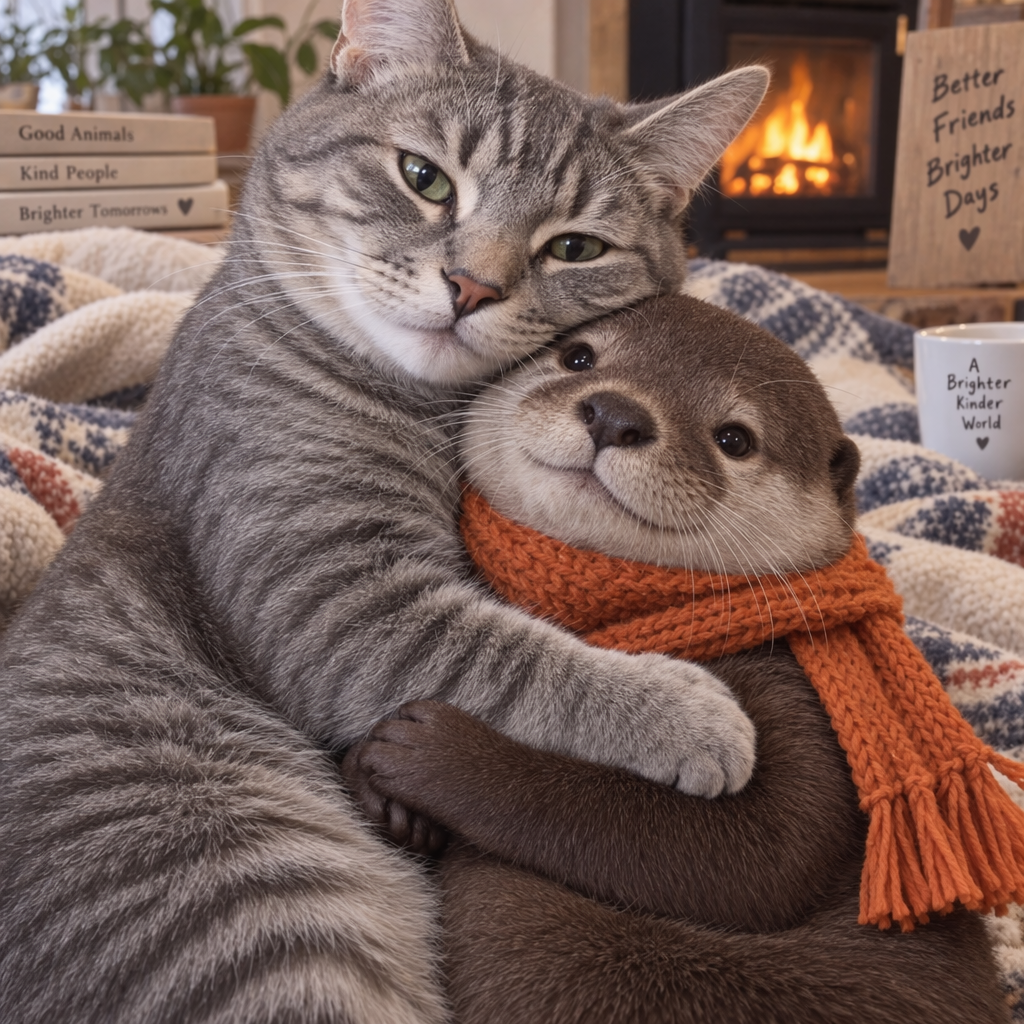
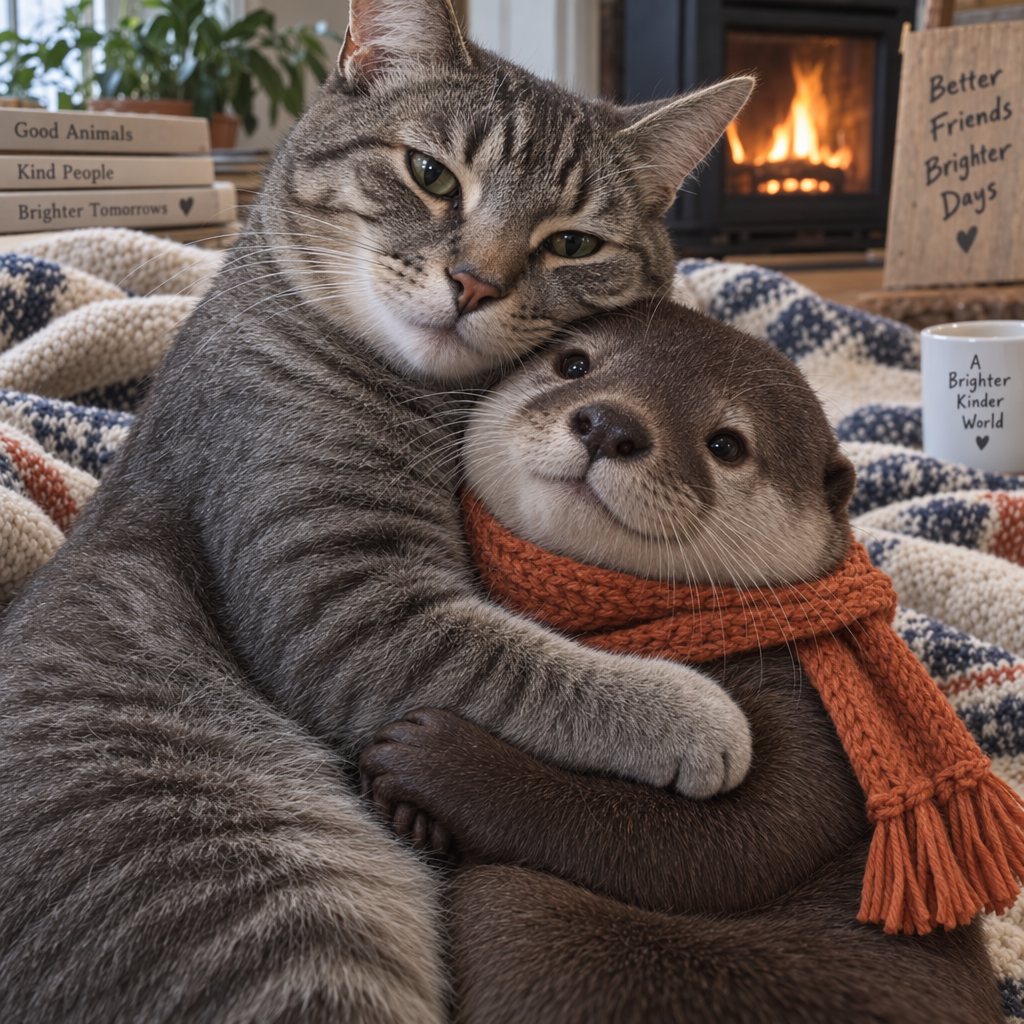
"Gere uma imagem de um gato cinza tigrado abraçando uma lontra com um cachecol
laranja"
"Agora deixe a imagem realista"
Streaming
A API Responses e a API de imagens oferecem suporte à geração de imagens por streaming. Você pode receber imagens parciais por streaming à medida que as APIs as geram, proporcionando uma experiência mais interativa.
Você pode ajustar o parâmetro partial_images para receber de 0 a 3 imagens parciais.
Se você definir partial_images como 0, receberá apenas a imagem final.
Para valores maiores que zero, você pode receber menos imagens parciais do que solicitou se a imagem completa for gerada mais rapidamente.
API Responses
Receber uma imagem por streaming
Python
1
2
3
4
5
6
7
8
9
10
11
12
13
14
15
16
17
18
19
20
21
22
23
24
25
26
27
28
29
30
31
32
33import OpenAI from "openai";import fs from "fs";const openai = new OpenAI();function saveBase64Image(filename, imageBase64) { const imageBuffer = Buffer.from(imageBase64, "base64"); fs.writeFileSync(filename, imageBuffer);}const stream = await openai.responses.create({ model: "gpt-6-astra", input: "Draw a gorgeous image of a river made of white owl feathers, snaking its way through a serene winter landscape", stream: true, tools: [ { type: "image_generation", model: "gpt-image-2.5-sunburst", partial_images: 2 }, ],});for await (const event of stream) { if (event.type === "response.image_generation_call.partial_image") { const idx = event.partial_image_index; saveBase64Image(`river-partial-${idx}.png`, event.partial_image_b64); } else if (event.type === "response.completed") { const imageData = event.response.output .filter((output) => output.type === "image_generation_call") .map((output) => output.result); if (imageData.length > 0) { saveBase64Image("river-final.png", imageData[0]); } }}
1
2
3
4
5
6
7
8
9
10
11
12
13
14
15
16
17
18
19
20
21
22
23
24
25
26
27
28
29
30
31
32
33
34from openai import OpenAIimport base64client = OpenAI()defsave_base64_image(filename, image_base64): image_bytes = base64.b64decode(image_base64)withopen(filename, "wb") as f: f.write(image_bytes)stream = client.responses.create(model="gpt-6-astra",input="Draw a gorgeous image of a river made of white owl feathers, snaking its way through a serene winter landscape",stream=True,tools=[ {"type": "image_generation", "model": "gpt-image-2.5-sunburst", "partial_images": 2} ],)for event in stream:if event.type =="response.image_generation_call.partial_image": idx = event.partial_image_index save_base64_image(f"river-partial-{idx}.png", event.partial_image_b64)elif event.type =="response.completed": image_data = [ output.resultfor output in event.response.outputif output.type =="image_generation_call" ]if image_data: save_base64_image("river-final.png", image_data[0])
1
2
3
4
5
6
7
8
9
10
11
12
13
14
15
16
17
18
19
20
21
22
23
24
25
26
27
28
29
30
31
32
33
34
35
36
37
38
39
40
41
42
43
44
45
46
47
48
49package mainimport ( "context" "encoding/base64" "fmt" "os" "github.com/openai/openai-go/v3" "github.com/openai/openai-go/v3/responses")func main() { client := openai.NewClient() stream := client.Responses.NewStreaming(context.Background(), responses.ResponseNewParams{ Model: "gpt-6-astra", Input: responses.ResponseNewParamsInputUnion{ OfString: openai.String("Draw a gorgeous image of a river made of white owl feathers, snaking its way through a serene winter landscape"), }, Tools: []responses.ToolUnionParam{{OfImageGeneration: &responses.ToolImageGenerationParam{Model: "gpt-image-2.5-sunburst", PartialImages: openai.Int(2)}}}, }) for stream.Next() { event := stream.Current() if event.Type == "response.image_generation_call.partial_image" { partial := event.AsResponseImageGenerationCallPartialImage() saveImage(fmt.Sprintf("river-partial-%d.png", partial.PartialImageIndex), partial.PartialImageB64) } if event.Type == "response.completed" { for _, output := range event.AsResponseCompleted().Response.Output { if output.Type == "image_generation_call" { saveImage("river-final.png", output.AsImageGenerationCall().Result) } } } } if err := stream.Err(); err != nil { panic(err) }}func saveImage(filename, encoded string) { image, err := base64.StdEncoding.DecodeString(encoded) if err != nil { panic(err) } if err := os.WriteFile(filename, image, 0o600); err != nil { panic(err) }}
1
2
3
4
5
6
7
8
9
10
11
12
13
14
15
16
17
18
19
20
21
22
23
24
25
26
27
28
29
30
31
32
33require "base64"require "openai"client = OpenAI::Client.newstream = client.responses.stream( model: "gpt-6-astra", input: "Generate an image of a river made of white owl feathers.", tools: [ { type: :image_generation, model: "gpt-image-2.5-sunburst", partial_images: 2 } ])stream.each do |event| case event when OpenAI::Models::Responses::ResponseImageGenCallPartialImageEvent image = Base64.strict_decode64(event.partial_image_b64) File.binwrite("river-partial-#{event.partial_image_index}.png", image) when OpenAI::Models::Responses::ResponseCompletedEvent image_call = event.response.output.find do |item| item.is_a?(OpenAI::Models::Responses::ResponseOutputItem::ImageGenerationCall) end next unless image_call.is_a?(OpenAI::Models::Responses::ResponseOutputItem::ImageGenerationCall) File.binwrite( "river-final.png", Base64.strict_decode64(image_call.result) ) endend
API de imagens
Receber uma imagem por streaming
Python
1
2
3
4
5
6
7
8
9
10
11
12
13
14
15
16
17
18
19
20
21
22import fs from "fs";import OpenAI from "openai";const openai = new OpenAI();const prompt = "Draw a gorgeous image of a river made of white owl feathers, snaking its way through a serene winter landscape";const stream = await openai.images.generate({ prompt: prompt, model: "gpt-image-2.5-sunburst", stream: true, partial_images: 2,});for await (const event of stream) { if (event.type === "image_generation.partial_image") { const idx = event.partial_image_index; const imageBase64 = event.b64_json; const imageBuffer = Buffer.from(imageBase64, "base64"); fs.writeFileSync(`river${idx}.png`, imageBuffer); }}
1
2
3
4
5
6
7
8
9
10
11
12
13
14
15
16
17
18
19from openai import OpenAIimport base64client = OpenAI()stream = client.images.generate(prompt="Draw a gorgeous image of a river made of white owl feathers, snaking its way through a serene winter landscape",model="gpt-image-2.5-sunburst",stream=True,partial_images=2,)for event in stream:if event.type =="image_generation.partial_image": idx = event.partial_image_index image_base64 = event.b64_json image_bytes = base64.b64decode(image_base64)withopen(f"river{idx}.png", "wb") as f: f.write(image_bytes)
1
2
3
4
5
6
7
8
9
10
11
12
13
14
15
16
17
18
19
20
21
22
23
24
25
26
27
28
29
30
31
32
33
34
35
36
37
38
39
40package mainimport ( "context" "encoding/base64" "fmt" "os" "github.com/openai/openai-go/v3")func main() { client := openai.NewClient() stream := client.Images.GenerateStreaming(context.Background(), openai.ImageGenerateParams{ Model: openai.ImageModel("gpt-image-2.5-sunburst"), Prompt: "Draw a gorgeous image of a river made of white owl feathers, snaking its way through a serene winter landscape", PartialImages: openai.Int(2), }) for stream.Next() { event := stream.Current() if event.Type != "image_generation.partial_image" { continue } partial := event.AsImageGenerationPartialImage() saveImage(fmt.Sprintf("river%d.png", partial.PartialImageIndex), partial.B64JSON) } if err := stream.Err(); err != nil { panic(err) }}func saveImage(filename, encoded string) { image, err := base64.StdEncoding.DecodeString(encoded) if err != nil { panic(err) } if err := os.WriteFile(filename, image, 0o600); err != nil { panic(err) }}
1
2
3
4
5
6
7
8
9
10
11
12
13
14
15
16require "base64"require "openai"client = OpenAI::Client.newstream = client.images.generate_stream_raw( model: "gpt-image-2.5-sunburst", prompt: "A river made of white owl feathers in a winter landscape", partial_images: 2)stream.each do |event| next unless event.is_a?(OpenAI::Models::ImageGenPartialImageEvent) image = Base64.strict_decode64(event.b64_json) File.binwrite("river#{event.partial_image_index}.png", image)end
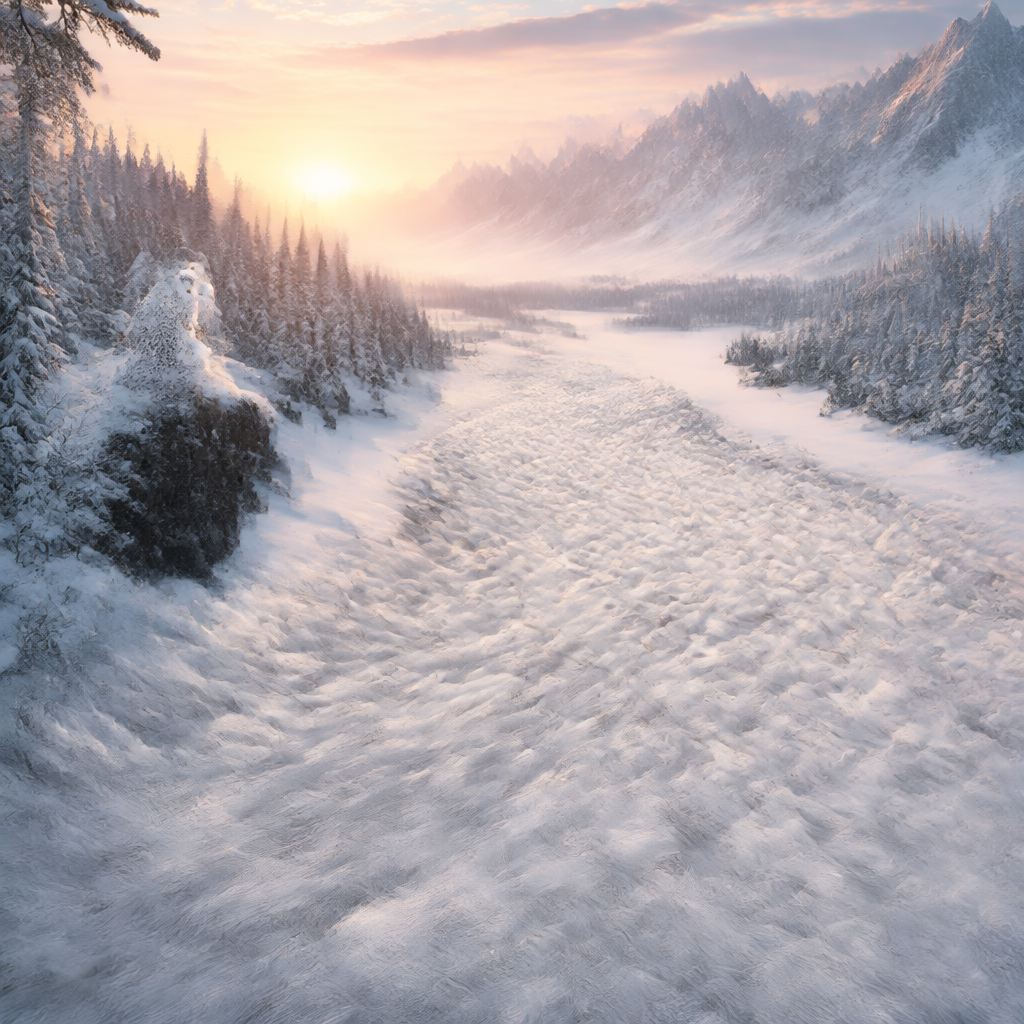
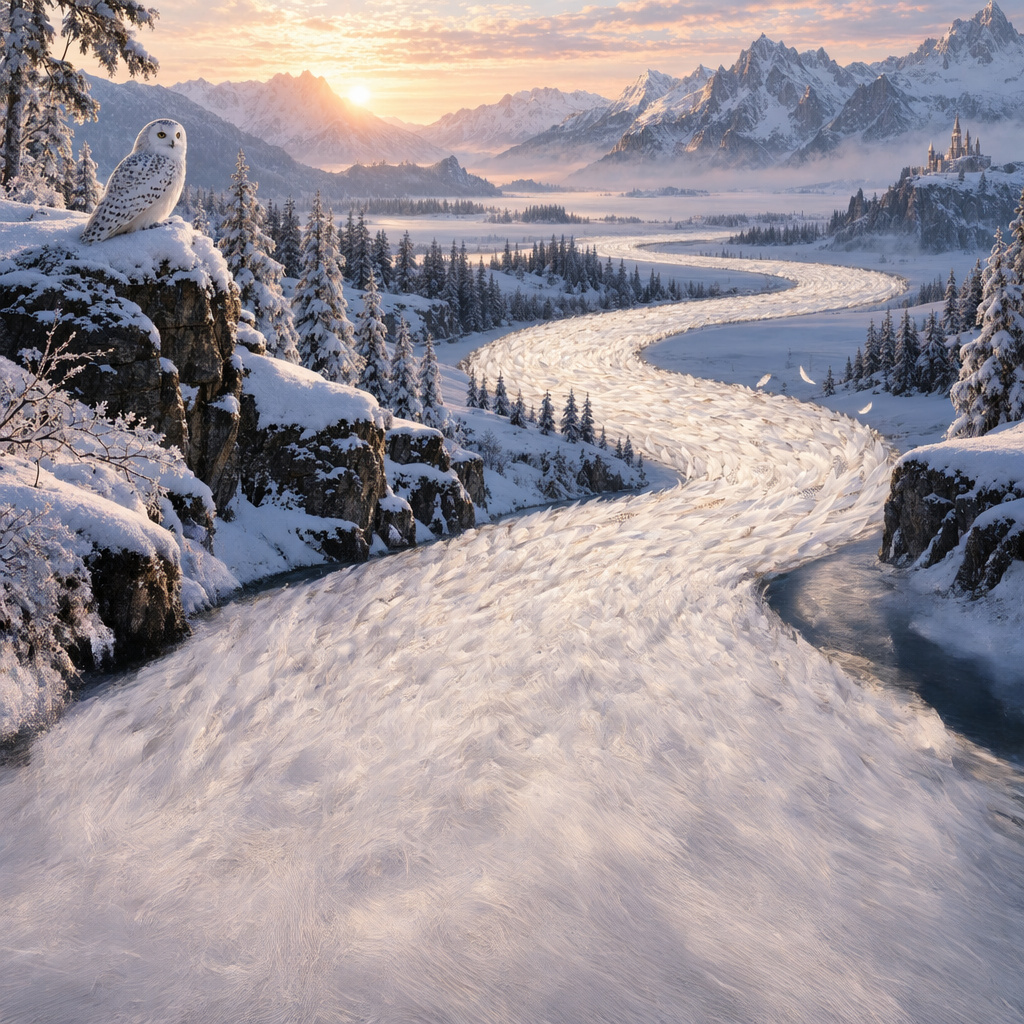
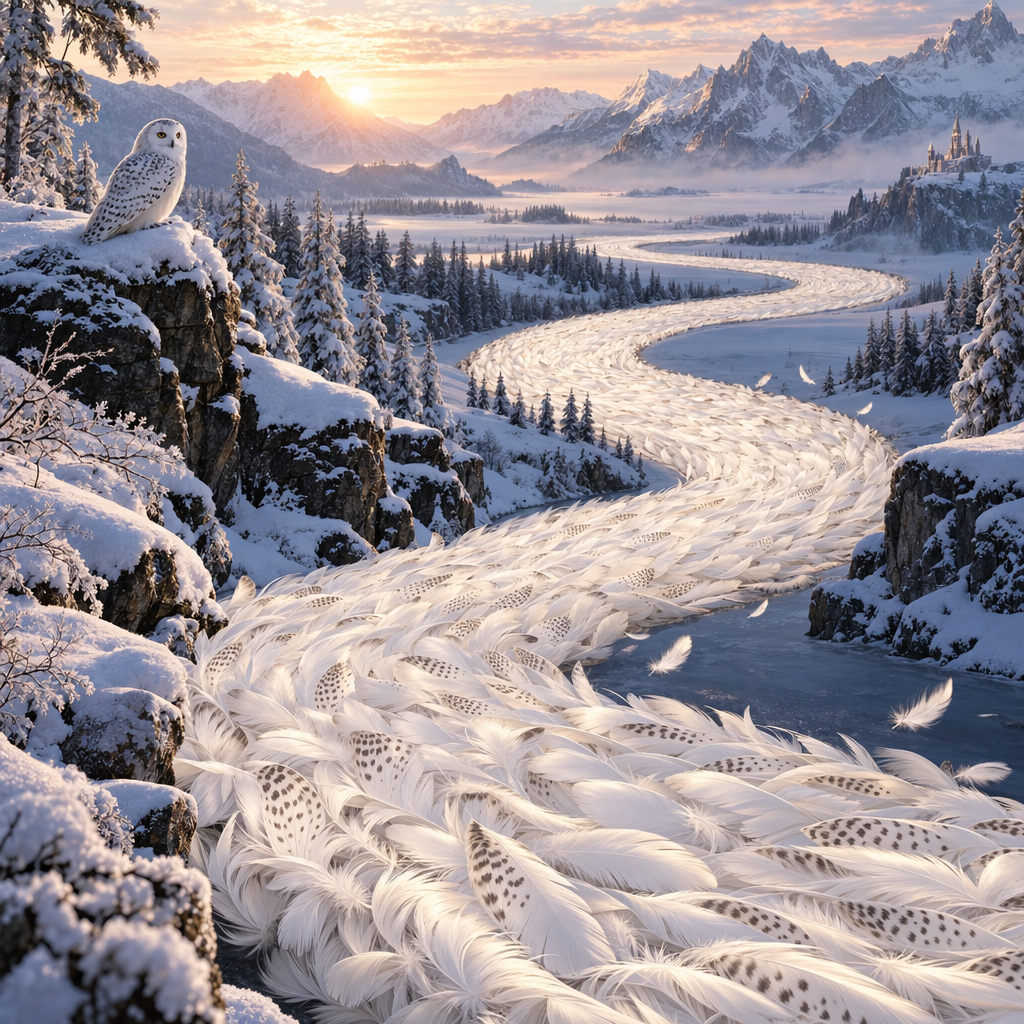
Resultado
Parcial 1
Parcial 2
Imagem final
Prompt: Desenhe uma bela imagem de um rio feito de penas brancas de coruja, serpenteando
por uma paisagem serena de inverno
Prompt revisado
Ao usar a ferramenta de geração de imagens na API Responses, o modelo da linha principal (por exemplo, gpt-5.5) revisará automaticamente seu prompt para melhorar o desempenho.
Você pode acessar o prompt revisado no campo revised_prompt da chamada de geração de imagens:
Resposta com o prompt revisado
1
2
3
4
5
6
7{"id": "ig_123","type": "image_generation_call","status": "completed","revised_prompt": "A gray tabby cat hugging an otter. The otter is wearing an orange scarf. Both animals are cute and friendly, depicted in a warm, heartwarming style.","result": "..."}
1
2
3
4
5
6
7
8
9
10
11
12
13
14
15
16
17
18
19
20
21
22
23
24
25
26
27
28
29
30
31
32
33
34
35
36
37
38
39
40
41
42
43
44
45
46
47
48
49
50
51
52
53
54
55
56
57
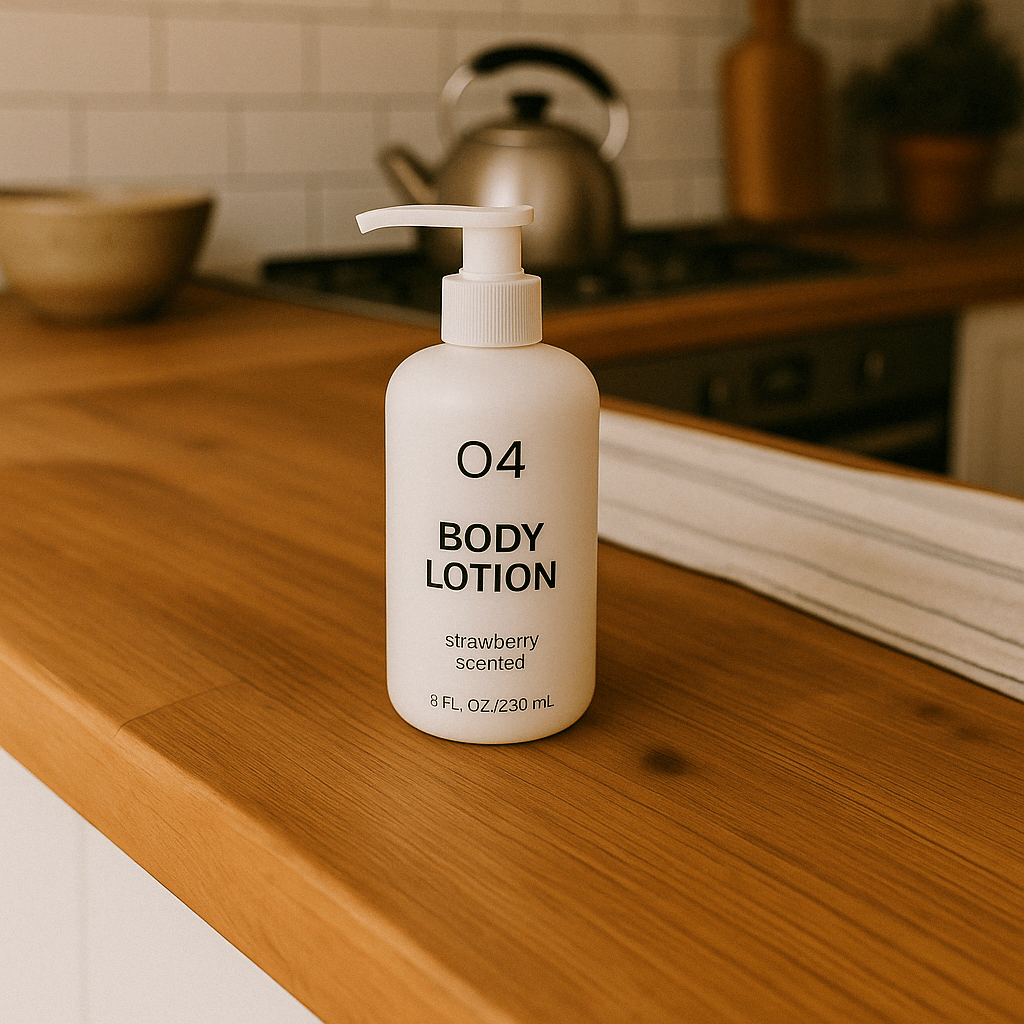
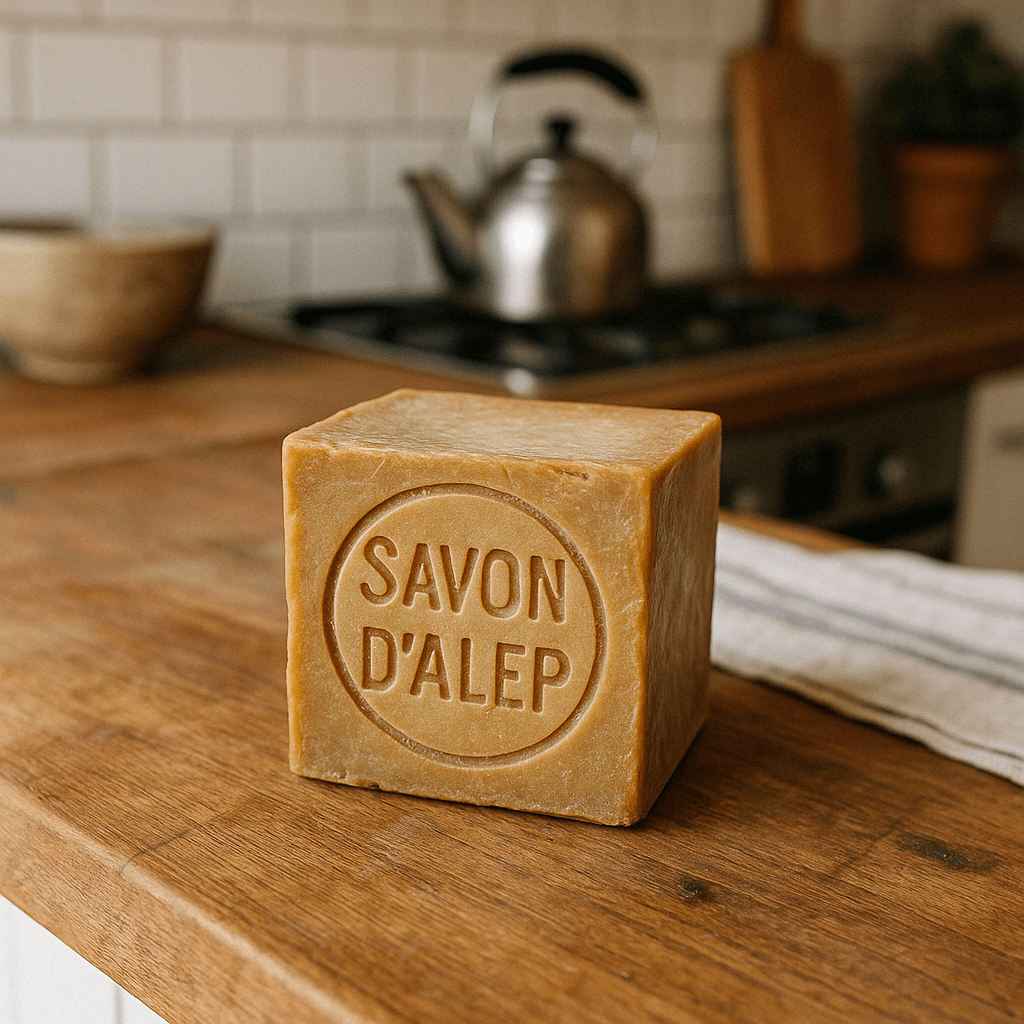
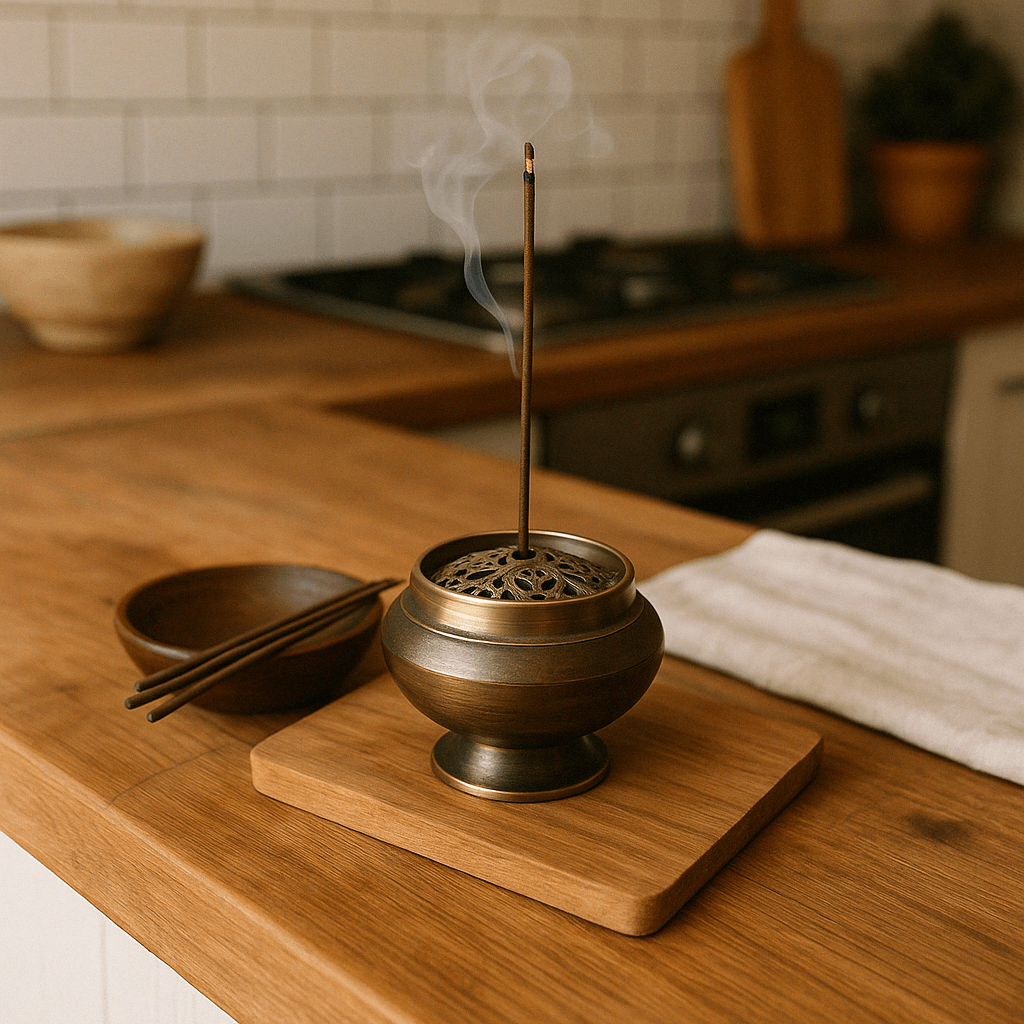
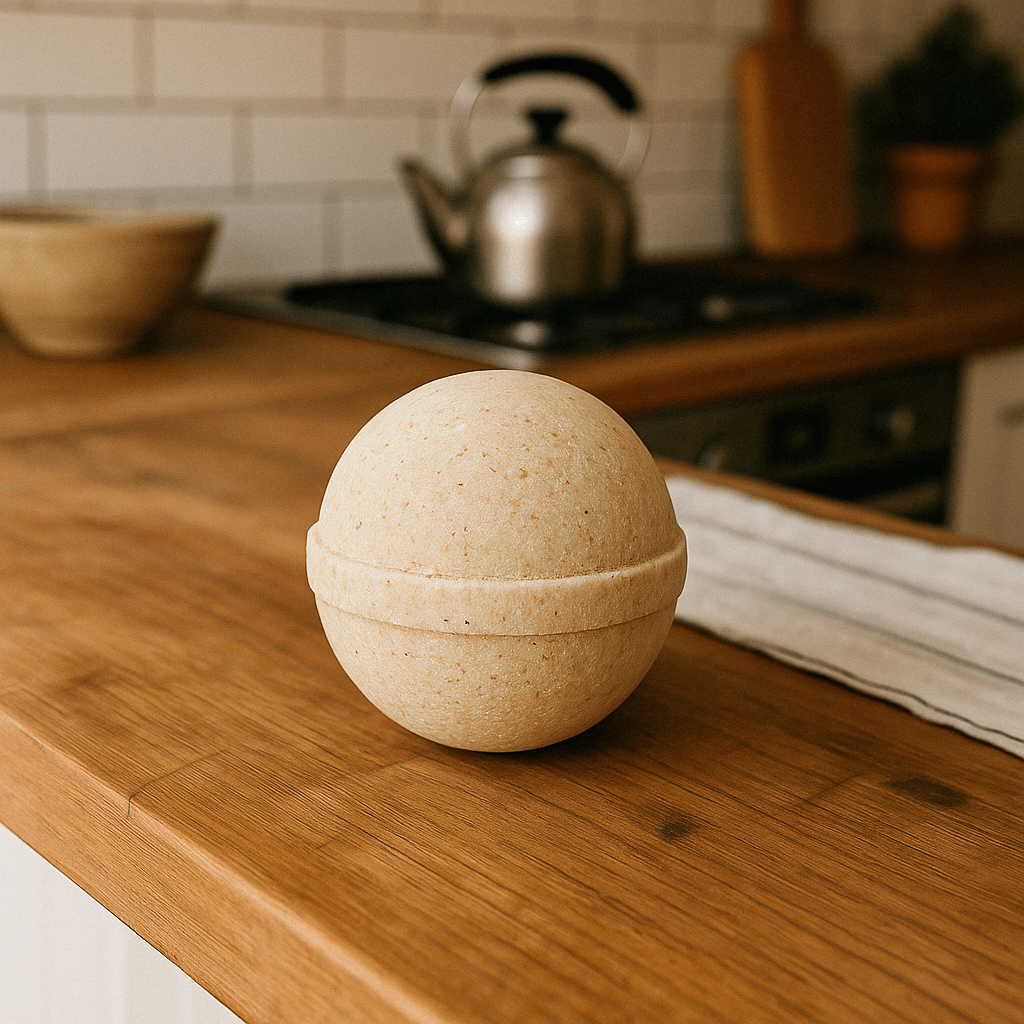
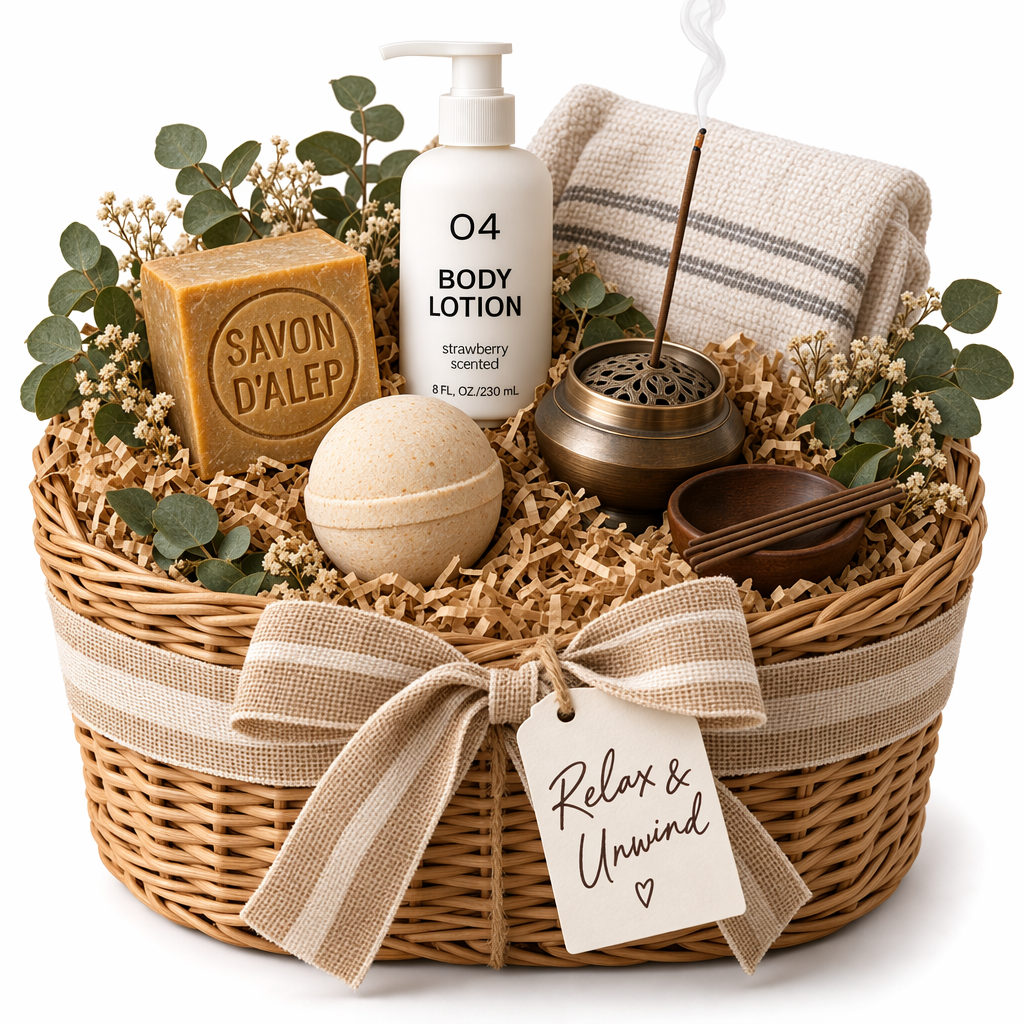
58require "base64"require "openai"require "pathname"client = OpenAI::Client.newbase64_images = ["body-lotion.png", "soap.png"].map do |path| Base64.strict_encode64(File.binread(path))endfile_ids = [ client.files.create(file: Pathname("bath-bomb.png"), purpose: :vision).id, client.files.create(file: Pathname("incense-kit.png"), purpose: :vision).id]prompt = <<~PROMPT Generate a photorealistic image of a gift basket on a white background labeled 'Relax & Unwind' with a ribbon and handwriting-like font, containing all the items in the reference pictures.PROMPTresponse = client.responses.create( model: "gpt-6-astra", input: [ { role: :user, content: [ { type: :input_text, text: prompt }, *base64_images.map do |image| { type: :input_image, image_url: "data:image/png;base64,#{image}" } end, *file_ids.map do |file_id| { type: :input_image, file_id: file_id } end ] } ], tools: [ { type: :image_generation, model: "gpt-image-2.5-sunburst" } ])image_call = response.output.find do |item| item.is_a?(OpenAI::Models::Responses::ResponseOutputItem::ImageGenerationCall)endunless image_call.is_a?(OpenAI::Models::Responses::ResponseOutputItem::ImageGenerationCall) raise "No image generation call returned"endFile.binwrite("gift-basket.png", Base64.strict_decode64(image_call.result))
API de imagens
Editar uma imagem
Python
1
2
3
4
5
6
7
8
9
10
11
12
13
14
15
16
17
18
19
20
21
22
23
24
25
26
27
28
29
30
31
32
33
34
35
36
37import fs from "fs";import OpenAI, { toFile } from "openai";const client = new OpenAI();const prompt = `Generate a photorealistic image of a gift basket on a white backgroundlabeled 'Relax & Unwind' with a ribbon and handwriting-like font,containing all the items in the reference pictures.`;const imageFiles = [ "fixtures/bath-bomb.png", "fixtures/body-lotion.png", "fixtures/incense-kit.png", "fixtures/soap.png",];const images = await Promise.all( imageFiles.map( async (file) => await toFile(fs.createReadStream(file), null, { type: "image/png", }) ));const response = await client.images.edit({ model: "gpt-image-2.5-sunburst", image: images, prompt,});// Save the image to a fileconst image_base64 = response.data[0].b64_json;const image_bytes = Buffer.from(image_base64, "base64");fs.writeFileSync("basket.png", image_bytes);
1
2
3
4
5
6
7
8
9
10
11
12
13
14
15
16
17
18
19
20
21
22
23
24
25
26
27
28import base64from openai import OpenAIclient = OpenAI()prompt ="""Generate a photorealistic image of a gift basket on a white backgroundlabeled 'Relax & Unwind' with a ribbon and handwriting-like font,containing all the items in the reference pictures."""result = client.images.edit(model="gpt-image-2.5-sunburst",image=[open("body-lotion.png", "rb"),open("bath-bomb.png", "rb"),open("incense-kit.png", "rb"),open("soap.png", "rb"), ],prompt=prompt,)image_base64 = result.data[0].b64_jsonimage_bytes = base64.b64decode(image_base64)# Save the image to a filewithopen("gift-basket.png", "wb") as f: f.write(image_bytes)
1
2
3
4
5
6
7
8
9
10
11
12
13
14
15
16
17
18
19
20
21
22
23
24
25
26
27
28
29
30
31
32
33
34
35
36
37
38
39
40
41
42
43
44
45
46
47
48
49
50
51
52
53
54
55
56
57
58
59
60
61
62
63
64
65package mainimport ( "context" "encoding/base64" "io" "os" "github.com/openai/openai-go/v3")func main() { client := openai.NewClient() files, closeFiles := openImages( "bath-bomb.png", "body-lotion.png", "incense-kit.png", "soap.png", ) defer closeFiles() response, err := client.Images.Edit(context.Background(), openai.ImageEditParams{ Model: openai.ImageModel("gpt-image-2.5-sunburst"), Image: openai.ImageEditParamsImageUnion{OfFileArray: files}, Prompt: "Generate a photorealistic image of a gift basket on a white background " + "labeled 'Relax & Unwind' with a ribbon and handwriting-like font, containing all the items in the reference pictures.", }) if err != nil { panic(err) } saveImage("basket.png", response.Data[0].B64JSON)}func openImages(names ...string) ([]io.Reader, func()) { images := make([]io.Reader, 0, len(names)) files := make([]*os.File, 0, len(names)) for _, name := range names { file, err := os.Open(name) if err != nil { closeFiles(files) panic(err) } images = append(images, openai.File(file, name, "image/png")) files = append(files, file) } return images, func() { closeFiles(files) }}func closeFiles(files []*os.File) { for _, file := range files { if err := file.Close(); err != nil { panic(err) } }}func saveImage(filename, encoded string) { image, err := base64.StdEncoding.DecodeString(encoded) if err != nil { panic(err) } if err := os.WriteFile(filename, image, 0o600); err != nil { panic(err) }}
1
2
3
4
5
6
7
8
9
10
11
12
13
14
15
16
17
18
19
20
21
22
23
24
25
26
27
28
29
30
31
32
33
34
35
36
37
38
39
40
41
42
43
44
45import com.openai.client.OpenAIClient;import com.openai.client.okhttp.OpenAIOkHttpClient;import com.openai.core.MultipartField;import com.openai.models.images.ImageEditParams;import java.io.IOException;import java.io.InputStream;import java.nio.file.Files;import java.nio.file.Path;import java.util.Base64;import java.util.List;Path lotion = Path.of(System.getenv("OPENAI_EXAMPLE_IMAGE_PATH"));Path soap = Path.of(System.getenv("OPENAI_EXAMPLE_IMAGE_PATH_2"));Path bathBomb = Path.of(System.getenv("OPENAI_EXAMPLE_IMAGE_PATH_3"));Path incense = Path.of(System.getenv("OPENAI_EXAMPLE_IMAGE_PATH_4"));try (InputStream lotionImage = Files.newInputStream(lotion); InputStream bathBombImage = Files.newInputStream(bathBomb); InputStream incenseImage = Files.newInputStream(incense); InputStream soapImage = Files.newInputStream(soap)) { var images = client .images() .edit( ImageEditParams.builder() .model("gpt-image-2.5-sunburst") .image( MultipartField.<ImageEditParams.Image>builder() .value( ImageEditParams.Image.ofInputStreams( List.of(lotionImage, bathBombImage, incenseImage, soapImage))) .contentType("image/png") .filename("gift-basket-reference.png") .build()) .prompt( """ Generate a photorealistic image of a gift basket on a white background labeled 'Relax & Unwind' with a ribbon and handwriting-like font, containing all the items in the reference pictures. """) .build()); Files.write( Path.of("gift-basket.png"), Base64.getDecoder().decode(images.data().orElseThrow().get(0).b64Json().orElseThrow()));}
1
2
3
4
5
6
7
8
9
10
11
12
13
14
15
16
17
18
19require "base64"require "openai"require "pathname"client = OpenAI::Client.newimages = %w[body-lotion.png bath-bomb.png incense-kit.png soap.png].map do |path| Pathname(path)endresult = client.images.edit( image: images, model: "gpt-image-2.5-sunburst", prompt: <<~PROMPT Generate a photorealistic image of a gift basket on a white background labeled 'Relax & Unwind' with a ribbon and handwriting-like font, containing all the items in the reference pictures. PROMPT)generated_image = result.data&.first or raise "No image returned"File.binwrite("gift-basket.png", Base64.strict_decode64(generated_image.b64_json))
1
2
3
4
5
6
7
8
9
10curl -s -D >(grep -i x-request-id >&2) \
  -o >(jq -r '.data[0].b64_json' | base64 --decode > gift-basket.png) \
  -X POST "https://api.openai.com/v1/images/edits" \
  -H "Authorization: Bearer $OPENAI_API_KEY" \
  -F "model=gpt-image-2.5-sunburst" \
  -F "image[]=@body-lotion.png" \
  -F "image[]=@bath-bomb.png" \
  -F "image[]=@incense-kit.png" \
  -F "image[]=@soap.png" \
  -F 'prompt=Generate a photorealistic image of a gift basket on a white background labeled "Relax & Unwind" with a ribbon and handwriting-like font, containing all the items in the reference pictures'
1
2
3
4
5
6
7
8
9openai images edit \
  --model gpt-image-2.5-sunburst \
  --image body-lotion.png \
  --image bath-bomb.png \
  --image incense-kit.png \
  --image soap.png \
  --prompt 'Generate a photorealistic image of a gift basket on a white background labeled "Relax & Unwind" with a ribbon and handwriting-like font, containing all the items in the reference pictures' \
  --raw-output \
  --transform 'data.0.b64_json' | base64 --decode > gift-basket.png
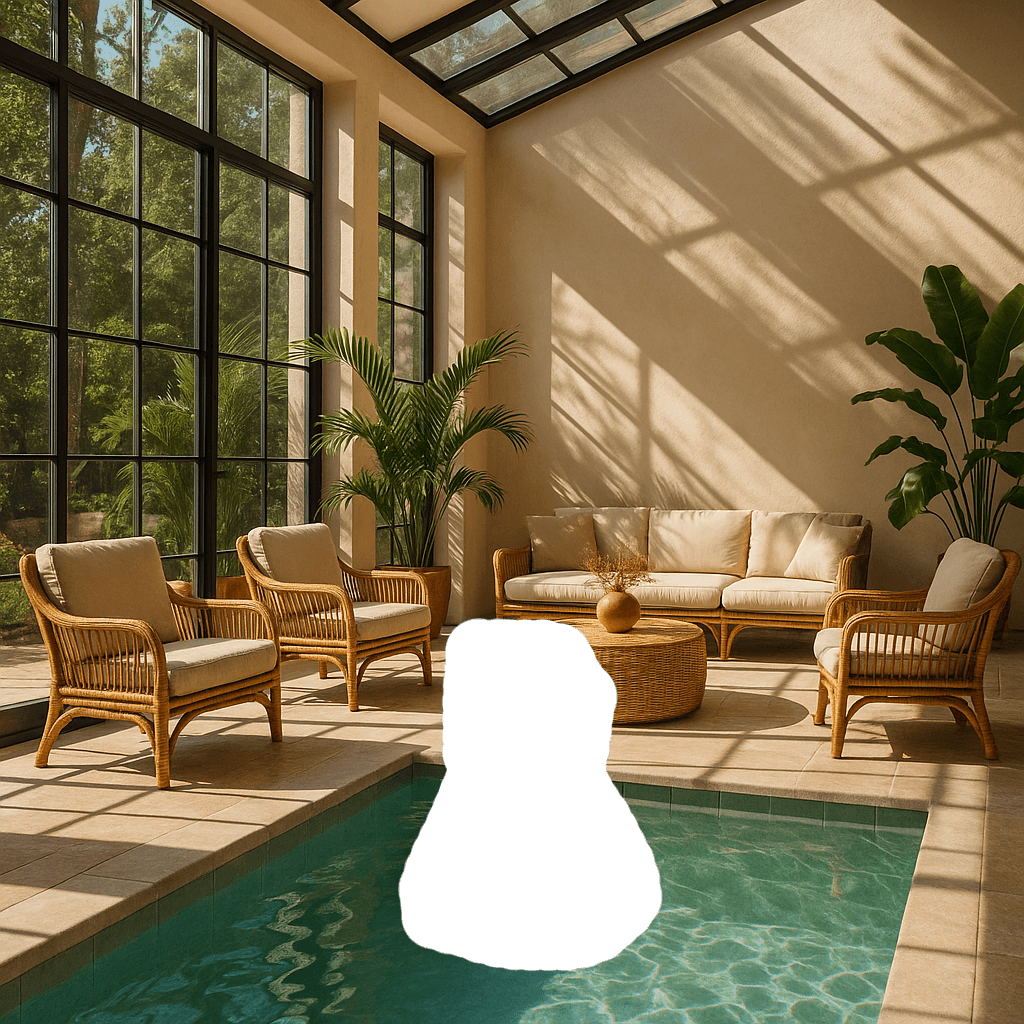
Editar uma imagem usando uma máscara
Você pode fornecer uma máscara para indicar qual parte da imagem deve ser editada.
Ao usar uma máscara com GPT Image, instruções adicionais são enviadas ao modelo para ajudar a orientar o processo de edição de acordo com a máscara.
O uso de máscaras com GPT Image é inteiramente baseado em prompts. O modelo usa a máscara como
orientação, mas pode não seguir seu formato exato com total precisão.
Se você fornecer várias imagens de entrada, a máscara será aplicada à primeira imagem.
API Responses
Editar uma imagem com uma máscara
Python
1
2
3
4
5
6
7
8
9
10
11
12
13
14
15
16
17
18
19
20
21
22
23
24
25
26
27
28
29
30
31
32
33
34
35
36
37
38
39
40
41
42
43
44
45
46
47
48
49
50
51
52
53
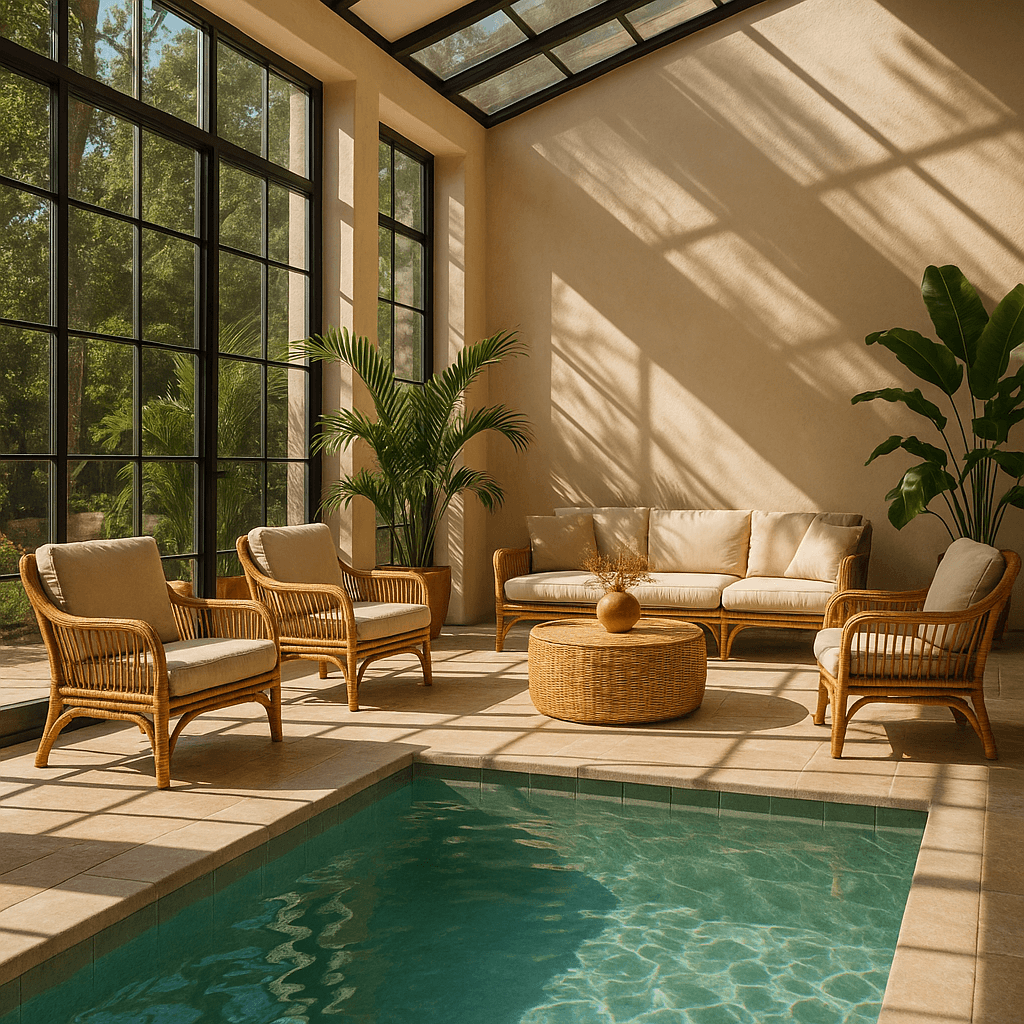
54import fs from "fs";import OpenAI from "openai";const openai = new OpenAI();async function createFile(filePath) { const result = await openai.files.create({ file: fs.createReadStream(filePath), purpose: "vision", }); return result.id;}const fileId = await createFile("fixtures/sunlit_lounge.png");const maskId = await createFile("fixtures/mask.png");const response = await openai.responses.create({ model: "gpt-6-astra", input: [ { role: "user", content: [ { type: "input_text", text: "generate an image of the same sunlit indoor lounge area with a pool but the pool should contain a flamingo", }, { type: "input_image", file_id: fileId, detail: "auto", }, ], }, ], tools: [ { type: "image_generation", model: "gpt-image-2.5-sunburst", quality: "high", input_image_mask: { file_id: maskId, }, }, ],});const imageData = response.output .filter((output) => output.type === "image_generation_call") .map((output) => output.result);if (imageData.length > 0) { const imageBase64 = imageData[0]; fs.writeFileSync("lounge.png", Buffer.from(imageBase64, "base64"));}
1
2
3
4
5
6
7
8
9
10
11
12
13
14
15
16
17
18
19
20
21
22
23
24
25
26
27
28
29
30
31
32
33
34
35
36
37
38
39
40
41
42
43
44
45
46
47
48
49
50
51
52
53
54from openai import OpenAIimport base64client = OpenAI()defcreate_file(file_path):withopen(file_path, "rb") as file_content: result = client.files.create(file=file_content, purpose="vision")return result.idfileId = create_file("sunlit_lounge.png")maskId = create_file("mask.png")response = client.responses.create(model="gpt-6-astra",input=[ {"role": "user","content": [ {"type": "input_text","text": "generate an image of the same sunlit indoor lounge area with a pool but the pool should contain a flamingo", }, {"type": "input_image","file_id": fileId, }, ], }, ],tools=[ {"type": "image_generation","model": "gpt-image-2.5-sunburst","quality": "high","input_image_mask": {"file_id": maskId, }, }, ],)image_data = [ output.resultfor output in response.outputif output.type =="image_generation_call"]if image_data: image_base64 = image_data[0]withopen("lounge.png", "wb") as f: f.write(base64.b64decode(image_base64))
1
2
3
4
5
6
7
8
9
10
11
12
13
14
15
16
17
18
19
20
21
22
23
24
25
26
27
28
29
30
31
32
33
34
35
36
37
38
39
40
41
42
43
44
45
46
47
48
49
50
51
52
53
54
55
56
57
58
59
60
61
62
63
64
65
66
67package mainimport ( "context" "encoding/base64" "os" "github.com/openai/openai-go/v3" "github.com/openai/openai-go/v3/responses")func main() { client := openai.NewClient() imageID := uploadImage(client, "sunlit_lounge.png") maskID := uploadImage(client, "mask.png") response, err := client.Responses.New(context.Background(), responses.ResponseNewParams{ Model: "gpt-6-astra", Input: responses.ResponseNewParamsInputUnion{OfInputItemList: responses.ResponseInputParam{ responses.ResponseInputItemParamOfMessage( responses.ResponseInputMessageContentListParam{ responses.ResponseInputContentParamOfInputText("Generate an image of the same sunlit indoor lounge area with a pool, but the pool should contain a flamingo."), {OfInputImage: &responses.ResponseInputImageParam{FileID: openai.String(imageID), Detail: responses.ResponseInputImageDetailAuto}}, }, responses.EasyInputMessageRoleUser, ), }}, Tools: []responses.ToolUnionParam{{OfImageGeneration: &responses.ToolImageGenerationParam{ Model: "gpt-image-2.5-sunburst", Quality: "high", InputImageMask: responses.ToolImageGenerationInputImageMaskParam{FileID: openai.String(maskID)}, }}}, }) if err != nil { panic(err) } saveFirstGeneratedImage(response, "lounge.png")}func uploadImage(client openai.Client, filename string) string { file, err := os.Open(filename) if err != nil { panic(err) } defer file.Close() uploaded, err := client.Files.New(context.Background(), openai.FileNewParams{File: file, Purpose: openai.FilePurposeVision}) if err != nil { panic(err) } return uploaded.ID}func saveFirstGeneratedImage(response *responses.Response, filename string) { for _, output := range response.Output { if output.Type != "image_generation_call" { continue } image, err := base64.StdEncoding.DecodeString(output.AsImageGenerationCall().Result) if err != nil { panic(err) } if err := os.WriteFile(filename, image, 0o600); err != nil { panic(err) } return } panic("response did not include an image generation call")}
1
2
3
4
5
6
7
8
9
10
11
12
13
14
15require "openai"require "pathname"require "base64"client = OpenAI::Client.newimage = Pathname("sunlit_lounge.png")mask = Pathname("mask.png")result = client.images.edit( image: image, mask: mask, model: "gpt-image-2.5-sunburst", prompt: "A sunlit indoor lounge area with a pool containing a flamingo")generated_image = result.data&.first or raise "No image returned"File.binwrite("lounge.png", Base64.strict_decode64(generated_image.b64_json))
1
2
3
4
5
6
7
8curl -s -D >(grep -i x-request-id >&2) \
  -o >(jq -r '.data[0].b64_json' | base64 --decode > lounge.png) \
  -X POST "https://api.openai.com/v1/images/edits" \
  -H "Authorization: Bearer $OPENAI_API_KEY" \
  -F "model=gpt-image-2.5-sunburst" \
  -F "mask=@mask.png" \
  -F "image[]=@sunlit_lounge.png" \
  -F 'prompt=A sunlit indoor lounge area with a pool containing a flamingo'
1
2
3
4
5
6
7openai images edit \
  --model gpt-image-2.5-sunburst \
  --image sunlit_lounge.png \
  --mask mask.png \
  --prompt "A sunlit indoor lounge area with a pool containing a flamingo" \
  --raw-output \
  --transform 'data.0.b64_json' | base64 --decode > out.png
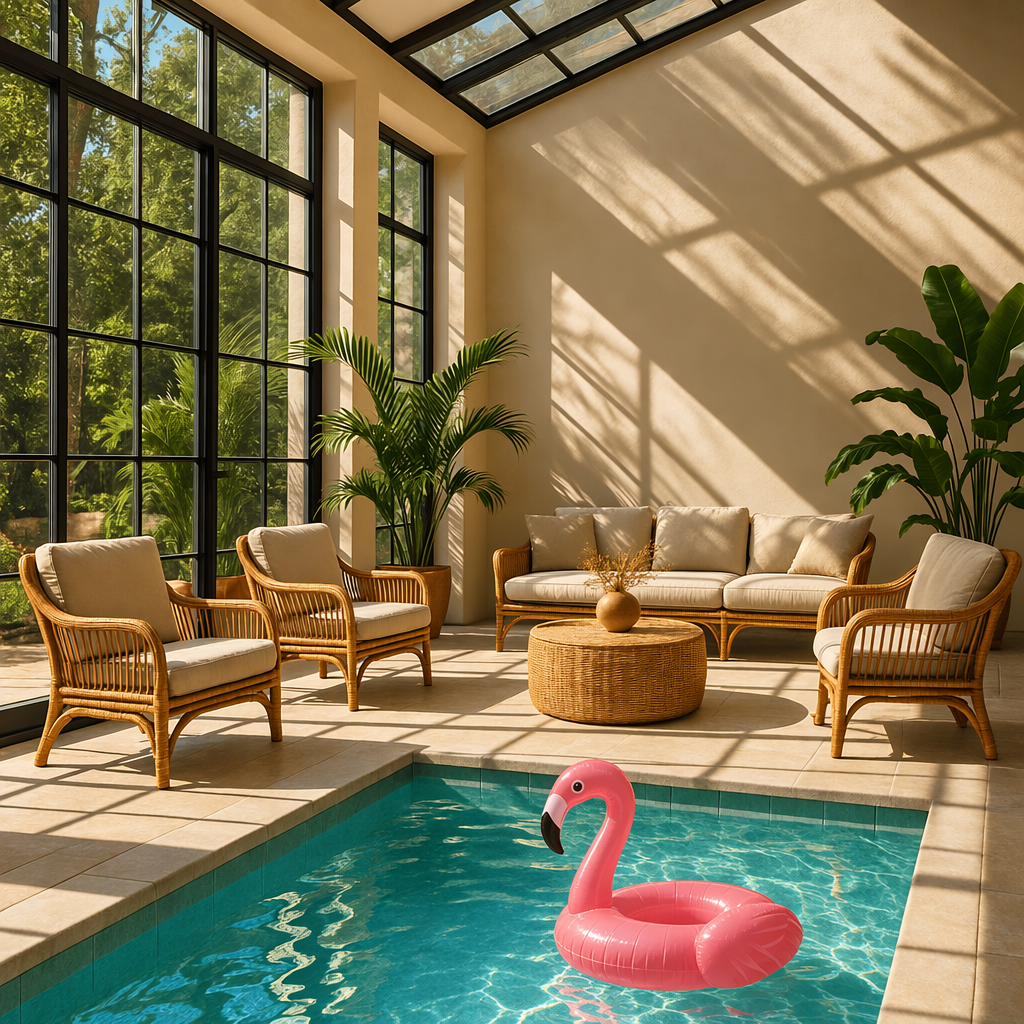
Imagem
Máscara
Saída
Prompt: uma área interna de descanso iluminada pelo sol, com uma piscina contendo um flamingo
Requisitos da máscara
A imagem a ser editada e a máscara devem ter o mesmo formato e tamanho (menos de 50 MB).
A imagem da máscara também deve conter um canal alfa. Se você estiver usando uma ferramenta de edição de imagens para criar a máscara, salve-a com um canal alfa.
Você pode modificar uma imagem em preto e branco por meio de código para adicionar um canal alfa.
Adicionar um canal alfa a uma máscara em preto e branco
Python
1
2
3
4
5
6
7
8
9
10
11
12
13
14
15
16
17
18
19
20
21fromPILimport Imagefrom io import BytesIO# 1. Load your black & white mask as a grayscale imagemask = Image.open("mask.png").convert("L")# 2. Convert it to RGBA so it has space for an alpha channelmask_rgba = mask.convert("RGBA")# 3. Then use the mask itself to fill that alpha channelmask_rgba.putalpha(mask)# 4. Convert the mask into bytesbuf = BytesIO()mask_rgba.save(buf, format="PNG")mask_bytes = buf.getvalue()# 5. Save the resulting fileimg_path_mask_alpha ="mask_alpha.png"withopen(img_path_mask_alpha, "wb") as f: f.write(mask_bytes)
Você pode configurar as seguintes opções de saída:
Tamanho: dimensões da imagem (por exemplo, 1024x1024, 1024x1536)
Qualidade: qualidade de renderização (por exemplo, low, medium, high)
Formato: formato do arquivo de saída
Compressão: nível de compressão (0-100%) para os formatos JPEG e WebP
Fundo: transparente, opaco ou automático
size, quality e background aceitam a opção auto, com a qual o modelo seleciona automaticamente a melhor opção com base no prompt.
Opções de tamanho e qualidade
gpt-image-2.5-sunburst e gpt-image-2.5-flare adicionam as configurações de qualidade xhigh e max. Ambos usam auto por padrão. Os modelos GPT Image anteriores aceitam configurações de qualidade até high.
Ambos os modelos também aceitam dimensões personalizadas como strings no formato WIDTHxHEIGHT, como 1536x864. A largura e a altura devem ser múltiplos de 16, a proporção deve estar entre 1:3 e 3:1, e nenhum dos lados pode exceder 3840 pixels. O total de pixels deve estar entre 655.360 e 8.294.400 (4K). Resoluções acima de 2560x1440 são experimentais.
Para obter fundos transparentes com qualquer um dos modelos, defina background: "transparent" e use output_format: "png" ou "webp".
Use quality: "low" para rascunhos rápidos. Para os materiais finais, compare as configurações de qualidade mais altas para encontrar o equilíbrio adequado entre detalhes, latência e custo.
Formato de saída
A API de imagens retorna dados de imagem codificados em base64.
O formato padrão é png, mas você também pode solicitar jpeg ou webp.
Ao usar jpeg ou webp, você também pode especificar o parâmetro output_compression para controlar o nível de compressão (0-100%). Por exemplo, output_compression=50 comprimirá a imagem em 50%.
Usar jpeg é mais rápido do que usar png, então priorize esse formato se
a latência for uma preocupação.
Limitações
Os modelos GPT Image são modelos de geração de imagens poderosos e versáteis, mas ainda têm algumas limitações que você deve conhecer:
Latência: prompts complexos podem levar até 2 minutos para serem processados.
Renderização de texto: embora tenha melhorado significativamente, o modelo ainda pode ter dificuldade para posicionar o texto com precisão e garantir sua legibilidade.
Consistência: embora seja capaz de produzir imagens consistentes, o modelo pode ocasionalmente ter dificuldade para manter a consistência visual de personagens recorrentes ou elementos de marca em várias gerações.
Controle da composição: apesar das melhorias na capacidade de seguir instruções, o modelo pode ter dificuldade para posicionar elementos com precisão em composições estruturadas ou que exigem um layout preciso.
Moderação de conteúdo
Todos os prompts e imagens geradas são filtrados de acordo com nossa política de conteúdo.
Na geração de imagens com modelos GPT Image, você pode controlar o rigor da moderação com o parâmetro moderation. Esse parâmetro aceita dois valores:
auto (padrão): filtragem padrão que busca limitar a criação de determinadas categorias de conteúdo potencialmente inadequado para certas faixas etárias.
low: filtragem menos restritiva.
Como tratar solicitações bloqueadas e outros erros
Trate as falhas de geração de imagens da mesma forma que outros erros da API: verifique o status HTTP ou o tipo de exceção do SDK, registre o ID da solicitação e consulte o guia de códigos de erro para falhas de autenticação, cota, limite de taxa e servidor. Repita as tentativas após falhas transitórias de limite de taxa e servidor, aumentando o intervalo entre elas. Não repita automaticamente as tentativas após erros de cota ou erros do usuário na geração de imagens que exijam alterações na solicitação.
Algumas falhas de geração de imagens podem ser corrigidas pelo usuário e podem retornar error.type = "image_generation_user_error". Não repita automaticamente as tentativas após esses erros sem modificar o prompt ou as imagens de entrada. Para o tratamento programático, use error.code como critério estável de diferenciação.
Quando error.code = "moderation_blocked", o erro também pode incluir um objeto opcional error.moderation_details:
O objeto moderation_details fornece contexto geral para depuração sem expor rótulos ou pontuações internos do classificador.
moderation_stage pode ser:
input: O bloqueio teve origem no prompt ou nas entradas da solicitação.
output: O bloqueio teve origem em uma imagem gerada ou em uma etapa posterior de moderação da saída.
unknown: Um valor alternativo usado raramente, quando é difícil determinar a origem.
categories contém rótulos públicos genéricos. Por exemplo, você pode encontrar valores como harassment, self-harm, sexual ou violence.
Na maioria dos aplicativos, mantenha genérica a mensagem principal exibida ao usuário final. Use moderation_details para logs de desenvolvedor, fluxos de trabalho de suporte, análises e sugestões simples de correção.
Tratar erros de geração de imagens causados por bloqueios de moderação
JavaScript
1
2
3
4
5
6
7
8
9
10
11
12
13
14
15
16
17
18
19
20
21
22
23
24
25
26
27
28
29
30
31
32
33
34
35
36
37
38
39
40
41
42import OpenAI from"openai";constopenai=newOpenAI();try {// The same error handling pattern applies to image generation requests,// image edits, and Responses API tool calls that generate images.await openai.images.generate({ model: "gpt-image-2.5-sunburst", prompt: "Create a poster humiliating my coworker with insulting captions", });} catch (error) {if (error?.code !=="moderation_blocked") {throw error; }constmoderationDetails= error.error?.moderation_details;constcategories= moderationDetails?.categories ?? [];conststage= moderationDetails?.moderation_stage;let hint ="This request could not be completed because it did not meet safety requirements.";if (categories.includes("harassment")) { hint ="Try removing abusive or targeting language and focus on neutral visual details instead."; } elseif (stage ==="input") { hint ="Try revising the prompt or input images and submit the request again."; } elseif (stage ==="output") { hint ="The generated result was blocked by a safety check. Try changing the prompt and generating again."; } console.error("Image generation blocked", { request_id: error?.requestID, code: error?.code, moderation_details: moderationDetails, }); console.log(hint);}
1
2
3
4
5
6
7
8
9
10
11
12
13
14
15
16
17
18
19
20
21
22
23
24
25
26
27
28
29
30
31
32
33
34
35
36
37
38
39
40import openaifrom openai import OpenAIclient = OpenAI()try: # The same error handling pattern applies to image generation requests, # image edits, and Responses API tool calls that generate images. client.images.generate( model="gpt-image-2.5-sunburst", prompt="Create a poster humiliating my coworker with insulting captions", )except openai.BadRequestError as error: if error.code != "moderation_blocked": raise error_body = error.body if isinstance(error.body, dict) else {} moderation_details = error_body.get("moderation_details") or {} categories = moderation_details.get("categories") or [] stage = moderation_details.get("moderation_stage") hint = "This request could not be completed because it did not meet safety requirements." if "harassment" in categories: hint = "Try removing abusive or targeting language and focus on neutral visual details instead." elif stage == "input": hint = "Try revising the prompt or input images and submit the request again." elif stage == "output": hint = "The generated result was blocked by a safety check. Try changing the prompt and generating again." print( "Image generation blocked", { "request_id": error.request_id, "code": error.code, "moderation_details": moderation_details, }, ) print(hint)
1
2
3
4
5
6
7
8
9
10
11
12
13
14
15
16
17
18
19
20
21
22
23
24
25
26
27
28
29
30
31
32
33
34
35
36
37
38
39
40
41
42
43
44
45
46
47
48package mainimport ( "context" "encoding/json" "errors" "fmt" "slices" "github.com/openai/openai-go/v3")func main() { client := openai.NewClient() _, err := client.Images.Generate(context.Background(), openai.ImageGenerateParams{ Model: openai.ImageModel("gpt-image-2.5-sunburst"), Prompt: "Create a poster humiliating my coworker with insulting captions", }) if err == nil { return } var apiError *openai.Error if !errors.As(err, &apiError) || apiError.Code != "moderation_blocked" { panic(err) } var body struct { ModerationDetails struct { Categories []string `json:"categories"` ModerationStage string `json:"moderation_stage"` } `json:"moderation_details"` } if err := json.Unmarshal([]byte(apiError.RawJSON()), &body); err != nil { panic(err) } hint := "This request could not be completed because it did not meet safety requirements." if slices.Contains(body.ModerationDetails.Categories, "harassment") { hint = "Try removing abusive or targeting language and focus on neutral visual details instead." } else if body.ModerationDetails.ModerationStage == "input" { hint = "Try revising the prompt or input images and submit the request again." } else if body.ModerationDetails.ModerationStage == "output" { hint = "The generated result was blocked by a safety check. Try changing the prompt and generating again." } fmt.Printf("Image generation blocked (%s): %s\n", apiError.Code, hint)}
1
2
3
4
5
6
7
8
9
10
11
12
13
14
15
16
17
18
19
20
21
22
23
24
25
26
27
28
29
30
31
32
33
34
35
36
37
38import com.openai.client.OpenAIClient;import com.openai.client.okhttp.OpenAIOkHttpClient;import com.openai.errors.BadRequestException;import com.openai.models.images.ImageGenerateParams;import java.util.List;import java.util.Map;try { var images = client .images() .generate( ImageGenerateParams.builder() .model("gpt-image-2.5-sunburst") .prompt("Create a poster humiliating my coworker with insulting captions") .build()); System.out.println(images.data().orElseThrow().get(0).b64Json().orElseThrow());} catch (BadRequestException error) { if (!error.code().orElse("").equals("moderation_blocked")) { throw error; } Map<?, ?> body = error.body().convert(Map.class); Object detailsValue = body.get("moderation_details"); Map<?, ?> details = detailsValue instanceof Map<?, ?> values ? values : Map.of(); Object categories = details.get("categories"); Object stage = details.get("moderation_stage"); String hint = "This request did not meet safety requirements."; if (categories instanceof List<?> values && values.contains("harassment")) { hint = "Remove abusive or targeting language and focus on neutral visual details."; } else if ("input".equals(stage)) { hint = "Revise the prompt or input images, then submit the request again."; } else if ("output".equals(stage)) { hint = "Change the prompt and generate again; the generated result was blocked."; } System.err.println("Image generation blocked (" + error.code().orElseThrow() + "): " + hint);}
1
2
3
4
5
6
7
8
9
10
11
12
13
14
15
16
17
18
19
20
21
22
23
24
25
26
27require "openai"client = OpenAI::Client.newbegin client.images.generate( model: "gpt-image-2.5-sunburst", prompt: "Create a poster humiliating my coworker with insulting captions" )rescue OpenAI::Errors::BadRequestError => error raise unless error.code == "moderation_blocked" body = Hash.try_convert(error.body) || {} moderation_details = body[:moderation_details] || body["moderation_details"] || {} categories = moderation_details[:categories] || moderation_details["categories"] || [] stage = moderation_details[:moderation_stage] || moderation_details["moderation_stage"] hint = "This request did not meet safety requirements." if categories.include?("harassment") hint = "Remove abusive or targeting language and focus on neutral visual details." elsif stage == "input" hint = "Revise the prompt or input images, then submit the request again." elsif stage == "output" hint = "Change the prompt and generate again; the generated result was blocked." end warn("Image generation blocked (#{error.code}): #{hint}")end
Modelos compatíveis
Ao usar a geração de imagens na API Responses, espera-se que gpt-5 e modelos mais recentes ofereçam suporte à ferramenta de geração de imagens. Consulte a página de detalhes do seu modelo para confirmar se o modelo desejado pode usar a ferramenta de geração de imagens.
Custo e latência
Custos do GPT Image 2.5
As solicitações à API Responses incluem o uso de tokens do modelo principal, além dos custos de geração de imagens.
Os dois modelos GPT Image 2.5 têm os mesmos preços por token: US$ 8 por milhão de tokens de imagem de entrada, US$ 2 por milhão de tokens de imagem de entrada em cache, US$ 30 por milhão de tokens de imagem de saída, US$ 5 por milhão de tokens de texto de entrada e US$ 1,25 por milhão de tokens de texto de entrada em cache. Consulte os preços.
Use usage da resposta para medir o consumo de tokens dos seus prompts, tamanhos e configurações de qualidade. Preços iguais por token não significam custos iguais por imagem: o consumo de tokens pode variar conforme o modelo e a configuração de qualidade. Para ver exemplos de preços de modelos mais antigos, consulte Modelos GPT Image anteriores.
Tokens de saída do GPT Image 2.5 e do GPT Image 2
Selecione um modelo, uma qualidade e um tamanho para estimar os tokens de saída e o custo da imagem de saída.
Para gpt-image-2.5-sunburst e gpt-image-2.5-flare, as opções de qualidade são low, medium, high, xhigh e max.
Para gpt-image-2, as opções são low, medium e high.
Os modelos podem usar quantidades diferentes de tokens para a mesma configuração de qualidade e têm o mesmo preço por token de imagem de saída.
Use valores explícitos de qualidade e tamanho para esta estimativa; auto depende da imagem gerada.
ModeloModeloGPT Image 2.5 (Sunburst and Flare)
Qualidade
Tokens de saída
196
Custo estimado da imagem de saída
$0.00588
Por imagem, a 30 USD por milhão de tokens de imagem de saída. Não inclui tokens de texto e imagem de entrada nem imagens parciais transmitidas por streaming.
Custo das imagens parciais
Se você quiser gerar imagens por streaming usando o parâmetro partial_images, cada imagem parcial consumirá 100 tokens adicionais de imagem de saída.
Modelos GPT Image anteriores
Os detalhes abaixo se aplicam a modelos anteriores, não ao Sunburst ou ao Flare. Para novas integrações, use um dos modelos GPT Image 2.5 descritos acima.
Configurações do GPT Image 2 e fidelidade das imagens de entrada
gpt-image-2 aceita qualquer resolução no parâmetro size, desde que ela atenda às restrições abaixo. Imagens quadradas costumam ser as mais rápidas de gerar.
Tamanhos populares
1024x1024 (quadrado)
1536x1024 (paisagem)
1024x1536 (retrato)
2048x2048 (quadrado 2K)
2048x1152 (paisagem 2K)
3840x2160 (paisagem 4K)
2160x3840 (retrato 4K)
auto (padrão)
Restrições de tamanho
O comprimento máximo de um lado deve ser menor ou igual a
3840px
Ambos os lados devem ser múltiplos de 16px
A proporção entre o lado maior e o lado menor não pode exceder 3:1
O total de pixels deve ser de pelo menos 655,360 e no máximo
8,294,400
Opções de qualidade
low
medium
high
auto (padrão)
Fidelidade das imagens de entrada
O parâmetro input_fidelity controla o grau de preservação dos detalhes das imagens de entrada durante edições e fluxos de trabalho com imagens de referência. Para gpt-image-2, omita esse parâmetro; a API não permite alterá-lo porque o modelo processa automaticamente todas as imagens de entrada com alta fidelidade.
Como gpt-image-2 sempre processa imagens de entrada com alta fidelidade, o número de tokens de
imagem de entrada pode ser maior em solicitações de edição que incluem imagens de referência. Para
entender o impacto nos custos, consulte a seção
custos de
visão.
Exemplos de preços de modelos mais antigos
Modelos anteriores ao gpt-image-2
Os modelos GPT Image anteriores ao gpt-image-2 geram imagens produzindo primeiro tokens de imagem especializados. Tanto a latência quanto o custo final são proporcionais ao número de tokens necessários para renderizar uma imagem: tamanhos de imagem maiores e configurações de qualidade mais altas resultam em mais tokens.
O número de tokens gerados depende das dimensões e da qualidade da imagem:
Qualidade
Quadrado (1024×1024)
Retrato (1024×1536)
Paisagem (1536×1024)
Baixo
272 tokens
408 tokens
400 tokens
Médio
1056 tokens
1584 tokens
1568 tokens
Alto
4160 tokens
6240 tokens
6208 tokens
Você também precisará considerar os tokens de entrada: tokens de texto para o prompt e tokens de imagem para as imagens de entrada, caso esteja editando imagens.
Como gpt-image-2 sempre processa imagens de entrada com alta fidelidade, solicitações de edição que incluem imagens de referência podem usar mais tokens de entrada.
Consulte a página de preços para ver os preços atuais dos
tokens de texto e imagem e use a seção Cálculo de custos
abaixo para estimar os custos das solicitações.
O custo final é a soma de:
tokens de texto de entrada
tokens de imagem de entrada, se estiver usando o endpoint de edições
tokens de imagem de saída
Cálculo de custos
Use a calculadora de preços abaixo para estimar os custos das solicitações para modelos GPT Image.
gpt-image-2 oferece suporte a milhares de resoluções válidas; a tabela abaixo lista os
mesmos tamanhos usados pelos modelos GPT Image anteriores para comparação. Para GPT Image 1.5,
GPT Image 1 e GPT Image 1 Mini, a tabela de preços de saída por imagem dos modelos legados
também está disponível abaixo. Você ainda deve considerar os tokens de texto e imagem de entrada ao
estimar o custo total de uma solicitação.
Uma resolução maior e não quadrada pode, às vezes, gerar menos tokens de saída do que
uma resolução menor ou quadrada com a mesma configuração de qualidade.