
Use the plugin submission portal to submit a plugin for review when you’re ready to publish it for public use.
If you’re migrating an existing Claude Code plugin or connector, first review Submit your Claude Code plugin to OpenAI to see what you need to change before starting the submission.
If the portal returns an error code, use the submission error reference to find the matching requirement.
A plugin can contain skills, MCP servers, or both. You can submit:
- A skills-only plugin that packages reusable workflows.
- A remote MCP-only plugin. Custom UI is optional.
- A plugin that combines a remote MCP server with uploaded or MCP-imported skills.
Submit MCP servers through With MCP using a stable, public HTTPS endpoint. If your MCP server runs locally, deploy it to a public HTTPS URL. If you can’t, reach out to your OpenAI contact for local MCP support.
The portal collects listing information, MCP server or package details, skills, starter prompts, test cases, country availability, and policy attestations. Which fields you complete depends on whether the plugin includes skills, a remote MCP server, or both.
For local development, packaging, and marketplace setup, see Build plugins.
For server-backed capabilities, see Build an MCP server.
Before you submit
Submit the remote MCP server, not an existing integration reference
You cannot submit a plugin that references an existing, already-published integration. If your plugin includes an MCP server that already exists in ChatGPT or Codex, submit that server from scratch through the portal as a new MCP-backed plugin submission. The portal scans that MCP server, validates the tool metadata, and uses the submitted server details during review.
Get plugin submission access
You need an organization role with plugin submission write access before you can create or submit plugin drafts. The Platform currently labels this permission Apps Management.
- Open OpenAI Platform roles settings.
- Select the organization that owns the plugin.
- Open the role assigned to the submitter, or create a new role.
- In the role permissions, set Apps Management to Write.
- Save the role and assign it to each person who needs to create, edit, or submit plugin drafts.
- Reload the plugin submission portal.
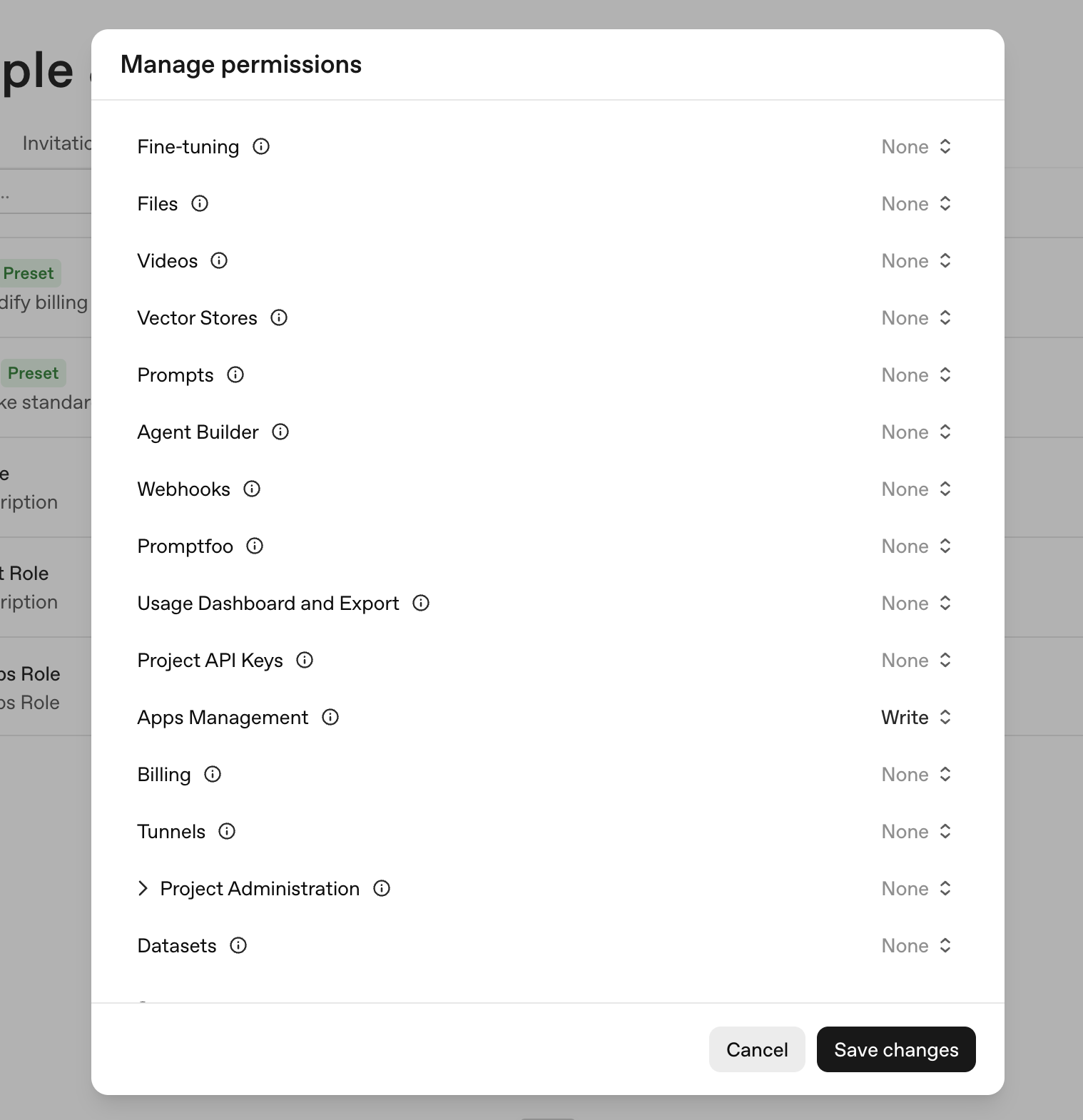
Organization owners already have these permissions. Non-owner submitters need write access to create or submit drafts, and read access to view drafts and review status.
Verify your developer or business identity
Every public submission must use a verified developer or business identity in the OpenAI Platform. Reviewers use this identity to confirm the submission matches the name, website, support contact, privacy policy, and terms in your public listing.
To verify an identity:
- Sign in to the OpenAI Platform.
- Select the organization that will publish the plugin.
- Open organization settings.
- Complete individual verification if you will publish under your own name, or business verification if you will publish under a company name.
- Return to the plugin submission form and select the verified identity in the Developer Identity field.
Reviewers may reject submissions that use an unverified or mismatched publisher identity. See the organization verification requirements for the underlying review rule.
If the Platform shows that the developer or business identity is verified but the plugin submission form does not recognize it, check that you are submitting from the same organization and project where the identity was verified. The submitter also needs Apps Management write access for that organization. Ask an organization owner or admin to update the role assigned to the person submitting, then reload the plugin submission portal.
Prepare required materials
Before opening the form, collect:
| Material | What to prepare |
|---|---|
| Listing details | Plugin name, short description, long description, logo, category, website, support URL, privacy policy URL, and terms URL. |
| Developer identity | Verified individual or business identity in the OpenAI Platform. |
| Remote MCP server | Public MCP server URL, domain verification access, authentication details, demo credentials if needed, content security policy, and accurate tool metadata. |
| Tool annotations | For plugins with remote MCP: readOnlyHint, openWorldHint, and destructiveHint values for every MCP tool. |
| Skills | For skills plugins: a final skill bundle or a remote MCP server that exposes static skills for Scan Tools to import. |
| Prompts | Starter prompts that show useful, realistic workflows. |
| Test cases | Five positive test cases and three negative test cases with clear expected behavior. |
| Availability | Countries or regions where the plugin should be available. |
| Release notes | A short summary of what you are submitting and what changed since any prior version. |
Create a plugin submission
- Open the plugin submission portal.
- Select Create plugin.
- Choose the submission type:
- Skills only for a skills-only plugin.
- With MCP for a remote MCP-only plugin.
- With MCP for a plugin that combines a remote MCP server with uploaded or MCP-imported skills.
The portal saves the submission as a draft while you complete the form.
Complete the form
Info
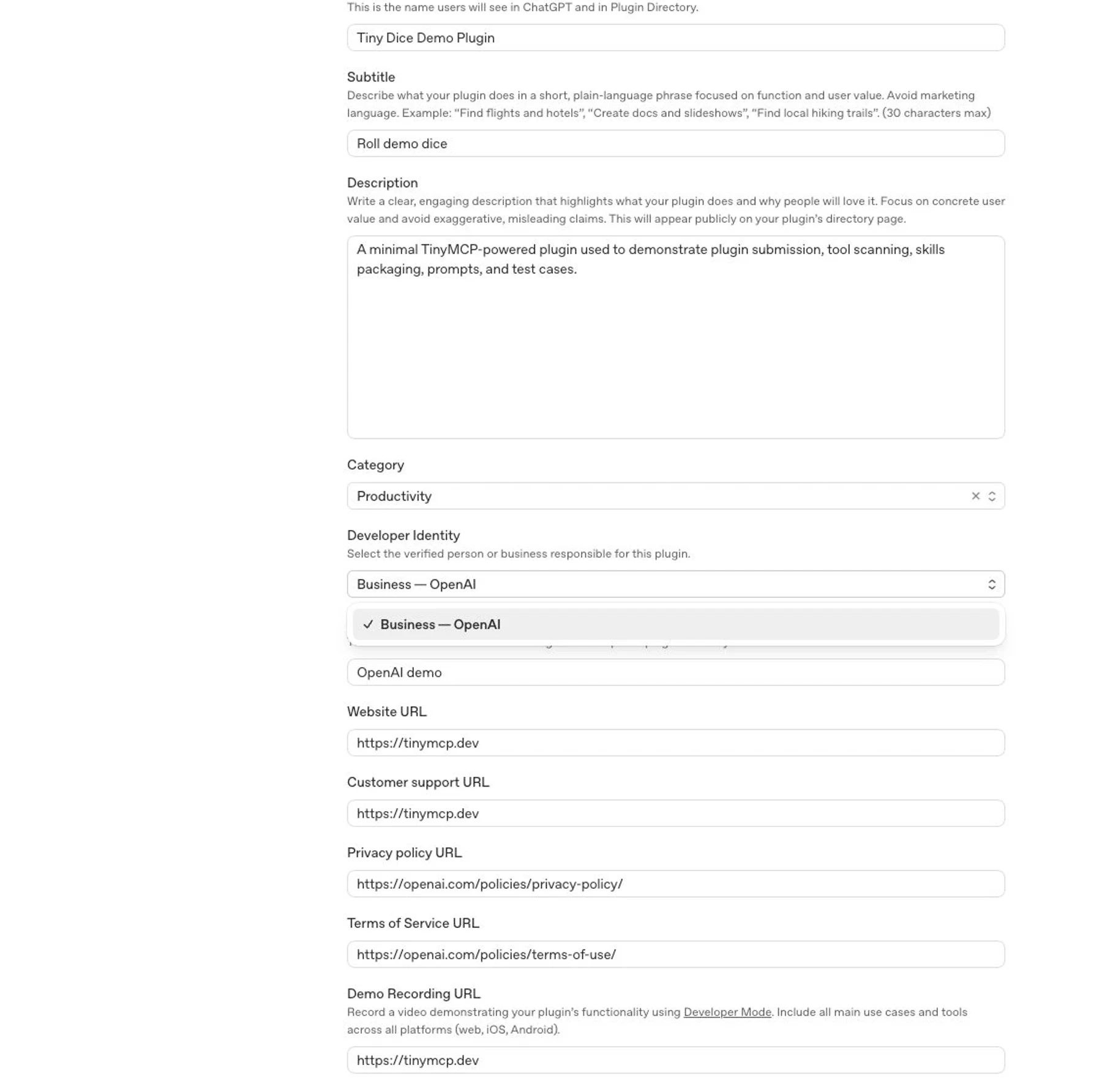
Complete the public listing and publisher fields:
- Plugin name: Use the customer-facing product or workflow name.
- Descriptions: Explain what the plugin helps users do. Keep the short description concise and use the long description for workflow details.
- Developer Identity: Select the verified individual or business identity for the publisher.
- Logo and category: Use production-ready brand assets.
- Website, support, privacy, and terms URLs: Use public URLs that match the publisher and disclose relevant data handling.
Review your MCP responses against your privacy policy before you submit. Remove unnecessary personal data, auth secrets, debug payloads, internal identifiers, and undisclosed user-related fields from tool responses.
MCP
For submissions with a remote MCP server:
- Choose the MCP server URL type:
- Choose Universal when one fixed MCP server URL works for all users and organizations.
- Choose Template only when OpenAI has approved a workspace-specific URL, such as when each customer has a separate tenant, workspace, or managed MCP endpoint.
- Enter the required URL:
- For Universal, enter the production MCP Server URL.
- For Template, enter both an Example MCP Server URL and a Template MCP Server URL. The example must be a concrete, working endpoint that matches the template and works with the submitted test credentials.
- Configure authentication and provide reviewer-ready demo credentials if the server requires sign-in.
- Define a content security policy that allows the exact domains your UI fetches from.
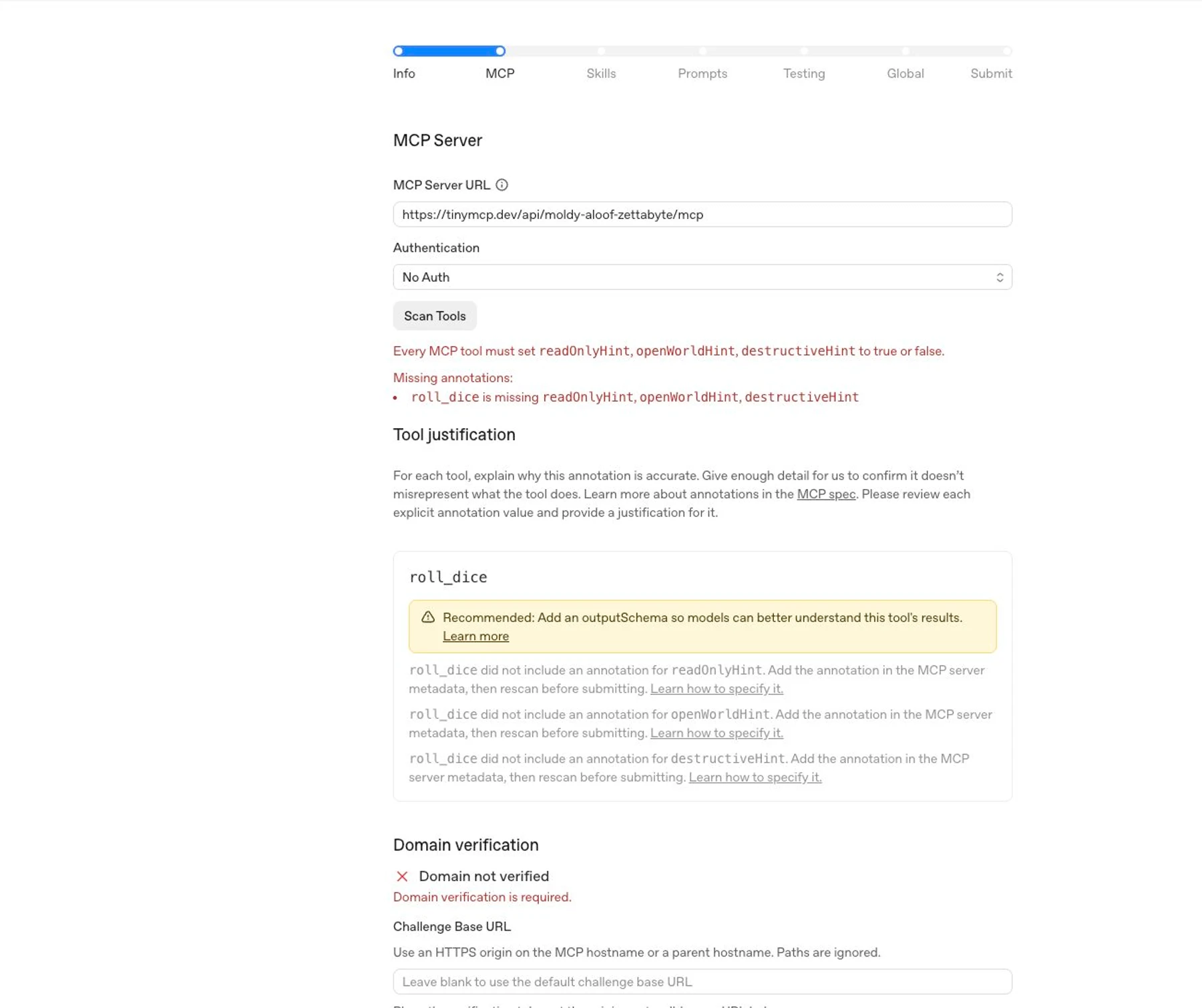
- Complete domain verification if the portal shows a Domain not verified
challenge. Use an HTTPS origin on the MCP host name or a parent host name, and
host the exact token at
/.well-known/openai-apps-challenge. - Select Scan Tools.
- Review the discovered tools, imported skills, domains, validation output, and tool metadata.
- Fix server, skill, or metadata issues, deploy the fix, then scan again.
To support workspace domain restrictions for a plugin that uses OAuth,
configure the authorization server to advertise a UserInfo Endpoint that
returns the user’s email claim and email_verified: true. Before submitting,
confirm that the provider also advertises and enables the openid and email
scopes. You can also return these claims in an ID token, but the UserInfo
Endpoint is required for workspace domain restrictions. If the provider doesn’t
support these requirements, work with the provider to add support. See
Support workspace domain restrictions.
Template MCP server URLs
Most plugins should use Universal. Template MCP server URLs are available only in limited cases where different groups of users or data require different MCP server URLs. OpenAI supports template-based URLs only for trusted developers with whom we have an established relationship. If OpenAI has not approved your use of a template URL, submit a universal URL.
In the Template MCP Server URL, use {name} placeholders for the parts that
a workspace admin configures. Placeholder names must start with a letter,
contain only letters, numbers, or underscores, and be unique within the URL.
The Example MCP Server URL must replace each placeholder with a real value.
For example:
Example MCP Server URL: https://acme.example.com/mcp
Template MCP Server URL: https://{workspace}.example.com/mcp
The example URL must be publicly accessible during review. Don’t enter a placeholder URL in the Example MCP Server URL field. For the complete MCP review requirements, see Template MCP server URLs.
Do not enter an existing integration ID or try to point the portal at an existing published integration. The submission must provide the MCP server URL and review materials directly, even when that server backs an integration already published in ChatGPT or Codex.
Domain verification
Plugins with MCP must verify control of the domain that hosts the server. When the portal shows a domain verification challenge, place the exact verification token at the generated well-known URL:
https://<challenge-base-host>/.well-known/openai-apps-challengeThe challenge endpoint must return only that plugin’s verification token. Do not return JSON, a list of tokens, or multiple tokens from the same URL.
The Challenge Base URL is an optional HTTPS origin that tells the portal
where to check the token. It must be the MCP host name or a parent host name.
Paths are ignored. For example, if the MCP server URL is
https://api.example.com/mcp, the default challenge URL is
https://api.example.com/.well-known/openai-apps-challenge, and
https://example.com can be used as a parent-origin challenge base if you can
host the token there.
If two plugins with MCP share the same host name but differ only by path, they also share the same default challenge URL. You cannot verify them separately by putting different tenant paths in the Challenge Base URL, because the path is ignored. Use a parent origin that can host the new token, give the MCP server a distinct host name, or work with OpenAI support if neither hosting option is possible.
If another plugin with MCP already uses the same host name, do not replace its existing challenge token unless that plugin no longer needs it. Use an allowed parent-origin Challenge Base URL or a distinct MCP host name for the new submission.
Every tool should have clear names, descriptions, schemas, and output structure. Add output schemas when they help reviewers and models understand what the tool returns.
Set tool annotations to match each tool’s real behavior:
| Annotation | Use it when |
|---|---|
readOnlyHint | Set to true only when the tool fetches, looks up, lists, retrieves, previews, or computes information and doesn’t change anything. Set to false if the tool can create, update, delete, send, enqueue, run jobs, start workflows, write logs, or otherwise change state. |
openWorldHint | Set to true when the tool accesses the public internet or open-ended external entities, including read-only tools such as web search and write tools that post, send messages, publish content, push code, or submit forms. Set to false when the tool is limited to a bounded private account or workspace, even if that service is externally hosted. |
destructiveHint | For write tools, set to true if the tool can delete, overwrite, revoke access, send messages or transactions that can’t be undone, or cause another irreversible side effect. Otherwise, set it to false. |
For implementation details, see tool annotations and elicitation. For review expectations, see the tool hint rejection guidance.
Skills
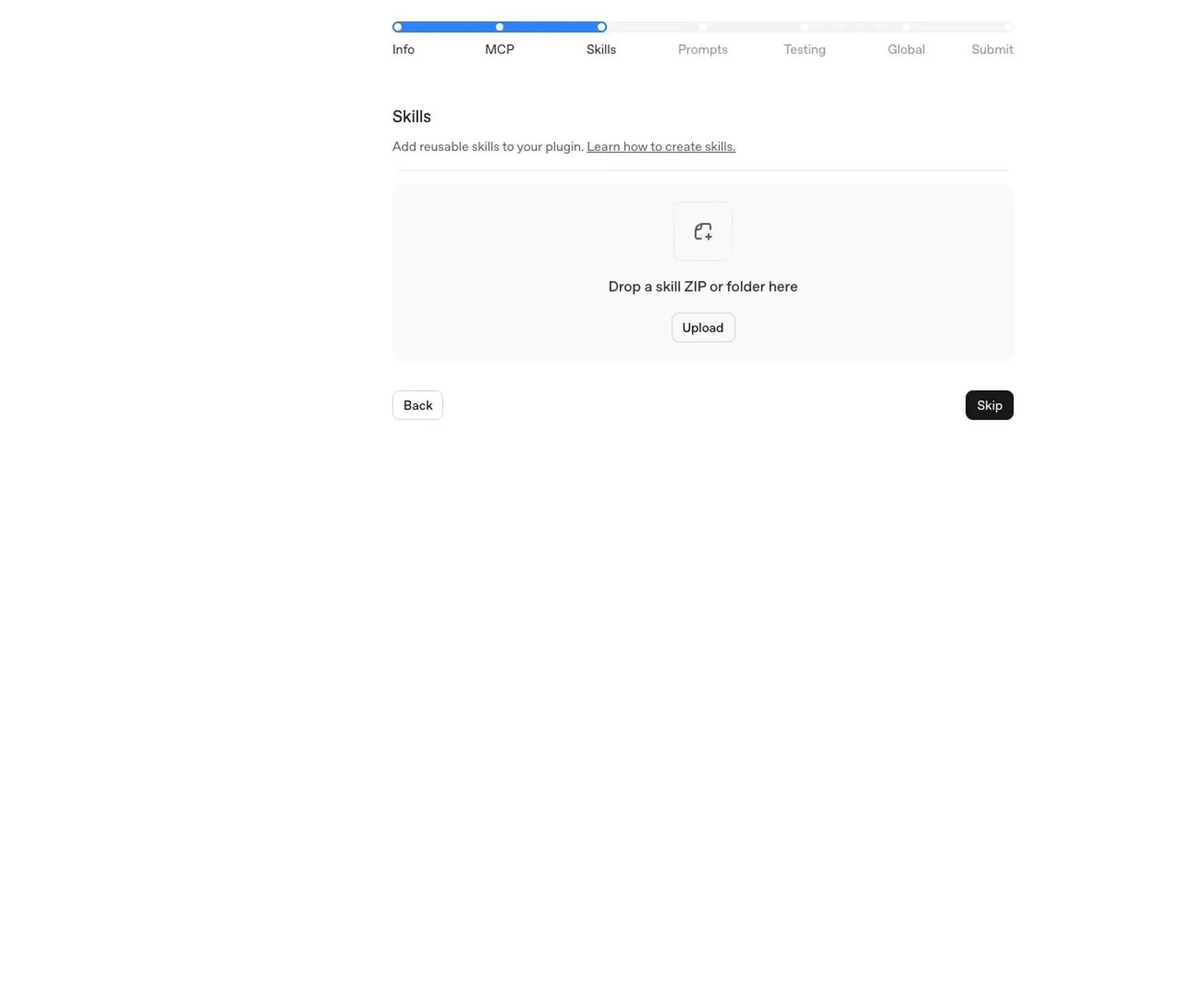
Add skills to the draft in either of these ways:
- Upload the final skill bundle for skills-only or skills-plus-MCP submissions.
- For a remote MCP submission, import static skills from the MCP server. When you select Scan Tools, OpenAI imports them into the draft.
Use the same file tree and instructions you tested locally. To import skills from MCP, follow the draft skills extension and static resource manifest.
Each skill should include:
- A clear
SKILL.mdwith trigger conditions and task instructions. - Any referenced scripts, templates, or assets.
- Minimal, scoped instructions that fit the plugin’s purpose.
OpenAI scans uploaded and MCP-imported skills for policy compliance and security risks, including sensitive information, unnecessary access requests, and instructions that may conflict with safe or expected plugin behavior. Skills must follow the same standards as the rest of the plugin and may block submission or require remediation if they fail automated scanning.
OpenAI imports skills from MCP as a submission-time snapshot. Published plugins do not update those skills live. After changing a skill on the server, select Scan Tools again and review the updated skills before submitting a new plugin version.
To remove every MCP-imported skill, keep the skills extension enabled, return
{ "skills": [] } without a nextCursor, and scan again. Removing the
extension or returning a response that does not pass validation preserves the
previous snapshot.
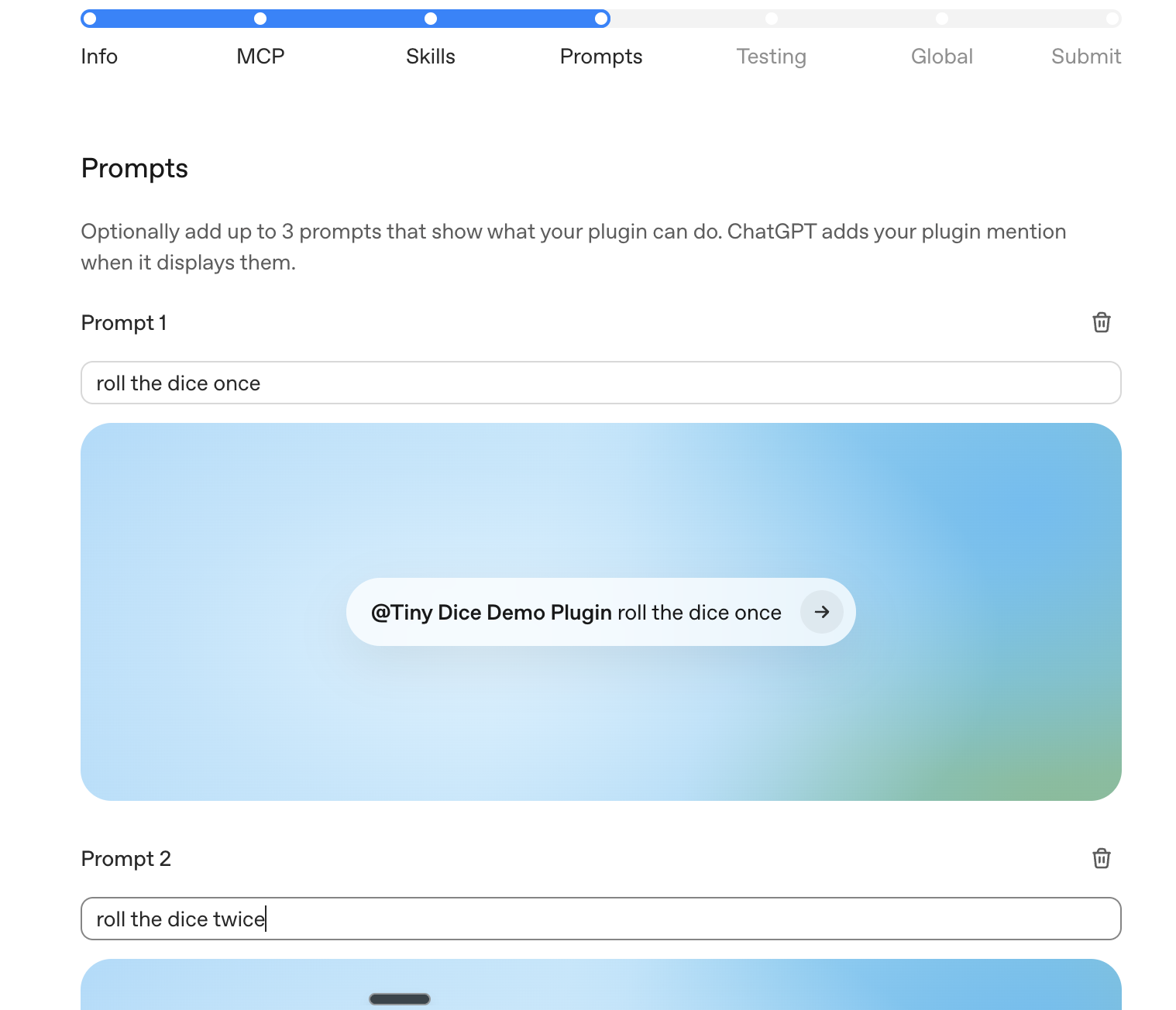
Prompts
Add starter prompts that show the plugin’s highest-value workflows. Good prompts are specific enough to show when to use the plugin, but general enough that users can adapt them.
Examples:
- “Investigate checkout errors from the last release and summarize likely root causes.”
- “Create a P1 incident brief from the latest support tickets and related deploys.”
- “Review unsuccessful deployment logs and recommend the next debugging step.”
Testing
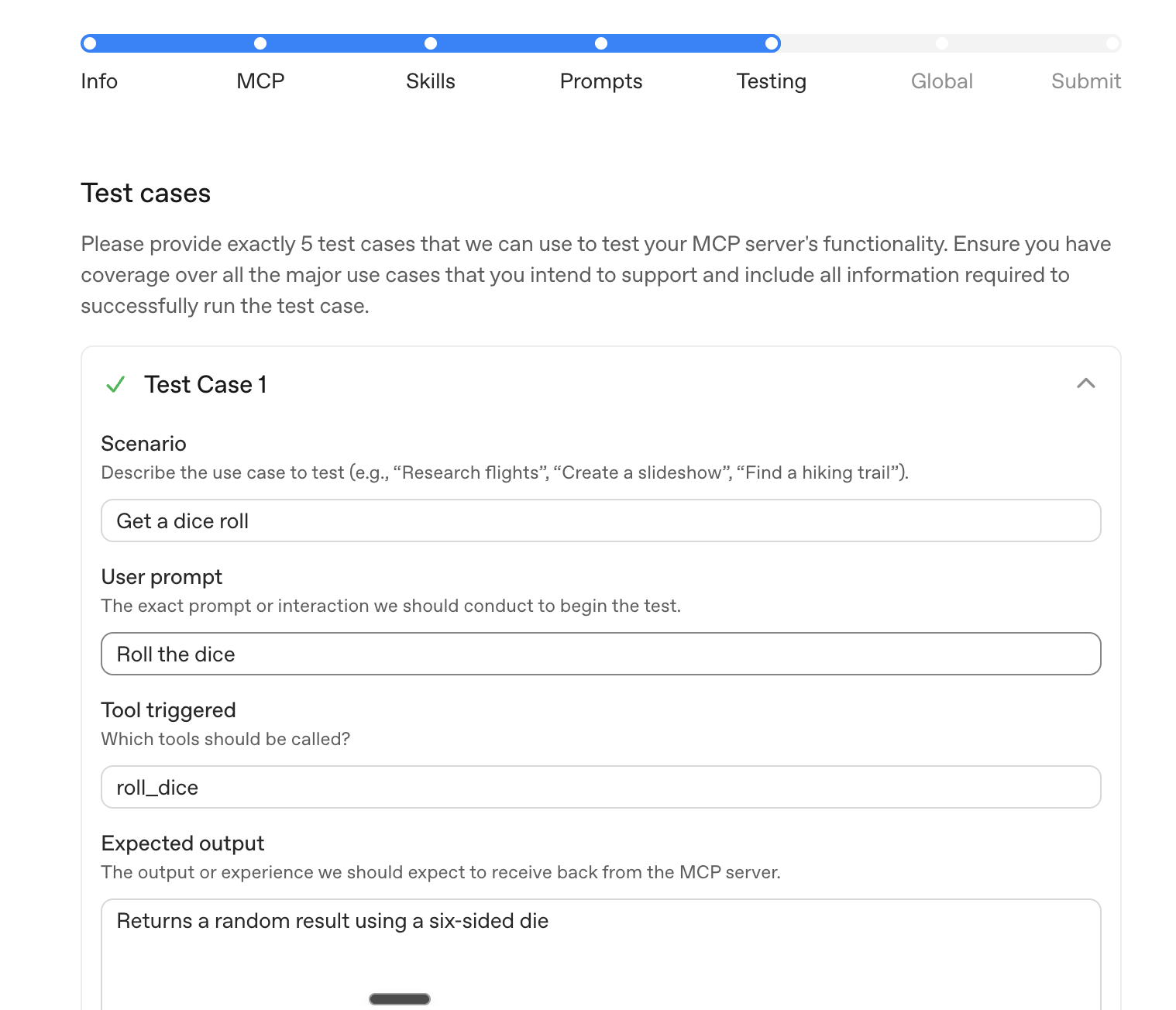
Submit at least five positive test cases and three negative test cases.
For each positive test case, include:
- User prompt.
- Expected tool, skill, or workflow behavior.
- Expected result shape.
- Test account or fixture data required to reproduce it.
For each negative test case, include:
- User prompt or scenario.
- Expected refusal, clarification, or safe fallback behavior.
- Why the plugin shouldn’t complete the requested action.
Use test cases that reviewers can run without internal context. If your plugin requires authentication, make sure the provided demo credentials can complete each test without MFA, SMS, email confirmation, or private-network access.
Global
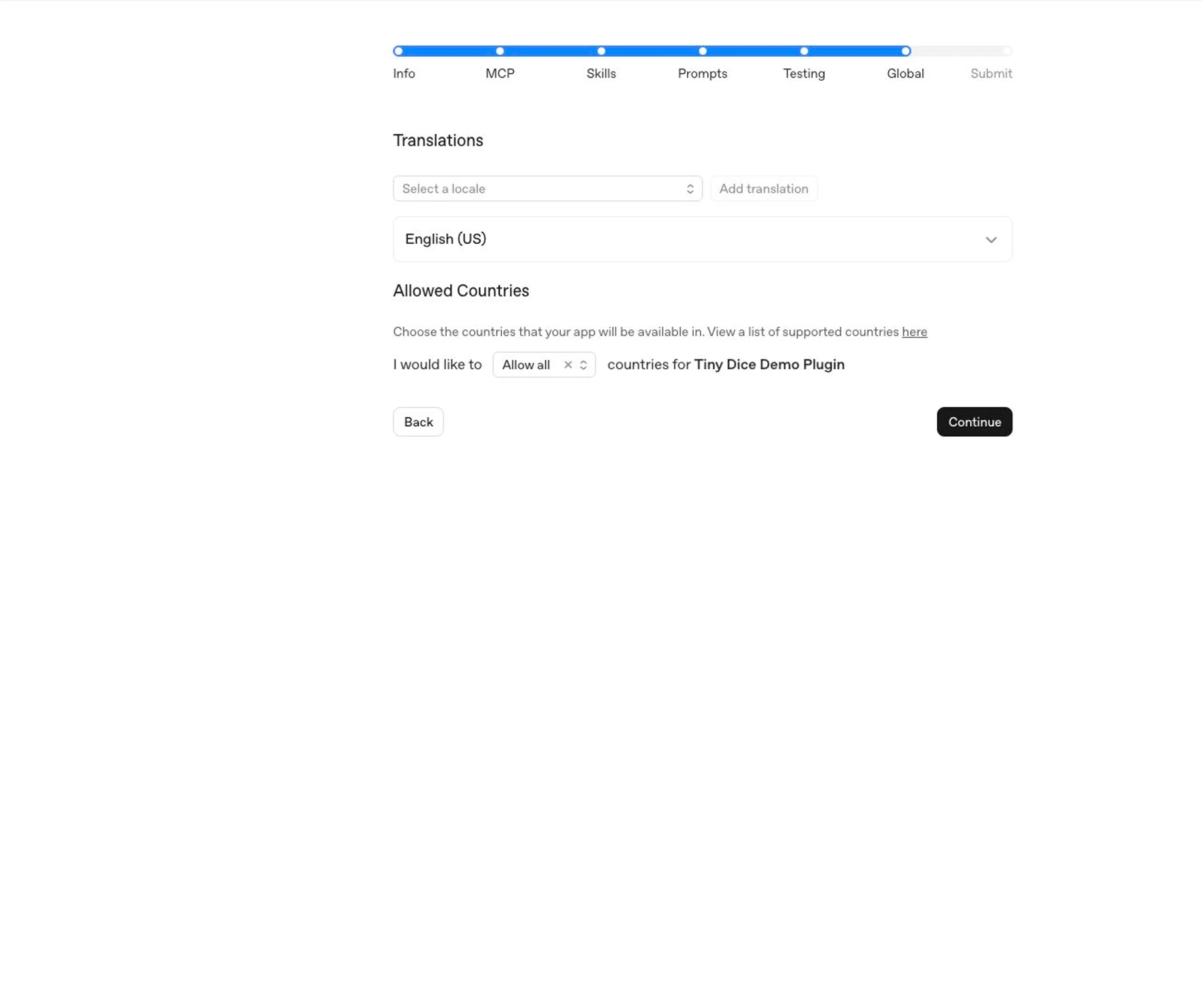
Choose the countries or regions where the plugin should be available. Only select locations where the publisher, product, support process, and legal terms are ready for users.
Submit
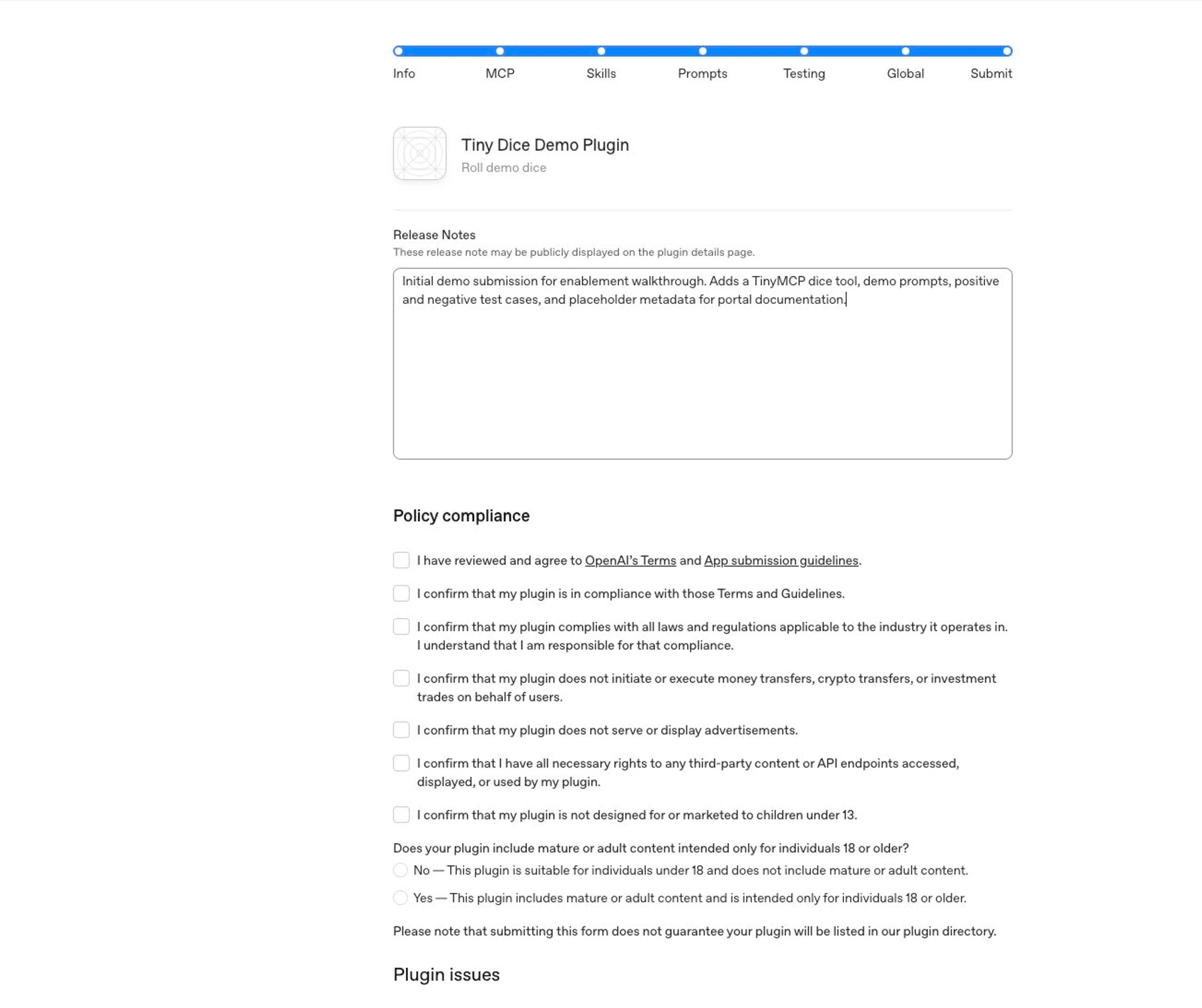
Review the full draft before submitting.
In the release notes, summarize:
- What the plugin does.
- Whether this is an initial submission or an update.
- What changed since the prior submitted version, if any.
- Anything reviewers should know about test credentials, expected data, or setup.
Complete the policy attestations only after confirming the listing, server, skills, prompts, tests, and availability are accurate. Then select Submit for Review.
Public publishing flow
Submitting a plugin starts review; it doesn’t publish the plugin immediately. For public availability, the flow is:
- Submit the plugin through the plugin submission portal.
- OpenAI reviews the submission. Review timelines may vary as OpenAI builds and scales the review process.
- After OpenAI approves the plugin, the developer chooses when to publish it and publishes it from the portal.
- After publication, the plugin appears in the universal Plugins Directory shared by ChatGPT and Codex.
MCP-only, skills-only, and skills-plus-MCP plugins all appear in the Plugins Directory.
How published MCP metadata versions work
After publication, OpenAI periodically fetches your MCP tools. Deleted tools are removed as soon as a scan detects them. New and changed tool definitions become available after automated checks pass; held updates keep the previous definition live. See Continuous review and tool updates.
Changes to submitted plugin information or imported skills still require a new version, review, and publication.
Final checklist
Before submitting, confirm:
- The submitter has Apps Management write access.
- The publisher has a verified developer or business identity.
- Plugins with UI define a content security policy for the exact domains the component fetches from.
- Tool names, descriptions, schemas, and annotations match actual behavior.
- Every tool has accurate
readOnlyHint,openWorldHint, anddestructiveHintvalues. - Tool responses don’t include unnecessary personal data, auth secrets, debug payloads, internal identifiers, or undisclosed user-related fields.
- You tested the skills locally with the final file tree.
- Starter prompts show realistic user workflows.
- The submission includes five positive and three negative test cases.
For a remote MCP submission, also confirm:
- The MCP server uses a public, production URL.
- Reviewer credentials work without MFA, email confirmation, SMS confirmation, or private-network access.
- MCP-imported skills match the latest Scan Tools snapshot.
- Privacy policy, terms, support, and website URLs are public and match the publisher identity.