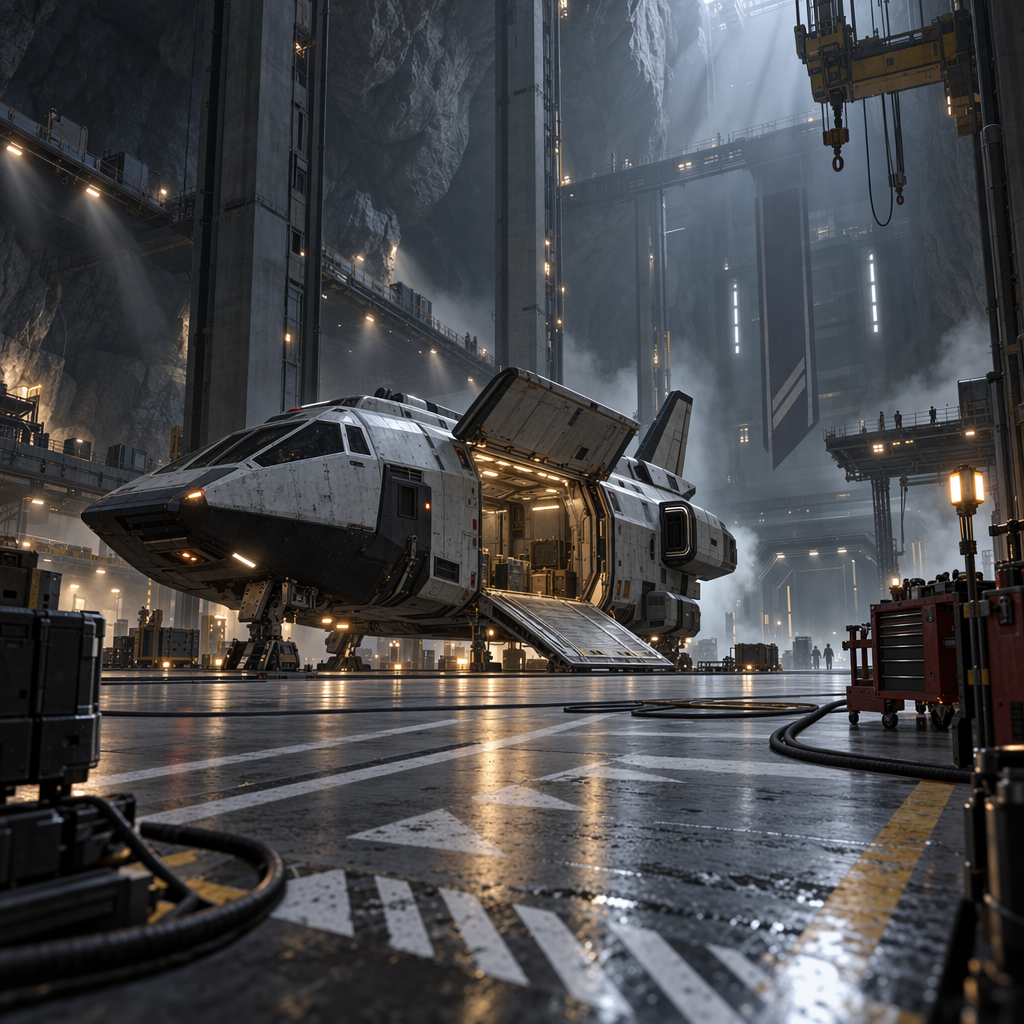
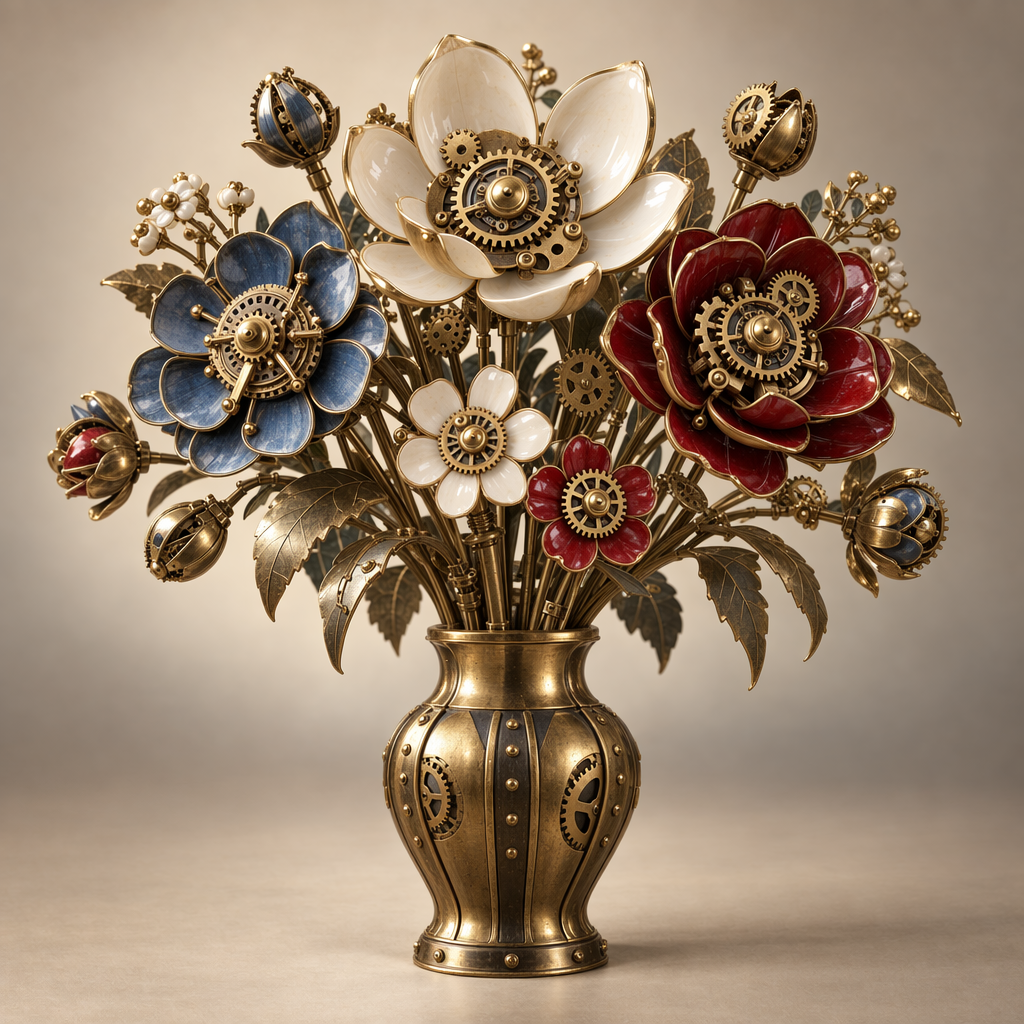
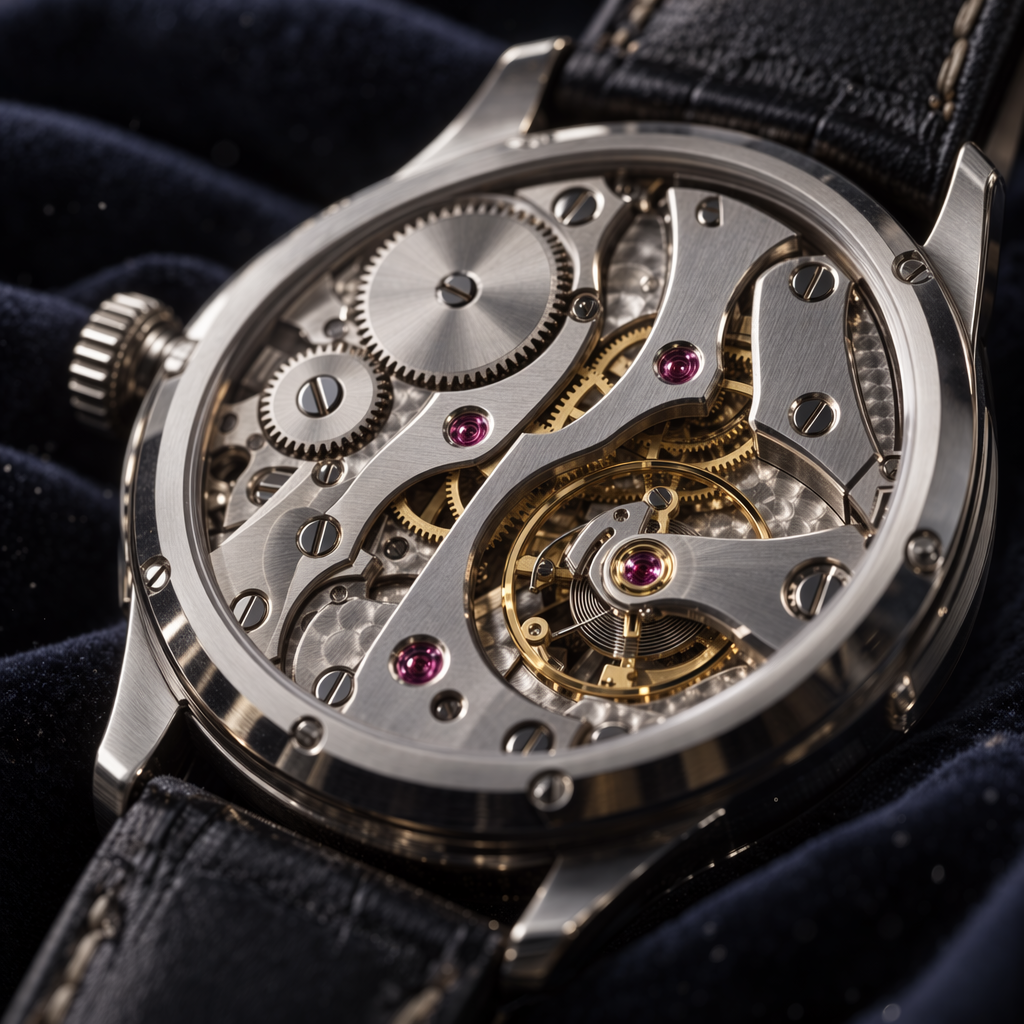
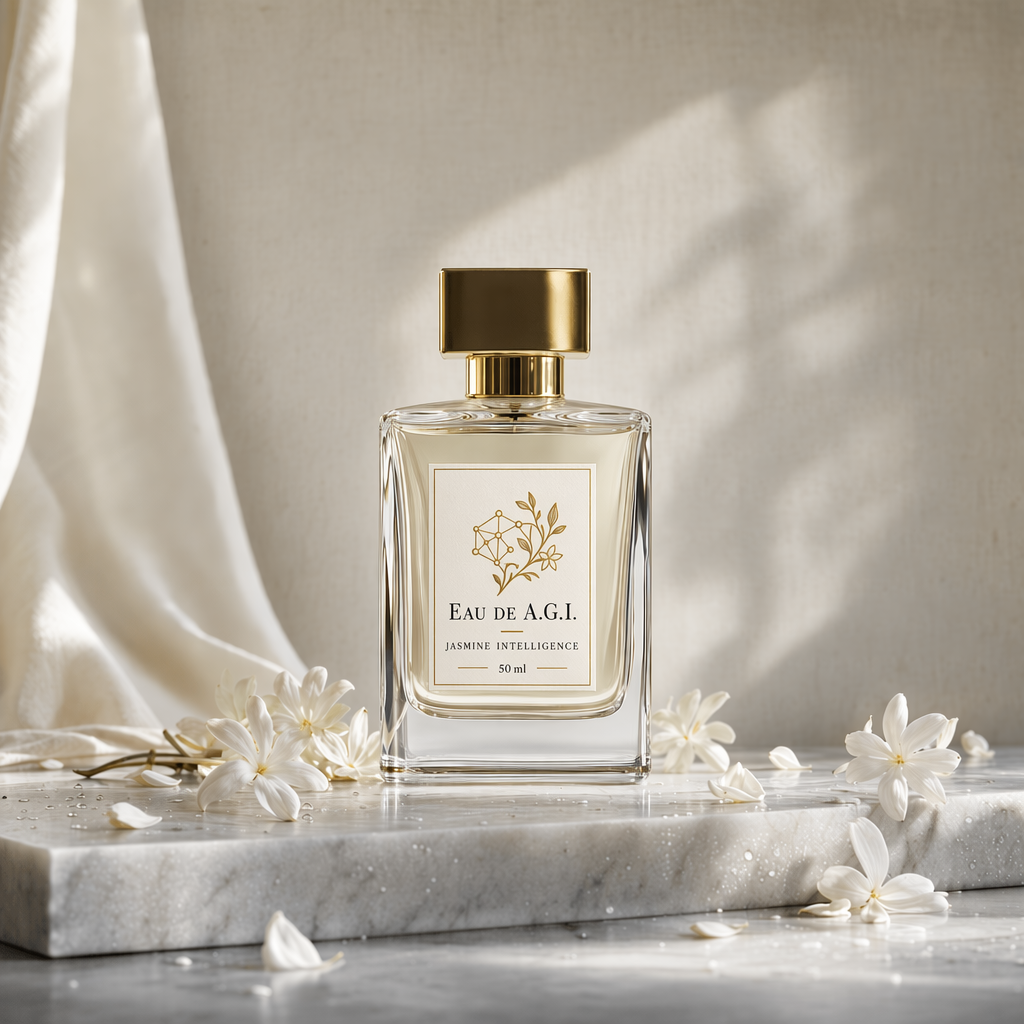
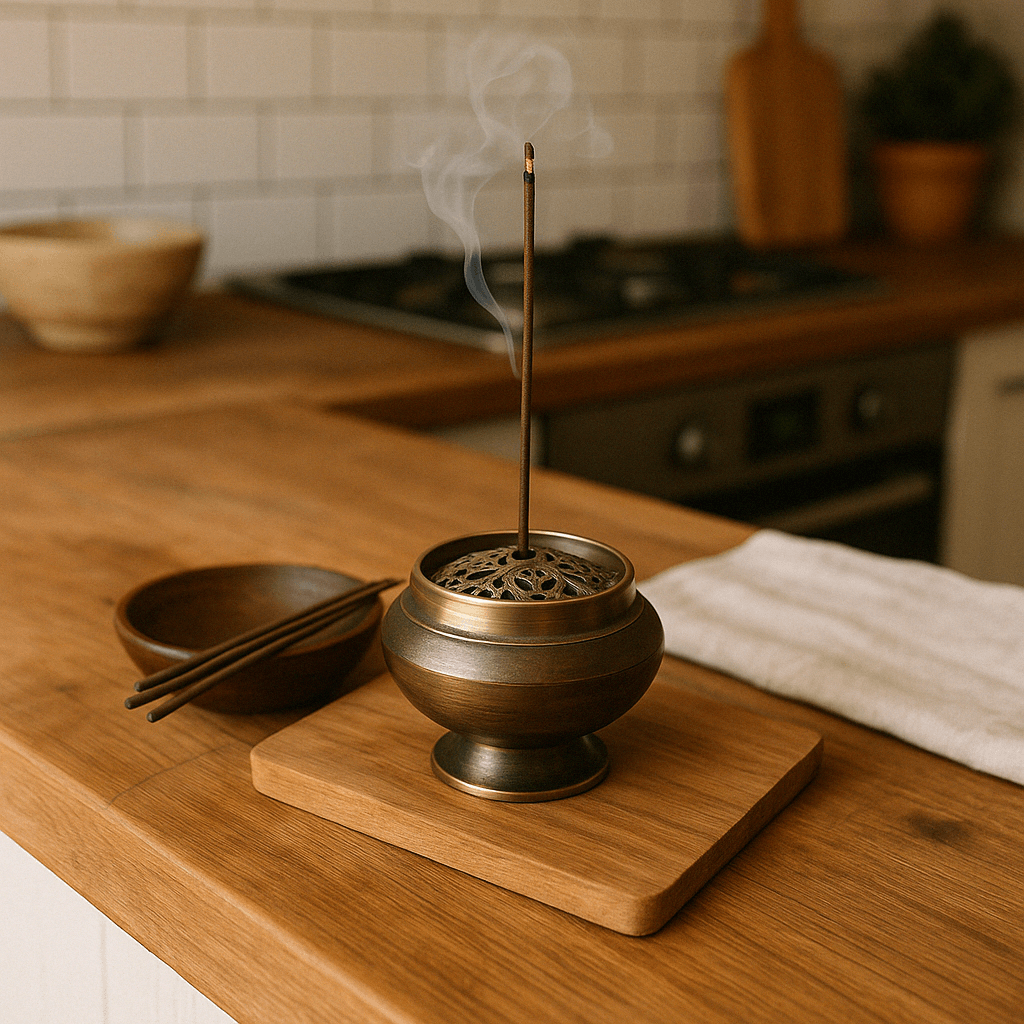
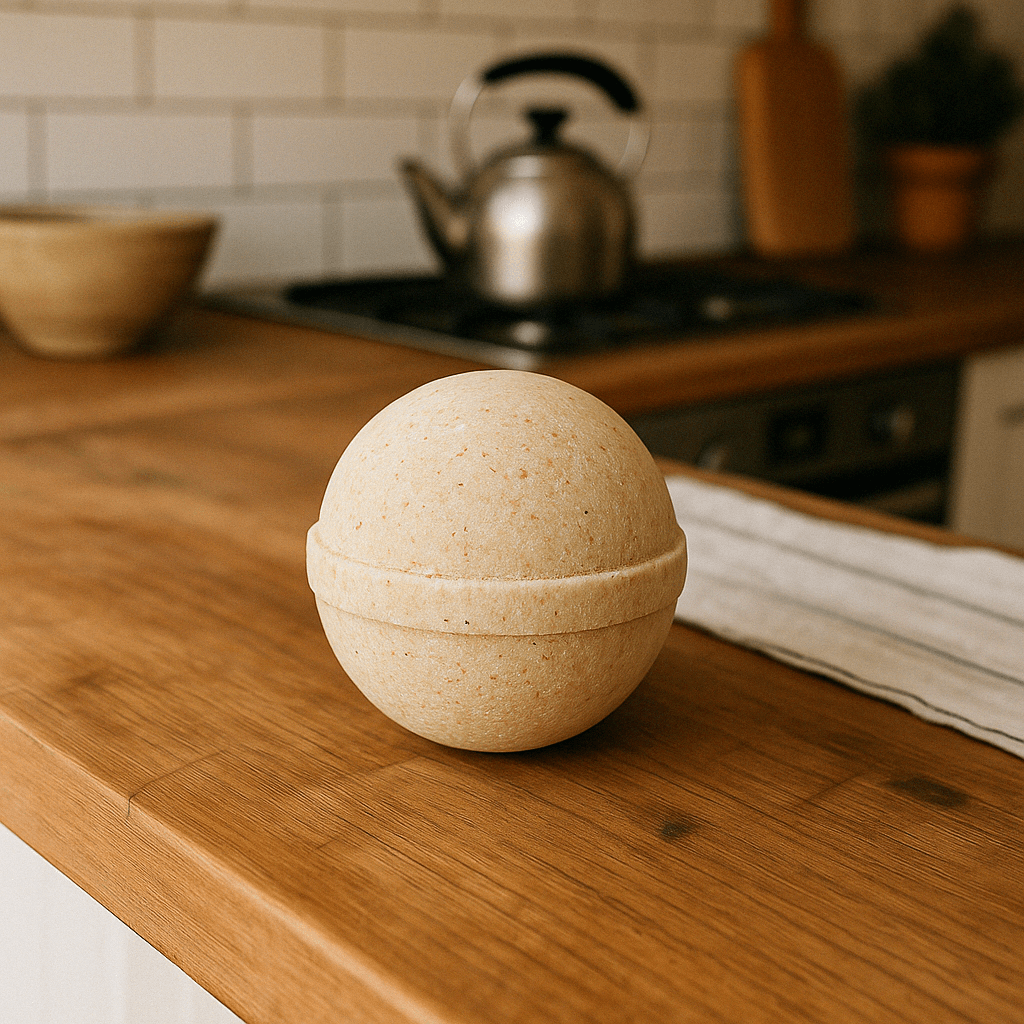
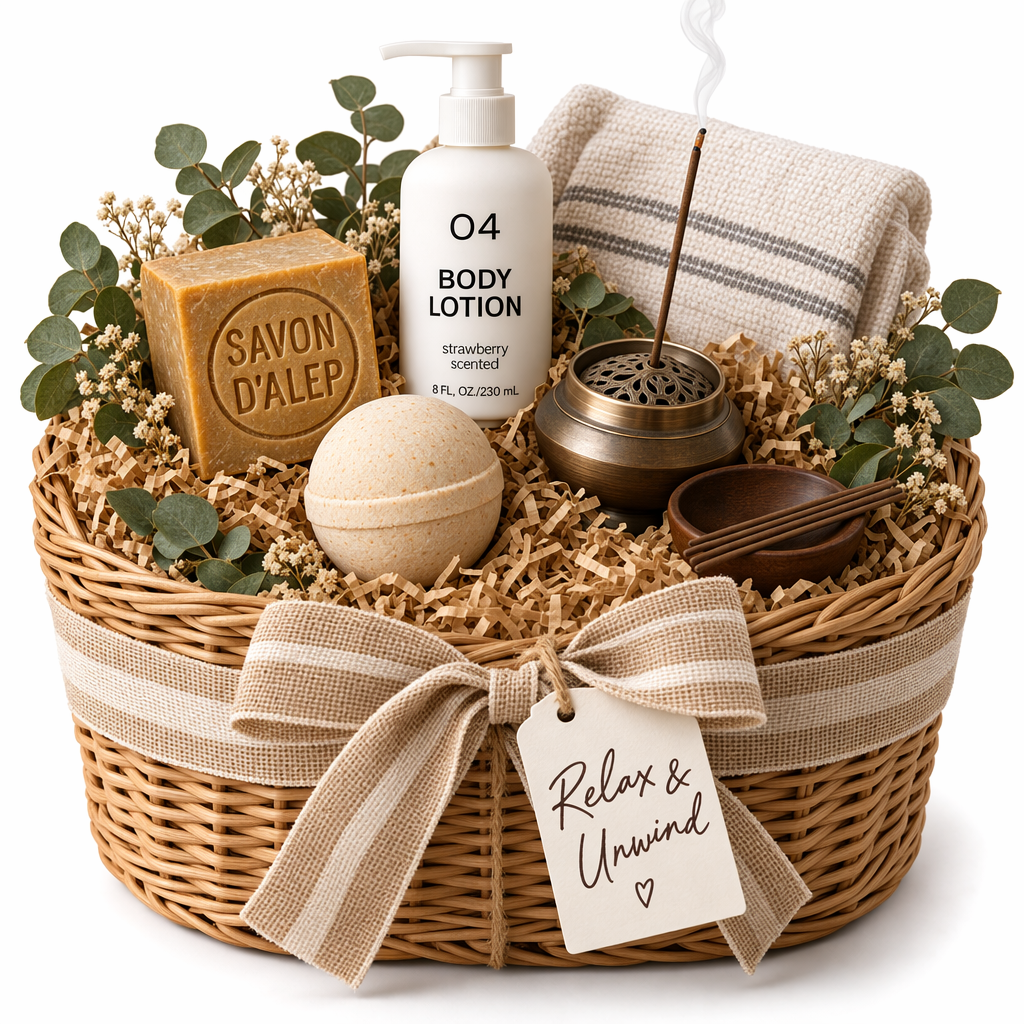
API에서 gpt-image-2.5-sunburst와 gpt-image-2.5-flare를 사용하면 텍스트 프롬프트로 이미지를 생성하고 편집할 수 있습니다. 편집 정밀도가 가장 중요한 워크플로우에는 Sunburst를, 일상적으로 고품질 이미지를 빠르게 생성할 때는 Flare를 선택하세요. 이미지 생성 기능은 다음 두 API에서 사용할 수 있습니다.
프롬프트 하나로 이미지 한 장만 생성하거나 편집하려면 Image API가 가장 적합합니다.
GPT Image로 대화를 주고받으며 이미지를 편집할 수 있는 환경을 구축하려면 Responses API를 사용하세요.
Image API에서는 model을 gpt-image-2.5-sunburst 또는 gpt-image-2.5-flare로 직접 설정하세요. Responses API에서는 최상위 수준에서 지원되는 주 모델을 선택한 다음 gpt-image-2.5-sunburst 또는 gpt-image-2.5-flare를 이미지 생성 도구의 model 필드에 지정하세요.
모델의 책임 있는 사용을 위해 GPT Image 모델을 사용하기 전에 API 조직 인증을 개발자 콘솔에서 완료해야 할 수 있습니다.
GPT-Image-2.6
GPT-Image-2.6에는 정교한 이미지 작업에 적합한 Sunburst와 여러 시안을 빠르게 만들고 다듬는 데 적합한 Flare가 있습니다. 두 모델 모두 Image API에서 복잡도 조절, 마크업을 활용한 편집, SVG 출력, 애니메이션 GIF 출력을 지원합니다. 아래의 기존 예시는 GPT-Image-2.5를 사용합니다.
이미지 복잡도 설정하기
요청의 complexity 필드로 이미지 모델이 렌더링 전에 얼마나 세밀하게 계획을 세울지 조절하세요. 배경이나 표지판만 바꾸는 등 편집 범위가 좁다면 낮은 복잡도가 적합할 수 있습니다. 텍스트가 빽빽하거나 레이아웃이 복잡한 경우, 또는 사물 간의 관계를 표현해야 하는 경우에는 높은 복잡도가 도움이 될 수 있습니다. 복잡도를 높이면 지연 시간이 늘고 원치 않는 부분까지 바뀔 수 있으므로 실제 작업에서 결과를 비교하세요.
Sunburst와 Flare가 지원하는 복잡도는 low, medium, high입니다. complexity를 생략하면 두 모델 모두 high를 사용합니다. 렌더링 품질은 별도의 quality 설정으로 조절합니다.
복잡도를 조절하는 데 별도 요금은 부과되지 않습니다.
다음은 Sunburst가 같은 프롬프트와 중간 품질 설정으로 생성한 종이 오리기 기법의 축구 장면입니다. 복잡도에 따라 트로피와 유니폼의 모습, ‘CHAMPIONS’ 표지판의 위치가 어떻게 달라지는지 비교해 보세요.
낮은 복잡도
중간 복잡도
높은 복잡도
안전 식별자
개별 최종 사용자에게 서비스를 제공하는 애플리케이션이라면, 사용자별로 일정하게 유지되면서 개인정보를 보호하는 safety_identifier를 각 이미지 생성 또는 이미지 편집 요청에 포함하세요. 개인을 식별할 수 있는 정보를 직접 보내는 대신 사용자 이름이나 이메일 주소를 해시하고, 식별자 길이는 128자 이하로 유지하세요. 안전 식별자 사용은 권장 사항이며 필수는 아닙니다.
Images API의 user 매개변수는 사용 중단 예정(deprecated)입니다. 대신 같은 식별자를 safety_identifier로 보내세요. user를 사용하는 기존 요청은 계속 지원됩니다. 비어 있지 않은 safety_identifier가 user보다 우선합니다. safety_identifier를 생략하거나 null 또는 빈 문자열로 지정하면 API는 user 값이 있을 때 그 값을 사용합니다.
이미지 생성하기
이미지 생성 엔드포인트를 사용해 텍스트 프롬프트로 이미지를 만들거나, Responses API의 이미지 생성 도구를 사용해 대화 중에 이미지를 생성할 수 있습니다.
출력의 크기, 품질, 형식, 압축률을 조정하는 방법은 아래의 이미지 출력 맞춤 설정을 참고하세요.
n 매개변수를 설정하면 요청 한 번으로 여러 이미지를 생성할 수 있습니다. 기본적으로 API는 이미지 한 장을 반환합니다.
Image API
이미지 생성하기
Python
1
2
3
4
5
6
7
8
9
10
11
12
13
14
15
16
17
18import OpenAI from "openai";import fs from "fs";const openai = new OpenAI();const prompt = `A children's book drawing of a veterinarian using a stethoscope tolisten to the heartbeat of a baby otter.`;const result = await openai.images.generate({ model: "gpt-image-2.5-sunburst", prompt,});// Save the image to a fileconst image_base64 = result.data[0].b64_json;const image_bytes = Buffer.from(image_base64, "base64");fs.writeFileSync("otter.png", image_bytes);
1
2
3
4
5
6
7
8
9
10
11
12
13
14
15
16
17
18from openai import OpenAIimport base64client = OpenAI()prompt ="""A children's book drawing of a veterinarian using a stethoscope tolisten to the heartbeat of a baby otter."""result = client.images.generate(model="gpt-image-2.5-sunburst", prompt=prompt)image_base64 = result.data[0].b64_jsonimage_bytes = base64.b64decode(image_base64)# Save the image to a filewithopen("otter.png", "wb") as f: f.write(image_bytes)
1
2
3
4
5
6
7
8
9
10
11
12
13
14
15
16
17
18
19
20
21
22
23
24
25
26
27
28package mainimport ( "context" "encoding/base64" "os" "github.com/openai/openai-go/v3")func main() { client := openai.NewClient() result, err := client.Images.Generate(context.Background(), openai.ImageGenerateParams{ Model: openai.ImageModel("gpt-image-2.5-sunburst"), Prompt: "A children's book drawing of a veterinarian using a stethoscope to " + "listen to the heartbeat of a baby otter.", }) if err != nil { panic(err) } image, err := base64.StdEncoding.DecodeString(result.Data[0].B64JSON) if err != nil { panic(err) } if err := os.WriteFile("otter.png", image, 0o600); err != nil { panic(err) }}
1
2
3
4
5
6
7
8
9
10
11
12using OpenAI.Images;string key = Environment.GetEnvironmentVariable("OPENAI_API_KEY")!;string model = "gpt-image-2.5-sunburst";ImageClient client = new(model, key);GeneratedImage image = await client.GenerateImageAsync( "A children's book drawing of a veterinarian using a stethoscope to " + "listen to the heartbeat of a baby otter.");await File.WriteAllBytesAsync("otter.png", image.ImageBytes.ToArray());
1
2
3
4
5
6
7
8
9
10
11
12
13require "base64"require "openai"client = OpenAI::Client.newresult = client.images.generate( model: "gpt-image-2.5-sunburst", prompt: "A watercolor robot reading in a library")generated_image = result.data&.first or raise "No image returned"File.binwrite( "generated-image.png", Base64.strict_decode64(generated_image.b64_json))
1
2
3
4
5
6
7curl -X POST "https://api.openai.com/v1/images/generations" \
    -H "Authorization: Bearer $OPENAI_API_KEY" \
    -H "Content-type: application/json" \
    -d '{
        "model": "gpt-image-2.5-sunburst",
        "prompt": "A children'\''s book drawing of a veterinarian using a stethoscope to listen to the heartbeat of a baby otter."
    }' | jq -r '.data[0].b64_json' | base64 --decode > otter.png
1
2
3
4
5openai images generate \
  --model gpt-image-2.5-sunburst \
  --prompt "A children's book drawing of a veterinarian using a stethoscope to listen to the heartbeat of a baby otter." \
  --raw-output \
  --transform 'data.0.b64_json' | base64 --decode > otter.png
Responses API
이미지 생성하기
Python
1
2
3
4
5
6
7
8
9
10
11
12
13
14
15
16
17
18
19
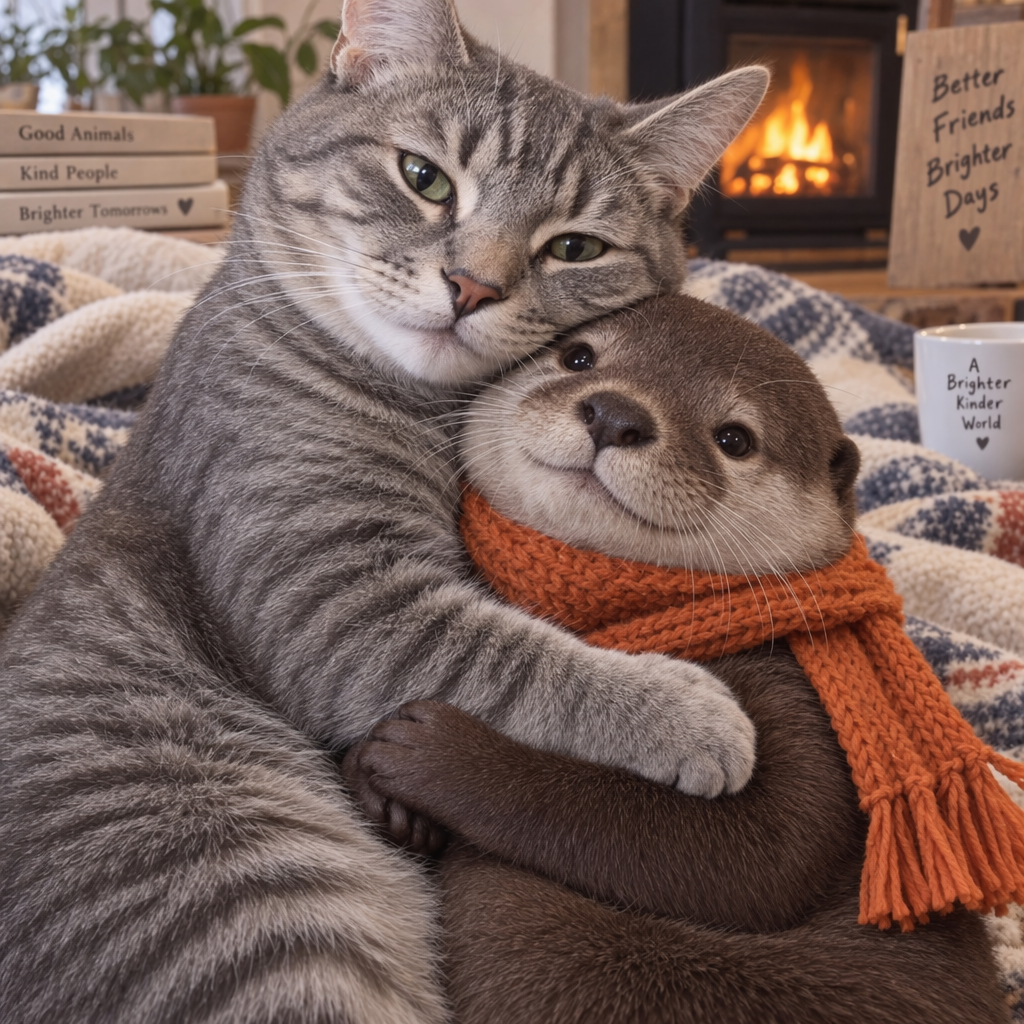
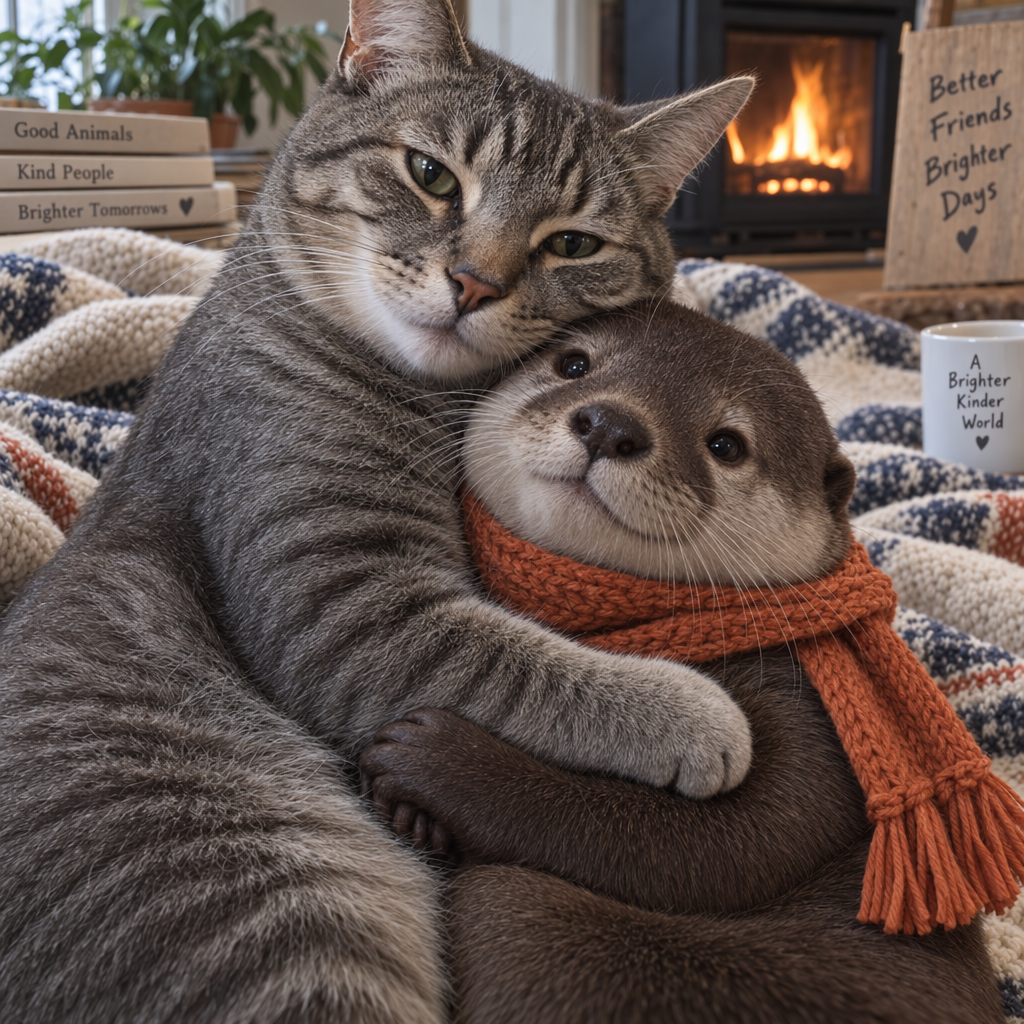
20import OpenAI from "openai";const openai = new OpenAI();const response = await openai.responses.create({ model: "gpt-6-astra", input: "Generate an image of gray tabby cat hugging an otter with an orange scarf", tools: [{ type: "image_generation", model: "gpt-image-2.5-sunburst" }],});// Save the image to a fileconst imageData = response.output .filter((output) => output.type === "image_generation_call") .map((output) => output.result);if (imageData.length > 0) { const imageBase64 = imageData[0]; const fs = await import("fs"); fs.writeFileSync("otter.png", Buffer.from(imageBase64, "base64"));}
1
2
3
4
5
6
7
8
9
10
11
12
13
14
15
16
17
18
19
20
21
22from openai import OpenAIimport base64client = OpenAI()response = client.responses.create(model="gpt-6-astra",input="Generate an image of gray tabby cat hugging an otter with an orange scarf",tools=[{"type": "image_generation", "model": "gpt-image-2.5-sunburst"}],)# Save the image to a fileimage_data = [ output.resultfor output in response.outputif output.type =="image_generation_call"]if image_data: image_base64 = image_data[0]withopen("otter.png", "wb") as f: f.write(base64.b64decode(image_base64))
1
2
3
4
5
6
7
8
9
10
11
12
13
14
15
16
17
18
19
20
21
22
23
24
25
26
27
28
29
30
31
32
33
34
35
36
37
38
39
40
41
42package mainimport ( "context" "encoding/base64" "os" "github.com/openai/openai-go/v3" "github.com/openai/openai-go/v3/responses")func main() { client := openai.NewClient() response, err := client.Responses.New(context.Background(), responses.ResponseNewParams{ Model: "gpt-6-astra", Input: responses.ResponseNewParamsInputUnion{ OfString: openai.String("Generate an image of gray tabby cat hugging an otter with an orange scarf"), }, Tools: []responses.ToolUnionParam{{OfImageGeneration: &responses.ToolImageGenerationParam{Model: "gpt-image-2.5-sunburst"}}}, }) if err != nil { panic(err) } saveFirstGeneratedImage(response, "otter.png")}func saveFirstGeneratedImage(response *responses.Response, filename string) { for _, output := range response.Output { if output.Type != "image_generation_call" { continue } image, err := base64.StdEncoding.DecodeString(output.AsImageGenerationCall().Result) if err != nil { panic(err) } if err := os.WriteFile(filename, image, 0o600); err != nil { panic(err) } return } panic("response did not include an image generation call")}
1
2
3
4
5
6
7
8
9
10
11
12
13
14
15
16
17
18
19
20using OpenAI.Responses;#pragma warning disable OPENAI001string key = Environment.GetEnvironmentVariable("OPENAI_API_KEY")!;ResponsesClient client = new(key);CreateResponseOptions options = new() { Model = "gpt-6-astra" };options.InputItems.Add( ResponseItem.CreateUserMessageItem( "Generate an image of a gray tabby cat hugging an otter with an orange scarf." ));options.Tools.Add(ResponseTool.CreateImageGenerationTool(model: "gpt-image-2.5-sunburst"));ResponseResult response = await client.CreateResponseAsync(options);ImageGenerationCallResponseItem image = response .OutputItems.OfType<ImageGenerationCallResponseItem>() .FirstOrDefault() ?? throw new InvalidOperationException("No generated image was returned.");await File.WriteAllBytesAsync("otter.png", image.ImageResultBytes.ToArray());
1
2
3
4
5
6
7
8
9
10
11
12
13
14
15
16
17
18
19
20
21
22
23
24require "base64"require "openai"client = OpenAI::Client.newresponse = client.responses.create( model: "gpt-6-astra", input: "Generate an image of a gray tabby cat hugging an otter with an orange scarf.", tools: [ { type: :image_generation, model: "gpt-image-2.5-sunburst" } ])image_call = response.output.find do |item| item.is_a?(OpenAI::Models::Responses::ResponseOutputItem::ImageGenerationCall)endunless image_call.is_a?(OpenAI::Models::Responses::ResponseOutputItem::ImageGenerationCall) raise "No image generation call returned"endencoded_image = image_call.result or raise "No image returned"File.binwrite("otter.png", Base64.strict_decode64(encoded_image))
여러 턴에 걸친 이미지 생성
Responses API에서는 이미지 생성 호출의 출력을 컨텍스트에 포함하거나(이미지 ID만 사용해도 됩니다) previous_response_id 매개변수를 사용해 여러 턴에 걸쳐 이미지를 생성하는 대화를 구성할 수 있습니다.
대화를 이어 가면서 프롬프트를 다듬고 새로운 지시를 적용해 이미지를 단계적으로 수정할 수 있습니다.
Responses API의 이미지 생성 도구에서는 지원되는 도구 모델이 새 이미지를 생성할지, 대화에 있는 이미지를 편집할지 선택할 수 있습니다. 선택 사항인 action 매개변수로 이 동작을 제어합니다. 모델이 결정하도록 하려면 action: "auto"를 유지하세요. 항상 새 이미지를 생성하려면 action: "generate"를, 컨텍스트에 있는 이미지를 반드시 편집하도록 하려면 action: "edit"를 설정하세요.
action으로 항상 새 이미지 생성하기
Python
1
2
3
4
5
6
7
8
9
10
11
12
13
14
15
16
17
18
19
20
21
22import OpenAI from "openai";const openai = new OpenAI();const response = await openai.responses.create({ model: "gpt-6-astra", input: "Generate an image of gray tabby cat hugging an otter with an orange scarf", tools: [ { type: "image_generation", model: "gpt-image-2.5-sunburst", action: "generate" }, ],});// Save the image to a fileconst imageData = response.output .filter((output) => output.type === "image_generation_call") .map((output) => output.result);if (imageData.length > 0) { const imageBase64 = imageData[0]; const fs = await import("fs"); fs.writeFileSync("otter.png", Buffer.from(imageBase64, "base64"));}
1
2
3
4
5
6
7
8
9
10
11
12
13
14
15
16
17
18
19
20
21
22
23
24from openai import OpenAIimport base64client = OpenAI()response = client.responses.create(model="gpt-6-astra",input="Generate an image of gray tabby cat hugging an otter with an orange scarf",tools=[ {"type": "image_generation", "model": "gpt-image-2.5-sunburst", "action": "generate"} ],)# Save the image to a fileimage_data = [ output.resultfor output in response.outputif output.type =="image_generation_call"]if image_data: image_base64 = image_data[0]withopen("otter.png", "wb") as f: f.write(base64.b64decode(image_base64))
1
2
3
4
5
6
7
8
9
10
11
12
13
14
15
16
17
18
19
20
21
22
23
24
25
26
27
28
29
30
31
32
33
34
35
36
37
38package mainimport ( "context" "encoding/base64" "os" "github.com/openai/openai-go/v3" "github.com/openai/openai-go/v3/responses")func main() { client := openai.NewClient() response, err := client.Responses.New(context.Background(), responses.ResponseNewParams{ Model: "gpt-6-astra", Input: responses.ResponseNewParamsInputUnion{ OfString: openai.String("Generate an image of gray tabby cat hugging an otter with an orange scarf"), }, Tools: []responses.ToolUnionParam{{OfImageGeneration: &responses.ToolImageGenerationParam{Model: "gpt-image-2.5-sunburst", Action: "generate"}}}, }) if err != nil { panic(err) } for _, output := range response.Output { if output.Type != "image_generation_call" { continue } image, err := base64.StdEncoding.DecodeString(output.AsImageGenerationCall().Result) if err != nil { panic(err) } if err := os.WriteFile("otter.png", image, 0o600); err != nil { panic(err) } return } panic("response did not include an image generation call")}
1
2
3
4
5
6
7
8
9
10
11
12
13
14
15
16
17
18
19
20
21
22
23
24
25using OpenAI.Responses;#pragma warning disable OPENAI001string key = Environment.GetEnvironmentVariable("OPENAI_API_KEY")!;ResponsesClient client = new(key);CreateResponseOptions options = new() { Model = "gpt-6-astra" };options.InputItems.Add( ResponseItem.CreateUserMessageItem( "Generate an image of a gray tabby cat hugging an otter with an orange scarf." ));options.Tools.Add( ResponseTool.CreateImageGenerationTool( model: "gpt-image-2.5-sunburst", action: ImageGenerationToolAction.Generate ));ResponseResult response = await client.CreateResponseAsync(options);ImageGenerationCallResponseItem image = response .OutputItems.OfType<ImageGenerationCallResponseItem>() .FirstOrDefault() ?? throw new InvalidOperationException("No generated image was returned.");await File.WriteAllBytesAsync("otter.png", image.ImageResultBytes.ToArray());
1
2
3
4
5
6
7
8
9
10
11
12
13
14
15
16
17
18
19
20
21
22
23
24
25
26
27require "base64"require "openai"client = OpenAI::Client.newresponse = client.responses.create( model: "gpt-6-astra", input: "Generate an image of a gray tabby cat hugging an otter with an orange scarf.", tools: [ { type: :image_generation, model: "gpt-image-2.5-sunburst", action: :generate } ])image_call = response.output.find do |item| item.is_a?(OpenAI::Models::Responses::ResponseOutputItem::ImageGenerationCall)endunless image_call.is_a?(OpenAI::Models::Responses::ResponseOutputItem::ImageGenerationCall) raise "No image generation call returned"endencoded_image = image_call.result or raise "No image returned"output_path = ENV.fetch("OPENAI_EXAMPLE_OUTPUT_PATH", "otter.png")File.binwrite(output_path, Base64.decode64(encoded_image))puts(output_path)
컨텍스트에 이미지를 제공하지 않고 edit를 강제하면 호출에서 오류를 반환합니다. 생성과 편집 중 무엇을 수행할지 모델이 결정하도록 하려면 action을 auto로 두세요.
Responses API와 Image API는 이미지 생성 스트리밍을 지원합니다. 이미지가 생성되는 동안 중간 이미지를 스트리밍하면 사용자가 진행 과정을 바로 확인할 수 있습니다.
partial_images 매개변수를 조정해 중간 이미지를 0~3장 받을 수 있습니다.
partial_images를 0으로 설정하면 최종 이미지만 받습니다.
0보다 큰 값으로 설정해도 최종 이미지가 더 빨리 완성되면 요청한 수보다 적은 중간 이미지를 받을 수 있습니다.
Responses API
이미지 스트리밍하기
Python
1
2
3
4
5
6
7
8
9
10
11
12
13
14
15
16
17
18
19
20
21
22
23
24
25
26
27
28
29
30
31
32
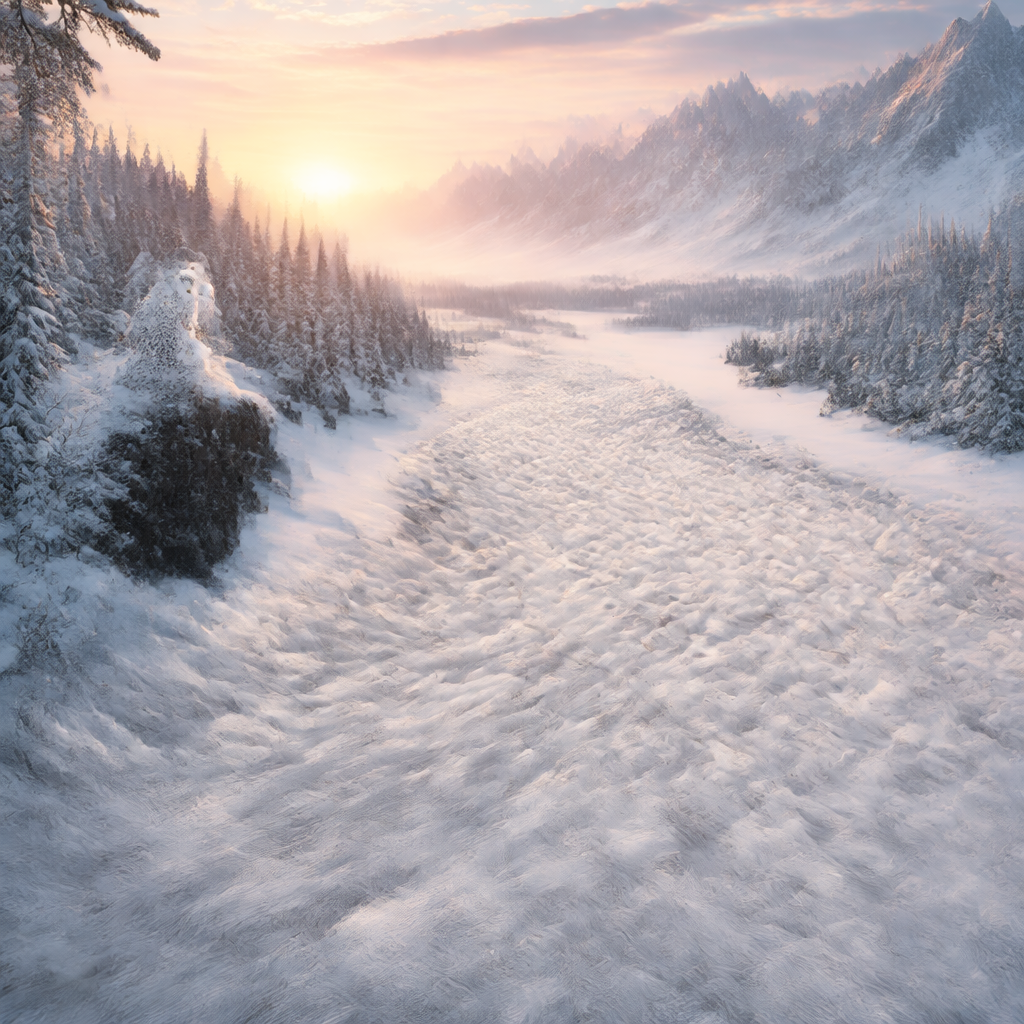
33import OpenAI from "openai";import fs from "fs";const openai = new OpenAI();function saveBase64Image(filename, imageBase64) { const imageBuffer = Buffer.from(imageBase64, "base64"); fs.writeFileSync(filename, imageBuffer);}const stream = await openai.responses.create({ model: "gpt-6-astra", input: "Draw a gorgeous image of a river made of white owl feathers, snaking its way through a serene winter landscape", stream: true, tools: [ { type: "image_generation", model: "gpt-image-2.5-sunburst", partial_images: 2 }, ],});for await (const event of stream) { if (event.type === "response.image_generation_call.partial_image") { const idx = event.partial_image_index; saveBase64Image(`river-partial-${idx}.png`, event.partial_image_b64); } else if (event.type === "response.completed") { const imageData = event.response.output .filter((output) => output.type === "image_generation_call") .map((output) => output.result); if (imageData.length > 0) { saveBase64Image("river-final.png", imageData[0]); } }}
1
2
3
4
5
6
7
8
9
10
11
12
13
14
15
16
17
18
19
20
21
22
23
24
25
26
27
28
29
30
31
32
33
34from openai import OpenAIimport base64client = OpenAI()defsave_base64_image(filename, image_base64): image_bytes = base64.b64decode(image_base64)withopen(filename, "wb") as f: f.write(image_bytes)stream = client.responses.create(model="gpt-6-astra",input="Draw a gorgeous image of a river made of white owl feathers, snaking its way through a serene winter landscape",stream=True,tools=[ {"type": "image_generation", "model": "gpt-image-2.5-sunburst", "partial_images": 2} ],)for event in stream:if event.type =="response.image_generation_call.partial_image": idx = event.partial_image_index save_base64_image(f"river-partial-{idx}.png", event.partial_image_b64)elif event.type =="response.completed": image_data = [ output.resultfor output in event.response.outputif output.type =="image_generation_call" ]if image_data: save_base64_image("river-final.png", image_data[0])
1
2
3
4
5
6
7
8
9
10
11
12
13
14
15
16
17
18
19
20
21
22
23
24
25
26
27
28
29
30
31
32
33
34
35
36
37
38
39
40
41
42
43
44
45
46
47
48
49package mainimport ( "context" "encoding/base64" "fmt" "os" "github.com/openai/openai-go/v3" "github.com/openai/openai-go/v3/responses")func main() { client := openai.NewClient() stream := client.Responses.NewStreaming(context.Background(), responses.ResponseNewParams{ Model: "gpt-6-astra", Input: responses.ResponseNewParamsInputUnion{ OfString: openai.String("Draw a gorgeous image of a river made of white owl feathers, snaking its way through a serene winter landscape"), }, Tools: []responses.ToolUnionParam{{OfImageGeneration: &responses.ToolImageGenerationParam{Model: "gpt-image-2.5-sunburst", PartialImages: openai.Int(2)}}}, }) for stream.Next() { event := stream.Current() if event.Type == "response.image_generation_call.partial_image" { partial := event.AsResponseImageGenerationCallPartialImage() saveImage(fmt.Sprintf("river-partial-%d.png", partial.PartialImageIndex), partial.PartialImageB64) } if event.Type == "response.completed" { for _, output := range event.AsResponseCompleted().Response.Output { if output.Type == "image_generation_call" { saveImage("river-final.png", output.AsImageGenerationCall().Result) } } } } if err := stream.Err(); err != nil { panic(err) }}func saveImage(filename, encoded string) { image, err := base64.StdEncoding.DecodeString(encoded) if err != nil { panic(err) } if err := os.WriteFile(filename, image, 0o600); err != nil { panic(err) }}
1
2
3
4
5
6
7
8
9
10
11
12
13
14
15
16
17
18
19
20
21
22
23
24
25
26
27
28
29
30
31
32
33require "base64"require "openai"client = OpenAI::Client.newstream = client.responses.stream( model: "gpt-6-astra", input: "Generate an image of a river made of white owl feathers.", tools: [ { type: :image_generation, model: "gpt-image-2.5-sunburst", partial_images: 2 } ])stream.each do |event| case event when OpenAI::Models::Responses::ResponseImageGenCallPartialImageEvent image = Base64.strict_decode64(event.partial_image_b64) File.binwrite("river-partial-#{event.partial_image_index}.png", image) when OpenAI::Models::Responses::ResponseCompletedEvent image_call = event.response.output.find do |item| item.is_a?(OpenAI::Models::Responses::ResponseOutputItem::ImageGenerationCall) end next unless image_call.is_a?(OpenAI::Models::Responses::ResponseOutputItem::ImageGenerationCall) File.binwrite( "river-final.png", Base64.strict_decode64(image_call.result) ) endend
Image API
이미지 스트리밍하기
Python
1
2
3
4
5
6
7
8
9
10
11
12
13
14
15
16
17
18
19
20
21
22import fs from "fs";import OpenAI from "openai";const openai = new OpenAI();const prompt = "Draw a gorgeous image of a river made of white owl feathers, snaking its way through a serene winter landscape";const stream = await openai.images.generate({ prompt: prompt, model: "gpt-image-2.5-sunburst", stream: true, partial_images: 2,});for await (const event of stream) { if (event.type === "image_generation.partial_image") { const idx = event.partial_image_index; const imageBase64 = event.b64_json; const imageBuffer = Buffer.from(imageBase64, "base64"); fs.writeFileSync(`river${idx}.png`, imageBuffer); }}
1
2
3
4
5
6
7
8
9
10
11
12
13
14
15
16
17
18
19from openai import OpenAIimport base64client = OpenAI()stream = client.images.generate(prompt="Draw a gorgeous image of a river made of white owl feathers, snaking its way through a serene winter landscape",model="gpt-image-2.5-sunburst",stream=True,partial_images=2,)for event in stream:if event.type =="image_generation.partial_image": idx = event.partial_image_index image_base64 = event.b64_json image_bytes = base64.b64decode(image_base64)withopen(f"river{idx}.png", "wb") as f: f.write(image_bytes)
1
2
3
4
5
6
7
8
9
10
11
12
13
14
15
16
17
18
19
20
21
22
23
24
25
26
27
28
29
30
31
32
33
34
35
36
37
38
39
40package mainimport ( "context" "encoding/base64" "fmt" "os" "github.com/openai/openai-go/v3")func main() { client := openai.NewClient() stream := client.Images.GenerateStreaming(context.Background(), openai.ImageGenerateParams{ Model: openai.ImageModel("gpt-image-2.5-sunburst"), Prompt: "Draw a gorgeous image of a river made of white owl feathers, snaking its way through a serene winter landscape", PartialImages: openai.Int(2), }) for stream.Next() { event := stream.Current() if event.Type != "image_generation.partial_image" { continue } partial := event.AsImageGenerationPartialImage() saveImage(fmt.Sprintf("river%d.png", partial.PartialImageIndex), partial.B64JSON) } if err := stream.Err(); err != nil { panic(err) }}func saveImage(filename, encoded string) { image, err := base64.StdEncoding.DecodeString(encoded) if err != nil { panic(err) } if err := os.WriteFile(filename, image, 0o600); err != nil { panic(err) }}
1
2
3
4
5
6
7
8
9
10
11
12
13
14
15
16
17
18
19
20
21
22
23
24
25import com.openai.client.okhttp.OpenAIOkHttpClient;import com.openai.models.images.ImageGenerateParams;import java.nio.file.Files;import java.nio.file.Path;import java.util.Base64;var params = ImageGenerateParams.builder() .prompt( "Draw a gorgeous image of a river made of white owl feathers, snaking its way through a serene winter landscape") .model("gpt-image-2.5-sunburst") .partialImages(2) .build();try (var stream = client.images().generateStreaming(params)) { var events = stream.stream().iterator(); while (events.hasNext()) { var event = events.next(); if (event.generationPartialImage().isPresent()) { var partial = event.generationPartialImage().orElseThrow(); Files.write( Path.of("river" + partial.partialImageIndex() + ".png"), Base64.getDecoder().decode(partial.b64Json())); } }}
1
2
3
4
5
6
7
8
9
10
11
12
13
14
15
16require "base64"require "openai"client = OpenAI::Client.newstream = client.images.generate_stream_raw( model: "gpt-image-2.5-sunburst", prompt: "A river made of white owl feathers in a winter landscape", partial_images: 2)stream.each do |event| next unless event.is_a?(OpenAI::Models::ImageGenPartialImageEvent) image = Base64.strict_decode64(event.b64_json) File.binwrite("river#{event.partial_image_index}.png", image)end
결과
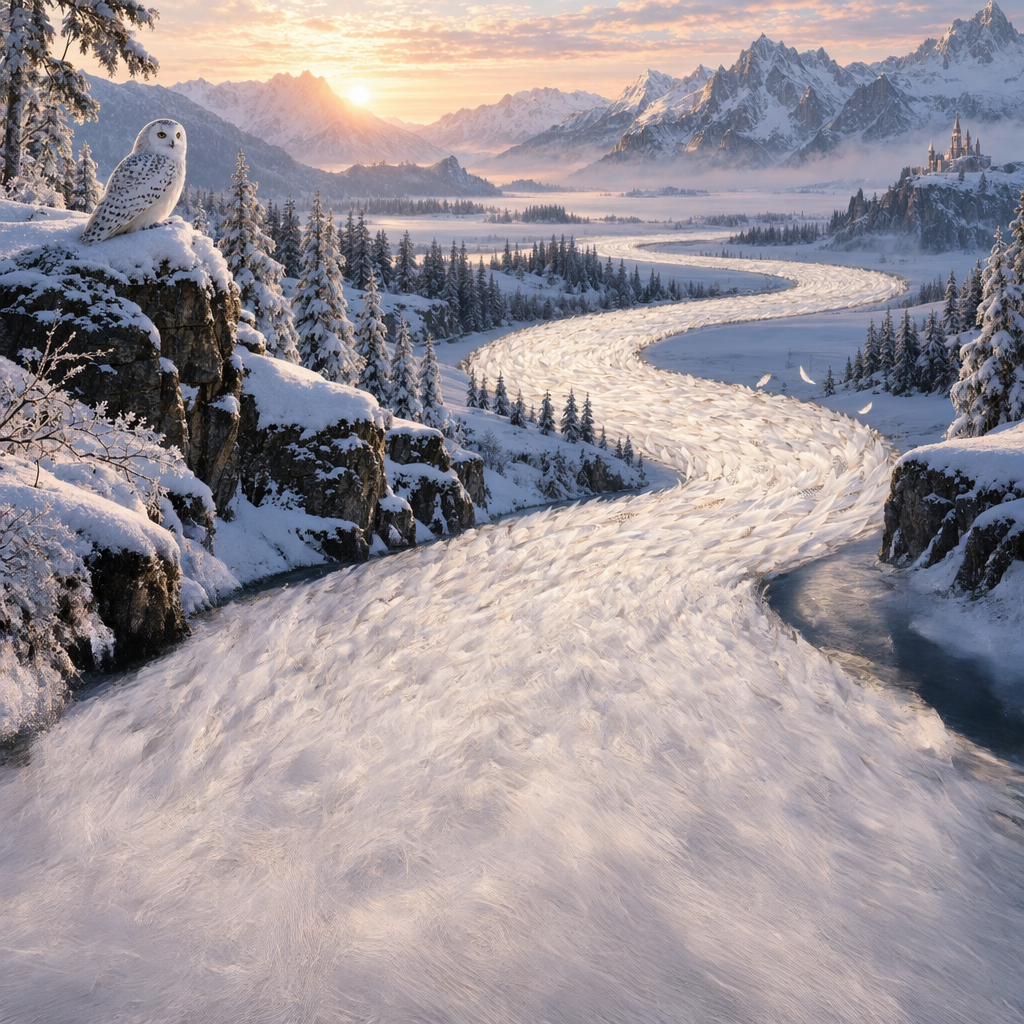
첫 번째 중간 이미지
두 번째 중간 이미지
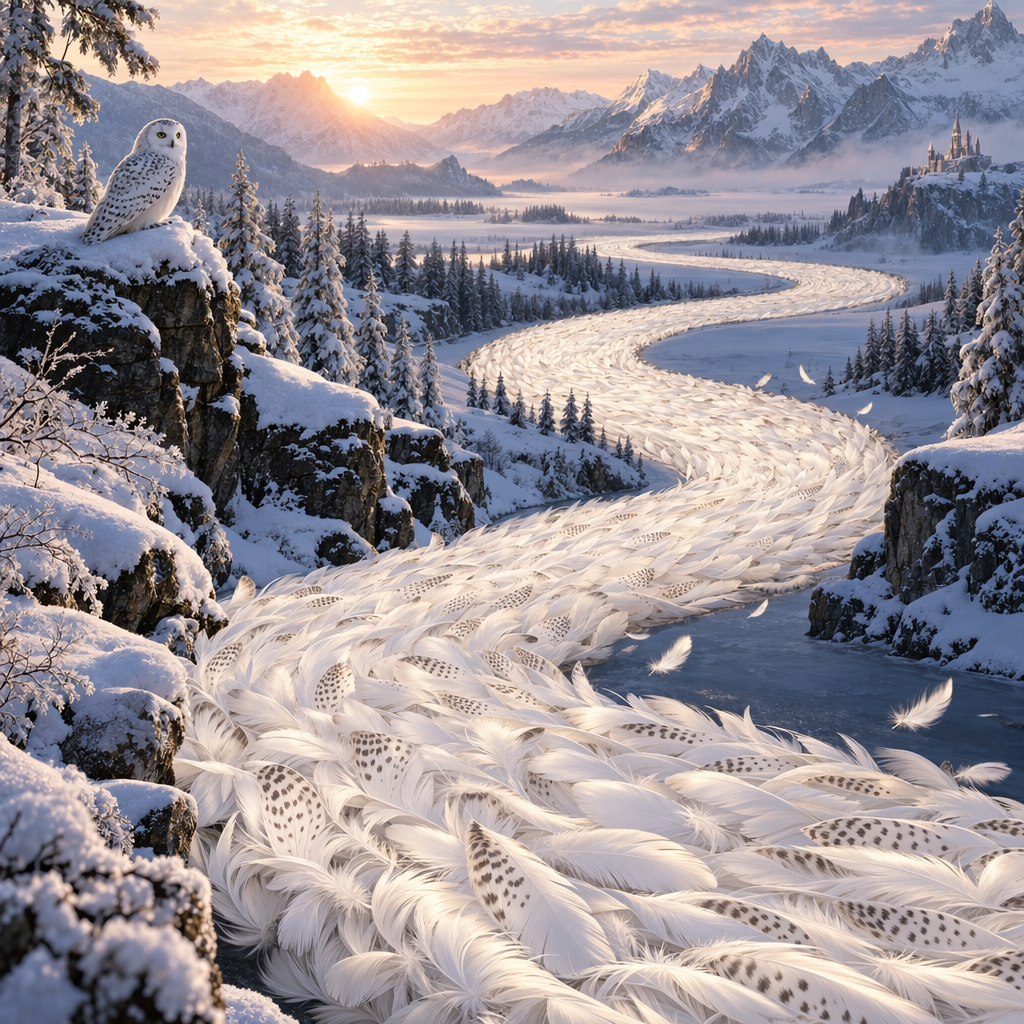
최종 이미지
프롬프트: 새하얀 올빼미 깃털로 이루어진 강이 고요한 겨울 풍경 속을 굽이굽이 흐르는 모습을 아름답게 그려 줘.
수정된 프롬프트
Responses API에서 이미지 생성 도구를 사용하면 주 모델(예: gpt-5.5)이 성능을 높이기 위해 프롬프트를 자동으로 수정합니다.
수정된 프롬프트는 이미지 생성 호출의 revised_prompt 필드에서 확인할 수 있습니다.
수정된 프롬프트가 포함된 응답
1
2
3
4
5
6
7{"id": "ig_123","type": "image_generation_call","status": "completed","revised_prompt": "A gray tabby cat hugging an otter. The otter is wearing an orange scarf. Both animals are cute and friendly, depicted in a warm, heartwarming style.","result": "..."}
1
2
3
4
5
6
7
8
9
10
11
12
13
14
15
16
17
18
19
20
21
22
23
24
25
26
27
28
29
30
31
32
33
34
35
36
37
38
39
40
41
42
43
44
45
46
47
48
49
50
51
52
53
54
55
56
57
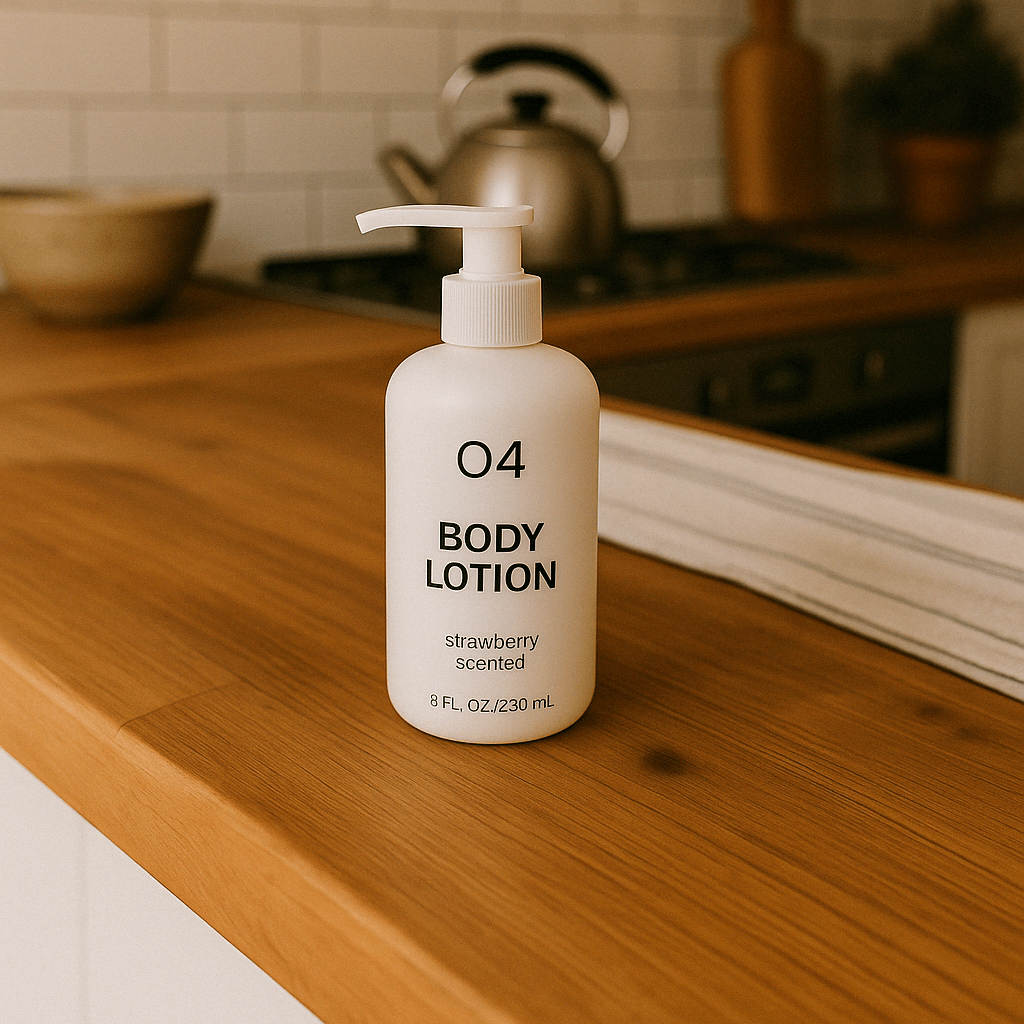
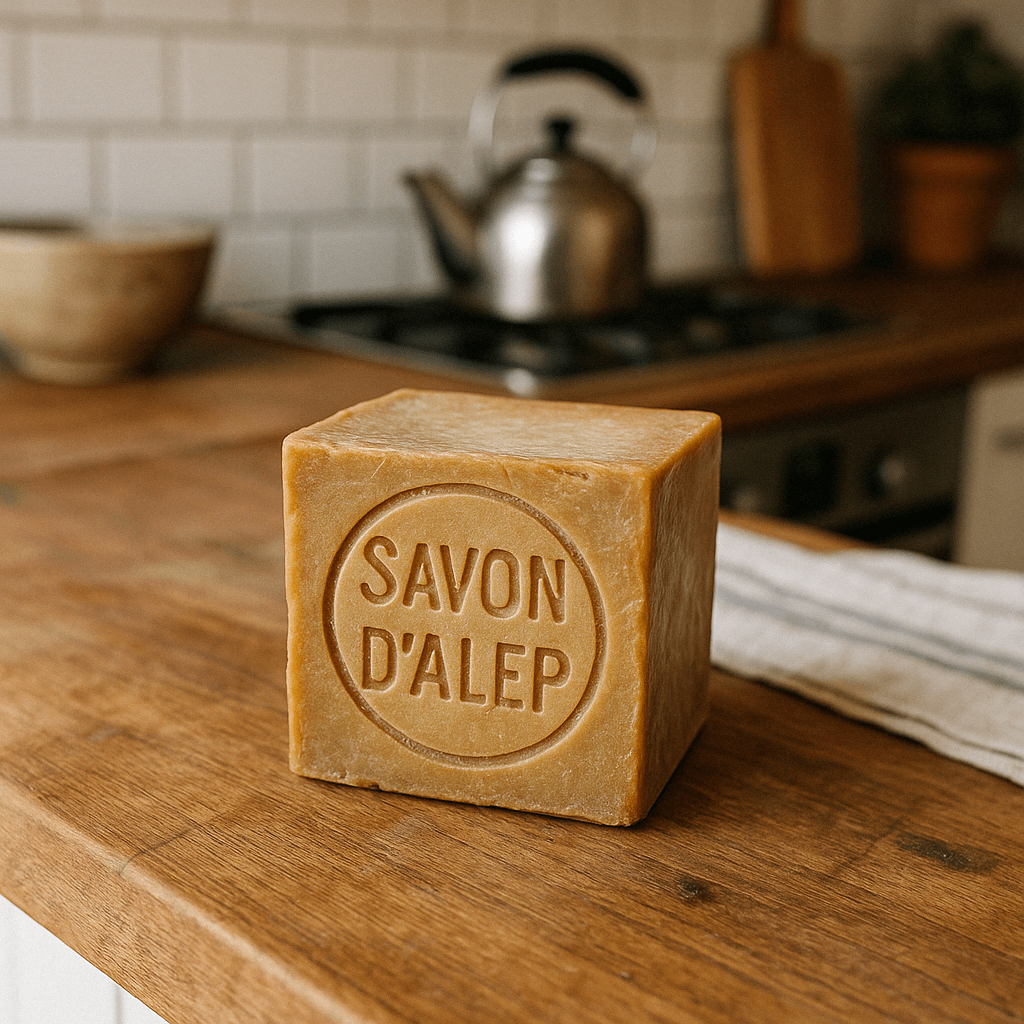
58require "base64"require "openai"require "pathname"client = OpenAI::Client.newbase64_images = ["body-lotion.png", "soap.png"].map do |path| Base64.strict_encode64(File.binread(path))endfile_ids = [ client.files.create(file: Pathname("bath-bomb.png"), purpose: :vision).id, client.files.create(file: Pathname("incense-kit.png"), purpose: :vision).id]prompt = <<~PROMPT Generate a photorealistic image of a gift basket on a white background labeled 'Relax & Unwind' with a ribbon and handwriting-like font, containing all the items in the reference pictures.PROMPTresponse = client.responses.create( model: "gpt-6-astra", input: [ { role: :user, content: [ { type: :input_text, text: prompt }, *base64_images.map do |image| { type: :input_image, image_url: "data:image/png;base64,#{image}" } end, *file_ids.map do |file_id| { type: :input_image, file_id: file_id } end ] } ], tools: [ { type: :image_generation, model: "gpt-image-2.5-sunburst" } ])image_call = response.output.find do |item| item.is_a?(OpenAI::Models::Responses::ResponseOutputItem::ImageGenerationCall)endunless image_call.is_a?(OpenAI::Models::Responses::ResponseOutputItem::ImageGenerationCall) raise "No image generation call returned"endFile.binwrite("gift-basket.png", Base64.strict_decode64(image_call.result))
Image API
이미지 편집하기
Python
1
2
3
4
5
6
7
8
9
10
11
12
13
14
15
16
17
18
19
20
21
22
23
24
25
26
27
28
29
30
31
32
33
34
35
36
37import fs from "fs";import OpenAI, { toFile } from "openai";const client = new OpenAI();const prompt = `Generate a photorealistic image of a gift basket on a white backgroundlabeled 'Relax & Unwind' with a ribbon and handwriting-like font,containing all the items in the reference pictures.`;const imageFiles = [ "fixtures/bath-bomb.png", "fixtures/body-lotion.png", "fixtures/incense-kit.png", "fixtures/soap.png",];const images = await Promise.all( imageFiles.map( async (file) => await toFile(fs.createReadStream(file), null, { type: "image/png", }) ));const response = await client.images.edit({ model: "gpt-image-2.5-sunburst", image: images, prompt,});// Save the image to a fileconst image_base64 = response.data[0].b64_json;const image_bytes = Buffer.from(image_base64, "base64");fs.writeFileSync("basket.png", image_bytes);
1
2
3
4
5
6
7
8
9
10
11
12
13
14
15
16
17
18
19
20
21
22
23
24
25
26
27
28import base64from openai import OpenAIclient = OpenAI()prompt ="""Generate a photorealistic image of a gift basket on a white backgroundlabeled 'Relax & Unwind' with a ribbon and handwriting-like font,containing all the items in the reference pictures."""result = client.images.edit(model="gpt-image-2.5-sunburst",image=[open("body-lotion.png", "rb"),open("bath-bomb.png", "rb"),open("incense-kit.png", "rb"),open("soap.png", "rb"), ],prompt=prompt,)image_base64 = result.data[0].b64_jsonimage_bytes = base64.b64decode(image_base64)# Save the image to a filewithopen("gift-basket.png", "wb") as f: f.write(image_bytes)
1
2
3
4
5
6
7
8
9
10
11
12
13
14
15
16
17
18
19
20
21
22
23
24
25
26
27
28
29
30
31
32
33
34
35
36
37
38
39
40
41
42
43
44
45
46
47
48
49
50
51
52
53
54
55
56
57
58
59
60
61
62
63
64
65package mainimport ( "context" "encoding/base64" "io" "os" "github.com/openai/openai-go/v3")func main() { client := openai.NewClient() files, closeFiles := openImages( "bath-bomb.png", "body-lotion.png", "incense-kit.png", "soap.png", ) defer closeFiles() response, err := client.Images.Edit(context.Background(), openai.ImageEditParams{ Model: openai.ImageModel("gpt-image-2.5-sunburst"), Image: openai.ImageEditParamsImageUnion{OfFileArray: files}, Prompt: "Generate a photorealistic image of a gift basket on a white background " + "labeled 'Relax & Unwind' with a ribbon and handwriting-like font, containing all the items in the reference pictures.", }) if err != nil { panic(err) } saveImage("basket.png", response.Data[0].B64JSON)}func openImages(names ...string) ([]io.Reader, func()) { images := make([]io.Reader, 0, len(names)) files := make([]*os.File, 0, len(names)) for _, name := range names { file, err := os.Open(name) if err != nil { closeFiles(files) panic(err) } images = append(images, openai.File(file, name, "image/png")) files = append(files, file) } return images, func() { closeFiles(files) }}func closeFiles(files []*os.File) { for _, file := range files { if err := file.Close(); err != nil { panic(err) } }}func saveImage(filename, encoded string) { image, err := base64.StdEncoding.DecodeString(encoded) if err != nil { panic(err) } if err := os.WriteFile(filename, image, 0o600); err != nil { panic(err) }}
1
2
3
4
5
6
7
8
9
10
11
12
13
14
15
16
17
18
19
20
21
22
23
24
25
26
27
28
29
30
31
32
33
34
35
36
37
38
39
40
41
42
43
44
45import com.openai.client.OpenAIClient;import com.openai.client.okhttp.OpenAIOkHttpClient;import com.openai.core.MultipartField;import com.openai.models.images.ImageEditParams;import java.io.IOException;import java.io.InputStream;import java.nio.file.Files;import java.nio.file.Path;import java.util.Base64;import java.util.List;Path lotion = Path.of(System.getenv("OPENAI_EXAMPLE_IMAGE_PATH"));Path soap = Path.of(System.getenv("OPENAI_EXAMPLE_IMAGE_PATH_2"));Path bathBomb = Path.of(System.getenv("OPENAI_EXAMPLE_IMAGE_PATH_3"));Path incense = Path.of(System.getenv("OPENAI_EXAMPLE_IMAGE_PATH_4"));try (InputStream lotionImage = Files.newInputStream(lotion); InputStream bathBombImage = Files.newInputStream(bathBomb); InputStream incenseImage = Files.newInputStream(incense); InputStream soapImage = Files.newInputStream(soap)) { var images = client .images() .edit( ImageEditParams.builder() .model("gpt-image-2.5-sunburst") .image( MultipartField.<ImageEditParams.Image>builder() .value( ImageEditParams.Image.ofInputStreams( List.of(lotionImage, bathBombImage, incenseImage, soapImage))) .contentType("image/png") .filename("gift-basket-reference.png") .build()) .prompt( """ Generate a photorealistic image of a gift basket on a white background labeled 'Relax & Unwind' with a ribbon and handwriting-like font, containing all the items in the reference pictures. """) .build()); Files.write( Path.of("gift-basket.png"), Base64.getDecoder().decode(images.data().orElseThrow().get(0).b64Json().orElseThrow()));}
1
2
3
4
5
6
7
8
9
10
11
12
13
14
15
16
17
18
19require "base64"require "openai"require "pathname"client = OpenAI::Client.newimages = %w[body-lotion.png bath-bomb.png incense-kit.png soap.png].map do |path| OpenAI::FilePart.new(Pathname(path), content_type: "image/png")endresult = client.images.edit( image: images, model: "gpt-image-2.5-sunburst", prompt: <<~PROMPT Generate a photorealistic image of a gift basket on a white background labeled 'Relax & Unwind' with a ribbon and handwriting-like font, containing all the items in the reference pictures. PROMPT)generated_image = result.data&.first or raise "No image returned"File.binwrite("gift-basket.png", Base64.strict_decode64(generated_image.b64_json))
1
2
3
4
5
6
7
8
9
10curl -s -D >(grep -i x-request-id >&2) \
  -o >(jq -r '.data[0].b64_json' | base64 --decode > gift-basket.png) \
  -X POST "https://api.openai.com/v1/images/edits" \
  -H "Authorization: Bearer $OPENAI_API_KEY" \
  -F "model=gpt-image-2.5-sunburst" \
  -F "image[]=@body-lotion.png" \
  -F "image[]=@bath-bomb.png" \
  -F "image[]=@incense-kit.png" \
  -F "image[]=@soap.png" \
  -F 'prompt=Generate a photorealistic image of a gift basket on a white background labeled "Relax & Unwind" with a ribbon and handwriting-like font, containing all the items in the reference pictures'
1
2
3
4
5
6
7
8
9openai images edit \
  --model gpt-image-2.5-sunburst \
  --image body-lotion.png \
  --image bath-bomb.png \
  --image incense-kit.png \
  --image soap.png \
  --prompt 'Generate a photorealistic image of a gift basket on a white background labeled "Relax & Unwind" with a ribbon and handwriting-like font, containing all the items in the reference pictures' \
  --raw-output \
  --transform 'data.0.b64_json' | base64 --decode > gift-basket.png
마크업으로 편집할 위치 표시하기
마크업을 활용한 편집을 지원하는 GPT-Image-2.5 및 GPT-Image-2.6 모델에서는 Image API의 POST /v1/images/edits 엔드포인트를 사용하세요. Responses API에서 특정 영역을 편집하려면 마스크를 사용하세요. 주석 레이어에 변경할 위치를 표시하고 prompt에 변경 내용을 설명하세요.
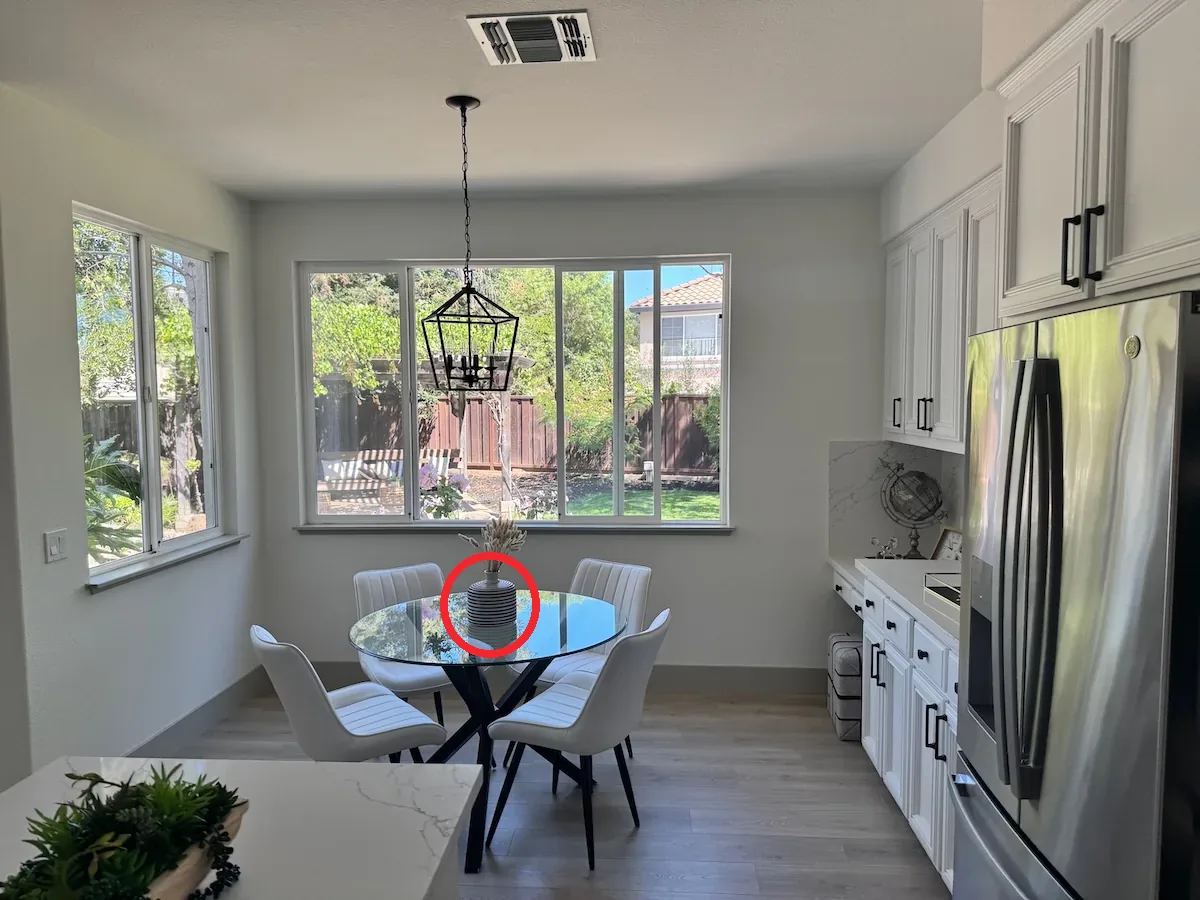
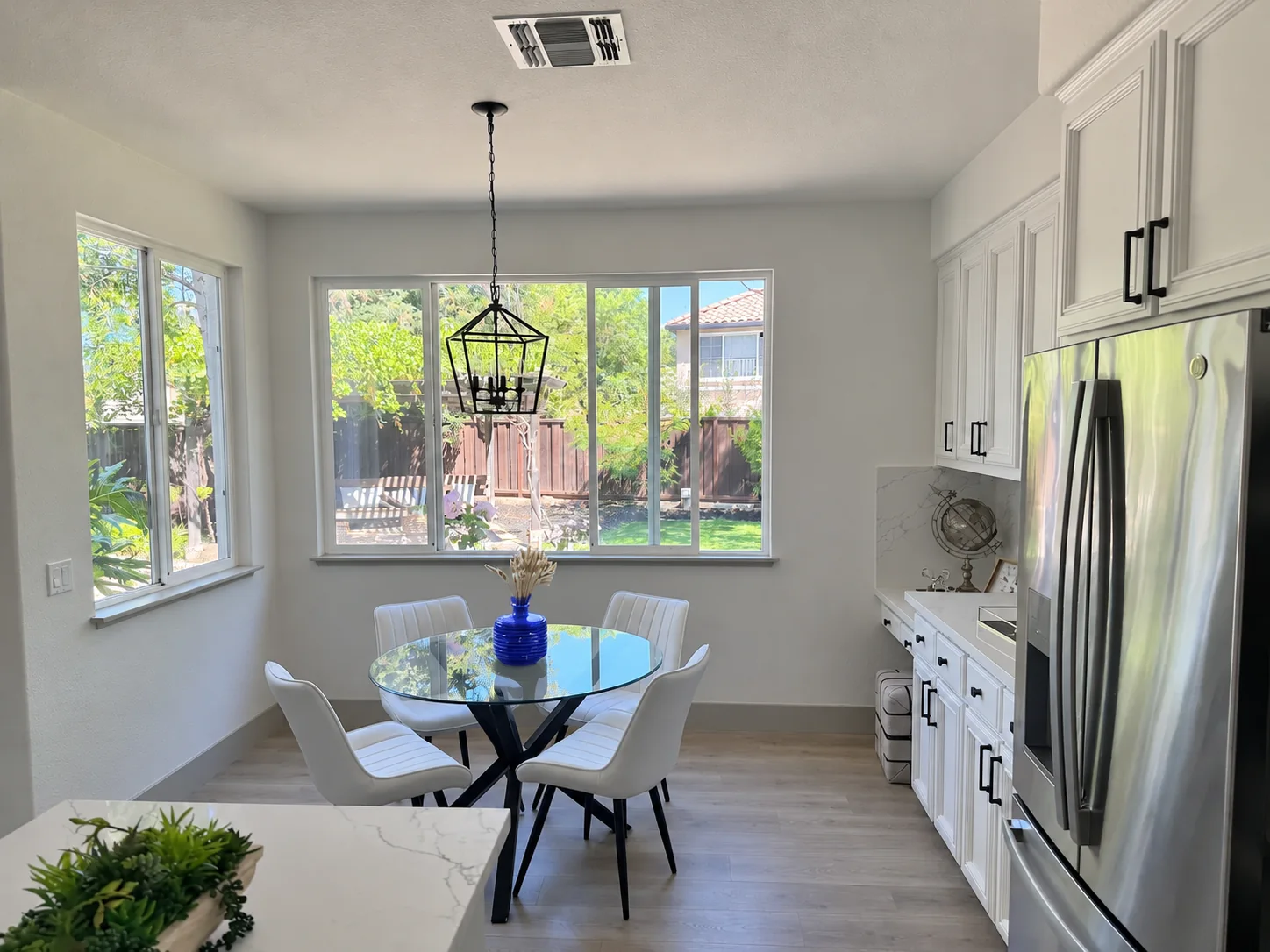
예시를 따라 하려면 주방 사진과 투명 오버레이를 같은 디렉터리에 다운로드하세요. 오버레이에는 색상을 바꿀 꽃병이 원으로 표시되어 있습니다.
Image API로 원 안의 꽃병 편집하기
Python
1
2
3
4
5
6
7
8
9
10
11
12
13
14
15
16
17
18
19
20
21import base64from pathlib import Pathfrom openai import OpenAIclient = OpenAI()overlay = Path("markup-vase-overlay-gpt-image-2-6.png")withopen("kitchen.webp", "rb") as image, overlay.open("rb") as markup: result = client.images.edit(model="gpt-image-2.6-flare",image=("kitchen.webp", image, "image/webp"),markup=(overlay.name, markup, "image/png"),quality="medium",prompt=("Recolor the striped vase inside the red circle to solid cobalt blue ceramic. ""Keep its shape, the dried stems, and the rest of the kitchen unchanged. ""Remove the red circle from the finished photo." ), )Path("vase.png").write_bytes(base64.b64decode(result.data[0].b64_json))
1
2
3
4
5
6
7
8
9
10
11
12
13
14
15
16
17
18
19
20
21
22
23
24
25
26
27
28
29
30
31client := openai.NewClient()image, err := os.Open("kitchen.webp")if err != nil { panic(err)}defer image.Close()markup, err := os.Open("markup-vase-overlay-gpt-image-2-6.png")if err != nil { panic(err)}defer markup.Close()response, err := client.Images.Edit(context.Background(), openai.ImageEditParams{ Model: openai.ImageModel("gpt-image-2.6-flare"), Image: openai.ImageEditParamsImageUnion{OfFile: openai.File(image, "kitchen.webp", "image/webp")}, Markup: openai.File(markup, "markup-vase-overlay-gpt-image-2-6.png", "image/png"), Quality: "medium", Prompt: "Recolor the striped vase inside the red circle to solid cobalt blue ceramic. " + "Keep its shape, the dried stems, and the rest of the kitchen unchanged. " + "Remove the red circle from the finished photo.",})if err != nil { panic(err)}result, err := base64.StdEncoding.DecodeString(response.Data[0].B64JSON)if err != nil { panic(err)}if err := os.WriteFile("vase.png", result, 0o600); err != nil { panic(err)}
1
2
3
4
5
6
7
8
9
10set -euo pipefailcurl --fail --silent --show-error https://api.openai.com/v1/images/edits \ -H "Authorization: Bearer $OPENAI_API_KEY" \ -F model=gpt-image-2.6-flare \ -F quality=medium \ -F 'image=@kitchen.webp;type=image/webp' \ -F 'markup=@markup-vase-overlay-gpt-image-2-6.png;type=image/png' \ -F 'prompt=Recolor the striped vase inside the red circle to solid cobalt blue ceramic. Keep its shape, the dried stems, and the rest of the kitchen unchanged. Remove the red circle from the finished photo.' | jq -er '.data[0].b64_json' | base64 --decode > vase.png
오버레이를 겹친 사진
Flare 편집 결과
원본 이미지를 첫 번째 입력 이미지로 지정하세요.
원이나 스케치 등의 주석을 담은 투명 PNG 파일을 별도로 만드세요. 이미지 방향을 적용한 후에는 주석 레이어와 첫 번째 이미지의 너비와 높이가 각각 같아야 합니다. PNG에는 투명 픽셀이 있어야 하므로 주석 레이어를 원본 이미지와 병합하지 마세요.
주석 레이어를 markup으로 보내세요. 멀티파트 요청에서는 파일을 업로드할 수 있습니다. JSON 요청에서는 image_url 또는 file_id 중 정확히 하나를 담은 객체를 보내세요. image_url에는 HTTPS URL이나 base64 데이터 URL을 지정할 수 있습니다. JSON 편집 요청에서는 입력 이미지 배열을 images에 지정하세요.
변경할 내용과 보존할 세부 요소를 설명하세요. 결과를 사용하기 전에 검토하세요.
마크업은 첫 번째 입력 이미지에 적용됩니다. 추가 이미지는 참조용으로 사용됩니다. 첫 번째 입력 이미지와 주석 레이어는 각각 16,777,216픽셀을 초과할 수 없습니다. 주석 파일의 용량도 50MB 이하여야 합니다. markup과 mask를 함께 사용하지 마세요.
마스크로 이미지 편집하기
마스크를 제공해 이미지에서 편집할 부분을 지정할 수 있습니다.
GPT Image에서 마스크를 사용하면 해당 영역을 편집하도록 안내하는 추가 지시가 모델에 전달됩니다.
GPT Image의 마스킹은 전적으로 프롬프트에 기반합니다. 모델은 마스크를 참고하지만 마스크의 모양을 정확하게 따르지 않을 수 있습니다.
입력 이미지를 여러 장 제공하면 마스크는 첫 번째 이미지에 적용됩니다.
Responses API
마스크로 이미지 편집하기
Python
1
2
3
4
5
6
7
8
9
10
11
12
13
14
15
16
17
18
19
20
21
22
23
24
25
26
27
28
29
30
31
32
33
34
35
36
37
38
39
40
41
42
43
44
45
46
47
48
49
50
51
52
53
54import fs from "fs";import OpenAI from "openai";const openai = new OpenAI();async function createFile(filePath) { const result = await openai.files.create({ file: fs.createReadStream(filePath), purpose: "vision", }); return result.id;}const fileId = await createFile("fixtures/sunlit_lounge.png");const maskId = await createFile("fixtures/mask.png");const response = await openai.responses.create({ model: "gpt-6-astra", input: [ { role: "user", content: [ { type: "input_text", text: "generate an image of the same sunlit indoor lounge area with a pool but the pool should contain a flamingo", }, { type: "input_image", file_id: fileId, detail: "auto", }, ], }, ], tools: [ { type: "image_generation", model: "gpt-image-2.5-sunburst", quality: "high", input_image_mask: { file_id: maskId, }, }, ],});const imageData = response.output .filter((output) => output.type === "image_generation_call") .map((output) => output.result);if (imageData.length > 0) { const imageBase64 = imageData[0]; fs.writeFileSync("lounge.png", Buffer.from(imageBase64, "base64"));}
1
2
3
4
5
6
7
8
9
10
11
12
13
14
15
16
17
18
19
20
21
22
23
24
25
26
27
28
29
30
31
32
33
34
35
36
37
38
39
40
41
42
43
44
45
46
47
48
49
50
51
52
53
54from openai import OpenAIimport base64client = OpenAI()defcreate_file(file_path):withopen(file_path, "rb") as file_content: result = client.files.create(file=file_content, purpose="vision")return result.idfileId = create_file("sunlit_lounge.png")maskId = create_file("mask.png")response = client.responses.create(model="gpt-6-astra",input=[ {"role": "user","content": [ {"type": "input_text","text": "generate an image of the same sunlit indoor lounge area with a pool but the pool should contain a flamingo", }, {"type": "input_image","file_id": fileId, }, ], }, ],tools=[ {"type": "image_generation","model": "gpt-image-2.5-sunburst","quality": "high","input_image_mask": {"file_id": maskId, }, }, ],)image_data = [ output.resultfor output in response.outputif output.type =="image_generation_call"]if image_data: image_base64 = image_data[0]withopen("lounge.png", "wb") as f: f.write(base64.b64decode(image_base64))
1
2
3
4
5
6
7
8
9
10
11
12
13
14
15
16
17
18
19
20
21
22
23
24
25
26
27
28
29
30
31
32
33
34
35
36
37
38
39
40
41
42
43
44
45
46
47
48
49
50
51
52
53
54
55
56
57
58
59
60
61
62
63
64
65
66
67package mainimport ( "context" "encoding/base64" "os" "github.com/openai/openai-go/v3" "github.com/openai/openai-go/v3/responses")func main() { client := openai.NewClient() imageID := uploadImage(client, "sunlit_lounge.png") maskID := uploadImage(client, "mask.png") response, err := client.Responses.New(context.Background(), responses.ResponseNewParams{ Model: "gpt-6-astra", Input: responses.ResponseNewParamsInputUnion{OfInputItemList: responses.ResponseInputParam{ responses.ResponseInputItemParamOfMessage( responses.ResponseInputMessageContentListParam{ responses.ResponseInputContentParamOfInputText("Generate an image of the same sunlit indoor lounge area with a pool, but the pool should contain a flamingo."), {OfInputImage: &responses.ResponseInputImageParam{FileID: openai.String(imageID), Detail: responses.ResponseInputImageDetailAuto}}, }, responses.EasyInputMessageRoleUser, ), }}, Tools: []responses.ToolUnionParam{{OfImageGeneration: &responses.ToolImageGenerationParam{ Model: "gpt-image-2.5-sunburst", Quality: "high", InputImageMask: responses.ToolImageGenerationInputImageMaskParam{FileID: openai.String(maskID)}, }}}, }) if err != nil { panic(err) } saveFirstGeneratedImage(response, "lounge.png")}func uploadImage(client openai.Client, filename string) string { file, err := os.Open(filename) if err != nil { panic(err) } defer file.Close() uploaded, err := client.Files.New(context.Background(), openai.FileNewParams{File: file, Purpose: openai.FilePurposeVision}) if err != nil { panic(err) } return uploaded.ID}func saveFirstGeneratedImage(response *responses.Response, filename string) { for _, output := range response.Output { if output.Type != "image_generation_call" { continue } image, err := base64.StdEncoding.DecodeString(output.AsImageGenerationCall().Result) if err != nil { panic(err) } if err := os.WriteFile(filename, image, 0o600); err != nil { panic(err) } return } panic("response did not include an image generation call")}
1
2
3
4
5
6
7
8
9
10
11
12
13
14
15require "openai"require "pathname"require "base64"client = OpenAI::Client.newimage = OpenAI::FilePart.new(Pathname("sunlit_lounge.png"), content_type: "image/png")mask = OpenAI::FilePart.new(Pathname("mask.png"), content_type: "image/png")result = client.images.edit( image: image, mask: mask, model: "gpt-image-2.5-sunburst", prompt: "A sunlit indoor lounge area with a pool containing a flamingo")generated_image = result.data&.first or raise "No image returned"File.binwrite("lounge.png", Base64.strict_decode64(generated_image.b64_json))
1
2
3
4
5
6
7
8curl -s -D >(grep -i x-request-id >&2) \
  -o >(jq -r '.data[0].b64_json' | base64 --decode > lounge.png) \
  -X POST "https://api.openai.com/v1/images/edits" \
  -H "Authorization: Bearer $OPENAI_API_KEY" \
  -F "model=gpt-image-2.5-sunburst" \
  -F "mask=@mask.png" \
  -F "image[]=@sunlit_lounge.png" \
  -F 'prompt=A sunlit indoor lounge area with a pool containing a flamingo'
1
2
3
4
5
6
7openai images edit \
  --model gpt-image-2.5-sunburst \
  --image sunlit_lounge.png \
  --mask mask.png \
  --prompt "A sunlit indoor lounge area with a pool containing a flamingo" \
  --raw-output \
  --transform 'data.0.b64_json' | base64 --decode > out.png
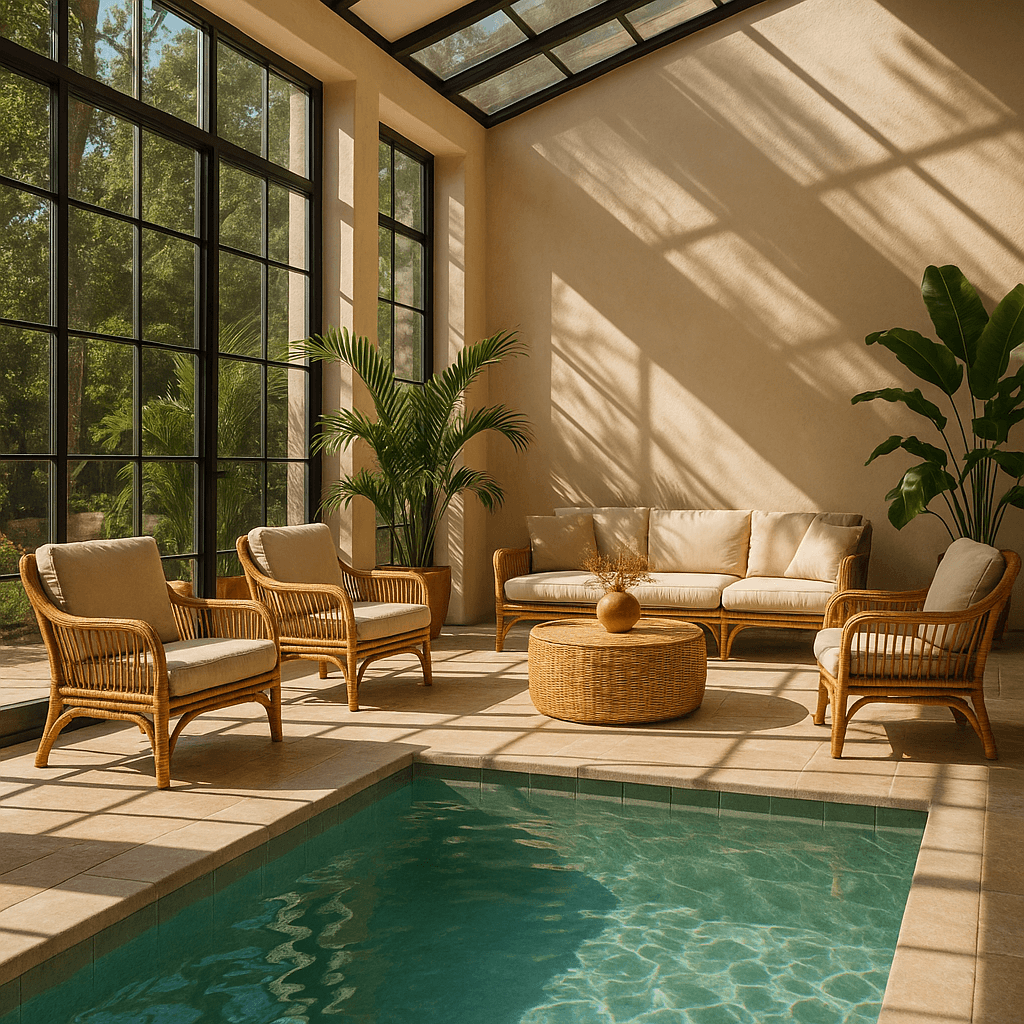
이미지
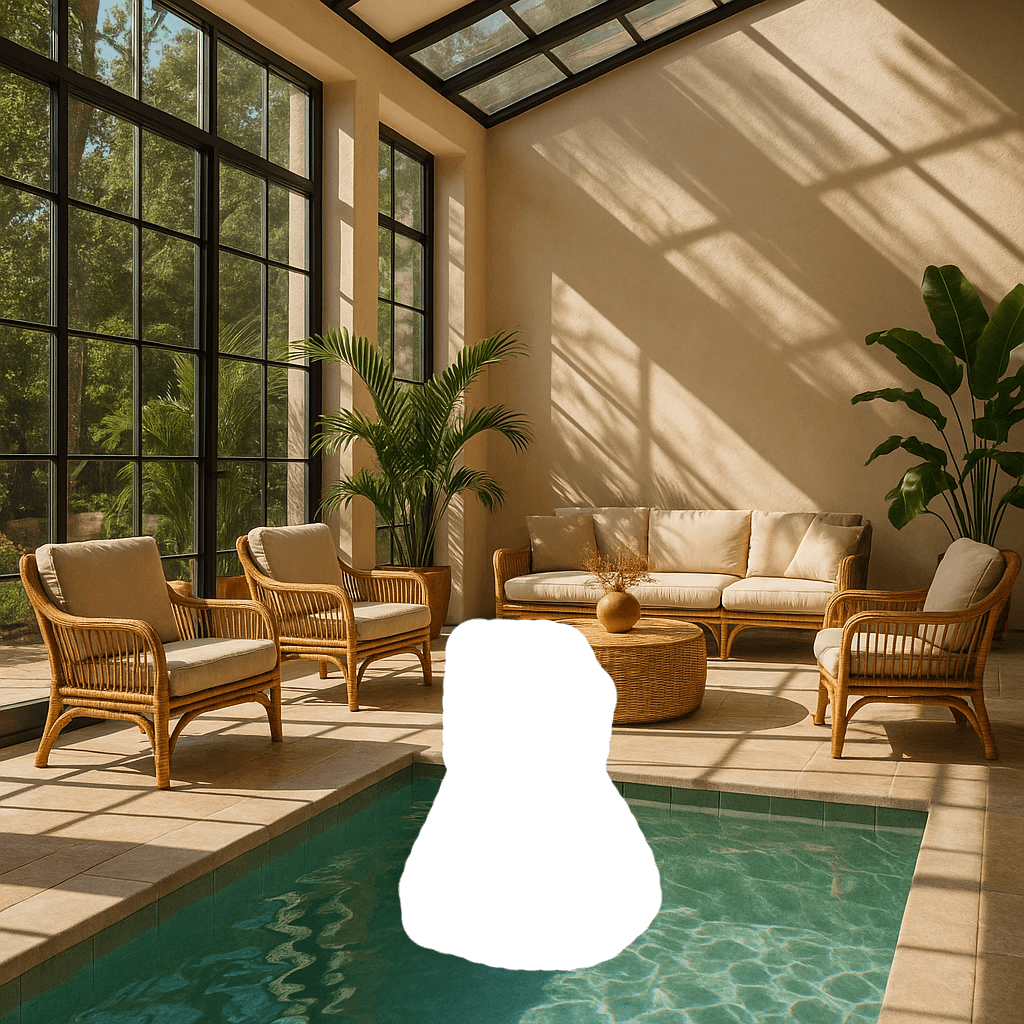
마스크
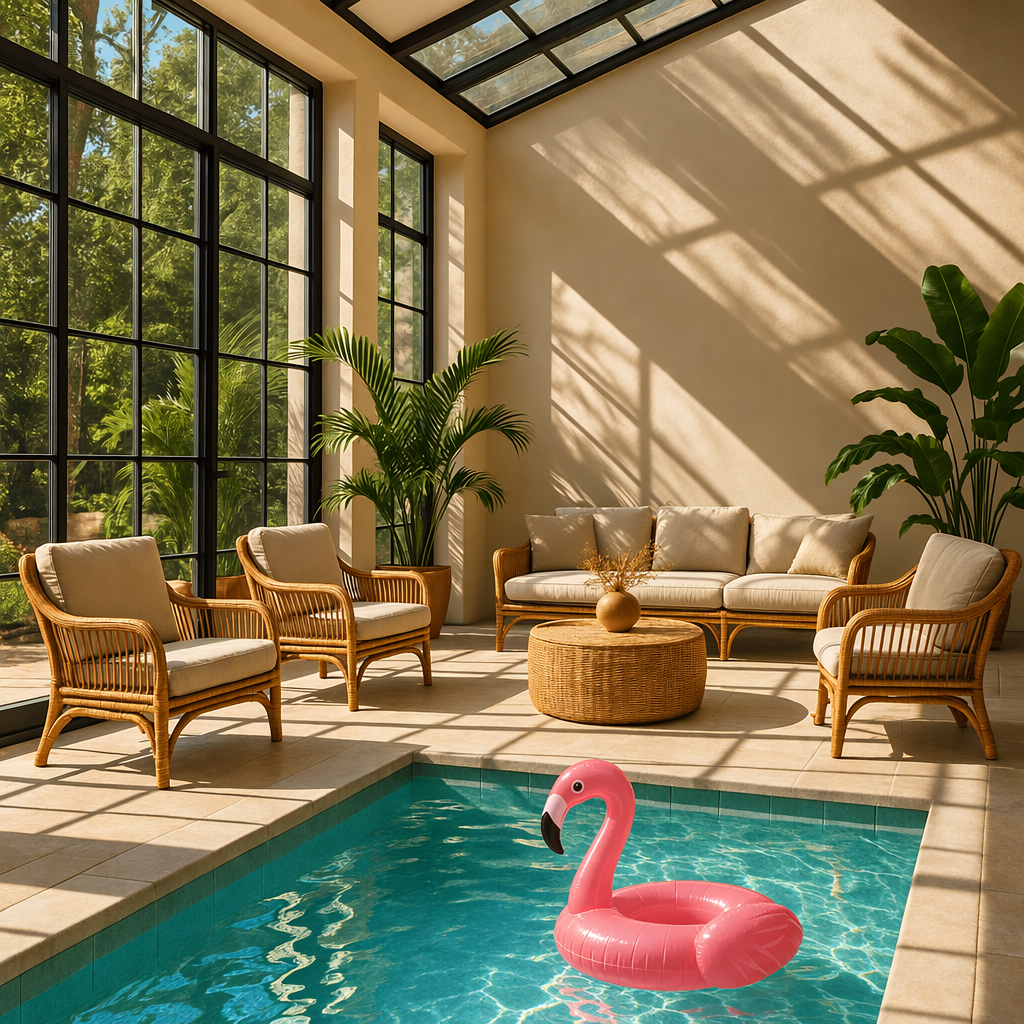
출력
프롬프트: 햇살이 드는 실내 라운지. 라운지 안의 수영장에는 플라밍고가 있다.
마스크 요구 사항
편집할 이미지와 마스크는 형식과 가로·세로 크기가 같아야 하며, 각 파일의 용량은 50MB 미만이어야 합니다.
마스크 이미지에는 알파 채널도 있어야 합니다. 이미지 편집 도구로 마스크를 만드는 경우 알파 채널을 포함해 저장하세요.
코드로 흑백 이미지를 수정해 알파 채널을 추가할 수도 있습니다.
흑백 마스크에 알파 채널 추가하기
Python
1
2
3
4
5
6
7
8
9
10
11
12
13
14
15
16
17
18
19
20
21fromPILimport Imagefrom io import BytesIO# 1. Load your black & white mask as a grayscale imagemask = Image.open("mask.png").convert("L")# 2. Convert it to RGBA so it has space for an alpha channelmask_rgba = mask.convert("RGBA")# 3. Then use the mask itself to fill that alpha channelmask_rgba.putalpha(mask)# 4. Convert the mask into bytesbuf = BytesIO()mask_rgba.save(buf, format="PNG")mask_bytes = buf.getvalue()# 5. Save the resulting fileimg_path_mask_alpha ="mask_alpha.png"withopen(img_path_mask_alpha, "wb") as f: f.write(mask_bytes)
size, quality, background는 auto 옵션을 지원합니다. 이 옵션을 사용하면 모델이 프롬프트에 가장 적합한 값을 자동으로 선택합니다.
크기 및 품질 옵션
gpt-image-2.5-sunburst와 gpt-image-2.5-flare에서는 xhigh와 max 품질 설정도 사용할 수 있습니다. 두 모델 모두 기본값은 auto입니다. 이전 GPT Image 모델은 high까지 지원합니다.
설정
옵션
권장 크기
1024x1024(정사각형), 1536x1024(가로형), 1024x1536(세로형)
품질
low, medium, high, xhigh, max, auto
두 모델 모두 WIDTHxHEIGHT 형식의 문자열로 사용자 지정 크기를 지정할 수 있습니다(예: 1536x864). 너비와 높이는 각각 16의 배수여야 하고, 가로세로 비율은 1:3에서 3:1 사이여야 하며, 어느 변도 3840픽셀을 초과할 수 없습니다. 총 픽셀 수는 655,360개 이상 8,294,400개(4K) 이하여야 합니다. 2560x1440을 초과하는 해상도는 실험적으로 지원됩니다.
두 모델에서 투명 배경을 사용하려면 background: "transparent"를 설정하고 output_format: "png" 또는 "webp"를 사용하세요.
초안을 빠르게 만들려면 quality: "low"를 사용하세요. 최종 결과물을 만들 때는 더 높은 품질 설정을 비교해 세부 표현, 지연 시간, 비용 사이에서 적절한 균형을 찾으세요.
출력 형식
Image API는 base64로 인코딩된 이미지 데이터를 반환합니다.
기본 형식은 png이며, jpeg 또는 webp도 요청할 수 있습니다.
jpeg 또는 webp를 사용할 때는 output_compression 매개변수로 압축률(0~100%)도 지정할 수 있습니다. 예를 들어 output_compression=50은 이미지를 50% 압축합니다.
jpeg는 png보다 처리 속도가 빠르므로 지연 시간이 중요하다면 JPEG 형식을 우선 사용하세요.
SVG 생성하기
output_format: "svg"를 POST /v1/images/generations 요청에 지정하세요. 아이콘이나 일러스트레이션처럼 경로, 도형, 색상을 편집해야 하는 그래픽에는 SVG를 사용하세요.
n을 1로 설정하세요. SVG 출력에서는 스트리밍, 중간 이미지, output_compression을 지원하지 않습니다. 이미지 편집 엔드포인트는 SVG 출력을 지원하지 않으며, 편집용 래스터 이미지 입력으로 SVG를 사용할 수도 없습니다.
API는 참조 이미지를 만든 다음 이를 바탕으로 SVG를 생성합니다. quality 설정은 이 참조 이미지의 품질을 제어합니다. data[0].b64_json 값을 base64로 디코딩한 다음, 얻은 UTF-8 XML 바이트를 확장자가 .svg인 파일로 저장하세요. 반환된 문서에는 정적 벡터 콘텐츠만 포함되며, 스크립트, 외부 리소스, 문서에 삽입된 래스터 이미지는 지원하지 않습니다.
다음은 Flare와 Sunburst가 Field & Flour 베이커리 로고를 요청하는 동일한 프롬프트로 생성한 SVG 로고입니다.
GPT-Image-2.6 Flare
GPT-Image-2.6 Sunburst
애니메이션 GIF 생성하기
output_format: "gif"를 POST /v1/images/generations 또는 POST /v1/images/edits 요청에 지정하세요. 프롬프트에 무엇이 어떻게 움직이고 그 동작이 어떤 식으로 반복되어야 하는지 설명하세요. 정지 이미지를 참조해 애니메이션을 생성하려면 해당 이미지를 이미지 편집 엔드포인트로 보내세요.
두 엔드포인트 모두 다음 요청 필드로 GIF 출력을 설정할 수 있습니다.
필드
값
기본값
frame_count
2~16프레임
9
frame_duration_ms
프레임당 20~2000밀리초, 10밀리초 단위로 반올림
200
size
auto 또는 너비와 높이가 각각 16의 양의 배수인 WIDTHxHEIGHT
auto
size는 완성된 각 프레임의 크기를 나타냅니다. 프레임 수와 크기, 애니메이션 수를 지정할 때는 모델의 크기 제한과 요청 전체에 허용되는 총 픽셀 수를 모두 지켜야 합니다. 요청이 이 한도를 초과하면 frame_count, 프레임 크기 또는 n을 줄이세요. auto를 사용하면 API가 모델의 제한 범위 내에서 프레임 크기를 선택합니다.
응답에는 완성된 애니메이션이 포함됩니다. 각 결과의 b64_json 값을 base64로 디코딩하고 바이트를 확장자가 .gif인 파일로 저장하세요. GIF 출력에서는 스트리밍, 중간 이미지, 사용자 지정 output_compression을 지원하지 않습니다. frame_count와 frame_duration_ms는 GIF 출력에만 사용하세요.
다음은 Sunburst가 frame_count=9와 frame_duration_ms=200 설정으로 생성한 등불 애니메이션입니다. 원숭이는 1.8초 후에 처음 자세로 돌아갑니다.
제한 사항
GPT Image 모델은 강력하고 다양한 용도로 활용할 수 있지만, 이미지를 생성할 때 다음과 같은 제한 사항이 있습니다.
지연 시간: 복잡한 프롬프트를 처리하는 데 최대 2분이 걸릴 수 있습니다.
텍스트 렌더링: 성능이 크게 개선되었지만, 텍스트를 정확한 위치에 배치하거나 선명하게 표현하는 데 여전히 어려움이 있을 수 있습니다.
일관성: 일관된 이미지를 생성할 수 있지만, 여러 차례 생성할 때 반복해서 등장하는 캐릭터나 브랜드 요소의 모습이 달라질 수 있습니다.
구도 제어: 지시를 따르는 능력이 개선되었지만, 구도가 정해져 있거나 배치가 중요한 이미지에서는 요소를 원하는 위치에 정확히 놓기 어려울 수 있습니다.
GPT Image 모델로 이미지를 생성할 때는 moderation 매개변수로 필터링 강도를 조정할 수 있습니다. 이 매개변수는 두 가지 값을 지원합니다.
auto(기본값): 일부 연령대에 부적절할 수 있는 특정 범주의 콘텐츠 생성을 제한하기 위한 표준 필터링을 적용합니다.
low: 제한이 더 적은 필터링을 적용합니다.
차단된 요청 및 기타 오류 처리
이미지 생성 실패는 다른 API 오류와 같은 방식으로 처리하세요. HTTP 상태 코드나 SDK 예외 유형을 확인하고 요청 ID를 로그에 기록하세요. 인증, 할당량, 요청 한도, 서버 오류에 대한 자세한 내용은 오류 코드 가이드를 참고하세요. 일시적인 요청 한도 초과나 서버 오류가 발생하면 백오프를 적용해 재시도하세요. 할당량 오류나 요청을 수정해야 하는 이미지 생성 사용자 오류는 자동으로 재시도하지 마세요.
사용자가 직접 해결할 수 있는 일부 이미지 생성 오류에서는 error.type = "image_generation_user_error"가 반환될 수 있습니다. 이런 오류가 발생하면 프롬프트나 입력 이미지를 수정하기 전에는 자동으로 재시도하지 마세요. 코드에서 오류를 구분할 때는 안정적인 식별 기준인 error.code를 사용하세요.
error.code = "moderation_blocked"인 경우 오류에 error.moderation_details 객체가 포함될 수도 있습니다.
moderation_details 객체는 내부 분류기의 레이블이나 점수를 공개하지 않고도 디버깅에 필요한 개략적인 정보를 제공합니다.
moderation_stage에는 다음 값이 올 수 있습니다.
input: 프롬프트나 요청 입력으로 인해 차단되었습니다.
output: 생성된 이미지로 인해 차단되었거나 후속 출력 검토 단계에서 차단되었습니다.
unknown: 차단이 어느 단계에서 발생했는지 판단하기 어려울 때 드물게 반환되는 값입니다.
categories에는 대략적인 범주를 나타내는 공개 레이블이 들어갑니다. 예를 들어 harassment, self-harm, sexual, violence 등의 값이 반환될 수 있습니다.
대부분의 앱에서는 최종 사용자에게 표시하는 기본 메시지에 일반적인 안내만 담으세요. moderation_details는 개발자 로그, 지원 워크플로우, 분석 또는 간단한 수정 안내에 활용하세요.
콘텐츠 검토로 차단된 이미지 생성 오류 처리하기
JavaScript
1
2
3
4
5
6
7
8
9
10
11
12
13
14
15
16
17
18
19
20
21
22
23
24
25
26
27
28
29
30
31
32
33
34
35
36
37
38
39
40
41
42import OpenAI from"openai";constopenai=newOpenAI();try {// The same error handling pattern applies to image generation requests,// image edits, and Responses API tool calls that generate images.await openai.images.generate({ model: "gpt-image-2.5-sunburst", prompt: "Create a poster humiliating my coworker with insulting captions", });} catch (error) {if (error?.code !=="moderation_blocked") {throw error; }constmoderationDetails= error.error?.moderation_details;constcategories= moderationDetails?.categories ?? [];conststage= moderationDetails?.moderation_stage;let hint ="This request could not be completed because it did not meet safety requirements.";if (categories.includes("harassment")) { hint ="Try removing abusive or targeting language and focus on neutral visual details instead."; } elseif (stage ==="input") { hint ="Try revising the prompt or input images and submit the request again."; } elseif (stage ==="output") { hint ="The generated result was blocked by a safety check. Try changing the prompt and generating again."; } console.error("Image generation blocked", { request_id: error?.requestID, code: error?.code, moderation_details: moderationDetails, }); console.log(hint);}
1
2
3
4
5
6
7
8
9
10
11
12
13
14
15
16
17
18
19
20
21
22
23
24
25
26
27
28
29
30
31
32
33
34
35
36
37
38
39
40import openaifrom openai import OpenAIclient = OpenAI()try: # The same error handling pattern applies to image generation requests, # image edits, and Responses API tool calls that generate images. client.images.generate( model="gpt-image-2.5-sunburst", prompt="Create a poster humiliating my coworker with insulting captions", )except openai.BadRequestError as error: if error.code != "moderation_blocked": raise error_body = error.body if isinstance(error.body, dict) else {} moderation_details = error_body.get("moderation_details") or {} categories = moderation_details.get("categories") or [] stage = moderation_details.get("moderation_stage") hint = "This request could not be completed because it did not meet safety requirements." if "harassment" in categories: hint = "Try removing abusive or targeting language and focus on neutral visual details instead." elif stage == "input": hint = "Try revising the prompt or input images and submit the request again." elif stage == "output": hint = "The generated result was blocked by a safety check. Try changing the prompt and generating again." print( "Image generation blocked", { "request_id": error.request_id, "code": error.code, "moderation_details": moderation_details, }, ) print(hint)
1
2
3
4
5
6
7
8
9
10
11
12
13
14
15
16
17
18
19
20
21
22
23
24
25
26
27
28
29
30
31
32
33
34
35
36
37
38
39
40
41
42
43
44
45
46
47
48package mainimport ( "context" "encoding/json" "errors" "fmt" "slices" "github.com/openai/openai-go/v3")func main() { client := openai.NewClient() _, err := client.Images.Generate(context.Background(), openai.ImageGenerateParams{ Model: openai.ImageModel("gpt-image-2.5-sunburst"), Prompt: "Create a poster humiliating my coworker with insulting captions", }) if err == nil { return } var apiError *openai.Error if !errors.As(err, &apiError) || apiError.Code != "moderation_blocked" { panic(err) } var body struct { ModerationDetails struct { Categories []string `json:"categories"` ModerationStage string `json:"moderation_stage"` } `json:"moderation_details"` } if err := json.Unmarshal([]byte(apiError.RawJSON()), &body); err != nil { panic(err) } hint := "This request could not be completed because it did not meet safety requirements." if slices.Contains(body.ModerationDetails.Categories, "harassment") { hint = "Try removing abusive or targeting language and focus on neutral visual details instead." } else if body.ModerationDetails.ModerationStage == "input" { hint = "Try revising the prompt or input images and submit the request again." } else if body.ModerationDetails.ModerationStage == "output" { hint = "The generated result was blocked by a safety check. Try changing the prompt and generating again." } fmt.Printf("Image generation blocked (%s): %s\n", apiError.Code, hint)}
1
2
3
4
5
6
7
8
9
10
11
12
13
14
15
16
17
18
19
20
21
22
23
24
25
26
27
28
29
30
31
32
33
34
35
36
37
38import com.openai.client.OpenAIClient;import com.openai.client.okhttp.OpenAIOkHttpClient;import com.openai.errors.BadRequestException;import com.openai.models.images.ImageGenerateParams;import java.util.List;import java.util.Map;try { var images = client .images() .generate( ImageGenerateParams.builder() .model("gpt-image-2.5-sunburst") .prompt("Create a poster humiliating my coworker with insulting captions") .build()); System.out.println(images.data().orElseThrow().get(0).b64Json().orElseThrow());} catch (BadRequestException error) { if (!error.code().orElse("").equals("moderation_blocked")) { throw error; } Map<?, ?> body = error.body().convert(Map.class); Object detailsValue = body.get("moderation_details"); Map<?, ?> details = detailsValue instanceof Map<?, ?> values ? values : Map.of(); Object categories = details.get("categories"); Object stage = details.get("moderation_stage"); String hint = "This request did not meet safety requirements."; if (categories instanceof List<?> values && values.contains("harassment")) { hint = "Remove abusive or targeting language and focus on neutral visual details."; } else if ("input".equals(stage)) { hint = "Revise the prompt or input images, then submit the request again."; } else if ("output".equals(stage)) { hint = "Change the prompt and generate again; the generated result was blocked."; } System.err.println("Image generation blocked (" + error.code().orElseThrow() + "): " + hint);}
1
2
3
4
5
6
7
8
9
10
11
12
13
14
15
16
17
18
19
20
21
22
23
24
25
26
27
28require "openai"client = OpenAI::Client.newbegin client.images.generate( model: "gpt-image-2.5-sunburst", prompt: "Create a poster humiliating my coworker with insulting captions" )rescue OpenAI::Errors::BadRequestError => error raise unless error.code == "moderation_blocked" body = Hash.try_convert(error.body) || {} body = Hash.try_convert(body[:error] || body["error"]) || body moderation_details = body[:moderation_details] || body["moderation_details"] || {} categories = moderation_details[:categories] || moderation_details["categories"] || [] stage = moderation_details[:moderation_stage] || moderation_details["moderation_stage"] hint = "This request did not meet safety requirements." if categories.include?("harassment") hint = "Remove abusive or targeting language and focus on neutral visual details." elsif stage == "input" hint = "Revise the prompt or input images, then submit the request again." elsif stage == "output" hint = "Change the prompt and generate again; the generated result was blocked." end warn("Image generation blocked (#{error.code}): #{hint}")end
지원 모델
Responses API에서 이미지를 생성할 때 gpt-5 및 이후 모델은 일반적으로 이미지 생성 도구를 지원합니다. 사용하려는 모델이 이미지 생성 도구를 지원하는지 해당 모델의 상세 페이지에서 확인하세요.
비용 및 지연 시간
GPT-Image-2.6 비용
이미지 출력 요금은 과금 대상 토큰 100만 개당 $30입니다. 이미지 한 장의 출력 비용은 계산기로 추정하세요.
마크업을 활용한 편집에는 다른 편집과 같은 토큰 단가가 적용되며 추가 요금은 없습니다. SVG 출력의 경우 참조 이미지에는 이미지 모델의 단가가 적용되고, SVG를 작성하는 데 사용한 토큰에는 작성 모델의 단가가 적용됩니다. 총비용은 각 모델이 사용한 토큰 수에 따라 달라집니다.
GPT-Image-2.5 비용
Responses API 요청에는 이미지 생성 비용 외에 주 모델의 토큰 사용량에 따른 비용도 부과됩니다.
두 GPT-Image-2.5 모델의 토큰 단가는 같습니다. 100만 토큰당 이미지 입력은 $8, 캐시된 이미지 입력은 $2, 이미지 출력은 $30, 텍스트 입력은 $5, 캐시된 텍스트 입력은 $1.25입니다. 요금표를 참고하세요.
응답의 usage에서 프롬프트, 크기, 품질 설정에 따른 토큰 사용량을 확인하세요. 토큰 단가가 같아도 모델과 품질 설정에 따라 사용하는 토큰 수가 달라지므로 이미지 한 장당 비용도 달라질 수 있습니다. 이전 모델의 요금 예시는 이전 GPT Image 모델을 참고하세요.
캐시된 입력 요금
GPT-Image-2 및 GPT-Image-2.5에서 캐시된 입력 요금은 Responses API의 이미지 생성 도구에만 적용됩니다. /v1/images/edits를 비롯해 Images API에 직접 보내는 요청에는 적용되지 않습니다.
캐시된 이미지 생성 입력은 청구 금액에 반영되지만, Responses API 출력에는 캐시된 토큰 수가 포함되지 않습니다. 따라서 응답의 usage로는 캐시 적중 여부를 확인할 수 없습니다.
비용 계산
모델, 품질, 크기를 선택해 출력 토큰 수와 이미지 출력 비용을 추정하세요.
GPT-Image-2.6과 GPT-Image-2.5 모두 Sunburst와 Flare에서 low, medium, high, xhigh, max 품질 옵션을 지원합니다.
gpt-image-2의 품질 옵션은 low, medium, high입니다.
이미지 출력 토큰당 단가는 같지만, 같은 품질 설정에서도 모델별로 사용하는 토큰 수는 다를 수 있습니다.
비용을 추정할 때는 품질과 크기를 명시적으로 지정하세요. auto를 사용하면 생성된 이미지에 따라 값이 달라집니다.
모델모델GPT-Image-2.6 (Sunburst and Flare)
품질
출력 토큰
823
예상 이미지 출력 비용
US$0.02469
이미지 출력 토큰 100만 개당 30 USD로 계산한 이미지 한 장당 비용입니다. 텍스트·이미지 입력 토큰과 스트리밍 중에 전송되는 중간 이미지의 비용은 제외됩니다.
중간 이미지 비용
이미지 생성 결과를 스트리밍할 때 partial_images 매개변수를 사용하면 중간 이미지 한 장당 이미지 출력 토큰 100개가 추가로 부과됩니다.
gpt-image-2에서는 아래 제약 조건을 충족하는 해상도라면 size 매개변수에 지정할 수 있습니다. 일반적으로 정사각형 이미지가 가장 빠르게 생성됩니다.
자주 사용하는 크기
1024x1024(정사각형)
1536x1024(가로형)
1024x1536(세로형)
2048x2048(2K 정사각형)
2048x1152(2K 가로형)
3840x2160(4K 가로형)
2160x3840(4K 세로형)
auto(기본값)
크기 제약 조건
가장 긴 변의 길이는
3840px 이하여야 합니다.
두 변의 길이는 각각 16px의 배수여야 합니다.
긴 변과 짧은 변의 길이 비율은 3:1을 초과할 수 없습니다.
총 픽셀 수는 655,360개 이상
8,294,400개 이하여야 합니다.
품질 옵션
low
medium
high
auto(기본값)
이미지 입력 충실도
input_fidelity 매개변수는 이미지 편집이나 참조 이미지를 사용하는 워크플로우에서 모델이 입력 이미지의 세부 요소를 얼마나 충실하게 보존할지 제어합니다. gpt-image-2에서는 이 매개변수를 생략하세요. 모델이 모든 이미지 입력을 자동으로 높은 충실도로 처리하므로 API에서 이 설정을 변경할 수 없습니다.
gpt-image-2는 항상 높은 충실도로 이미지 입력을 처리하므로 참조 이미지를 포함한 편집 요청에서는 이미지 입력 토큰 수가 늘어날 수 있습니다. 비용에 미치는 영향은 비전 비용을 참고하세요.
이전 모델 요금 예시
gpt-image-2 이전 모델
gpt-image-2 이전의 GPT Image 모델은 이미지 전용 토큰을 먼저 만든 다음 이미지를 생성합니다. 지연 시간과 최종 비용은 모두 이미지를 렌더링하는 데 필요한 토큰 수에 비례합니다. 이미지 크기가 크거나 품질 설정이 높을수록 더 많은 토큰을 사용합니다.
생성되는 토큰 수는 이미지의 크기와 품질에 따라 달라집니다.
품질
정사각형(1024×1024)
세로형(1024×1536)
가로형(1536×1024)
낮음
272토큰
408토큰
400토큰
중간
1056토큰
1584토큰
1568토큰
높음
4160토큰
6240토큰
6208토큰
입력 토큰도 비용에 포함해야 합니다. 프롬프트에는 텍스트 토큰이 사용되며, 이미지를 편집할 때는 입력 이미지에 대한 이미지 토큰도 사용됩니다.
gpt-image-2는 모든 이미지 입력을 높은 충실도로 처리하므로 참조 이미지를 포함한 편집 요청에서 입력 토큰을 더 많이 사용할 수 있습니다.
현재 텍스트 및 이미지 토큰 단가는 요금 페이지에서 확인하세요. 이미지 출력 비용을 추정하려면 비용 계산을 참고하세요.
최종 비용은 다음 항목의 비용을 합산한 금액입니다.
텍스트 입력 토큰
편집 엔드포인트를 사용하는 경우 이미지 입력 토큰
이미지 출력 토큰
이전 모델의 출력 비용
gpt-image-2는 수천 가지 해상도를 지원합니다. 아래 표에는 비교를 위해 이전 GPT Image 모델에서 사용한 것과 같은 크기를 표시했습니다. GPT-Image-1.5, GPT-Image-1, GPT-Image-1 Mini의 기존 이미지 한 장당 출력 요금도 함께 표시했습니다. 요청의 총비용을 추정할 때는 텍스트 및 이미지 입력 토큰 비용도 포함하세요.
gpt-image-1은 2026년 10월 23일에 서비스가 종료되었습니다. 아래 요금은 과거 요금과 비교할 수 있도록 남겨 두었습니다. 대체 모델은 지원 중단 안내를 참고하세요.
같은 품질 설정에서도 가로와 세로의 길이가 다른 큰 이미지를 생성할 때 더 작은 이미지나 정사각형 이미지보다 출력 토큰이 적게 사용되는 경우가 있습니다.