

I’ve spent most of my career as a software engineer either turning a crank—deploying and operating software—or building software to turn that crank for me.
My first job at OpenAI was on the cloud infrastructure team, bringing up new Kubernetes clusters for application teams. I’d spend a week getting a batch of clusters ready, working through issues with private links, quota, and Terraform. As soon as those clusters were ready, I’d start on another batch.
My next job was on the API team, running evaluations against our latest models. I’d work through problems with graders, quota, configuration, and PyTorch. When the evaluations ran successfully and the model shipped, I’d start again with the next model.
Now I use Codex to help with that repetitive work. I still build software—or, more accurately, Codex helps me build it—but instead of creating a separate automation for every task, I’m building Runme to:
- Collect and curate the context around a workflow.
- Keep the right review and approval boundaries in place.
- Improve future Codex runs with what earlier runs learned.
Running evaluations with Codex
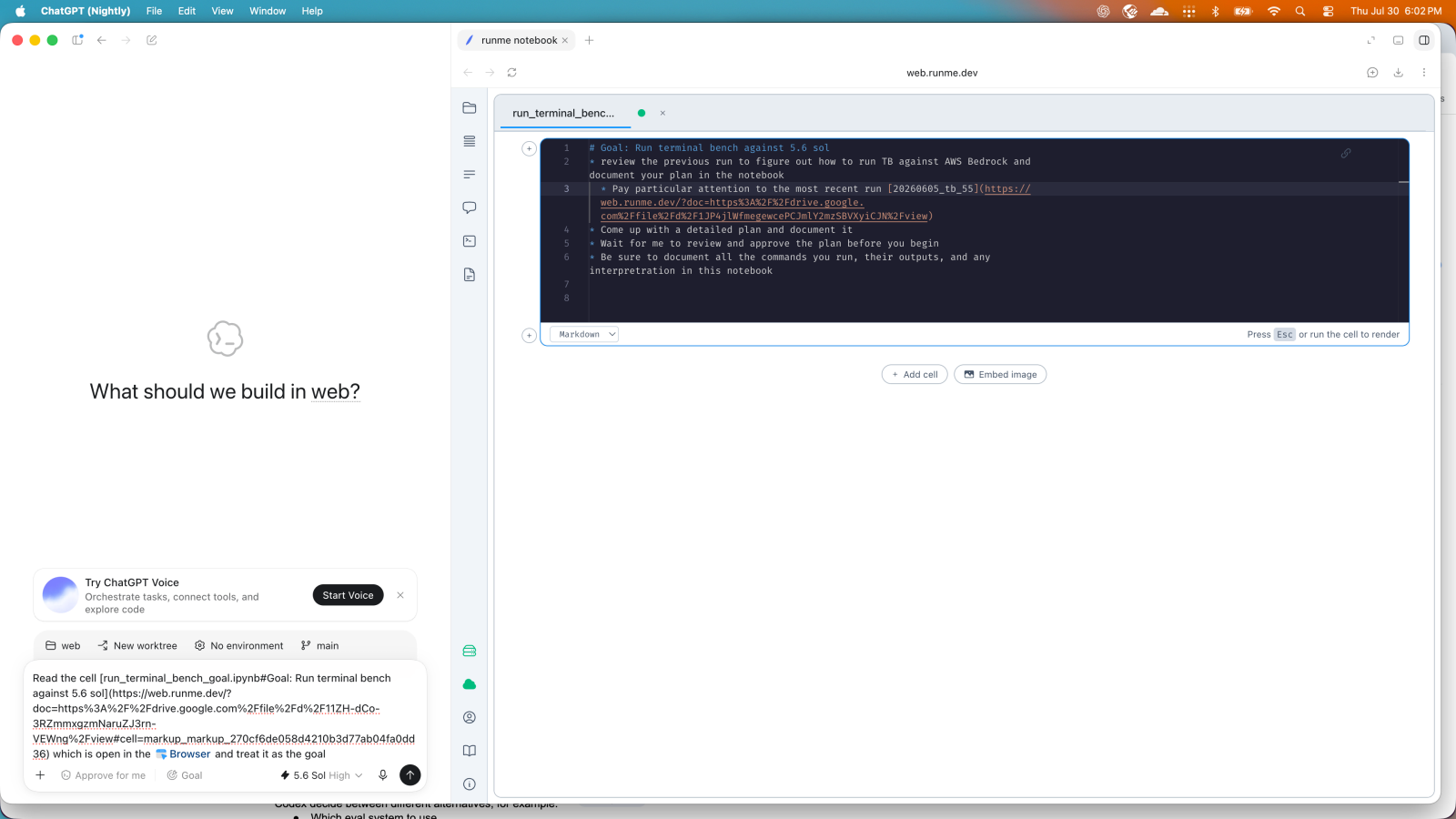
At OpenAI, we run evaluations when shipping new models and features to check that they work as expected. To run an evaluation, I create a Runme notebook and write a short outline of the goal:
# Goal: Run the evaluation against the current model

- Review a previous run to understand the workflow.
- Write a detailed plan in this notebook.
- Wait for me to review and approve the plan before beginning.
- Document the commands you run, their output, and how you interpret the results.
Then I ask Codex to use that notebook cell as its goal:
Read the goal cell in the Runme notebook open in the browser. Treat it as the
goal, write your plan in the notebook, and wait for my approval before starting.
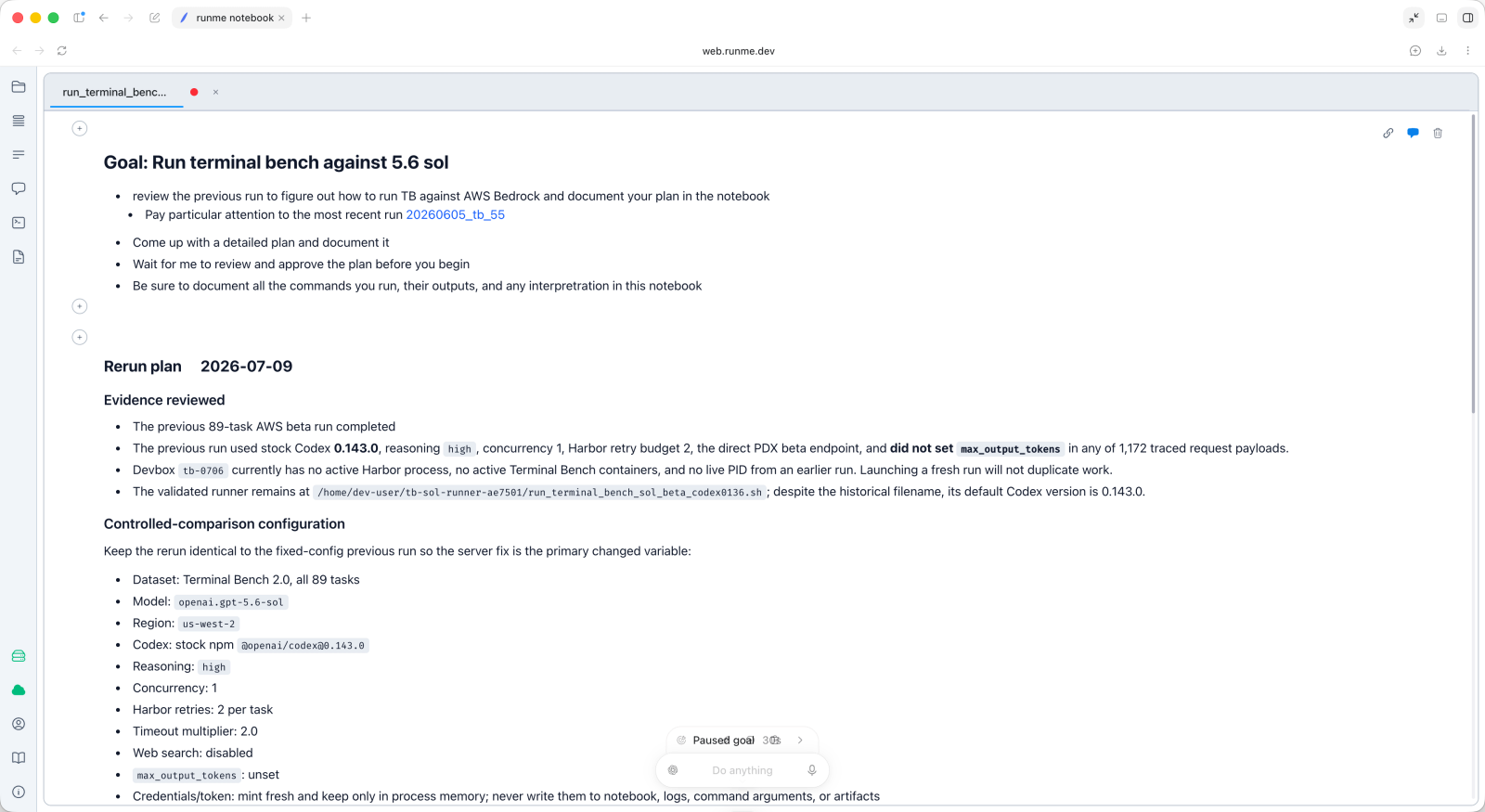
Codex reads the notebook and updates it as the work progresses. When the plan is ready, I review it and revise it if needed. Often, the useful part of my involvement is helping Codex decide between alternatives: which evaluation system to use, whether to provision new infrastructure, or whether existing resources will do the job.
While Codex works, I monitor its progress—sometimes from my phone—and occasionally give it a nudge when it gets stuck. If a development environment can’t be provisioned because a quota is exhausted, for example, I might suggest reusing an existing environment or looking for another approved option.
The result is a notebook that documents the steps required to complete the task, along with the dead ends. Before wrapping up, I work with Codex to capture decisions that would otherwise disappear into the conversation: why one option was chosen, which approach is now preferred, and what someone should do differently next time.
Collaborating on notebooks with Codex
The Runme project is an open-source web application for creating notebooks with Codex. Like Jupyter and Colab, it supports Markdown, code cells, and HTML, which makes it possible to create documents that combine instructions, commands, results, tables, and charts.
The notebooks can be saved directly to Google Drive. That gives the people I work with a familiar way to find and share the resulting artifacts without introducing another document repository.
For each notebook, Runme also writes a companion Markdown index named *.index.md. Google Drive can index that file, which makes previous notebooks easier for an agent to discover when it needs examples, operational context, or the outcome of an earlier run.
Agents interact with Runme through WebMCP. When the application loads, it registers browser-side tools that an agent can use to:
- Read instructions for working with Runme and its notebooks.
- Run bounded JavaScript programs that read or update notebook content.
- Read the application’s documentation.
This architecture matters because Runme is a client-side application served as a static website. Adding a server solely to expose a traditional MCP endpoint would introduce extra infrastructure and operational complexity, and it would change where notebook data is handled. WebMCP lets the application expose its capabilities directly from the browser instead.
Collecting and curating useful context
Every time I run an evaluation, I have an opportunity to document how the work was done and make the next run easier. As the workflow improves, it produces more useful context. That context, in turn, helps Codex handle the next version of the task more effectively.
Much of the information that could help an agent is already present in day-to-day work, but it’s scattered across terminal history, Slack, runbooks, documents, and dashboards. The hard part isn’t proving that documentation is useful; it’s making the documentation cheap enough to create while the work is happening.
Runme brings the intent, actions, decisions, and outcomes into the same artifact. A persistent goal keeps Codex focused on the task, while automatic approval review can review eligible actions without changing the existing permission boundaries.
I still decide when a plan is ready and when a consequential choice needs human judgment. Codex does the repetitive execution and records what happened in more detail than I would have written myself. Because the resulting notebook is easy to share, that practical knowledge doesn’t have to stay trapped in one person’s chat history.
Getting my heartbeats back
I’ve spent a large fraction of my career figuring out the magic words that make persnickety machines do what I want. Cloud infrastructure and Kubernetes were supposed to make deploying and operating software easier. Instead, we also got a sprawling ecosystem of tools, captured well by the CNCF landscape. Solving one problem often creates a new one: choosing, learning, and operating the tools required to solve it.
For me, the appeal of Codex is that it can help with that repetitive operational work while keeping me involved in the decisions that matter.
Hopefully, I’ll get some of those heartbeats back—and spend them playing with my dogs.