

Astra has become very good at translating what I have in mind into gameplay and art direction. I’ve been using it in Codex to build Void Explorer, a space exploration game where you can travel from distant stars down to alien landscapes.
A gameplay supercut from Void Explorer.
The game has 2,048 star systems and more than 10,000 procedurally generated planets, including worlds the size of Earth. Every visible star belongs to the universe and can be targeted. You can pick a point of light in the distance and travel to it.
You can approach a planet from space, pass through its atmosphere, and keep descending until you’re flying over a coastline. You can land, get out of the ship, walk around, and take off again. Getting that journey to work meant solving the scale, terrain, controls, and rendering together.
I’ve included a few prompts from the build, edited for length and clarity. They show how I described what I wanted and how the technical work developed from there.
Start with the experience
My initial brief described what the player should be able to do:
Everything I can see should be reachable. Keep the distances real, then make travel work through scale and speed. I want to fly from space into a planet’s atmosphere and down to the ground. Planets can be as large as Earth, so we’ll need procedural terrain and a chunked renderer.
That gave Astra some concrete constraints. A star couldn’t just be a dot painted into the background. A planet couldn’t become a separate level when I approached it. Travel had to cover real distances, with fictional pulse travel and hyperdrive making those distances practical.
I also used image generation to work out the look before building much of the game. The first concepts were too realistic. The next direction was too simple. This was one of my corrections:
This is a little too simplistic now. We need a middle ground: better colors, neon light, and more contrast that evokes deep space. Show me what it looks like at high speed, with stars and dust around the ship.
Once I liked the images, I asked Astra to save them and turn the direction into references for the game. We had specific targets for orbital flight, high speed, atmospheric entry, and landing. Those images made it much easier to judge the next build.
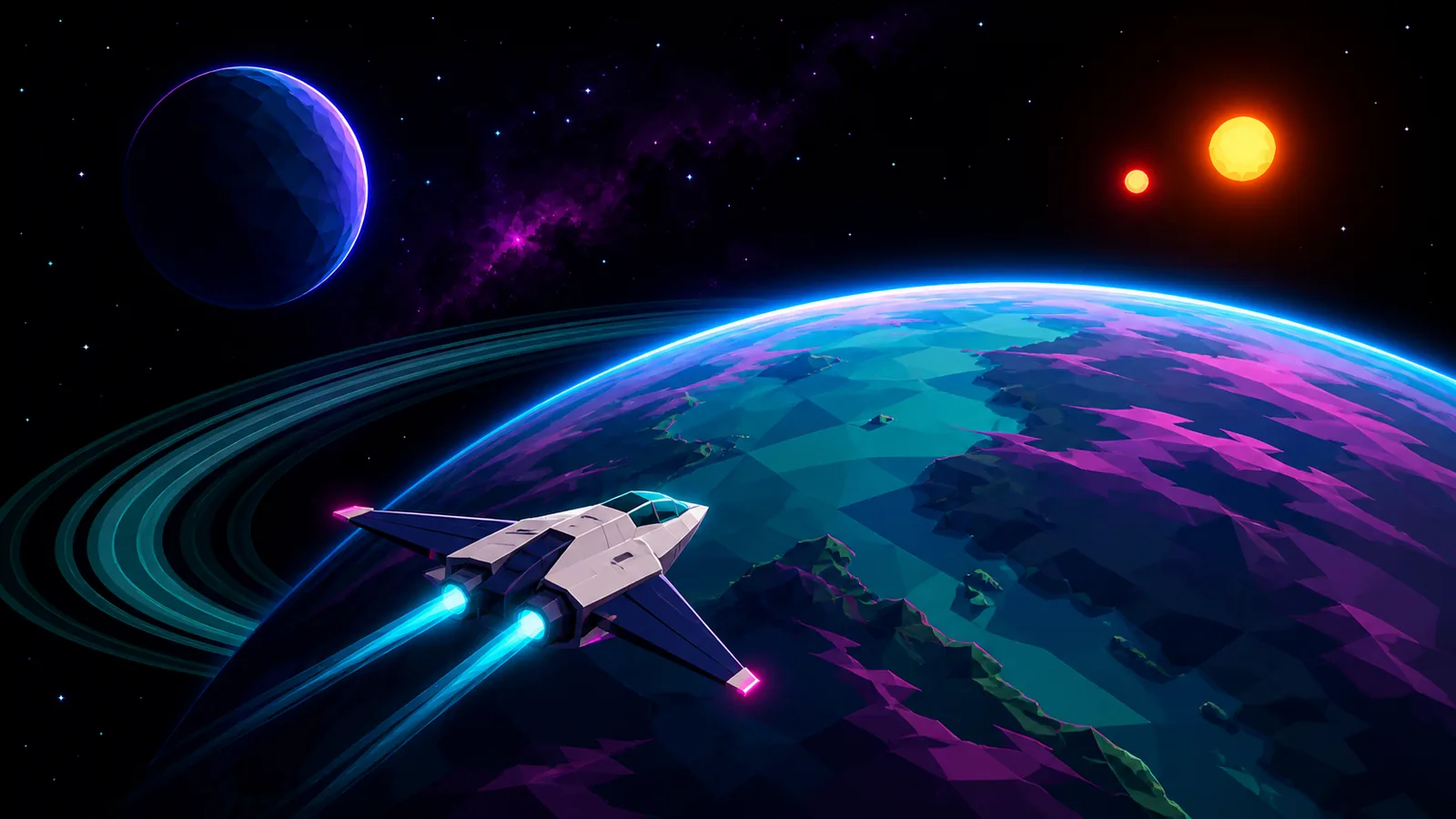
Generated concept art that established the game’s palette and visual direction.
Let Astra propose the architecture
I set the constraints, and Astra proposed the implementation. The application uses TypeScript and Vite, with Three.js for rendering. That gives the code direct control over meshes, materials, lighting, and procedural geometry, which is where most of this game’s visual work happens.
The first playable renderer used WebGL2. Later, I asked whether Three.js was holding the visuals back. Astra recommended keeping the simulation and moving the renderer to Three.js’s WebGPU architecture. We kept the universe, navigation, and terrain systems while changing the rendering layer.
The renderer uses Three.js’s node materials and Three.js Shading Language (TSL) to define the atmosphere, water, and lighting effects in code.
Terrain generation runs in Web Workers so it can prepare geometry away from the thread handling input and drawing. Vitest covers things like repeatable generation, coordinate math, and terrain contracts. Playwright exercises the game in a browser. This gave Astra ways to check the underlying systems while I kept reviewing how the game felt.
The art direction remained the target throughout. The atmosphere around a planet, the glow of its rings, the colored light from the stars, and the Neon Phosphor effect all contribute to the look. The filter adds a retro display texture while keeping navigation readable.
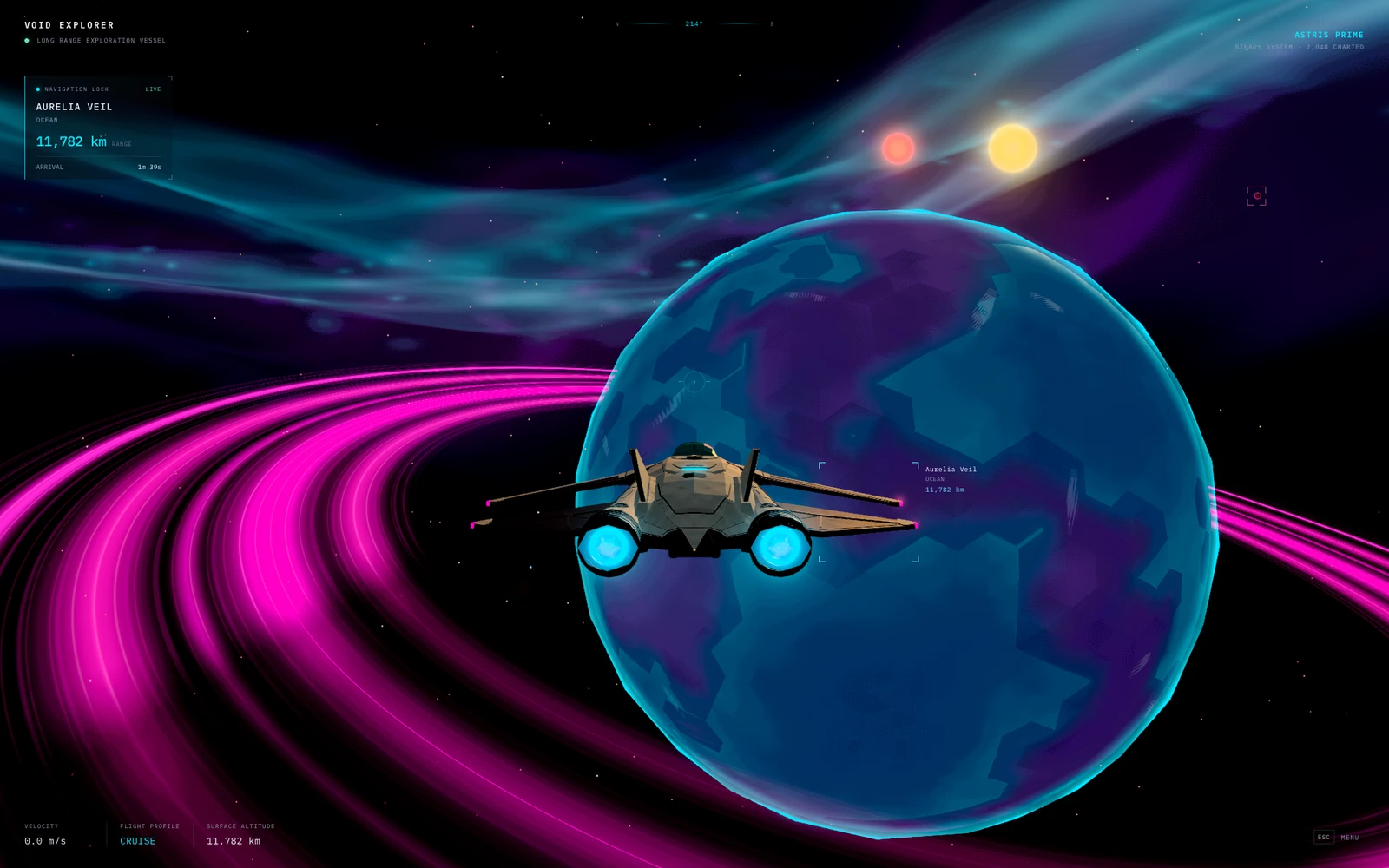
A gameplay screenshot with the Neon Phosphor effect enabled.
Give Astra a way to inspect and play
I kept playing the game myself, but Astra also needed ways to investigate a problem beyond reading my description. The game exposes a small JavaScript interface, window.__VOID_EXPLORER__, that browser tests can call to inspect the current state: which body I’m approaching, the flight mode, terrain readiness, and the active camera. It also exposes rendering and streaming counters, including draw calls, triangle counts, queued terrain jobs, and buffered terrain data.
The game has named test scenes for orbit, pulse travel, atmospheric descent, and coastal landing. Those let Astra return to a useful starting point without flying across the universe every time. Playwright can load a scene, wait for the terrain to become ready, capture a screenshot, and check the state behind it. Separate journey tests use the real controls and record positions and state changes as the game runs, so setting up a landing scene doesn’t substitute for testing the landing itself.
These tests cover landing, leaving the ship, walking, saving and reloading, boarding, and taking off. They can catch problems that a screenshot alone wouldn’t reveal, such as a collision surface that isn’t ready or a ship that jumps between positions during a transition.
I could also ask Astra to inspect the browser tab I was playing in. When I asked whether Aurelia’s clouds were still visible, it captured my current view and read the flight information on screen. These were checks at particular moments; Astra wasn’t continuously watching every frame of my flight.
The loop was to reproduce a problem, inspect screenshots and state, trace the relevant code, make a change, and rerun the check. I’d build these tools early in another game: a few repeatable scenes, useful state and performance counters, and browser tests for the main interactions. They give Astra ways to investigate and test changes independently while I keep reviewing the appearance and control feel.
Represent the universe at several scales
Having thousands of planets doesn’t mean loading thousands of detailed meshes. A planet starts as a description: its radius, orbit, atmosphere, and seed. The seed makes its terrain repeatable. The game generates the geometry around the area I’m approaching, and it can generate the same landscape again when I return.
Coordinates need similar care. Light-year distances and a person standing beside a ship are very different scales. Sending those enormous positions directly to the GPU would lose the precision needed near the ground.
Astra separated the physical address from the position used for drawing. The universe uses large integer cells with smaller local offsets. Before rendering, the game subtracts the observer’s position, so the camera stays at the origin and nearby objects have small coordinates. Displayed distances and relative sizes stay consistent.
The moving parts also need to agree on time. Stars, planets, and moons follow analytic orbits, and the renderer evaluates their positions at the same simulation time as the observer. A parked ship stays attached to the rotating planet. The stars’ positions and colors feed the lighting, so the two suns in a binary sunset are the same stars I saw from orbit.
Make the descent continuous
Flying from space toward a moon’s surface in Void Explorer.
The transition from space to the ground took a lot of iteration. One of my prompts came from approaching a planet at a shallow angle:
When I approach almost parallel to a planet, I can still come in too fast, and the planet nearly disappears while terrain loads. We need to fix the speed curve and terrain streaming together. Could atmosphere soften the transition between distant LOD and detailed terrain? The planet should never disappear during the approach.
The flight controller now applies a separate speed cap to shallow approaches, based on altitude and an orbital-speed estimate from the planet’s radius and gravity. Closer to the ground, it also samples terrain ahead to adjust braking.
The game uses several levels of detail, or LODs. From far away, a planet is an inexpensive faceted sphere, called a proxy. As it occupies more of the screen, the renderer adds detail. Approaching the surface activates terrain built from six cube faces projected onto a sphere. Each face can split into four smaller squares, repeatedly: a quadtree.
That lets the game refine terrain in the visible area and along the direction of travel without generating an Earth-sized surface at walking resolution. Near the ground, local patches supply finer geometry around the ship and player.
All those representations sample the same underlying planet. A shared function combines continents, mountain ridges, craters, and smaller relief. It supplies elevation, water, biome, and other signals used by the landscape. Coarse and fine meshes approximate that data at different resolutions, with a shared color policy to keep the planet’s appearance consistent.
The handoff matters as much as the generation. The distant planet stays visible until all six coarse terrain faces are ready. A terrain tile stays in place until all four of its children are ready. During a transition, complementary pixel masks assign each pixel to the old or new surface. That avoids making the whole planet transparent while its replacement loads.
Atmosphere changes with physical altitude, and clouds move over the planet’s geography. They help connect the orbital view to the landscape. The renderer only removes coarse coverage where finer terrain is ready. Mountain silhouettes can still change as finer geometry appears.
Landing adds a stricter requirement. The visible ground, collision triangles, and liquid hazards for a contact patch must all come from the same generation and become ready together. Walking uses Rapier in a small local physics world. The ship’s landing logic separately checks its feet, slope, and clearance against the terrain.
There is a deliberate limit here: the planets use heightfields, with one elevation in each surface direction. That suits large landscapes, but it doesn’t provide caves, overhangs, or destructible tunnels.
Measure the work behind a slow frame
Some of my feedback combined appearance and performance, because I was seeing both problems during the same flight:
Can you look at how we load and render a planet as I fly from space toward the ground? The distant globe and detailed terrain don’t look consistent, and the transition is jarring, especially when the colors change. I want to understand what causes those visual jumps and where we can reduce the work needed to load more detail, so the descent looks better and runs smoothly.
Astra used Three.js’s renderer counters to inspect draw calls, triangles, geometries, and textures. A Playwright test collected 90 frame intervals and reported average and percentile timings alongside those counts. For visual problems, tests could also compare rendered pixels with a particular effect enabled and disabled, such as terrain with and without the mask that hides overlapping ground. That helped isolate why ground disappeared instead of relying only on a screenshot of the broken scene.
An earlier ship iteration showed why these measurements were useful. Replacing the procedural ship with the first AURORA model built in Blender increased the scene’s triangle count but reduced its draw calls. Astra ran the same 90-frame orbital test before and after the change on the WebGPU backend:
| Measurement | Before | After |
|---|---|---|
| Total scene draw calls | 119 | 77 |
| Total scene triangles | 48,809 | 61,092 |
| Average frame interval | 251.48 ms | 199.26 ms |
This comparison used headless Chromium with SwiftShader software rendering and predates the four-wing ship shown below. It measures the change in that test environment, not the frame rate on my GPU. The tools gave Astra browser timings, rendered images, and resource counts; they didn’t measure individual GPU commands or shader execution times.
Astra investigated the work happening during loading and descent: how much geometry was generated, how much data moved between workers and the renderer, and how often terrain jobs were discarded before they became useful.
One change was to allocate distant-planet detail according to its size on screen. A planet filling the view needs a good silhouette immediately. A planet smaller than a pixel doesn’t need the same geometry. In a controlled starting-scene comparison, the revised policy used 7,040 proxy triangles instead of 51,200. Both policies used the same geometry producer, so this isolated the loading decision.
Another improvement kept the exact same number of terrain triangles. Indexed meshes reuse vertices shared by neighboring triangles instead of repeating their position, color, and normal data. Across the six ground layers in the test at High terrain quality, transferred buffers fell from about 35 MB to 15 MB while retaining 241,952 triangles. Ground and scenery also became separate jobs, so ground geometry could become ready without waiting for decoration.
There was wasted work in the terrain selector too. It could request chunks, change its decision, discard them, and request replacements. Astra stabilized those refinement decisions and only refined a tile when the budget allowed all four children. In a controlled simulation with fixed worker latency, six seconds of descent followed by three seconds of settling produced 13 discarded jobs instead of 6,074.

In a controlled simulation with two workers and 100 ms simulated worker latency, discarded scheduled jobs fell from 6,074 to 13. This measures terrain scheduling, not frame rate.
Workers alone don’t solve every stall. The terrain fallback on the main thread also needed to yield. Astra split generation into resumable steps with a roughly 4 ms budget per frame, so a large terrain job didn’t have to finish in one uninterrupted block. The renderer also caps world resolution separately from the interface, keeping navigation text sharp when visual quality is reduced.
These terrain measurements show less geometry, less transferred data, and less discarded work. They aren’t hardware frame-rate benchmarks. Browser playtesting still matters for shader compilation, GPU uploads, motion, and how the transition actually looks.
My input was feedback from playing: what felt slow, what looked wrong, and what I wanted to improve. Astra traced the code, scripted repeatable terrain tests, and recorded the measurements. Once I approved the direction, it implemented the changes and reran the same tests to compare the results. It carried out that investigation and implementation without me prescribing each step, while I kept reviewing how the game looked and felt.
Turn concept art into game assets
The universe is mostly generated in code: planets, terrain, clouds, rings, and stars. The player ship is the main authored 3D asset, and I took a different approach with it.
I used generated concepts and Blender renders to review the ship before it went into the game. When the wings didn’t match what I had in mind, I asked for more useful references:
Generate clean views of this ship from several angles. Pay attention to the front and rear wings. We’ll use those images to remake the 3D model. I don’t like the joined, rounded wings on the current model.
I picked the reference with four separate wings, a symmetrical shape, and pink lights at the tips. Then I asked Astra to build a new model in Blender, keep the game’s art style, and add it to the game.
That involved turning the reference into geometry, reviewing the silhouette and materials, and preparing a runtime asset. The Blender source has 193 editable meshes. The exported ship has 14,968 triangles, grouped into eight opaque material batches. I could ask for detail in the model while Astra kept the exported rendering cost under control.
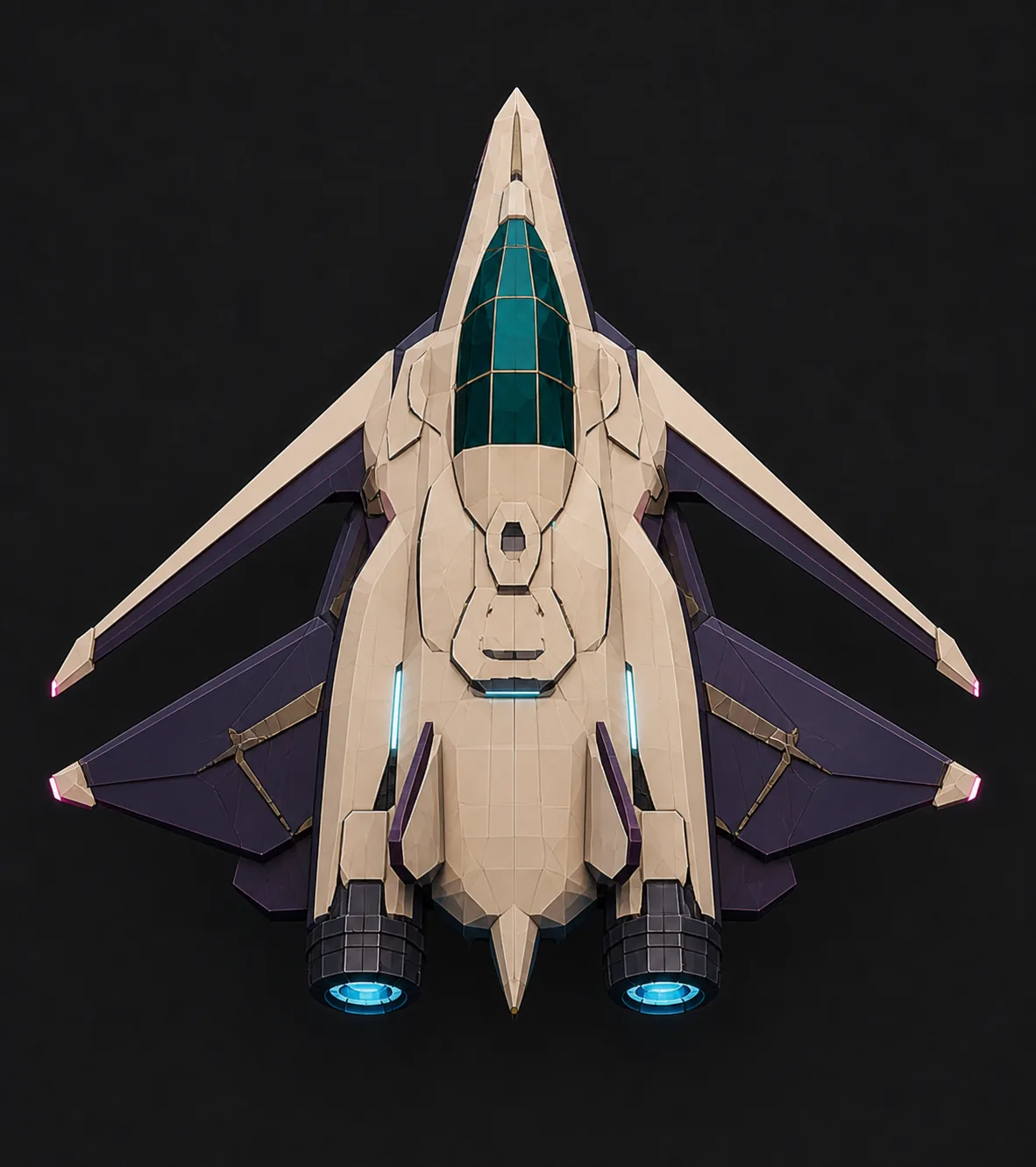
The generated ship concept I approved.
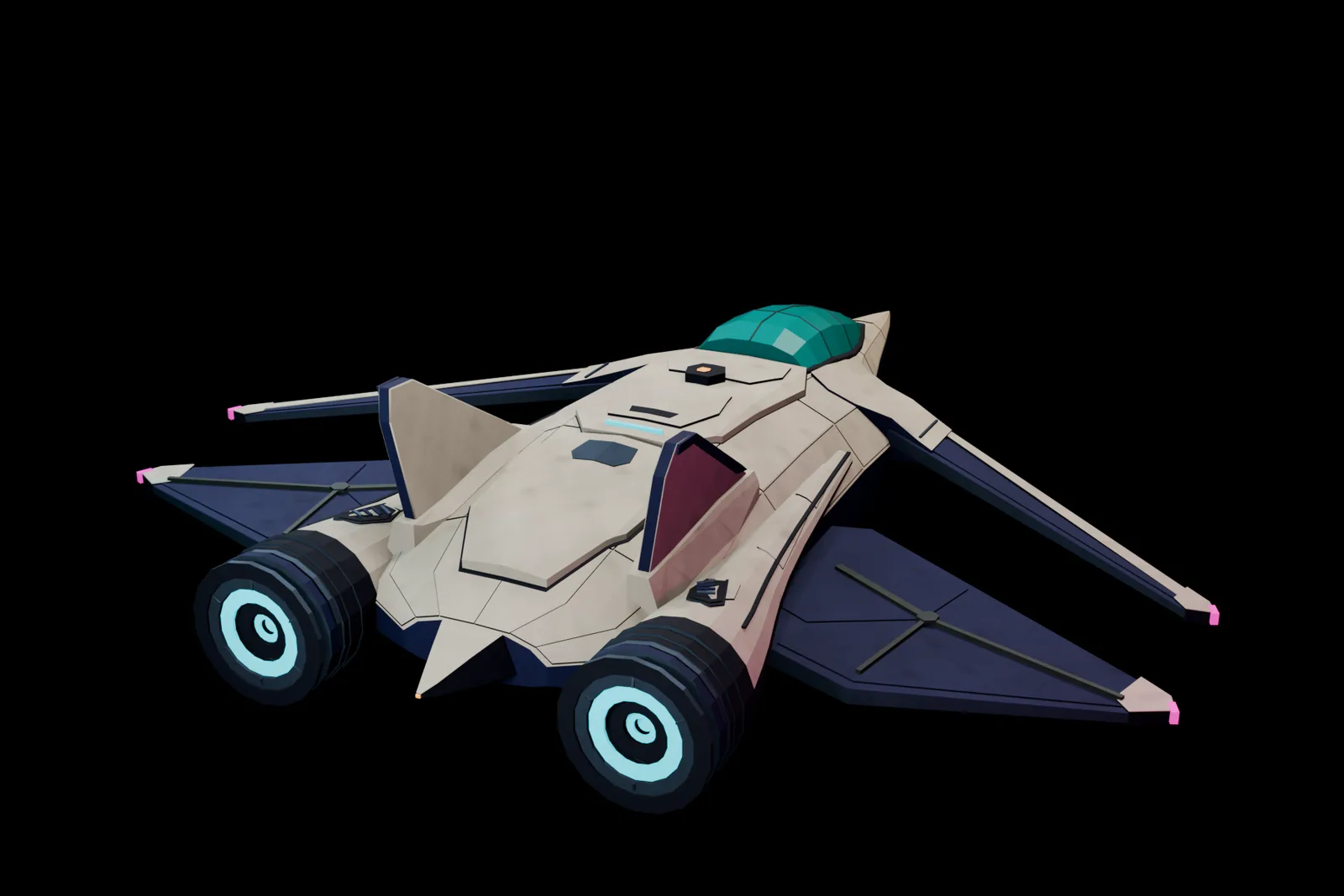
A Blender render of the model used in the game.
Experiment with procedural water
I also spent a lot of time experimenting with water in Sunwake, a game about piloting a small boat across a procedural ocean. I wanted faceted waves, smooth motion, and the colors of stained glass. Astra built a custom water renderer in Three.js, with the same wave model driving the visible sea and the boat’s buoyancy. The hull rises, pitches, and rolls with the waves, while a local simulation carries ripples and foam and the boat leaves wakes and spray. I later asked Astra to build a more detailed boat in Blender and bring it into the game. It’s the same approach as Void Explorer: a procedural environment with an authored vehicle, connected through the simulation.
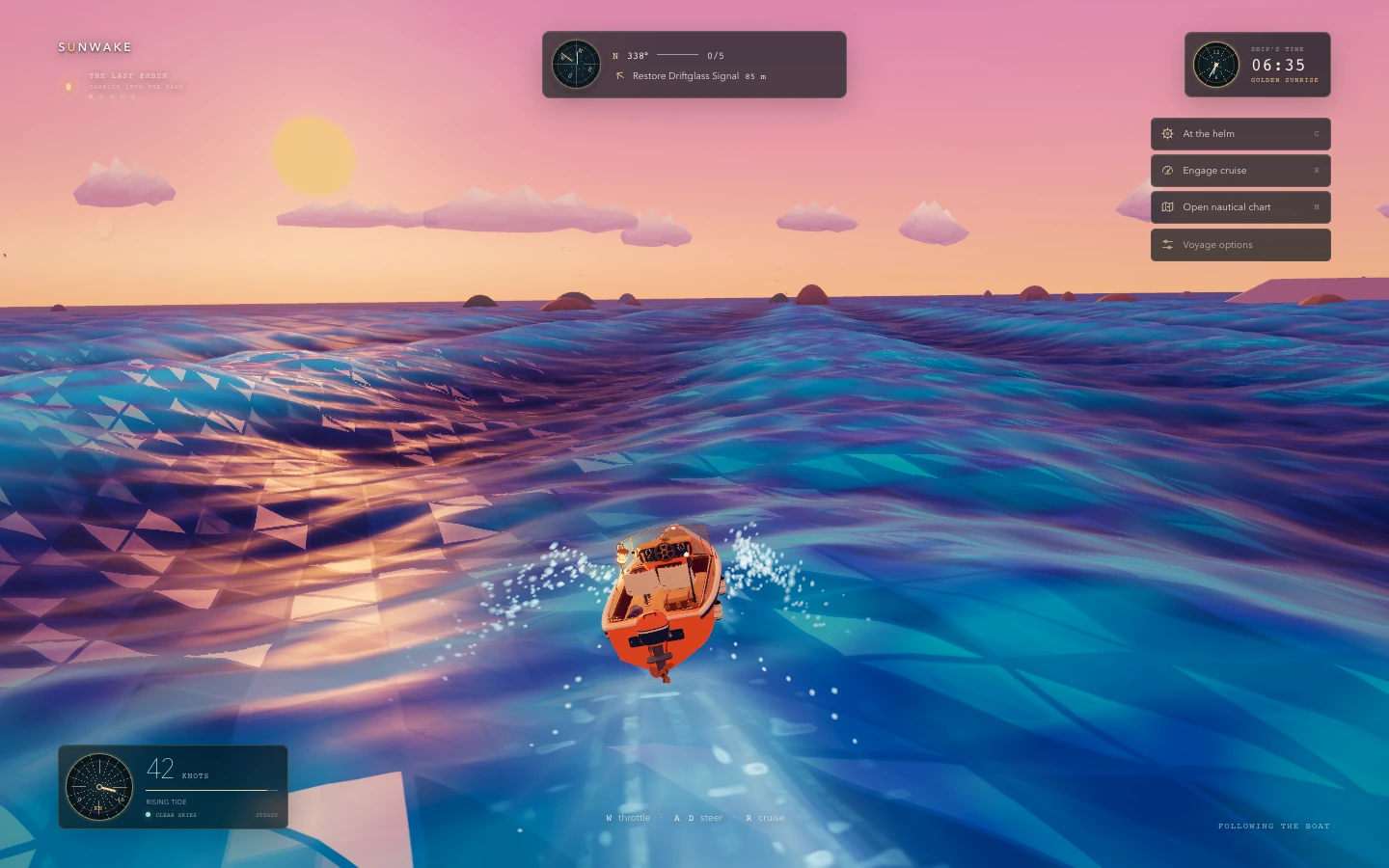
Sunwake combines a procedural ocean with an authored boat built in Blender.
Hollowflux took this in a different direction: a small 2D action RPG built around a glowing underground river. The caves, characters, and equipment are drawn in code, without imported sprite sheets. I kept asking Astra to make walking, dashing, and attacking disturb the water more convincingly. A grid of cells tracks water height, currents, foam, and electrical charge. Footsteps leave ripples, spear thrusts cut narrow wakes, and hammer blows send out rings. Currents curl along the banks and carry foam downstream, while the same flow pushes the player and enemies. Water also affects combat: an eel’s discharge travels through connected water, so stepping onto dry stone protects the player from that discharge.
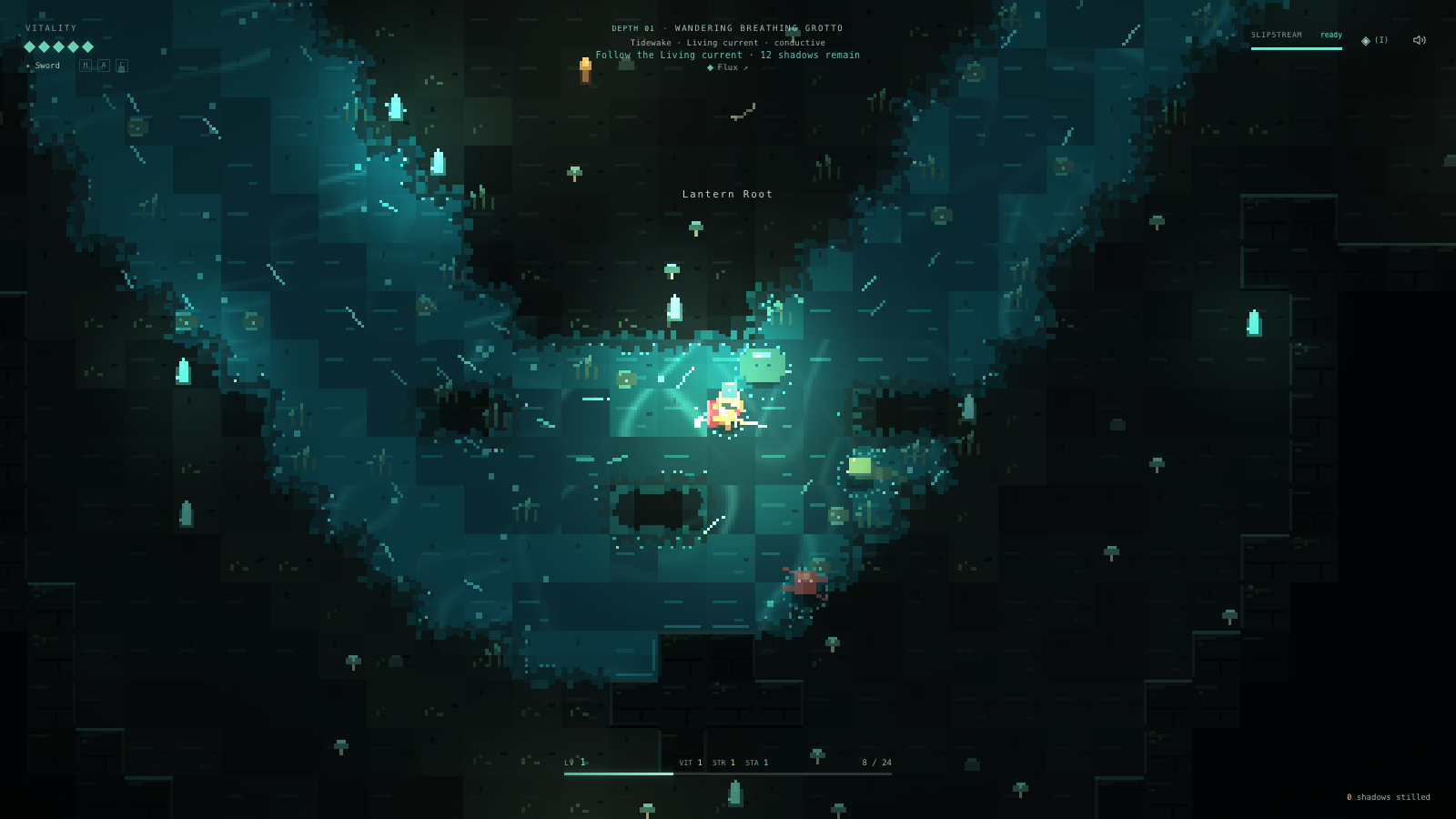
Hollowflux draws its game art in code, with water that reacts to movement and combat.
Building and sharing games
What I like about working with Astra is that I can start with the experience I want, use images to make the visual direction concrete, and give feedback from actually playing. A complaint about a disappearing planet can lead to changes in streaming, geometry, and movement. A request for more convincing water can become a simulation shared by the visuals and gameplay. I still need to decide whether it feels right, but Astra can carry those decisions through the code, the assets, and the tests.
Sharing a browser game is straightforward too. With the Sites plugin, you can ask Astra:
Publish it with public access, and anyone can play directly in their browser.
You can play Void Explorer, Sunwake, and Hollowflux in your browser.
If you’ve had a game idea in mind, try building a small playable version with Astra. Start with one thing you want to feel right, give it a few visual references, and test the result. A boat, a room, or a single interaction is enough to start. Play it, be specific about what you want to change, and keep building from there.