

Remote in the ChatGPT mobile app is easy to underestimate.
At first glance, it looks like a way to check on a coding chat from your phone. That is useful, but it misses the bigger idea. The real power of Remote is that it lets you start, direct, review, and organize work running on your development machines without pretending that an iPhone should be a tiny terminal.
Over the last two months, we have added a surprising amount of depth to that loop: remote host connections, worktrees, goals, side chats, inline code review, queued and steering prompts, attachments, skills and plugins, archived chats, security controls, and a long tail of small details that make the app useful for serious work.
This is the field guide I wish every new power user had.
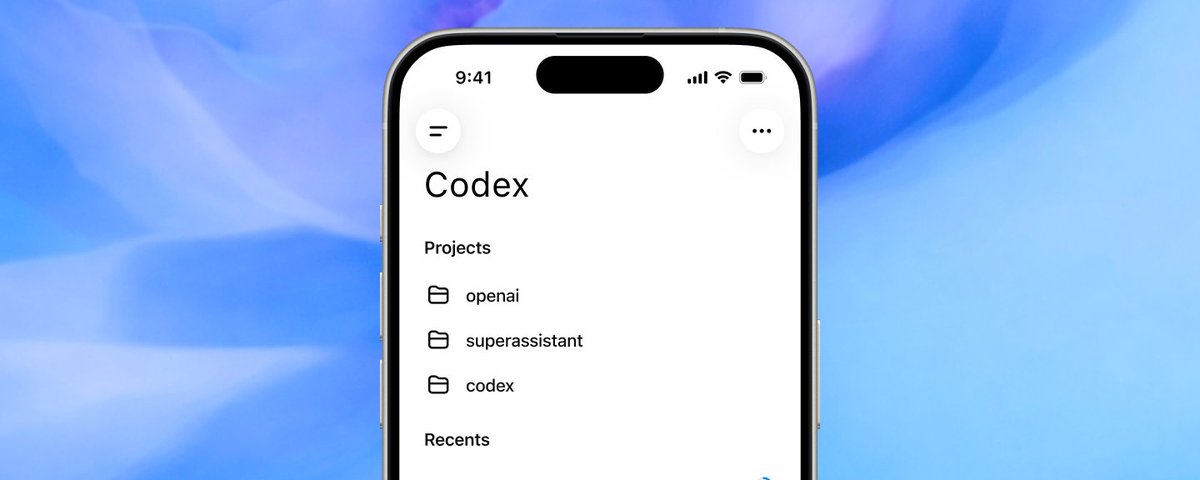
The right mental model: Your phone is the control plane
The code still runs where it belongs: on your Mac, Windows machine, devbox, or other connected host. In the ChatGPT mobile app, Remote gives you a native interface for controlling that work.
That distinction matters. The goal is not to reproduce every terminal affordance on a small screen. The goal is to make the decisions that unblock an agent easy from anywhere:
- What repository and workspace should it use?
- Should this run in the current branch or a fresh worktree?
- Should my next message wait, or should it redirect the active turn?
- Is this command safe to approve?
- What changed, and do I agree with it?
- Should this become a durable goal, a separate chat, or a quick side question?
Once you use the app this way, it stops feeling like remote desktop software and starts feeling like an engineering control plane.
1. Start the chat with the right boundaries
Good agent work starts with a correctly scoped environment. Remote lets you choose the connected host and workspace before the first prompt. For a new chat, you can also choose a branch, create a separate worktree, and run the environment setup associated with it.
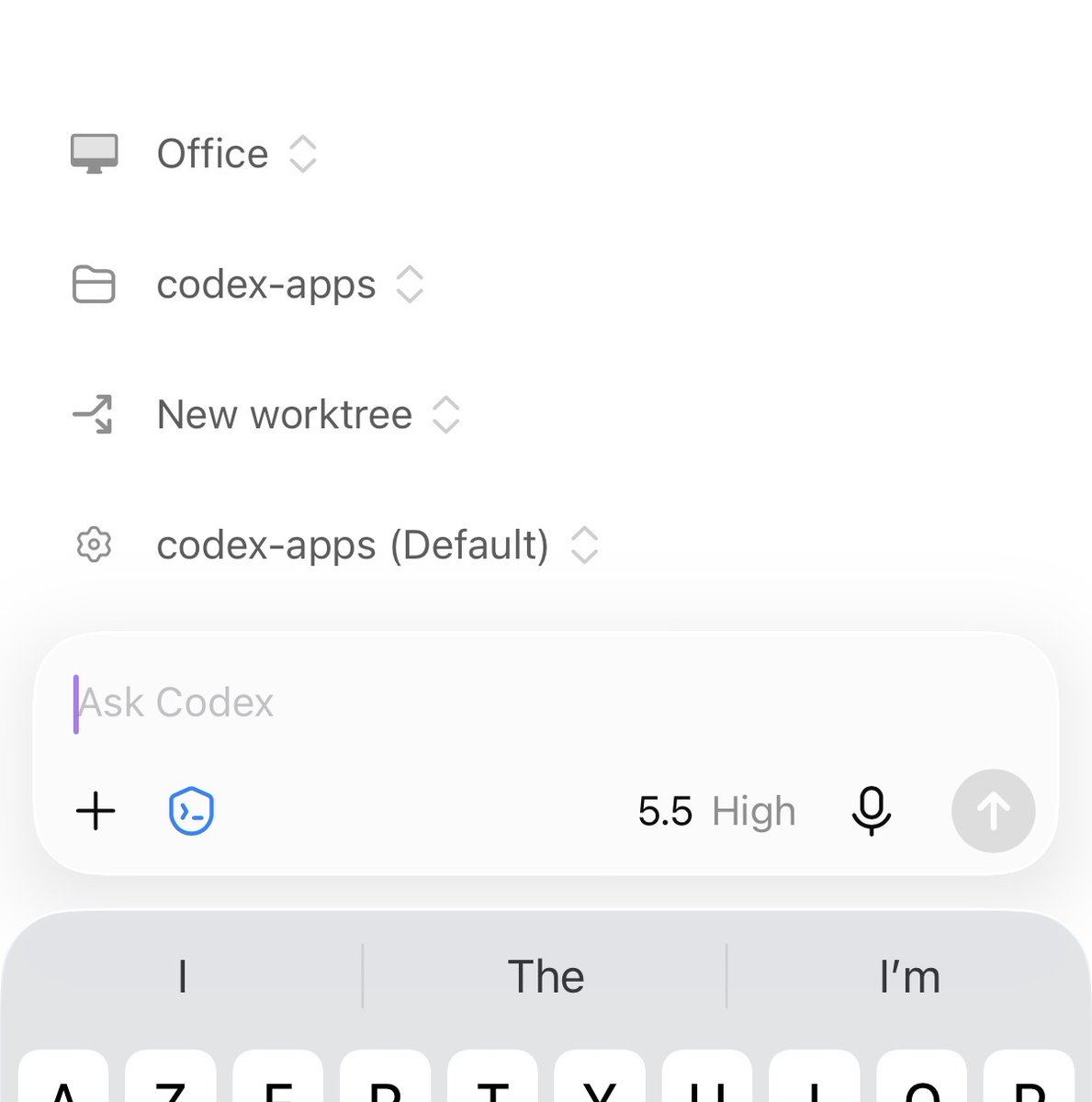
That makes a few useful patterns possible:
- Use the current checkout for a quick investigation.
- Create a new worktree for a change that should stay isolated.
- Start from the intended base branch instead of fixing Git state later.
- Let the environment setup run before asking Codex to build or test.
This is one of the most important power-user habits: Spend 10 seconds choosing the right execution context and save 10 minutes of cleanup later.
The composer can also carry more context than plain text. You can attach files, photos, or a fresh camera capture. Skills and plugins appear inline, which makes it much easier to confirm that your prompt is invoking the capability you intended.
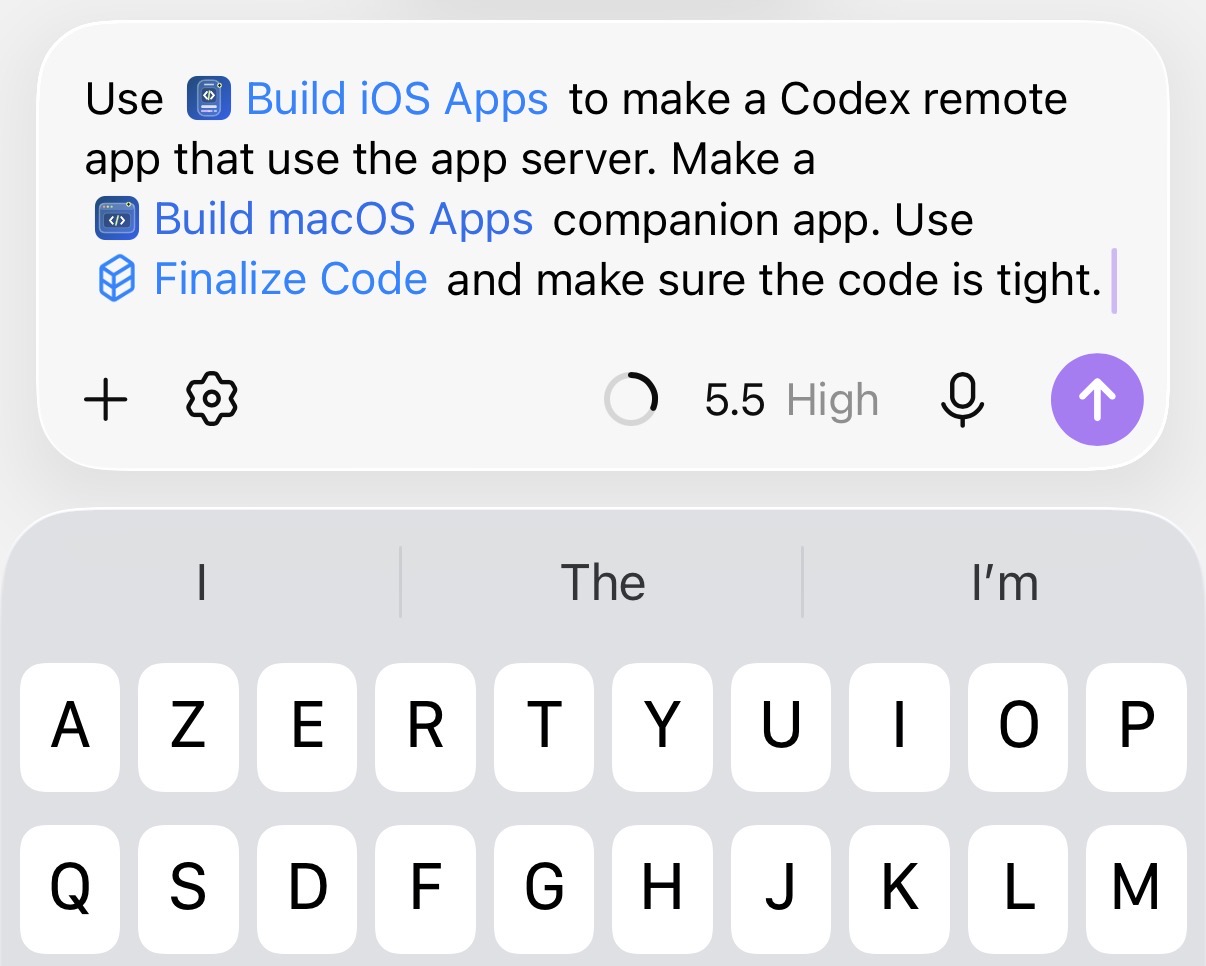
My rule is simple: If a screenshot, file, or named skill can remove ambiguity, attach or mention it before the first turn.
2. Learn the difference between Queue and Steer
This is probably the least obvious high-leverage setting in Remote.
When Codex is already working, a follow-up can do one of two things:
- Queue waits until the current response finishes, then sends your prompt as the next turn.
- Steer injects guidance into the work already in progress.
Queue is the safe default. Use it for a second task, an extra test request, or anything that should happen after the current work.
Steer is for correcting direction while the cost of continuing down the wrong path is still growing:
Keep the fix inside the mobile package. Do not refactor the shared renderer.
The reproduction only happens after reconnect. Test the resumed path, not the live path.
Stop investigating the UI. Check whether the server removed the item during resume.
That turns the phone into something more useful than a status screen. You can intervene at the exact moment a run needs judgment.
You can choose the default follow-up behavior in settings. I keep Queue as the default and use Steer deliberately; accidental mid-turn redirection is usually more expensive than waiting.
3. Use side chats as a branch of thought
Long-running coding chats accumulate valuable context. Interrupting one with every side question makes the main transcript noisy and can pull the agent away from the objective.
That is what side chats solve.
Use /side to open a lightweight conversation connected to the current chat. Use /side <prompt> to open it with a question already prepared. Even better, select text in the transcript and choose Ask in side chat. The selected passage becomes the starting context for the new conversation.
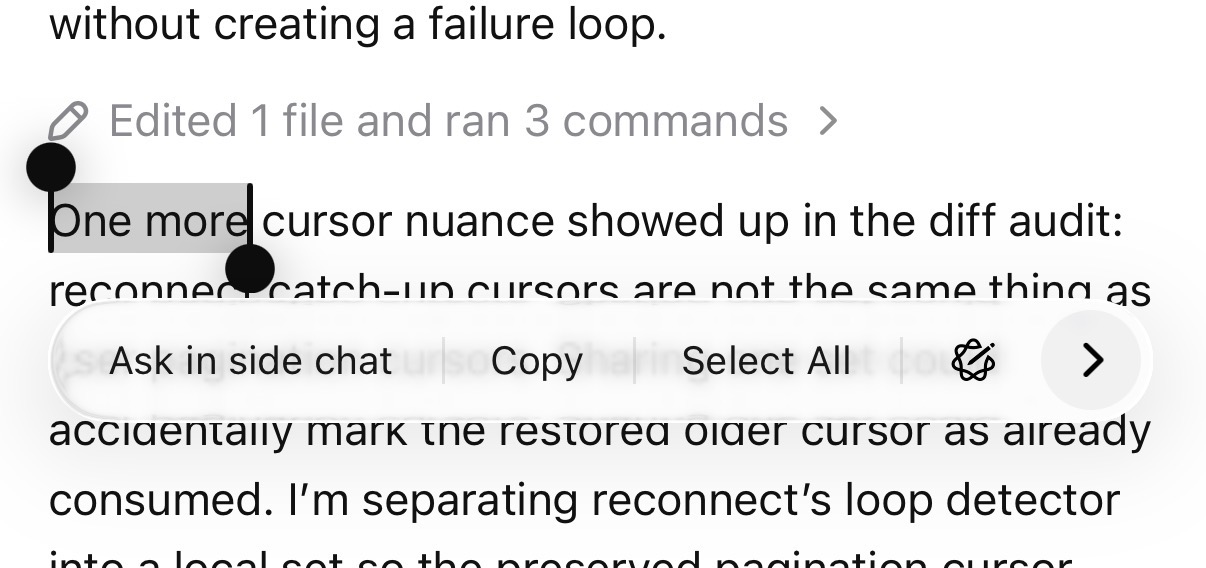
I use side chats for questions such as:
- Why did Codex choose this architecture?
- What does this error actually mean?
- Is this behavior consistent with the desktop app?
- Give me a release-note version of this implementation detail.
- What should I verify before I approve this command?
The distinction is useful: The main chat owns the work; the side chat helps me understand the work.
4. Use Plan for the path and Goal for the outcome
Plan mode and goals solve different problems.
Plan mode asks Codex to propose the implementation path before changing code. It is useful when the task is underspecified, risky, or likely to touch several systems.
A goal is durable. It tells Codex what outcome to keep pursuing across turns. On mobile, /goal can create and manage that objective, while progress remains visible as the work continues.
A practical pattern is:
- Start with Plan mode for a risky change.
- Inspect the proposed boundaries.
- Turn the accepted outcome into a goal when the work will require multiple iterations.
- Let Codex continue through implementation, tests, review feedback, and cleanup without restating the objective every time.
Plans answer “How should we approach this?” Goals answer “What must be true before we are done?”
5. Review code without leaving the conversation
The review loop is where Remote becomes genuinely useful for engineering rather than merely convenient.
Completed turns can show a summary of changed files. From there, you can open the diff, inspect individual files, expand or collapse sections, wrap long lines, and open a source file with syntax highlighting. You can attach inline comments to the relevant lines and send that review context back to Codex.
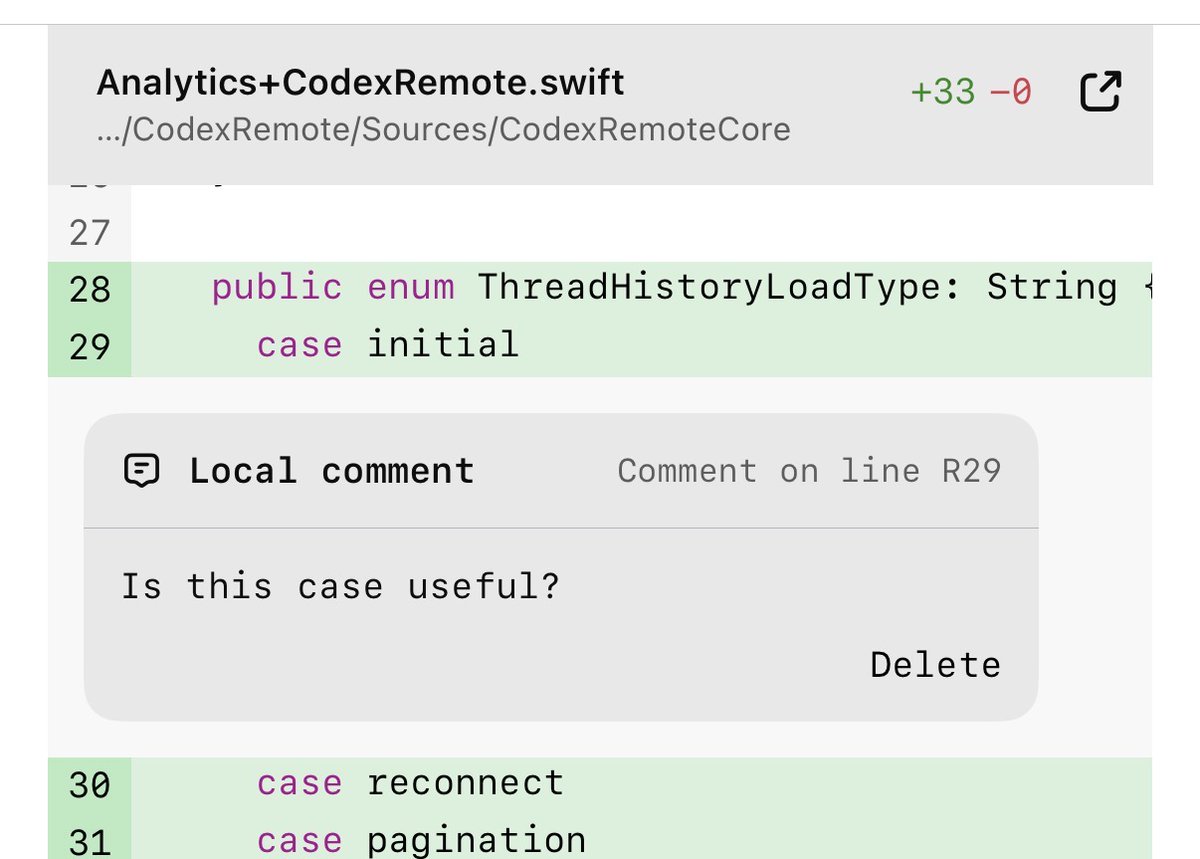
There are several levels to the workflow:
- Open the changed-file summary for a quick sanity check.
- Tap through to the full source when a diff lacks surrounding context.
- Add inline comments for precise corrections.
- Use the review command to review local changes or compare against a branch.
- Link a file back into the chat when you want Codex to reason about that file specifically.
This makes a tight mobile review loop possible:
- Codex completes the implementation.
- I inspect the diff from my phone.
- I leave two inline comments.
- Codex addresses them in the same chat.
- I review the smaller follow-up diff.
The important point is not that a phone replaces a large monitor for deep code reading. It does not. The point is that many reviews are blocked on one or two decisions, and those decisions no longer need to wait until I am back at my desk.
6. Treat permissions as part of the workflow
Remote work is only useful if control stays explicit.
Remote surfaces approval requests for commands, file changes, network access, and connected tools. Depending on the request and host configuration, an approval may apply once, for the current chat, or more broadly.
The power-user move is not to approve everything. It is to choose the narrowest permission that keeps the work moving.
For a well-understood command in a trusted chat, a chat-scoped approval can remove repetitive interruptions. For an unfamiliar command, a sensitive repository, or a request whose effect is unclear, approve once—or deny it and ask Codex to explain or use a safer approach.
You can also choose the chat’s broader approval behavior when starting work. Think of this as part of chat setup, alongside the host, workspace, branch, and model.
7. Manage context before it becomes a problem
Agent chats are stateful, and long chats eventually accumulate enough context to become slower or less focused.
Remote has a small set of tools for managing that lifecycle:
/statusshows session details, workspace, context usage, and available rate-limit information.- The optional context indicator keeps remaining context visible in the composer.
/compactcompresses an overgrown chat while preserving the useful working state./forkcreates a new chat from the current one when you want shared history but a different direction.
The practical sequence is: Check status, compact when the objective is still the same, and fork when the objective has diverged.
Do not use a side chat and a fork interchangeably. A side chat is a lightweight question around the current work. A fork is a new primary chat that inherits the original chat’s history.
8. Keep a clean chat list
My own Codex workflow increasingly looks like a small operations desk.
I pin the few chats that are actively moving, rename them around outcomes, and archive them aggressively once the work is done. Browsing archived chats makes this safe: Archive is organization, not deletion.
Notifications are part of that system. A completion notification can open the relevant Codex chat directly, so the handoff from “agent finished” to “human reviews” is one tap.
Spotlight and Shortcuts can open Remote directly. On iPad, keyboard shortcuts make the app surprisingly efficient: Create a new chat, move between chats, open changed files, pin, rename, and archive without reaching for every control.
This is the “chief of staff” use case for Remote. The app is not only where I issue prompts. It is where I keep track of which pieces of engineering work are active, blocked, waiting for review, or finished.
9. The hidden command palette
Typing / reveals the fastest route to many of the app’s advanced behaviors. Availability can depend on the connected host, app version, and account configuration.
| Command | What it is for |
|---|---|
/plan | Toggle Plan mode before implementation. |
/goal <objective> | Create or update a durable objective. |
/side [question] | Ask a side question without disrupting the main chat. |
/review | Review local changes or compare them with a branch. |
/status | Inspect the session, workspace, context, and rate limits. |
/compact | Compress a long chat’s context. |
/fork | Create a new primary chat from the current history. |
/fast | Switch between standard and faster execution when available. |
/feedback | Send product feedback tied to the current session. |
The command palette is worth learning because it exposes the product’s real conceptual model: Plan, pursue, branch, review, inspect, and recover.
10. Five workflows that work especially well on mobile
The release captain
Start a focused chat for a release or pull request. Ask Codex to check the current branch, CI state, open review feedback, and release inclusion. Pin the chat. When new information arrives, steer only when it invalidates the active investigation; otherwise, queue it. Review the final diff or release note from the phone and archive the chat when the release lands.
The interrupt-driven bug fix
Attach a screenshot, log, or captured file. Ask Codex to diagnose before editing. Use a side chat to interrogate one suspicious error without derailing the main investigation. Once the cause is clear, return to the main chat and authorize the narrow fix.
The mobile reviewer
Run a review against the intended branch, inspect the changed-file summary, open the files that matter, and attach inline comments. Ask Codex to address only those comments, then review the follow-up diff.
The long-running objective
Create a goal with a concrete completion condition: Tests green, review feedback resolved, or a reproducible performance threshold met. Check progress from notifications and status rather than repeatedly asking “Are you done?” Use queued prompts for additional work and reserve steering for corrections.
The multi-machine operator
Keep hosts named clearly and organize work by machine and workspace. Use the phone to start a chat on the machine that has the right checkout, credentials, simulator, or operating system. This is especially useful when one chat requires a Mac and another needs a Windows host.
Small features with outsized impact
Some of my favorite additions are not headline features:
- Edit the latest sent prompt instead of adding a correction turn.
- Save or copy rendered images from a chat.
- See queued prompts while Codex is still running.
- Open completed chats directly from notifications.
- Browse archived chats instead of keeping the active list crowded.
- Wrap long diff lines when reading on a narrow screen.
- Use Face ID or the device passcode to protect the ChatGPT mobile app.
- See skills and plugins inline in the composer before sending.
- Capture a photo directly into a prompt when the real-world object is the context.
- Start a side chat from selected transcript text rather than re-explaining the question.
None of these changes the fundamental agent model. Together, they remove the friction that makes a remote workflow feel fragile.
The larger lesson
The best mobile software does not shrink a desktop interface. It identifies the decisions that matter when you are away from the desk and makes those decisions fast, legible, and safe.
That is how I think about Remote now. It is where I can choose the right environment, set the objective, redirect a run, answer an approval, inspect the result, and keep the whole queue of engineering work coherent.
The computer still does the work. The phone keeps me in control.