

A great image should work on any background. Transparent image assets make it easy to reuse the same visuals across campaigns, websites, presentations, and product catalogs without white boxes or manual background removal.
This cookbook covers four customer use cases:
- Seasonal e-commerce campaigns: Generate transparent product images once and reuse them across storefront backgrounds, seasonal banners, and marketing layouts.
- Branded enterprise presentations: Generate transparent charts that blend directly into required PowerPoint themes and gradient slide backgrounds.
- Design-template assets: Generate app icons, stickers, and decorative elements that users can place on any template or background.
- Print-on-demand merchandise: Apply one transparent print design to different blank garments and product mockups.
Set up
Install the Python packages with pip install openai pillow, and set OPENAI_API_KEY in your environment. You will also need access to a transparency-capable image model and Codex to build the website.
This example uses gpt-image-2.5-flare and requests PNG output with background="transparent". To compare a model optimized for demanding quality requirements, set IMAGE_MODEL to "gpt-image-2.5-sunburst". Both models support transparent backgrounds. Keep the prompts, sizes, and quality="high" unchanged for the first comparison, then inspect transparency, fine edges, and text before tuning quality or latency.
The images and screenshots below are retained from the original GPT Image 2 version of this cookbook. They illustrate the workflows, not measured GPT Image 2.5 results. Save a copy of those assets before rerunning the generation cells, which write to the same filenames.
For more background, see the image prompting guide, the OpenAI models page, and the image generation guide.
import base64
import os
from pathlib import Path

from openai import OpenAI
from PIL import Image

if not os.getenv("OPENAI_API_KEY"):
    raise RuntimeError("Set OPENAI_API_KEY before running this notebook.")

IMAGE_MODEL = "gpt-image-2.5-flare"

client = OpenAI()
asset_dir = Path("images/transparent-image-assets")
asset_dir.mkdir(parents=True, exist_ok=True)
Use case 1: Seasonal e-commerce campaigns
A fictional home-fragrance brand wants to reuse one product collection across multiple seasonal storefronts. Generate transparent product shots once, then place the same assets over different campaign backgrounds without cutting them out by hand.
1.1 Define the original product prompts
The website uses four products from the same fictional home-fragrance brand. Each original product description is followed by the same brand-and-transparency instructions to keep the collection visually consistent.
Note: Prompt instructions take priority over background="transparent". If the prompt describes a backdrop, scene, color, or other background, the model may generate that background instead of producing transparency. Keep the prompt focused on an isolated subject and explicitly request a transparent background.
brand_prompt = (
    "One object from STILLROOM, an understated luxury botanical home-fragrance "
    "atelier: artisanal warm amber and honey-tinted hand-blown glass, subtle "
    "brushed brass hardware, natural ivory cotton cord, quiet "
    "Japanese-Scandinavian restraint, warm side-lit editorial studio "
    "photography, photorealistic micro-detail, immaculate premium campaign "
    "quality. Full object completely visible and generously padded. Preserve "
    "every natural transparency, refraction, translucent layer and fine "
    "material edge. Output an isolated object on actual fully transparent "
    "alpha; no backdrop, no rectangle, no plinth, no cast shadow, no readable "
    "writing, no label text, no watermark."
)

products = {
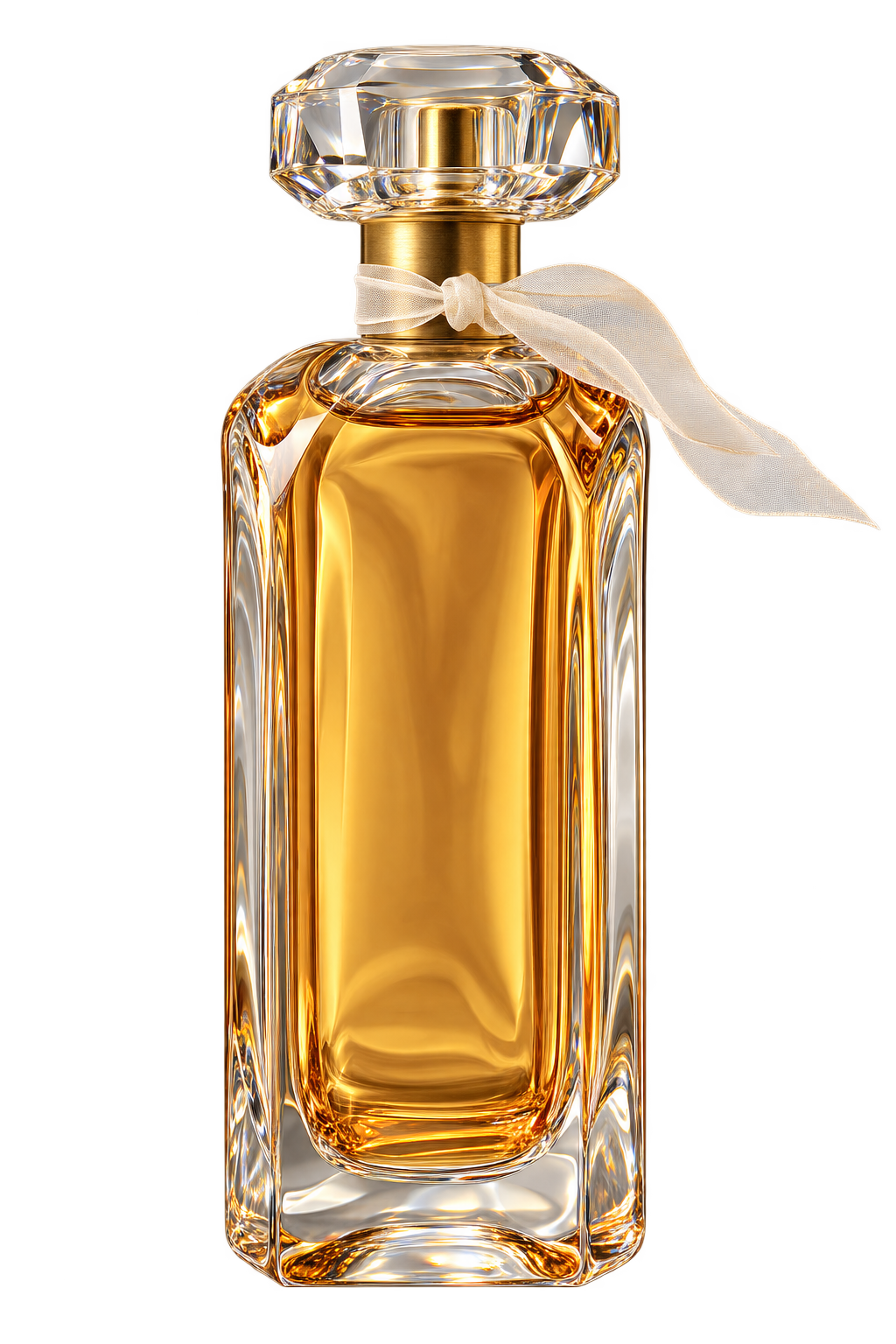
    "amber-parfum": (
        "A sculptural substantial clear honey-amber faceted glass "
        "eau-de-parfum bottle, slender rectangular body with softly rounded "
        "shoulders, heavy clear crystal cap, a small delicate sheer ivory "
        "organza ribbon loosely tied around the brushed brass neck with one "
        "translucent airy tail floating naturally; visible golden fragrance "
        "liquid and beautifully realistic glass refraction."
    ),
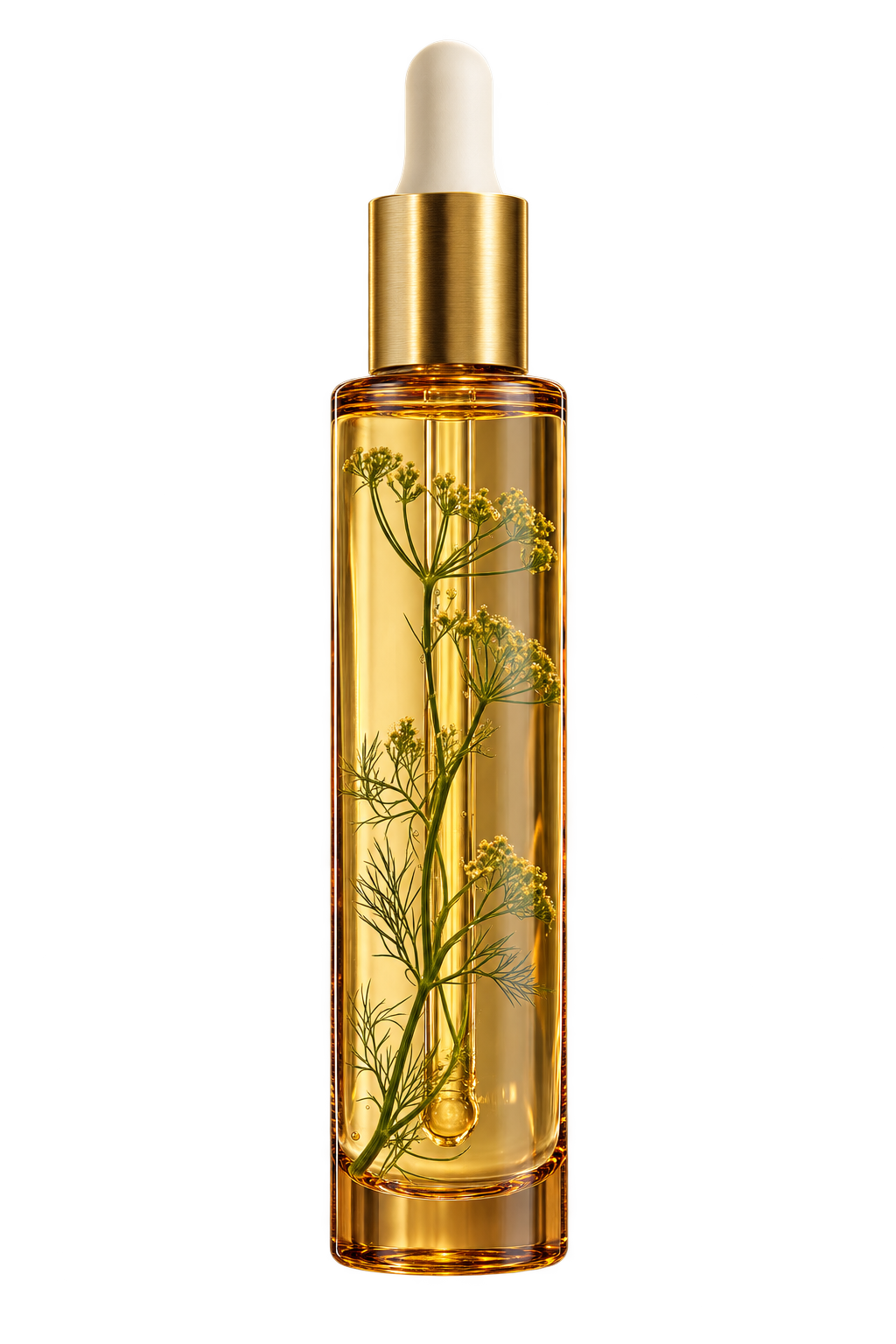
    "botanical-oil": (
        "A slim elegant cylindrical deep honey-amber transparent hand-blown "
        "glass botanical body-oil bottle, tall slender polished brushed-brass "
        "dropper cap with tiny ivory rubber bulb, translucent pale golden "
        "botanical oil inside and a tiny delicate preserved sprig of green "
        "wild fennel visible suspended within the liquid; subtle refraction, "
        "premium apothecary design."
    ),
    "reed-diffuser": (
        "A rounded low smoked-amber translucent glass home-fragrance diffuser "
        "vessel containing warm golden scented oil, topped by five naturally "
        "splayed very thin blonde rattan reeds and one extraordinarily "
        "delicate feathery dried pampas grass stem with fine hairlike wisps "
        "extending outward; realistic transparent glass and botanical fibers."
    ),
    "garden-candle": (
        "A quiet luxurious handmade botanical candle in a thick heavy "
        "translucent smoky-amber and milky frosted glass tumbler, creamy "
        "natural ivory wax, one small gently glowing clean candle flame, "
        "delicate transparent-edged frosted glass rim, a loose fine ivory "
        "cotton cord tied around the vessel with one tiny dried eucalyptus "
        "sprig, perfect warm reflections."
    ),
}
1.2 Generate high-quality transparent PNGs
generate_images = True

if generate_images:
    for filename, product_prompt in products.items():
        result = client.images.generate(
            model=IMAGE_MODEL,
            prompt=f"{product_prompt} {brand_prompt}",
            background="transparent",
            size="1024x1536",
            quality="high",
            output_format="png",
        )

        image_bytes = base64.b64decode(result.data[0].b64_json)
        (asset_dir / f"{filename}.png").write_bytes(image_bytes)
1.3 Inspect the four generated products
These are the original, unchanged transparent PNGs used on the campaign website.
| Wild Fig Eau de Parfum | Meadow Botanical Oil |
|---|---|
 |
 |
| Cedar Reed Diffuser | Garden After Rain Candle |
 |
 |
The next cell confirms that every file contains an alpha channel and reports how much of each image is fully transparent.
for filename in products:
    with Image.open(asset_dir / f"{filename}.png") as image:
        if image.mode != "RGBA":
            raise ValueError(f"{filename}.png does not have an alpha channel.")

        transparent_pixels = image.getchannel("A").histogram()[0]
        total_pixels = image.width * image.height
        transparent_percentage = 100 * transparent_pixels / total_pixels

        print(
            f"{filename}.png: {image.width}x{image.height}, "
            f"{transparent_percentage:.2f}% fully transparent"
        )
1.4 Build a seasonal campaign website with Codex
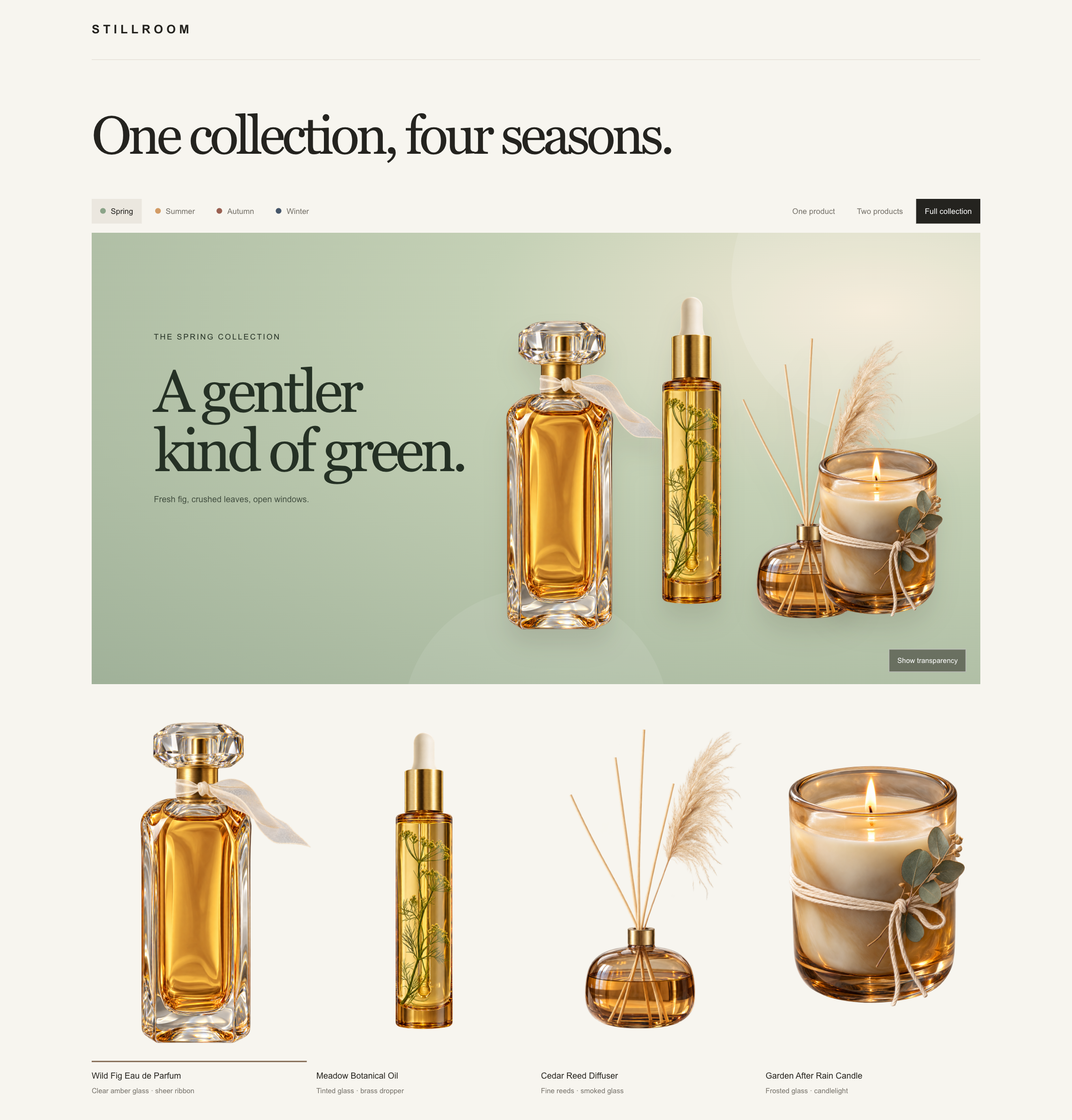
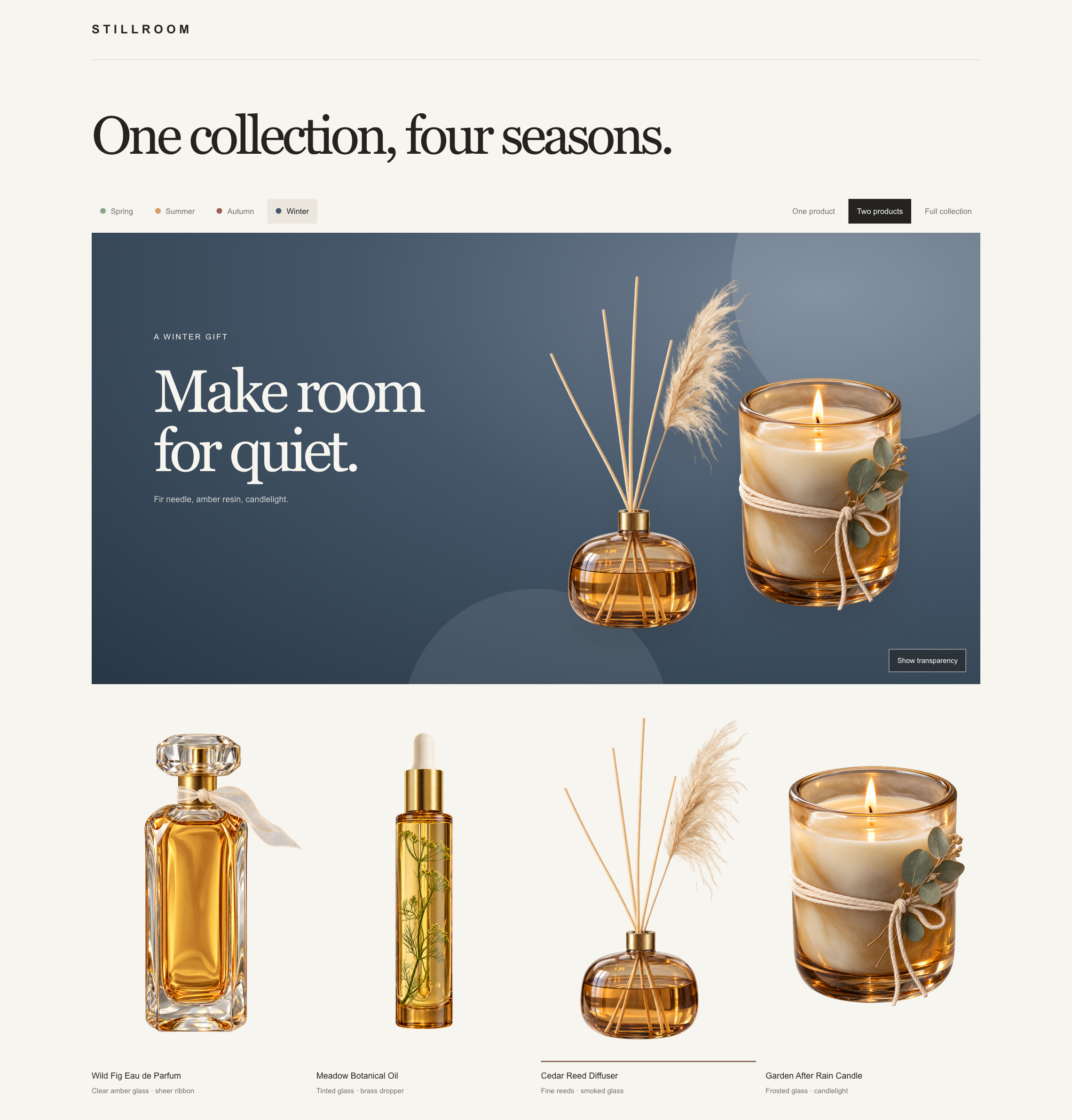
Give Codex the four generated PNGs and ask it to build a single-page storefront for STILLROOM. The finished site places the same products over Spring, Summer, Autumn, and Winter campaign backgrounds, lets visitors switch between one product, two products, or the full collection, and includes a checkerboard view that makes the transparency visible.
Run the following cell and paste its output into Codex alongside the image files.
codex_prompt = '''
Build a simple, responsive single-page campaign website for STILLROOM, a
premium botanical home-fragrance brand, using these existing transparent PNGs:

- /cookbook/assets/examples/multimodal/images/transparent-image-assets/amber-parfum.png
- /cookbook/assets/examples/multimodal/images/transparent-image-assets/botanical-oil.png
- /cookbook/assets/examples/multimodal/images/transparent-image-assets/reed-diffuser.png
- /cookbook/assets/examples/multimodal/images/transparent-image-assets/garden-candle.png

Show the heading "One collection, four seasons." Add Spring, Summer, Autumn,
and Winter controls that change the campaign background and seasonal copy.
Include controls for one product, two products, and the full collection.
Let visitors choose the featured product and rearrange the same transparent
PNGs over every background. Add a "Show transparency" checkerboard toggle.
Keep the page visually clean and centered on the products. Do not generate
replacement images or run a separate background-removal step.
'''.strip()

print(codex_prompt)
1.5 View the finished storefront
The screenshots below show the same four transparent assets reused across different campaign backgrounds and product arrangements.
Spring campaign: the full four-product collection on a green background.
Winter campaign: a two-product arrangement on a dark blue background.
Look closely at the difficult edges
Switch between seasons and inspect the clear and frosted glass, the perfume bottle’s sheer ribbon, the diffuser’s thin reeds and hairlike pampas fibers, and the candle’s fine cotton cord. Conventional background-removal tools can clip these details, add halos, or flatten translucent materials. Generating the alpha channel directly helps preserve those subtle edges when the same product is placed on very different backgrounds.
Use case 2: Branded enterprise presentations
Enterprise teams often have to use a required PowerPoint theme with a specific background color or gradient. An AI-generated chart with an opaque white background can clash with that theme, while a transparent PNG lets the slide’s original background remain visible.
2.1 Define the presentation scenario and mock business data
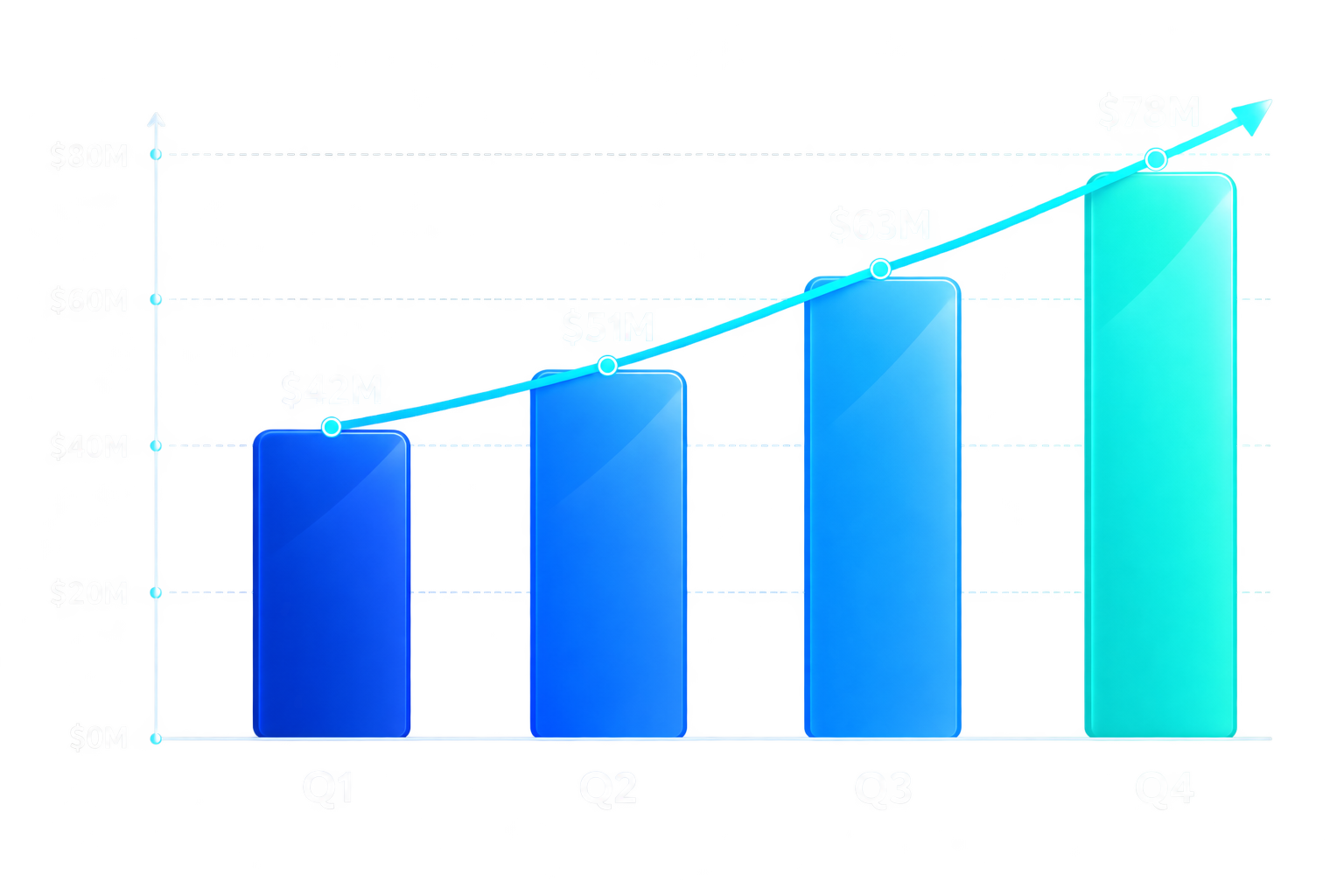
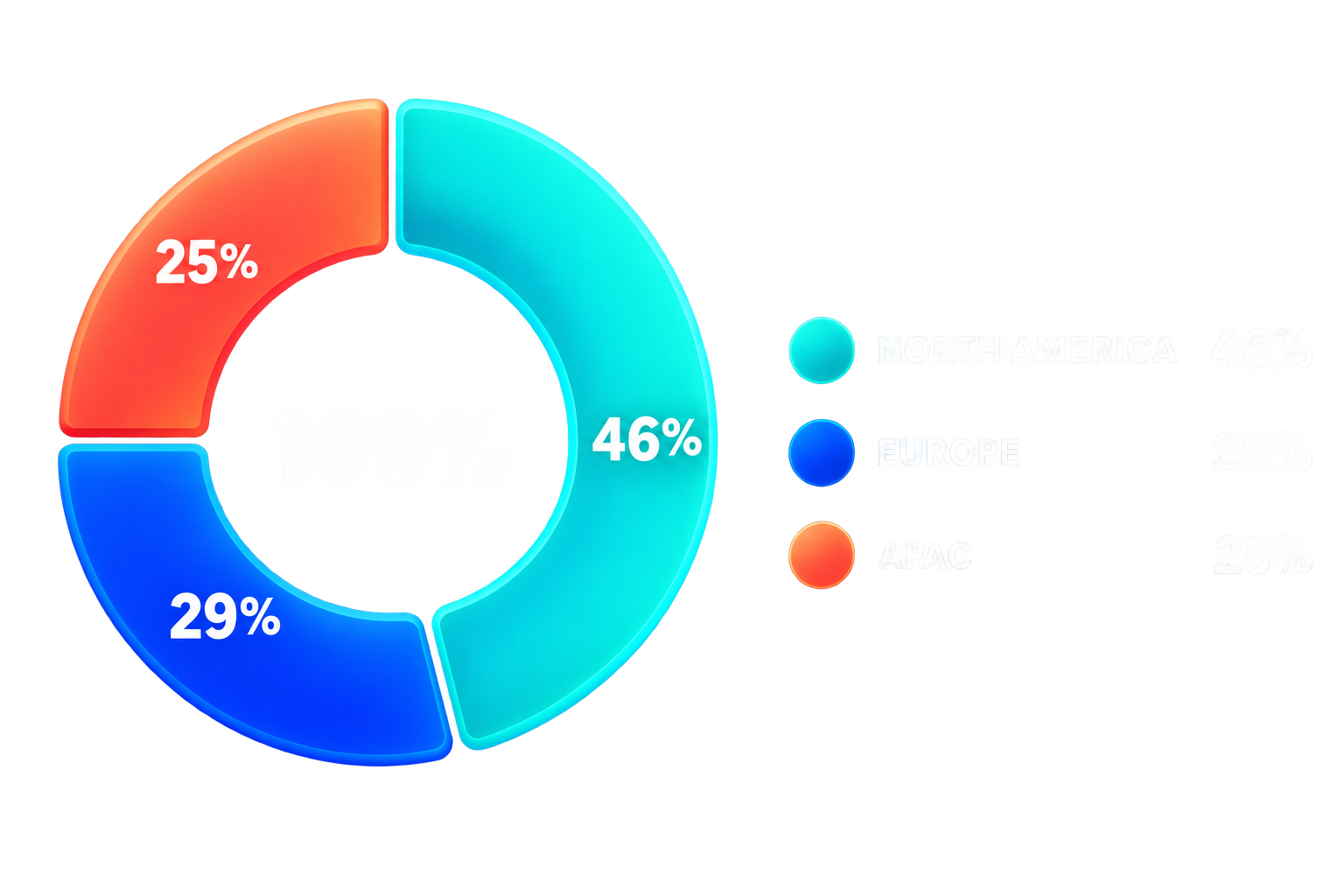
The fictional Northstar Cloud board-review slide uses two data series: quarterly revenue and the regional distribution of qualified sales opportunities. These values are examples, not real company results.
quarterly_revenue = {
    "Q1": 42,
    "Q2": 51,
    "Q3": 63,
    "Q4": 78,
}

regional_pipeline = {
    "North America": 46,
    "Europe": 29,
    "APAC": 25,
}

revenue_growth = (
    (quarterly_revenue["Q4"] - quarterly_revenue["Q1"])
    / quarterly_revenue["Q1"]
)

print(f"Quarterly revenue: {quarterly_revenue} USD millions")
print(f"Regional pipeline: {regional_pipeline} percent")
print(f"Q1-to-Q4 revenue growth: {revenue_growth:.0%}")
2.2 Define transparent chart prompts
Ask for transparent areas across the entire chart, not just outside its silhouette. For a dark enterprise theme, also specify white or pale labels, bright brand-compatible colors, and no card, frame, panel, or filled plot area.
The model receives the exact mock values, but generated image content is still raster artwork. Verify that labels, values, and proportions match the source data before using the charts. For production reporting where numerical precision is critical, render charts deterministically and use image generation for illustrations or other visual elements.
revenue_values = ", ".join(
    f"{quarter} = ${amount}M"
    for quarter, amount in quarterly_revenue.items()
)

pipeline_values = ", ".join(
    f"{region} = {percentage}%"
    for region, percentage in regional_pipeline.items()
)

chart_prompts = {
    "quarterly-revenue-growth": (
        "Create one polished enterprise bar chart on a genuinely "
        "transparent background for a dark navy PowerPoint slide. "
        f"Use exactly four ascending bars with these values: {revenue_values}. "
        "Use cobalt blue, bright blue, electric azure, and turquoise bars. "
        "Add white quarter labels below each bar and white dollar-value "
        "labels above each bar. Add a subtle turquoise upward-trend arrow. "
        "Keep the plot area, grid, and space between bars transparent. "
        "Do not add a background, filled panel, frame, title, or card."
    ),
    "regional-pipeline-mix": (
        "Create one polished enterprise doughnut chart on a genuinely "
        "transparent background for a dark navy PowerPoint slide. "
        f"Use exactly these regional pipeline shares: {pipeline_values}. "
        "Use turquoise, cobalt blue, and coral segments, with a white "
        "100% label in the center. Place a white-text regional legend "
        "beside the chart. Keep the doughnut center, legend area, and "
        "all surrounding space transparent. Do not add a background, "
        "filled panel, frame, title, or card."
    ),
}
2.3 Generate transparent PNG charts
As in the product example, request background="transparent" and output_format="png". A landscape size of 1536x1024 gives the charts room for their labels, and quality="high" helps with small text.
generate_charts = True

if generate_charts:
    for filename, prompt in chart_prompts.items():
        result = client.images.generate(
            model=IMAGE_MODEL,
            prompt=prompt,
            background="transparent",
            size="1536x1024",
            quality="high",
            output_format="png",
        )

        image_bytes = base64.b64decode(result.data[0].b64_json)
        (asset_dir / f"{filename}.png").write_bytes(image_bytes)
2.4 Inspect the generated chart assets
The following files are separate transparent PNGs, ready to place on top of an enterprise slide theme.
| Quarterly revenue | Regional pipeline mix |
|---|---|
 |
 |
The next cell checks that both files contain real alpha channels and reports how much of each chart image is fully transparent.
for filename in chart_prompts:
    with Image.open(asset_dir / f"{filename}.png") as image:
        if image.mode != "RGBA":
            raise ValueError(f"{filename}.png does not have an alpha channel.")

        transparent_pixels = image.getchannel("A").histogram()[0]
        total_pixels = image.width * image.height
        transparent_percentage = 100 * transparent_pixels / total_pixels

        if transparent_pixels == 0:
            raise ValueError(f"{filename}.png has no fully transparent pixels.")

        print(
            f"{filename}.png: {image.width}x{image.height}, "
            f"{transparent_percentage:.2f}% fully transparent"
        )
2.5 Build a branded PowerPoint slide with Codex
Give Codex the two transparent chart PNGs, their mock source data, and the required slide theme. Ask it to preserve the alpha channels and use the slide’s native background rather than adding white rectangles or decorative background shapes.
Run the following cell and paste its output into Codex alongside the chart image files.
presentation_prompt = f"""
Create one editable 16:9 PowerPoint slide for a fictional NORTHSTAR CLOUD
FY26 Q4 board review using these existing transparent PNG charts:

- /cookbook/assets/examples/multimodal/images/transparent-image-assets/quarterly-revenue-growth.png
- /cookbook/assets/examples/multimodal/images/transparent-image-assets/regional-pipeline-mix.png

Mock quarterly revenue, in USD millions: {quarterly_revenue}
Mock regional pipeline mix, in percent: {regional_pipeline}
Q1-to-Q4 revenue growth: {revenue_growth:.0%}

Use a subtle dark navy-to-teal gradient as the slide's native background.
Add the headline "Growth is accelerating across every region."
Add the subheadline "Revenue climbed 86% over four quarters while pipeline
stayed globally diversified."

Place the quarterly revenue chart on the left and the regional pipeline chart
on the right. Add a heading and short data description above each chart.
Preserve each PNG's real alpha channel so the gradient remains visible behind
both charts. Do not add white image frames, background panels, decorative
shapes, or a separate background-removal step.

Keep the slide clear, polished, and consistent with an enterprise board-deck
template. Add the fictional company name, reporting period, confidentiality
notice, and page number as editable PowerPoint text.
""".strip()

print(presentation_prompt)
2.6 View the finished enterprise slide
PowerPoint files are not rendered directly in notebook output, so the image below shows the completed single-slide presentation. Both generated charts remain separate PNG assets in the underlying PowerPoint file.
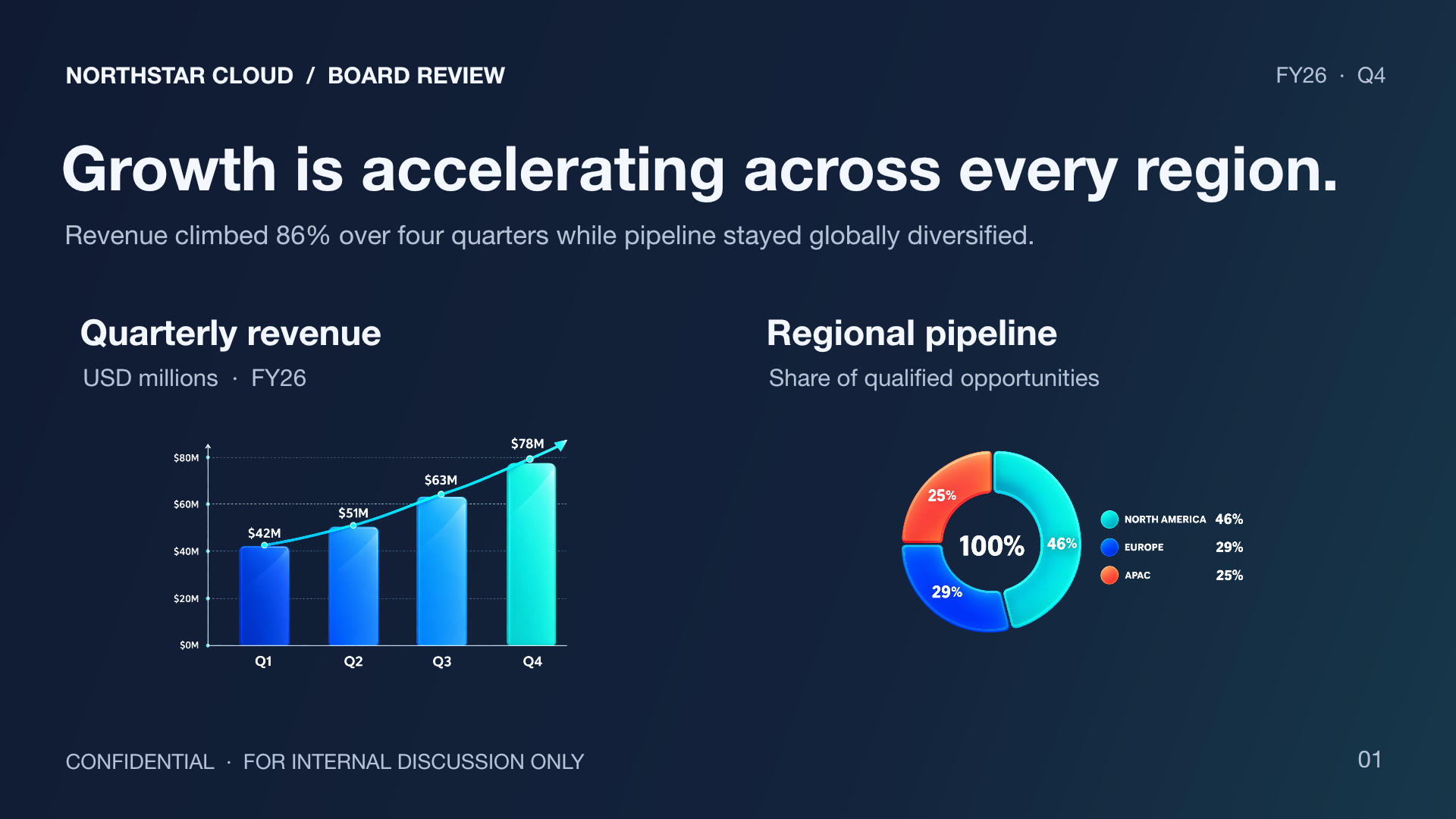
The gradient remains visible behind the bars, through the center of the doughnut chart, and around each label because the charts contain genuine alpha channels. This lets teams add generated visual assets to a required enterprise presentation theme without introducing distracting white boxes.
Use case 3: Design-template assets
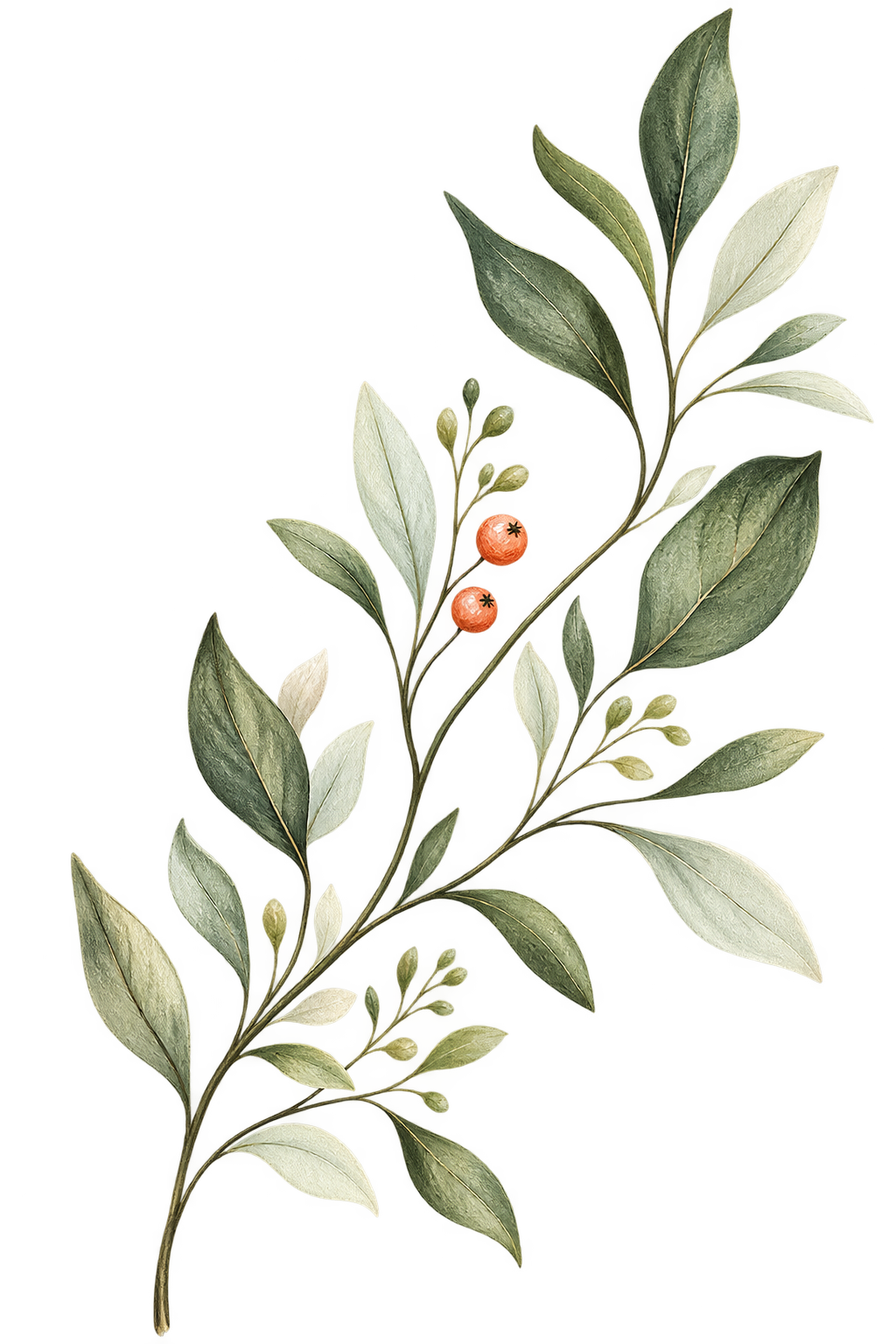
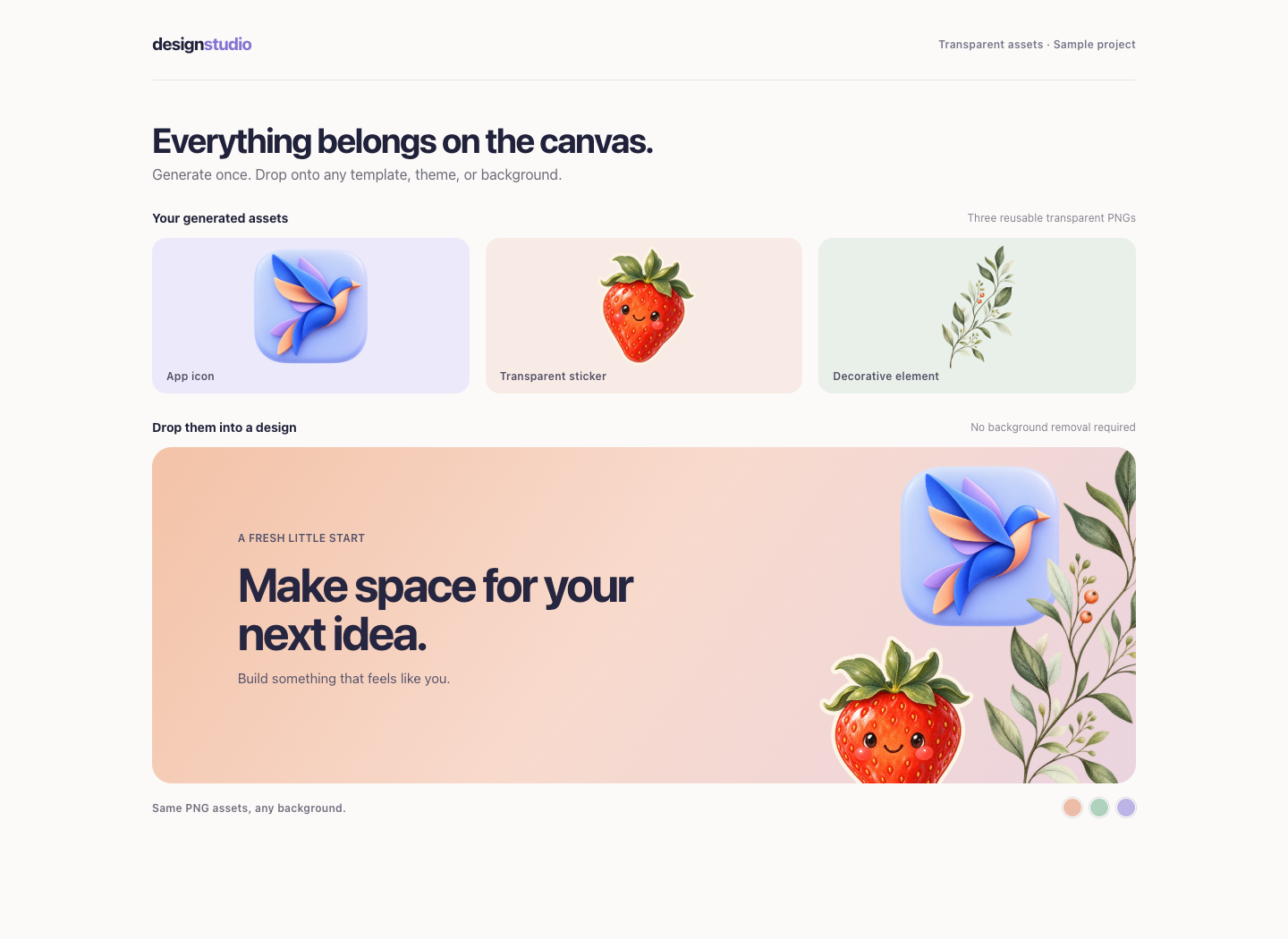
Design platforms need reusable app icons, stickers, and decorative elements that work across many layouts. Generating these elements with transparent backgrounds lets users drop the same assets into any template without masking, cutting out, or repainting a background.
3.1 Generate transparent design elements
design_prompts = {
    "design-app-icon": (
        "Create one premium rounded-square app icon with an abstract "
        "folded paper bird in cobalt blue, lavender, and peach. Keep "
        "everything outside the rounded icon tile transparent. No text, "
        "watermark, shadows, or background."
    ),
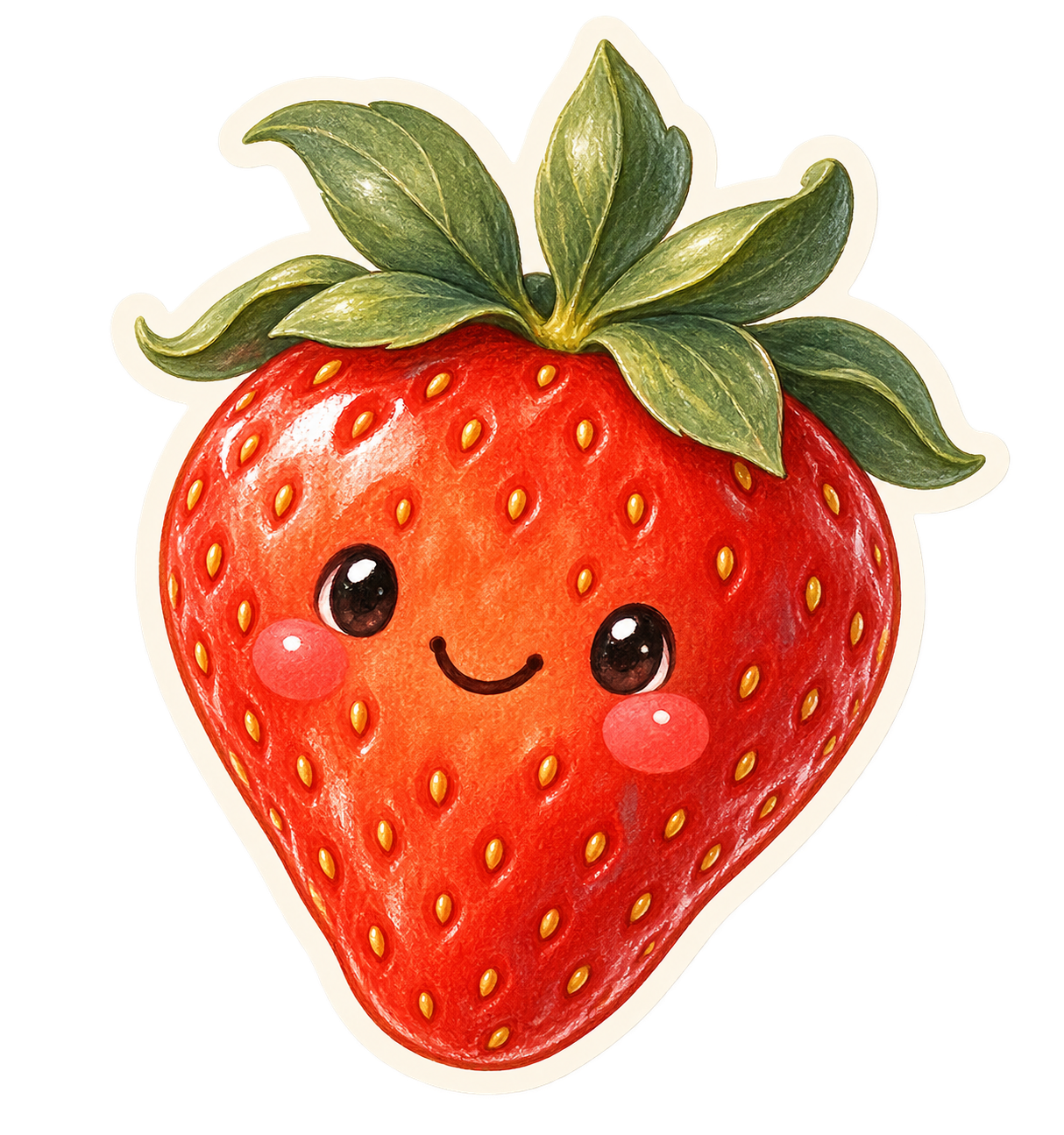
    "design-sticker": (
        "Create one illustrated strawberry character sticker with rich "
        "coral-red fruit, sage-green leaves, and a close-fitting cream "
        "die-cut border. Keep everything outside the sticker border "
        "transparent. No text, watermark, shadows, or background."
    ),
    "design-decoration": (
        "Create one delicate editorial botanical sprig with fine "
        "dark-sage branches, muted green leaves, and small coral berries. "
        "Keep all space around and between the thin branches and leaves "
        "transparent. No text, shadows, or background."
    ),
}

generate_design_assets = True

if generate_design_assets:
    for filename, prompt in design_prompts.items():
        result = client.images.generate(
            model=IMAGE_MODEL,
            prompt=prompt,
            background="transparent",
            size="1024x1024",
            quality="high",
            output_format="png",
        )

        image_bytes = base64.b64decode(result.data[0].b64_json)
        (asset_dir / f"{filename}.png").write_bytes(image_bytes)
3.2 Place the assets on a simple website
Each asset is an independent transparent PNG, ready to move, resize, or reuse on another template.
| App icon | Transparent sticker | Decorative element |
|---|---|---|
 |
 |
 |
The sample webpage combines the three assets on a colored template and lets visitors switch the background while keeping the same PNGs in place.
Use case 4: Print-on-demand merchandise
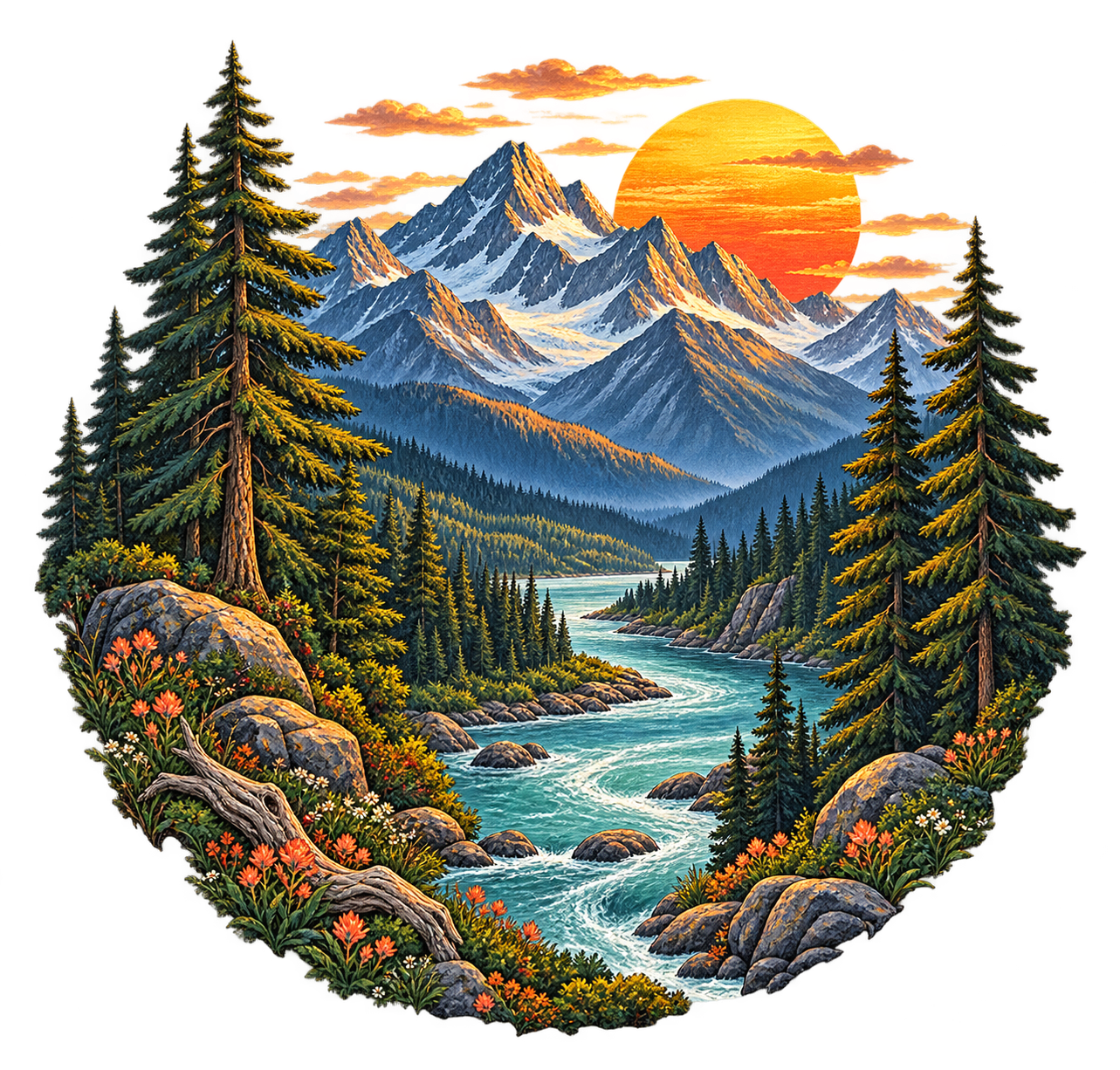
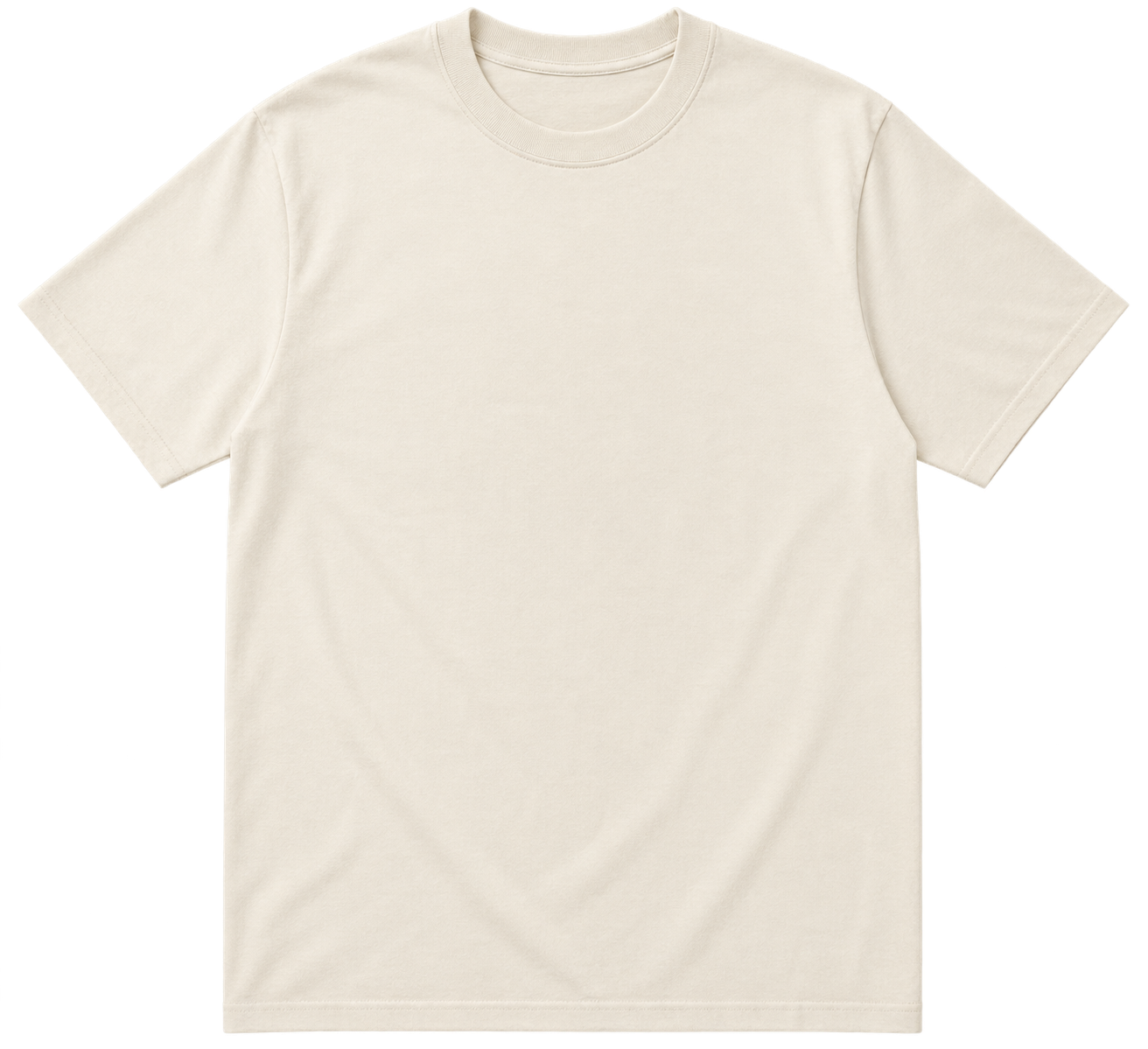
Merchandise platforms can generate one print-ready transparent design and place it on different products without removing a white rectangle for every garment color. A single artwork can become a T-shirt, sweatshirt, or another item in a seller’s catalog.
4.1 Generate a reusable print design and blank garments
merchandise_prompts = {
    "merchandise-design": (
        "Create one premium outdoors-inspired apparel illustration with "
        "an amber setting sun, slate-blue mountains, evergreen pine trees, "
        "a pale turquoise river, and small coral wildflowers. Arrange the "
        "elements into an organic compact circular composition with subtle "
        "screen-print texture. Keep the surrounding area and open spaces "
        "between the graphic elements transparent. No text, bounding "
        "badge, white rectangle, garment, or background."
    ),
    "merchandise-blank-tshirt": (
        "Create one photorealistic premium unisex ivory crew-neck T-shirt "
        "shown completely flat, front-facing, and centered. Leave the "
        "chest completely blank for a print design and keep everything "
        "outside the garment silhouette transparent. No person, hanger, "
        "mannequin, logos, graphics, shadows, or background."
    ),
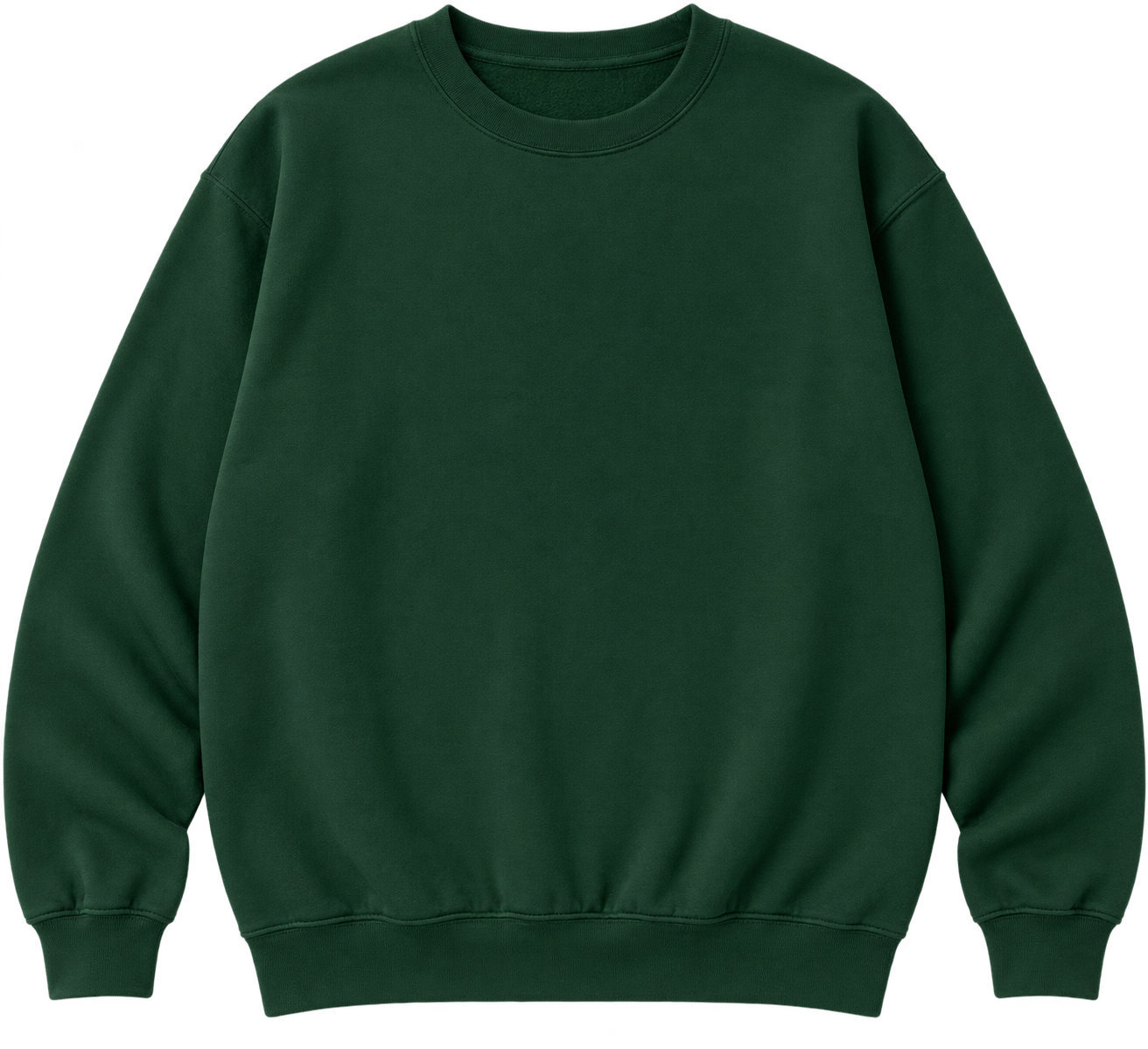
    "merchandise-blank-sweatshirt": (
        "Create one photorealistic premium forest-green crew-neck "
        "sweatshirt shown completely flat, front-facing, and centered. "
        "Leave the chest completely blank for a print design and keep "
        "everything outside the garment silhouette transparent. No "
        "person, hanger, mannequin, logos, graphics, shadows, or background."
    ),
}

generate_merchandise_assets = True

if generate_merchandise_assets:
    for filename, prompt in merchandise_prompts.items():
        result = client.images.generate(
            model=IMAGE_MODEL,
            prompt=prompt,
            background="transparent",
            size="1024x1024",
            quality="high",
            output_format="png",
        )

        image_bytes = base64.b64decode(result.data[0].b64_json)
        (asset_dir / f"{filename}.png").write_bytes(image_bytes)
4.2 Apply one design to multiple products
The print artwork and both blank garments are separate transparent images. Keeping them separate means a seller can reuse the design across garment types, product colors, and future catalog layouts.
| Reusable print design | Blank ivory T-shirt | Blank forest-green sweatshirt |
|---|---|---|
 |
 |
 |
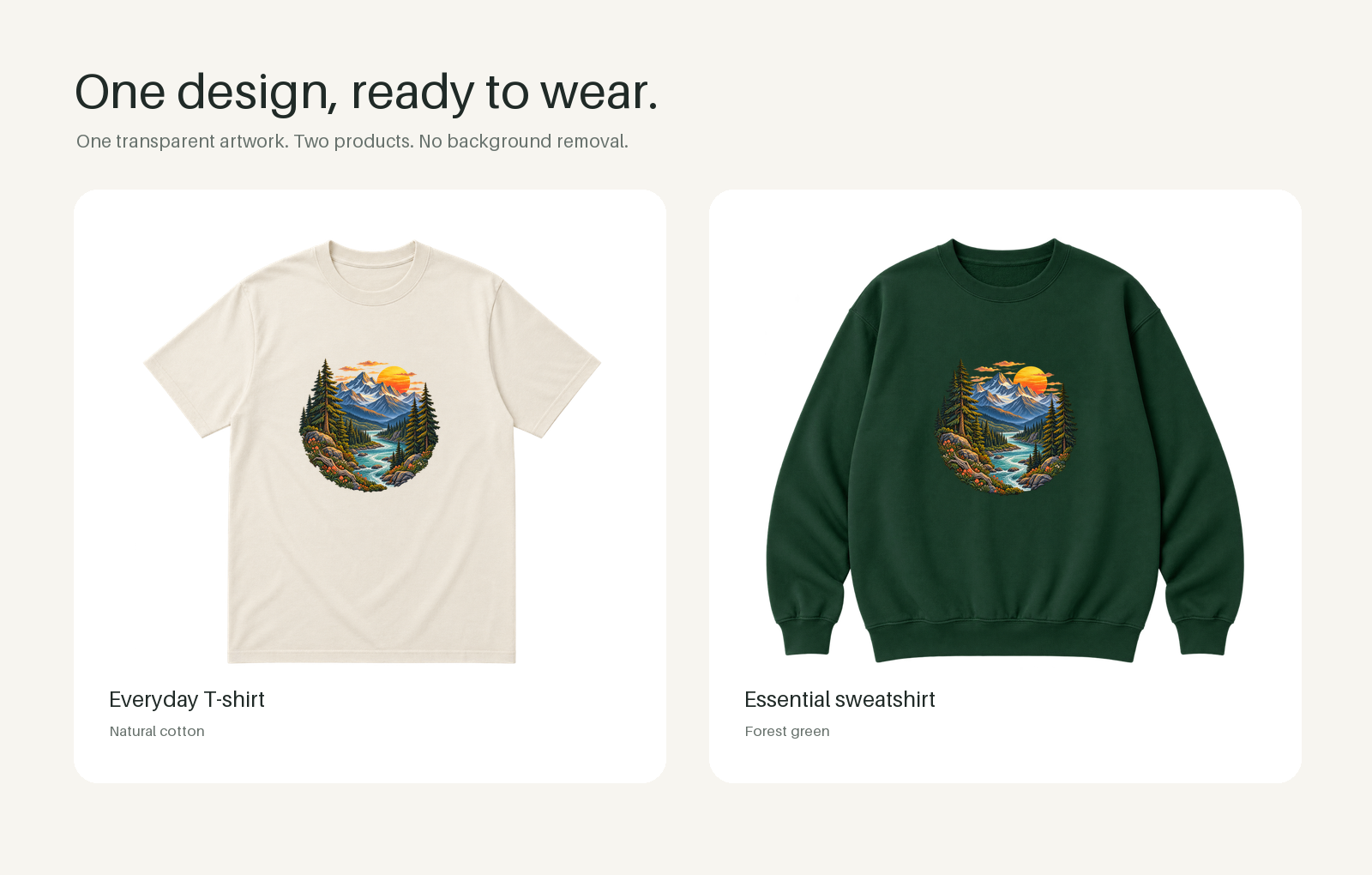
Use Pillow to trim empty transparent margins, place the same artwork over each garment, and create a simple two-product catalog preview.
from PIL import ImageDraw, ImageFont


def visible_region(image):
    # Remove fully transparent padding without changing visible pixels.
    bounds = image.getchannel("A").getbbox()
    if bounds is None:
        raise ValueError("Expected a transparent PNG with visible artwork.")
    return image.crop(bounds)


canvas = Image.new("RGBA", (1600, 1020), "#f7f5f0")
draw = ImageDraw.Draw(canvas)

heading_font = ImageFont.load_default(size=57)
body_font = ImageFont.load_default(size=21)
label_font = ImageFont.load_default(size=25)
small_font = ImageFont.load_default(size=17)

draw.text((86, 70), "One design, ready to wear.", font=heading_font, fill="#202a27")
draw.text(
    (89, 151),
    "One transparent artwork. Two products. No background removal.",
    font=body_font,
    fill="#68726d",
)

with Image.open(asset_dir / "merchandise-design.png") as image:
    print_design = visible_region(image.convert("RGBA"))

garments = [
    ("merchandise-blank-tshirt", "Everyday T-shirt", "Natural cotton"),
    ("merchandise-blank-sweatshirt", "Essential sweatshirt", "Forest green"),
]

for index, (filename, title, color) in enumerate(garments):
    card_x = 86 + index * 741
    card_y = 221
    card_width = 690
    card_height = 691

    draw.rounded_rectangle(
        (card_x, card_y, card_x + card_width, card_y + card_height),
        radius=28,
        fill="#ffffff",
    )

    with Image.open(asset_dir / f"{filename}.png") as image:
        garment = visible_region(image.convert("RGBA"))

    garment.thumbnail((610, 505), Image.Resampling.LANCZOS)
    garment_x = card_x + (card_width - garment.width) // 2
    garment_y = card_y + 55 + (505 - garment.height) // 2

    artwork = print_design.copy()
    artwork.thumbnail(
        (round(garment.width * 0.32), round(garment.height * 0.32)),
        Image.Resampling.LANCZOS,
    )

    chest_x = (garment.width - artwork.width) // 2
    chest_y = round(garment.height * 0.28)
    garment.alpha_composite(artwork, dest=(chest_x, chest_y))
    canvas.alpha_composite(garment, dest=(garment_x, garment_y))

    draw.text((card_x + 41, card_y + 578), title, font=label_font, fill="#202a27")
    draw.text((card_x + 41, card_y + 620), color, font=small_font, fill="#68726d")

output_path = asset_dir / "merchandise-print-mockups.png"
canvas.convert("RGB").save(output_path, optimize=True)
print(f"Saved merchandise preview to {output_path}")
The same transparent design blends naturally into both garment colors while the blank products remain available for other designs.
Evaluate the generated assets
Collect human feedback on transparency, edge quality, brand fit, and usefulness across representative campaigns, slides, design templates, and merchandise mockups. Use a vision-capable language model to evaluate the same assets against a clear rubric, flagging opaque backgrounds, clipped details, poor garment placement, and chart labels that do not match the source data.
Conclusion
Transparent PNG assets let teams reuse generated images across seasonal campaigns, branded presentations, design templates, and merchandise catalogs without manual background removal. Pairing these workflows with human and vision-model evaluations helps keep creative output consistent as usage grows.