
Use Codex code review to get another high-signal review pass on GitHub pull requests. Codex reviews the pull request diff, follows your repository guidance, and posts a standard GitHub code review focused on serious issues.
Before you start
Make sure you have:
- Codex cloud set up for the repository you want to review.
- Access to Codex code review settings.
- An
AGENTS.mdfile if you want Codex to follow repository-specific review guidance.
Set up Codex code review
- Set up Codex cloud.
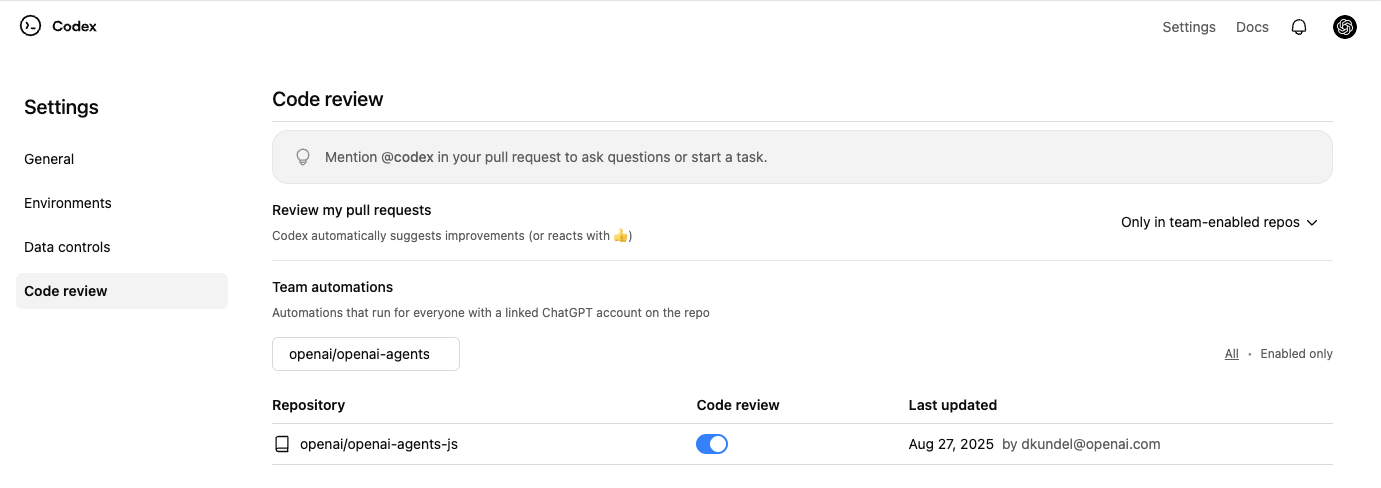
- Go to Codex settings.
- Turn on Code review for your repository.
Request a Codex review
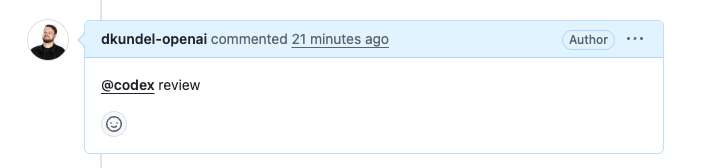
- In a pull request comment, mention
@codex review. - Wait for Codex to react (👀) and post a review.
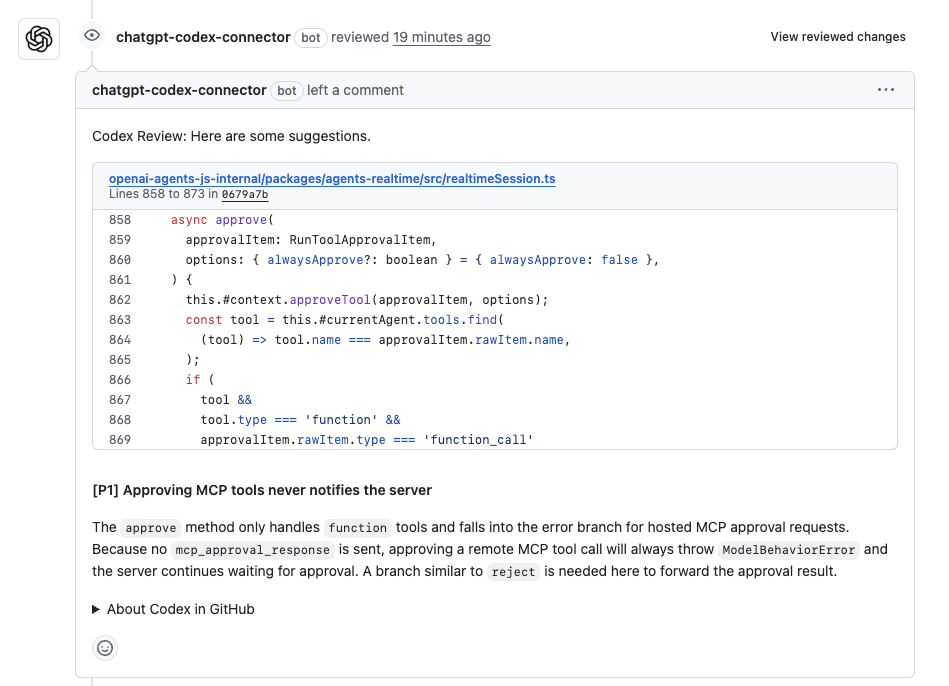
Codex posts a review on the pull request, just like a teammate would. In GitHub, Codex flags only P0 and P1 issues so review comments stay focused on high-priority risks.
Enable automatic reviews
If you want Codex to review every pull request automatically, turn on
Automatic reviews in Codex settings.
Codex will post a review whenever someone opens a new PR for review, without
needing an @codex review comment.
Customize what Codex reviews
Codex searches your repository for AGENTS.md files and follows any Review guidelines you include.
To set guidelines for a repository, add or update a top-level AGENTS.md with a section like this:
## Review guidelines

- Don't log PII.
- Verify that authentication middleware wraps every route.
Codex applies guidance from the closest AGENTS.md to each changed file. You can place more specific instructions deeper in the tree when particular packages need extra scrutiny.
For a one-off focus, add it to your pull request comment:
@codex review for security regressions
If you want Codex to flag typos in documentation, add guidance in AGENTS.md
(for example, “Treat typos in docs as P1.”).
Act on review findings
After Codex posts a review, you can ask it to fix issues in the same pull request by leaving another comment:
@codex fix the P1 issueCodex starts a cloud task with the pull request as context and can push a fix back to the branch when it has permission to do so.
Give Codex other tasks
If you mention @codex in a comment with anything other than review, Codex starts a cloud task using your pull request as context.
@codex fix the CI failuresTroubleshoot code review
If Codex doesn’t react or post a review:
- Confirm you turned on Code review for the repository in Codex settings.
- Confirm the pull request belongs to a repository with Codex cloud set up.
- Use the exact trigger
@codex reviewin a pull request comment. - For automatic reviews, check that you turned on Automatic reviews and that the pull request event matches your review trigger settings.