Primary navigation
← All use cases

Automate bug triage

Turn daily bug reports into a prioritized list, then automate the sweep.

Ask Codex to check recent alerts, issues, failed checks, logs, and chat reports, tune the list in one thread, then run that sweep on a schedule.

Intermediate
1h

Best for

  • Teams that track bugs across Sentry alerts, Slack threads, Linear issues, GitHub issues, failing PR checks, support tickets, or logs.
  • Triage workflows you want to run manually in one Codex thread before scheduling as an automation.

Skills & Plugins

  • Read issues, pull requests, comments, review threads, and failed checks when GitHub is part of your bug intake.
  • Inspect production errors, stack traces, affected releases, and event context when alerts are part of the sweep.
  • Read the channels or threads where teammates report bugs and prepare a draft summary for a team channel.
  • Read bug queues, find existing issues, draft updates, or prepare linked follow-up tickets after the triage pass.

Starter prompt

Run a bug triage sweep for [repo/service/team] covering the last [time window]. Use these plugins: [@Sentry / @Slack / @Linear / @GitHub / none] Input sources: - Sentry: [project / alert link / none] - Slack: [channel / thread links / none] - Linear: [team / project / view / issue query / none] - GitHub: [repo / issue query / PR checks / none] - Other: [logs / support tickets / deploy link / dashboard / attached file / none] Output format: First, name any input source you could not access. Then return a prioritized list of bugs, sorted from P0 to P3. If you find no bugs, say: No qualifying bugs found. For each bug, include: - Priority: P0, P1, P2, or P3 - Title - Evidence (links or short citations) - Recommended next action Rules: - Do not post, create, assign, label, close, rerun, or edit anything. - Group duplicate reports under one bug. - Keep observed evidence separate from guesses.

How to use

Ask Codex to check the places where bugs already appear: Sentry alerts, Linear issues, GitHub issues, PR checks, deploy logs, support tickets, and Slack threads. Start with one manual sweep, tune the report in-thread, then run it on a schedule.

Use one Codex thread for the whole triage loop:

  1. Run an on-demand sweep and get a draft list.
  2. Review the list and give feedback in that same thread.
  3. Turn that same thread into an automation.
  4. Optional: ask Codex to draft Linear issues, Slack updates, GitHub comments, or handoff notes when you are confident in the report.

Before you start, install the plugins Codex needs, such as Sentry, Slack, Linear, or GitHub. In the starter prompt, replace the bracketed plugin list with real @ plugin chips. Then replace each bracketed source with the exact place to search: a Sentry project or alert URL, Slack channel or thread, Linear team, view, or query, GitHub repo, issue query, or PR check, deploy link, log file, support queue, or dashboard.

Phase 1: Run the sweep

Start Codex from the repo that owns the bugs when local context helps: tests, repo tooling, build checks, or CI failures. You can also run the sweep from any repo if your bug sources are available through plugins, connectors, MCP servers, links, exports, pasted logs, or attachments.

Run the starter prompt above first. Keep only the plugins and sources that are part of your sweep.

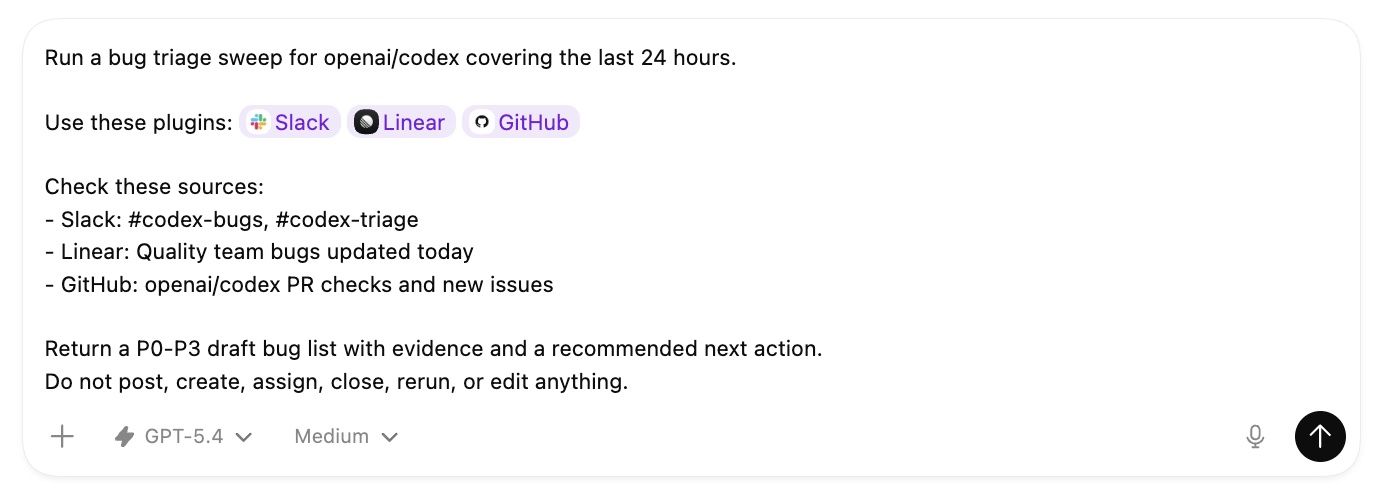
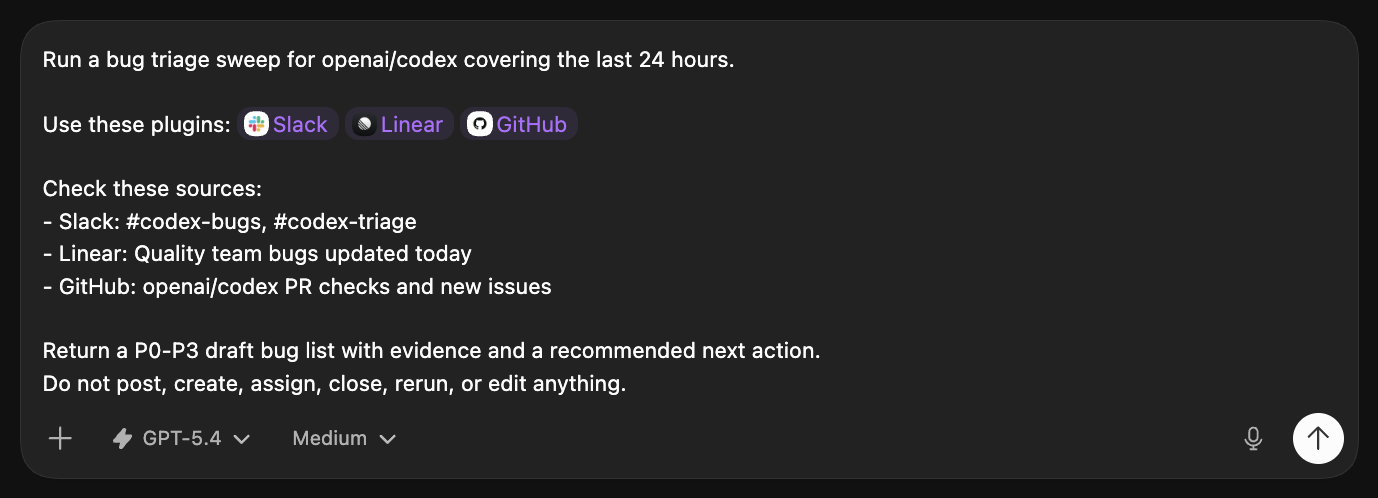
For example, a filled-in prompt can name the plugins and the exact queues, channels, or repos you want in the sweep.

Phase 2: Make the report useful

Before you automate, make sure the report is useful enough to read every day.

A useful first run has:

  • High-signal bugs sorted from P0 to P3.
  • Duplicate reports are grouped under one bug.
  • Each bug has linked evidence or short citations.
  • Guesses are separated from observed facts.
  • Each bug has a short recommended next action.

Tune the report in the same thread before you automate it. You can ask Codex to:

  • Check one more source before ranking the list.
  • Drop noisy alerts that the team already knows about.
  • Only return P0 and P1 bugs.
  • Merge Slack reports, Sentry alerts, and GitHub failures when they point to the same bug.
  • Show the single best link for each bug.
  • Add enough evidence that someone else can reproduce or route the issue.

Phase 3: Automate it

When the on-demand report is useful, stay in the same thread and turn it into an automation. Codex can use what you refined in the thread to write the recurring automation prompt.

Create the automation

Create a bug triage automation from the workflow we refined in this thread. Schedule: [every hour / every weekday morning / daily] Use the same sources, priority rules, duplicate grouping, evidence style, and P0-P3 report format from this thread. When you write the automation prompt, include the plugin mentions or connected-source instructions the scheduled run needs to read those sources again. Keep the automation draft-only. Do not post, create, assign, label, close, rerun, start fixes, or edit code. Before you create it, show me the automation prompt, schedule, sources, and action policy.

Phase 4: Route follow-ups

Once the scheduled report is useful, decide where the work should go next. Codex can draft a Slack update for a team channel, write Linear issues for the bugs you want to track, write GitHub comments for a failing PR, or produce a handoff for whoever is on call.


Update this bug triage automation. After each run, draft the follow-up I need: - Slack update for [channel] - Linear issues for [which bugs should become issues] - GitHub comment for [issue / PR / failing check] - Handoff note for [team / on-call / owner] Rules: - Draft the follow-up in Codex first. - Do not post to Slack, create Linear issues, or comment on GitHub until I explicitly approve that action. - Include links to existing Linear, GitHub, Slack, or alert sources when available. - Keep draft-only behavior for any action not explicitly approved.

Tech stack

Need

Where bug context gathers

Default options

Sentry alerts, Slack channels, Linear views, GitHub issues, PR checks, support queues, on-call notes, logs, dashboards, and deploy notes

Why it's needed

Name the exact queues, channels, views, repos, alert links, dashboards, and files Codex should sweep.

Need

How Codex reads it

Default options

Plugins for Slack, Linear, GitHub, and Sentry; connectors; MCP servers ; repo CLIs; links; exports; attachments; and pasted logs

Why it's needed

Install the existing integration when there is one. Build or configure a small MCP server, CLI, export, or dashboard link for internal sources Codex cannot read yet.

Related use cases