


Codex use case
Annotate scRNA-seq data
Review single-cell QC, annotations, and UMAPs in one thread.
Use Codex with the NGS Analysis plugin to turn a 10x-style matrix bundle into QC-filtered single-cell artifacts, threshold-justified filtering summaries, annotations, and UMAPs you can inspect and revise in the same thread.
Best for
- Single-cell teams doing matrix-level QC, annotation, and visualization after count generation.
- Researchers who need threshold-justified filtering and an auditable record of cells removed or flagged.
- Teams that want a portable review surface with generated figures, a visualization index, and a notebook or app handoff.
Contents
Annotate scRNA-seq data
Review single-cell QC, annotations, and UMAPs in one thread.
Use Codex with the NGS Analysis plugin to turn a 10x-style matrix bundle into QC-filtered single-cell artifacts, threshold-justified filtering summaries, annotations, and UMAPs you can inspect and revise in the same thread.
Use Codex with the NGS Analysis plugin to turn a 10x-style matrix bundle into QC-filtered single-cell artifacts, threshold-justified filtering summaries, annotations, and UMAPs you can inspect and revise in the same thread.
Related links
Best for
- Single-cell teams doing matrix-level QC, annotation, and visualization after count generation.
- Researchers who need threshold-justified filtering and an auditable record of cells removed or flagged.
- Teams that want a portable review surface with generated figures, a visualization index, and a notebook or app handoff.
Skills & Plugins
- Run single-cell post-count QC and return filtering, visualization, annotation, and notebook artifacts.
| Skill | Why use it |
|---|---|
| NGS Analysis | Run single-cell post-count QC and return filtering, visualization, annotation, and notebook artifacts. |
Starter prompt
Leverage skills
The NGS Analysis plugin includes:
ngs-analysis-routerscrna-seq-qcngs-scrna-seq
When you use the plugin, Codex can use all these packaged skills.
Step-by-step guide
- Point Codex to the appropriate matrix, barcodes, genes or features, manifest, and dataset metadata, or provide exact file references.
- Run the starter prompt so Codex can choose QC thresholds from the observed distributions and record the rationale in the run artifacts.
- Open the visualization index and review notebook or app to inspect QC pass or fail counts, UMAPs, and annotation confidence.
- Continue in the same thread to refine thresholds, supply a matched reference atlas, or rerun after unblocking doublet detection.
Results
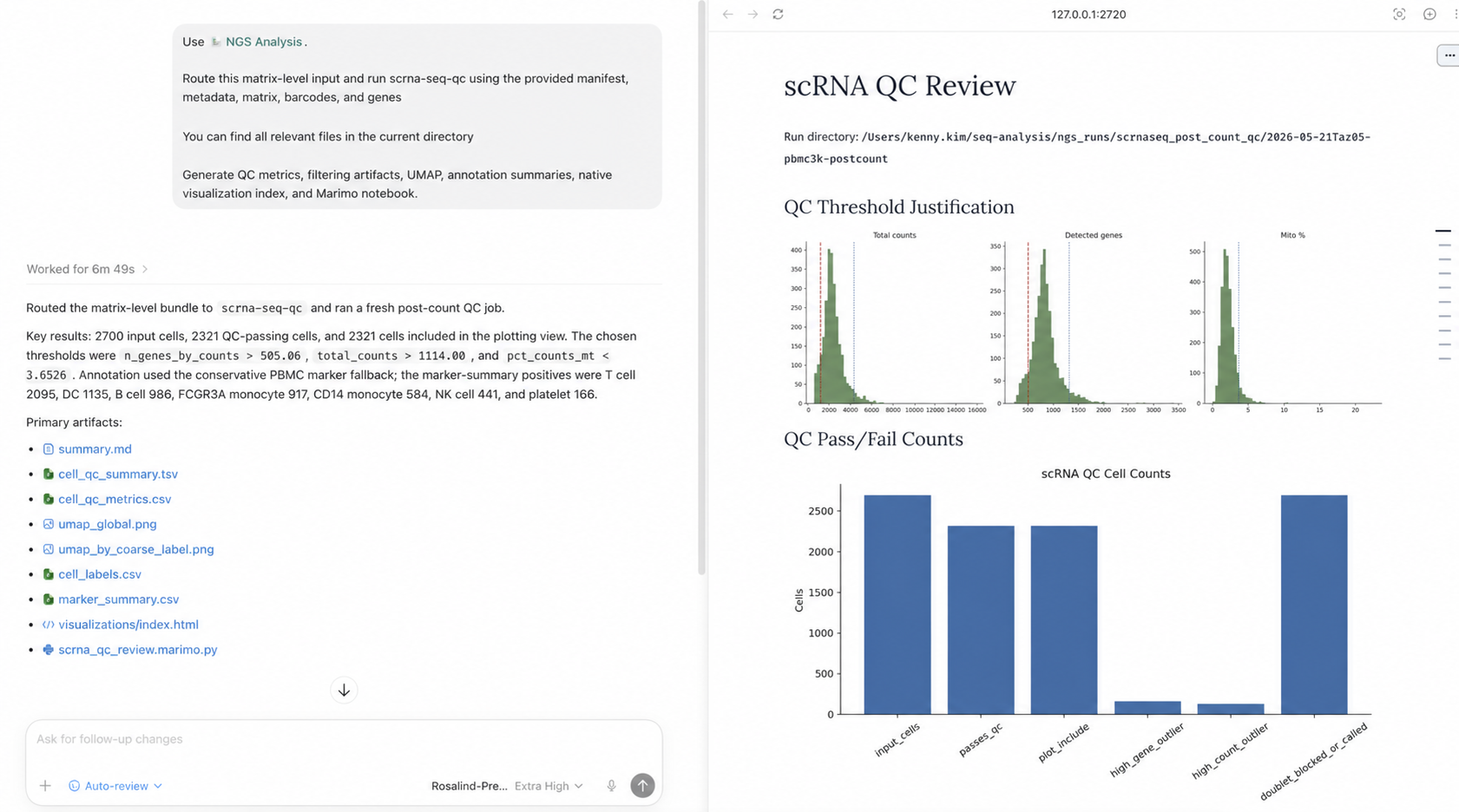
The run produces a review surface for the filtering decisions, not just a filtered matrix. Begin with the threshold-justification plots and the QC summary so you can see how many cells each filter removed or flagged and whether the selected cutoffs match the observed distributions.
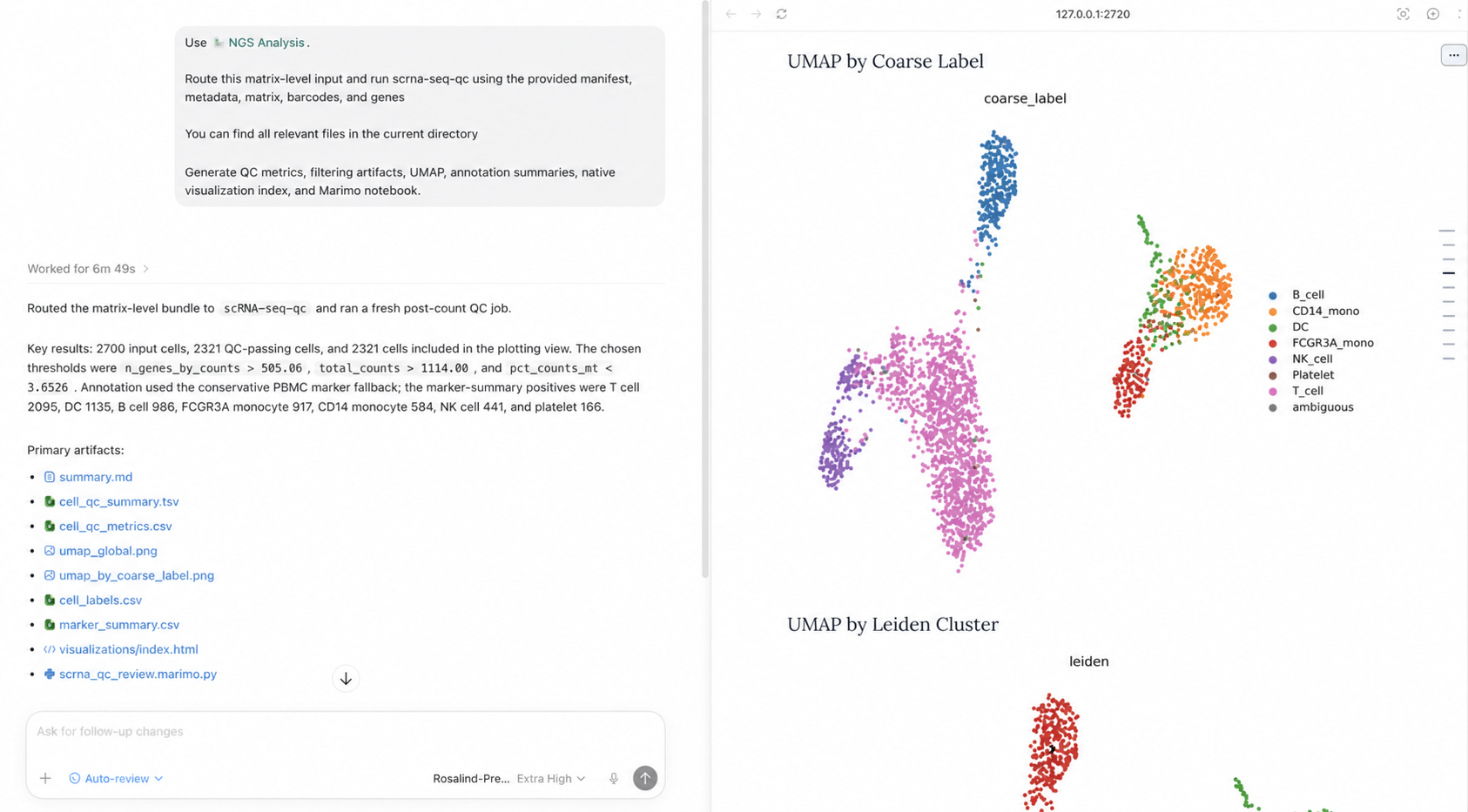
Then inspect the generated UMAPs by coarse label and Leiden cluster. These views make it easier to identify annotation gaps, suspicious clusters, or threshold choices that need another pass.
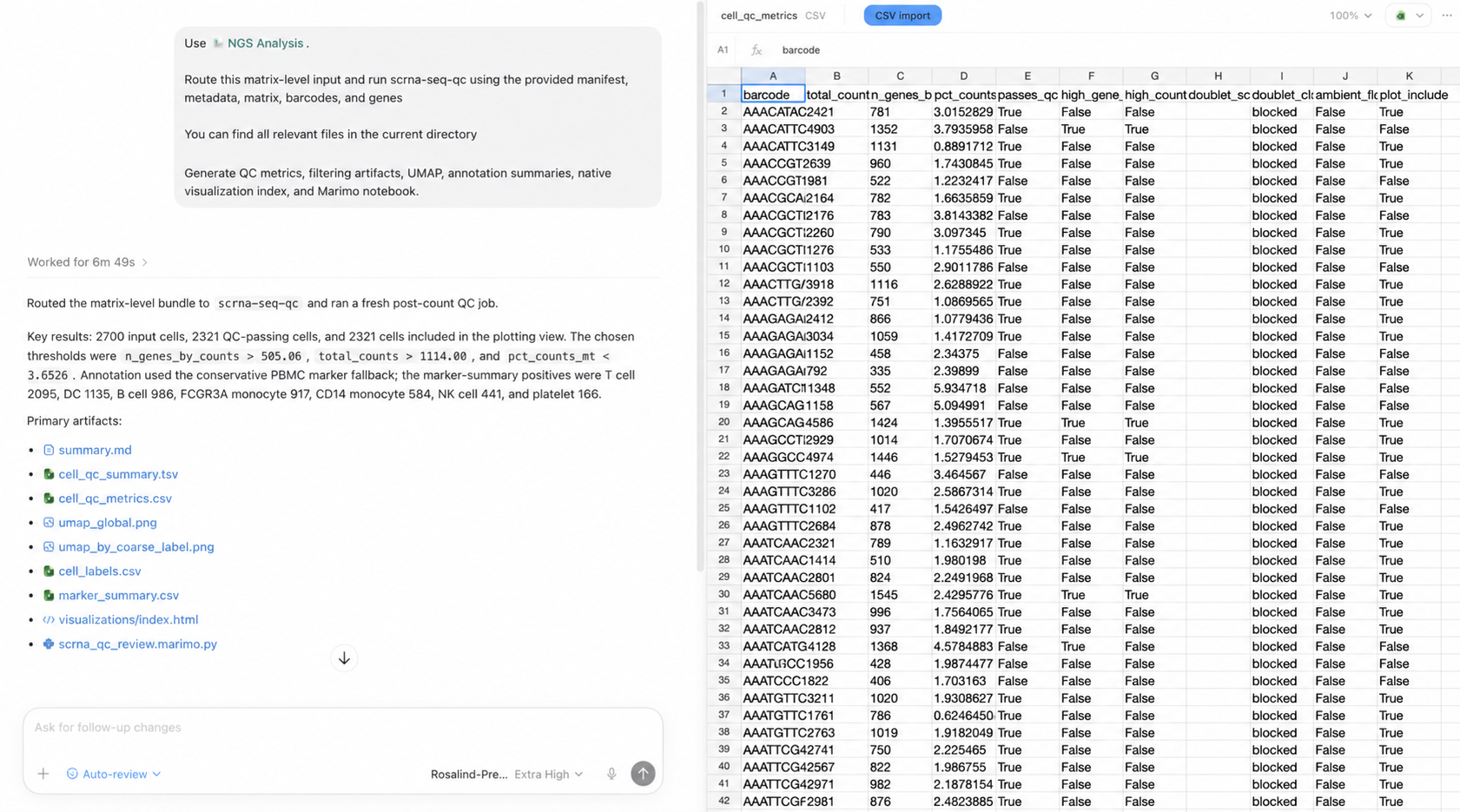
Finally, review the cell-level metrics and filtering outcomes. Codex preserves
this table with the filtered .h5ad and visualization artifacts so you can
revise the thresholds in the same thread without losing the rationale for the
first pass.
Related use cases

Validate bulk RNA-seq inputs
Use Codex with the NGS Analysis plugin to validate sample sheets, FASTQs, and references...

Discover protein folding architectures
Use Codex with Goal Mode to research and implement novel architectural modifications to...

Prioritize drug targets
Use Codex with the Life Science Research plugin to normalize entities, retrieve genetics...