Primary navigation

Codex changelog

Latest updates to Codex, OpenAI’s coding agent

June 2026

  • Codex app updates 26.602

    New features

    • Added activity insights and share cards to the Profile section. You can review Codex usage highlights and save a profile card; sharing is available on consumer ChatGPT plans.

    Performance improvements and bug fixes

    • Improved Computer Use startup readiness and appshot error reporting.
    • Fixed browser and review UI issues, including fullscreen browser composer controls, hex color swatches, terminal scrollbar alignment, and animated diff stat alignment.
    • Expanded onboarding with more role choices so Codex can tailor first-run suggestions more accurately.
    • Additional performance improvements and bug fixes.
  • Codex CLI 0.137.0

    $ npm install -g @openai/codex@0.137.0
    View details

    New Features

    • TUI controls now support F13-F24 keybindings, paste in searchable menus, and a compact reasoning-only status/title item (#25329, #25400, #25504).
    • Enterprise/admin flows now show monthly credit limits and can apply cloud-managed config bundles, including EDU workspaces (#24812, #24617, #24619, #24620, #24622, #25963).
    • Remote-control clients can start pairing and list or revoke controller grants through app-server v2 RPCs (#25675, #25785).
    • Plugin workflows gained machine-readable codex plugin list --json output and cached remote catalog suggestions (#25330, #25457).
    • Hosted web and image tools are available in more code-mode flows, with standalone web searches able to run in parallel (#25176, #25702, #25890, #25923).
    • Multi-agent v2 keeps runtime choice with each thread and exposes cleaner follow-up and metadata defaults for spawned agents (#25266, #25636, #25720, #25721, #25722, #25841, #26114).

    Bug Fixes

    • Cancelling a submitted prompt before visible output now restores the draft, attachments, and collaboration mode for editing (#25316).
    • Slash-command filtering and footer shortcut hints now reset or render according to the current UI state (#25492, #25625).
    • Platform reliability improved for macOS app launches and Windows SQLite startup, thread resume, and sandbox setup refreshes (#25485, #25490, #25509, #25949).
    • Plugin loading preserves app manifest order, deduplicates local/remote curated installs, and treats malformed skills fields as warnings (#25491, #25681, #25717, #25782).
    • Permission requests and approvals now carry environment identity, and managed MITM proxying exports readable CA bundles to child commands (#25850, #25858, #25862, #22668).
    • Local session history is safer for compressed rollouts, renamed titles, pathless side-chat reloads, and stack-heavy startup/config rebuilds (#25087, #25624, #25661, #25814, #25844, #25847).

    Documentation

    • Added app-server docs and generated schema updates for monthly credit limits, remote-control RPCs, and environment-scoped permission approvals (#24812, #25675, #25785, #25862).
    • Moved repo review rules and contributor conventions into AGENTS.md, including Rust test-module layout and Python 3 compatibility guidance (#25682, #25690, #25738).

    Chores

    • Root formatting and Justfile workflows are more complete and Windows-aware (#24983, #25165, #25683).
    • Rust CI and release workflows use the git CLI for Cargo fetches to avoid intermittent libgit2/submodule failures (#25644, #25775).
    • Python SDK releases now publish runtime wheels from the SDK workflow and pin to a glibc-compatible runtime package (#25906, #25907).
    • Bazel CI’s BuildBuddy wrapper was reintroduced with Windows-safe process handling and validation (#25915).
    • Shared prompts, context fragments, and skills plumbing moved into dedicated crates/extension paths to reduce codex-core coupling (#25151, #25953, #25959, #26106, #26122, #26167).

    Changelog

    Full Changelog: rust-v0.136.0...rust-v0.137.0

    Full release on Github

  • Build and deploy websites with Sites

    Sites is now available in preview in the Codex app. Use the Sites plugin to create, save, deploy, and inspect websites, dashboards, internal tools, web apps, and games hosted by OpenAI.

    Open Sites in the app sidebar to return to your projects and manage hosted environment variables and secrets.

    ChatGPT Business workspaces include Sites by default. ChatGPT Enterprise admins can enable Sites for the appropriate roles through role-based access control (RBAC).

  • ChatGPT for iOS 1.2026.146

    New features

    • Added an optional Face ID or passcode lock for Codex.
    • Added a new settings screen for choosing Queue or Steer as the default follow-up behavior and toggling line wrapping for code diffs.
    • Added support for connecting to Windows machines over SSH.

    Improvements and bug fixes

    • Added support for /side <prompt> to start a side conversation with an initial question.
    • Improved follow-up prompts, the Codex home screen, and viewing changed files.
    • Fixed issues with reconnecting, archiving threads, loading tasks, and connecting to hosts.
  • Use Codex with Amazon Bedrock

    Codex can now use supported OpenAI models available through Amazon Bedrock. Configure Amazon Bedrock as your model provider to run Codex locally with AWS-managed authentication, account controls, and billing.

  • Terminal placement controls 26.601

    New features

    • Added Default terminal location in General settings. When the bottom panel is enabled, choose whether the terminal shortcut and environment actions open terminal tabs in the bottom panel or the right panel.

    Performance improvements and bug fixes

    • Additional performance improvements and bug fixes.
  • Codex CLI 0.136.0

    $ npm install -g @openai/codex@0.136.0
    View details

    New Features

    • TUI markdown now keeps web links clickable with OSC 8 metadata, and cramped tables switch to readable key/value records without losing link targets. (#24472, #24636, #24825)
    • Sessions can now be archived from the TUI with /archive or from the CLI with codex archive / codex unarchive; archived sessions are protected from resume/fork until restored. (#25027, #25021)
    • App-server integrations can resume a thread with its initial turns page, see richer MCP server status, and launch stdio mode with codex app-server --stdio. (#23534, #24698, #24940)
    • Remote execution setup now supports CODEX_API_KEY registration for approved OpenAI hosts, while remote-control websockets use short-lived server tokens instead of ChatGPT access tokens. (#24666, #24141)
    • Windows admins get an alpha codex sandbox setup --elevated provisioning path, plus requirements support for allowed Windows sandbox implementations. (#24831, #23766)
    • A feature-gated standalone image generation extension can run through the native Codex image artifact completion pipeline. (#24723, #24972)

    Bug Fixes

    • ChatGPT auth refreshes tokens before the five-minute expiry window and shows a relogin-required path for reused refresh tokens instead of collapsing into a generic cloud error. (#23546, #24830)
    • Command-safety hardening prevents /diff from running repository-provided Git helpers/hooks, avoids PowerShell parser execution on non-Windows hosts, and rejects browser-origin exec-server websocket handshakes. (#24954, #24946, #24947)
    • Sandboxed commands clean up more reliably after interruptions or denied Windows network attempts, and deny read rules stay enforced for safe-command and approval-bypass paths. (#22729, #19880, #23943)
    • Resumed TUI sessions seed prompt history from the session transcript, multiline hook output renders as separate rows, and Vim normal-mode editing behaves correctly. (#24298, #24965, #25022)
    • App-server filesystem watchers debounce later batches correctly, and standalone web search calls now show and restore completed search activity. (#24716, #24693)
    • Bedrock auth now falls back to AWS_REGION / AWS_DEFAULT_REGION, and unsupported Bedrock GPT service tiers are no longer advertised or sent. (#25171, #25318)

    Documentation

    • Python SDK beta docs and package metadata now present the standard pip install openai-codex path, refreshed quickstarts, API reference, FAQ, and examples. (#24836, #24866, #24868, #24870)
    • Python SDK examples and docs now use the public CodexConfig name for configuring Codex / AsyncCodex. (#24800)
    • The bundled OpenAI Docs skill was updated with current Codex manual routing and a cached manual fetch helper. (#24914)
    • Built-in tool schema descriptions now clarify defaults, optional fields, bounds, and enums across shell, Code Mode, MCP, image, goal, plan, multi-agent, and related tools. (#24794)
    • App-server and exec-server docs now cover API-key remote registration, --stdio, runtime extra skill roots, and remote-control server-token behavior. (#24666, #24940, #24977, #24141)

    Chores

    • Python SDK releases can now be staged and published independently from runtime releases using python-v* tags while preserving the reviewed runtime dependency pin. (#24828, #24872)
    • Updated MCP dependencies to rmcp 1.7.0 and refreshed compatibility code. (#24763)
    • Refreshed Amazon Bedrock catalog metadata, including GPT-5.5, removal of unsupported OSS entries, and default-tier-only GPT model behavior. (#24701, #24960, #25318)
    • Removed the stale app-server debug-client pieces and cleaned up the workspace after deletion. (#25063, #25064, #25065, #25066, #25067, #25068, #25069, #25070, #25075)
    • Trimmed CI/build maintenance by moving Bazel Windows jobs to Codex runners, removing the libubsan workaround, and reverting the startup benchmark that broke musl builders. (#24952, #24782, #24937)

    Changelog

    Full Changelog: rust-v0.135.0...rust-v0.136.0

    Full release on Github

May 2026

April 2026

  • Codex CLI 0.128.0

    $ npm install -g @openai/codex@0.128.0
    View details

    New Features

    • Added persisted /goal workflows with app-server APIs, model tools, runtime continuation, and TUI controls for create, pause, resume, and clear. (#18073, #18074, #18075, #18076, #18077, #20082)
    • Added codex update, configurable TUI keymaps, plan-mode nudges, action-required terminal titles, and active-turn /statusline and /title edits. (#19933, #18593, #19901, #18372, #19917)
    • Expanded permission profiles with built-in defaults, sandbox CLI profile selection, cwd controls, and active-profile metadata for clients. (#19900, #20117, #20118, #20095)
    • Improved plugin workflows with marketplace installation, remote bundle caching, remote uninstall, plugin-bundled hooks, hook enablement state, and external-agent config import. (#18704, #19914, #19456, #19705, #19840, #19949)
    • Added external agent session import, including background imports and imported-session title handling. (#19895, #20284, #20261)
    • Made MultiAgentV2 configuration more explicit with thread caps, wait-time controls, root/subagent hints, and v2-specific depth handling. (#19360, #19792, #19805, #20052, #20180)

    Bug Fixes

    • Fixed several resume and interruption issues, including stale interrupt hangs, persisted provider restoration, large remote resume responses, and slow filtered resume lists. (#18392, #19287, #19920, #19591)
    • Improved TUI reliability around terminal resize reflow, markdown list spacing, slash-command popup layout, keyboard cleanup, shell-mode escape, and working status updates. (#18575, #19706, #19511, #19625, #19986, #19939)
    • Hardened managed network behavior for deferred denials, proxy bypass defaults, resolved target checks, IPv6 host matching, and git -C approval handling. (#19184, #20002, #19999, #19995, #20085)
    • Fixed Windows sandbox and PTY edge cases, including pseudoconsole startup, elevated runner process handling, core shell environment inheritance, and named-pipe validation. (#20042, #19211, #20089, #19283)
    • Fixed Bedrock model support for apply_patch, GPT-5.4 reasoning levels, and updated Bedrock GPT-5.4 endpoint/model metadata. (#19416, #19461, #20109)
    • Fixed MCP/plugin edge cases around stdio server cleanup, plugin MCP approval persistence, and custom MCP metadata isolation. (#19753, #19537, #19836, #19875)

    Documentation

    • Updated the bundled OpenAI Docs skill for GPT-5.5, gpt-image-2, and clearer upgrade guidance. (#19407, #19443, #19422)
    • Clarified contributor-facing docs, including the PR template, Rust async trait guidance, and README wording. (#19912, #20242, #19514)
    • Added a checked-in codex-core public API listing and a ThreadManager sample crate. (#20243, #20141)

    Chores

    • Published codex-app-server release artifacts, stopped publishing GNU Linux binaries, and increased release workflow timeouts. (#19447, #19445, #20271, #20343)
    • Added Codex-pinned versioning for the Python app-server SDK package. (#18996)
    • Deprecated --full-auto while steering users toward explicit permission profiles and trust flows. (#20133)
    • Stabilized CI and release plumbing with Bazel setup migration, release smoke-test pinning, and updated workflow pins/timeouts. (#19851, #19854, #19472, #19609)

    Changelog

    Full Changelog: rust-v0.125.0...rust-v0.128.0

    Full release on Github

  • Codex app 26.423

    New features

    • Added a tooltip on realtime delegation messages to clarify that Codex uses the surrounding voice conversation as context.

    Performance improvements and bug fixes

    • Fixed search in long review files so next and previous results reliably jump to off-screen matches.
    • Kept embedded MCP app panels from restarting or losing state during fullscreen changes and thread reloads.
    • Fixed several desktop regressions, including tray crashes when the local connection is missing, duplicate macOS fullscreen menu entries, and broken global dictation hotkeys on older macOS versions.
    • Additional performance improvements and bug fixes.
  • Codex CLI 0.125.0

    $ npm install -g @openai/codex@0.125.0
    View details

    New Features

    • App-server integrations now support Unix socket transport, pagination-friendly resume/fork, sticky environments, and remote thread config/store plumbing. (#18255, #18892, #18897, #18908, #19008, #19014)
    • App-server plugin management can install remote plugins and upgrade configured marketplaces. (#18917, #19074)
    • Permission profiles now round-trip across TUI sessions, user turns, MCP sandbox state, shell escalation, and app-server APIs. (#18284, #18285, #18286, #18287, #19231)
    • Model providers now own model discovery, with AWS/Bedrock account state exposed to app clients. (#18950, #19048)
    • codex exec --json now reports reasoning-token usage for programmatic consumers. (#19308)
    • Rollout tracing now records tool, code-mode, session, and multi-agent relationships, with a debug reducer command for inspection. (#18878, #18879, #18880)

    Bug Fixes

    • Interrupting /review and exiting the TUI no longer leaves the interface wedged on delegate startup or unsubscribe. (#18921)
    • Exec-server no longer drops buffered output after process exit and now waits correctly for stream closure. (#18946, #19130)
    • App-server now respects explicitly untrusted project config instead of auto-persisting trust. (#18626)
    • WebSocket app-server clients are less likely to disconnect during bursts of turn and tool-output notifications. (#19246)
    • Windows sandbox startup handles multiple CLI versions and installed app directories better, and background Start-Process calls avoid visible PowerShell windows. (#19044, #19180, #19214)
    • Config/schema handling now rejects conflicting MultiAgentV2 thread limits, resolves relative agent-role config paths, hides unsupported MCP bearer-token fields, and rejects invalid js_repl image MIME types. (#19129, #19261, #19294, #19292)

    Documentation

    • App-server docs and generated schemas were refreshed for the new transport, thread, marketplace, sticky environment, and permission-profile APIs. (#18255, #18897, #19014, #19074, #19231)
    • Rollout-trace documentation now covers the debug trace reduction workflow. (#18880)

    Chores

    • Refreshed models.json and related core, app-server, SDK, and TUI fixtures for the latest model catalog and reasoning defaults. (#19323)
    • Windows Bazel CI now uses a stable PATH and shared query startup path for better cache reuse. (#19161, #19232)
    • Plugin marketplace add/remove/startup-sync internals moved out of codex-core, and curated plugin cache versions now use short SHAs. (#19099, #19095)
    • Reverted a macOS signing entitlement change after it caused alpha startup failures. (#19167, #19350)
    • Stabilized flaky approval-popup and plugin MCP tool-discovery tests. (#19178, #19191)

    Changelog

    Full Changelog: rust-v0.124.0...rust-v0.125.0

    Full release on Github

  • GPT-5.5 and Codex app updates

    GPT-5.5 is now available in Codex as OpenAI’s newest frontier model for complex coding, computer use, knowledge work, and research workflows.

    GPT-5.5 in Codex

    GPT-5.5 is the recommended choice for most Codex tasks when it appears in your model picker. It’s especially useful for implementation, refactors, debugging, testing, validation, and knowledge-work artifacts.

    To switch to GPT-5.5:

    • In the CLI, start a new thread with:
      codex --model gpt-5.5
      Or use /model during a session.
    • In the IDE extension, choose GPT-5.5 from the model selector in the composer.
    • In the Codex app, choose GPT-5.5 from the model selector in the composer.

    If you don’t see GPT-5.5 yet, update the CLI, IDE extension, or Codex app to the latest version. During the rollout, continue using GPT-5.4 if GPT-5.5 is not yet available.

    Browser use in the Codex app

    The Codex app can now let Codex operate the in-app browser for local development servers and file-backed pages. Ask Codex to use the browser when it needs to click through a rendered UI, reproduce a visual bug, or verify a local fix inside the app.

    Browser use runs through the bundled Browser plugin. In settings, you can manage the plugin and review allowed or blocked websites.

    Automatic approval reviews

    Codex can route eligible approval prompts through an automatic reviewer agent before the request runs. When configured, the Codex app shows an automatic review item with the review status and risk level, so you can see whether the reviewer approved, denied, stopped, or timed out before deciding.

  • Codex CLI 0.124.0

    $ npm install -g @openai/codex@0.124.0
    View details

    New Features

    • The TUI now has quick reasoning controls: Alt+, lowers reasoning, Alt+. raises it, and accepted model upgrades now reset reasoning to the new model’s default instead of carrying over stale settings. (#18866, #19085)
    • App-server sessions can now manage multiple environments and choose an environment and working directory per turn, which makes multi-workspace and remote setups easier to target precisely. (#18401, #18416)
    • Added first-class Amazon Bedrock support for OpenAI-compatible providers, including AWS SigV4 signing and AWS credential-based auth. (#17820)
    • Remote plugin marketplaces can now be listed and read directly, with more reliable detail lookups and larger result pages. (#18452, #19079)
    • Hooks are now stable, can be configured inline in config.toml and managed requirements.toml, and can observe MCP tools as well as apply_patch and long-running Bash sessions. (#18893, #18385, #18391, #18888, #19012)
    • Eligible ChatGPT plans now default to the Fast service tier unless you explicitly opt out. (#19053)

    Bug Fixes

    • Preserved Cloudflare cookies across approved ChatGPT hosts, reducing auth breakage in HTTP-backed ChatGPT flows. (#17783)
    • Fixed remote app-server reliability issues so websocket events keep draining under load and shutdown no longer fails when the remote worker exits during cleanup. (#18932, #18936)
    • Fixed permission-mode drift so /permissions changes survive side conversations and updated Full Access state is correctly reflected in MCP approval handling. (#18924, #19033)
    • Fixed wait_agent so it returns promptly when mailbox work is already queued instead of waiting for a fresh notification or timing out. (#18968)
    • Fixed local stdio MCP launches for relative commands without an explicit cwd, bringing fallback path resolution in line with CLI behavior. (#19031)
    • Startup now fails less often on managed config edge cases: unknown feature requirements warn instead of aborting, and cloud-requirements errors are clearer about what failed. (#19038, #19078)

    Changelog

    Full Changelog: rust-v0.123.0...rust-v0.124.0

    Full release on Github

  • Codex CLI 0.123.0

    $ npm install -g @openai/codex@0.123.0
    View details

    New Features

    • Added a built-in amazon-bedrock model provider with configurable AWS profile support (#18744).
    • Added /mcp verbose for full MCP server diagnostics, resources, and resource templates while keeping plain /mcp fast (#18610).
    • Made plugin MCP loading accept both mcpServers and top-level server maps in .mcp.json (#18780).
    • Improved realtime handoffs so background agents receive transcript deltas and can explicitly stay silent when appropriate (#18597, #18761, #18635).
    • Added host-specific remote_sandbox_config requirements for remote environments (#18763).
    • Refreshed bundled model metadata, including the current gpt-5.4 default (#18586, #18388, #18719).

    Bug Fixes

    • Fixed /copy after rollback so it copies the latest visible assistant response, not a pre-rollback response (#18739).
    • Queued normal follow-up text submitted while a manual shell command is running, preventing stuck Working states (#18820).
    • Fixed Unicode/dead-key input in VS Code WSL terminals by disabling the enhanced keyboard mode there (#18741).
    • Prevented stale proxy environment variables from being restored from shell snapshots (#17271).
    • Made codex exec inherit root-level shared flags such as sandbox and model options (#18630).
    • Removed leaked review prompts from TUI transcripts (#18659).

    Documentation

    • Added and tightened the Code Review skill instructions used by Codex-driven reviews (#18746, #18818).
    • Documented intentional await-across-lock cases and enabled Clippy linting for them (#18423, #18698).
    • Updated app-server protocol docs for threadless MCP resource reads and namespaced dynamic tools (#18292, #18413).

    Chores

    • Fixed high-severity dependency alerts by pinning patched JS and Rust dependencies (#18167).
    • Reduced Rust dev build debug-info overhead while preserving useful backtraces (#18844).
    • Refreshed generated Python app-server SDK types from the current schema (#18862).

    Changelog

    Full Changelog: rust-v0.122.0...rust-v0.123.0

    Full release on Github

  • Codex app 26.417

    New features

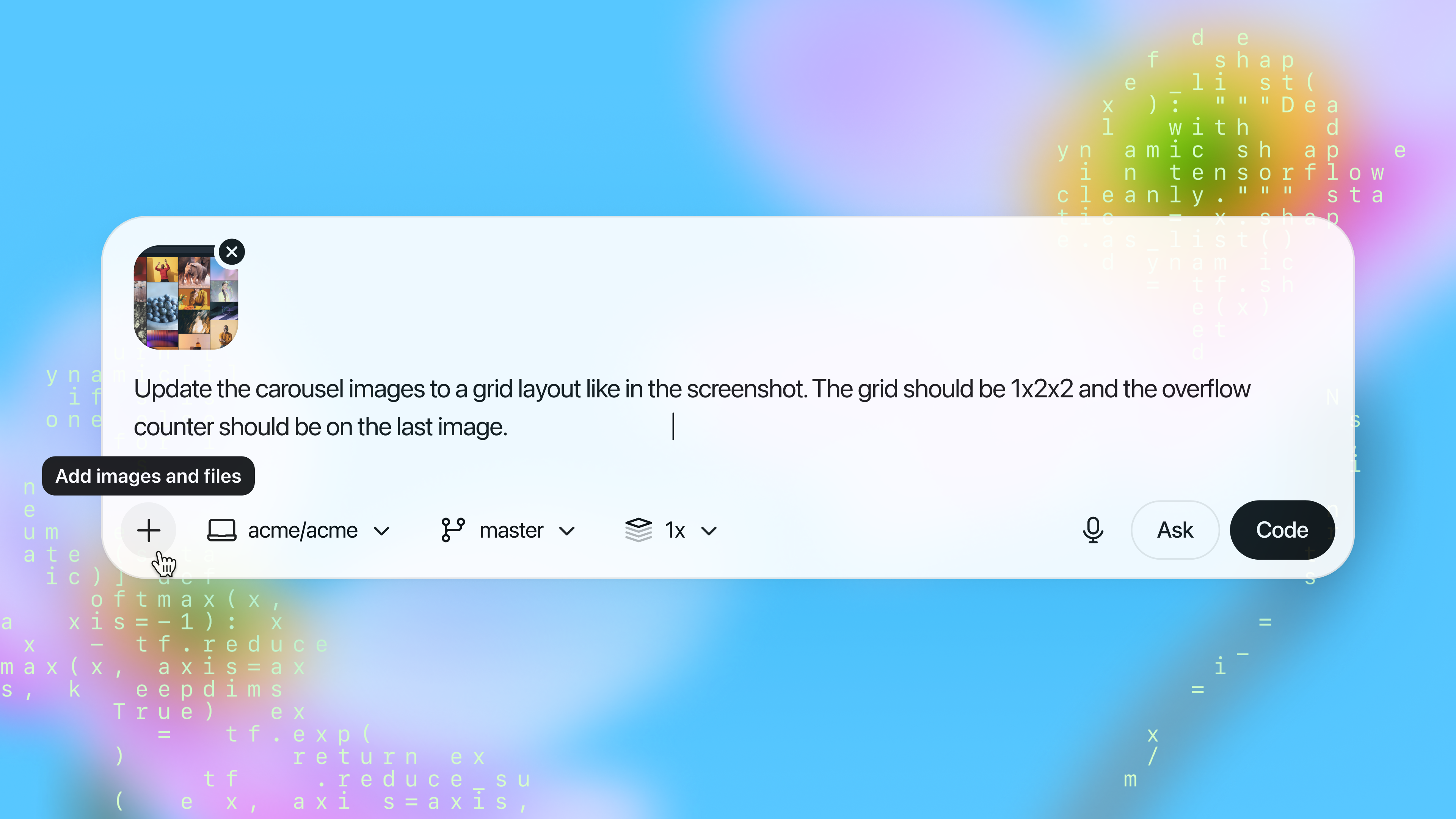
    • Added local branch search and non-image file pasting in the composer.
    • Added collapsible sidebar sections, tray usage-limit surfacing, and a command-palette theme switcher.

    Performance improvements and bug fixes

    • Made review faster and more stable with better diff batching and preserved diff and search state.
    • Fixed projectless cwd and permissions handling, default file opening, spreadsheet suggestions, and remote-control reconnect issues.
    • Additional performance improvements and bug fixes.
  • Codex CLI 0.122.0

    $ npm install -g @openai/codex@0.122.0
    View details

    New Features

    • Standalone installs are more self-contained, and codex app now opens or installs Desktop correctly on Windows and Intel Macs (#17022, #18500).
    • The TUI can open /side conversations for quick side questions, and queued input now supports slash commands and ! shell prompts while work is running (#18190, #18542).
    • Plan Mode can start implementation in a fresh context, with context-usage shown before deciding whether to carry the planning thread forward (#17499, #18573).
    • Plugin workflows now include tabbed browsing, inline enable/disable toggles, marketplace removal, and remote, cross-repo, or local marketplace sources (#18222, #18395, #17752, #17751, #17277, #18017, #18246).
    • Filesystem permissions now support deny-read glob policies, managed deny-read requirements, platform sandbox enforcement, and isolated codex exec runs that ignore user config or rules (#15979, #17740, #18096, #18646).
    • Tool discovery and image generation are now enabled by default, with higher-detail image handling and original-detail metadata support for MCP and js_repl image outputs (#17854, #17153, #17714, #18386).

    Bug Fixes

    • App-server approvals, user-input prompts, and MCP elicitations now disappear from the TUI when another client resolves them, instead of leaving stale prompts behind (#15134).
    • Remote-control startup now tolerates missing ChatGPT auth, and MCP startup cancellation works again through app-server sessions (#18117, #18078).
    • Resumed and forked app-server threads now replay token usage immediately so context/status UI starts with the restored state (#18023).
    • Security-sensitive flows were tightened: logout revokes managed ChatGPT tokens, project hooks and exec policies require trusted workspaces, and Windows sandbox setup avoids broad user-profile and SSH-root grants (#17825, #14718, #18443, #18493).
    • Sandboxed apply_patch writes work correctly with split filesystem policies, and file watchers now notice files created after watching begins (#18296, #18492).
    • Several TUI rough edges were fixed, including fatal skills-list failures, invalid resume hints, duplicate context statusline entries, /model menu loops, redundant memory notices, and terminal title quoting in iTerm2 (#18061, #18059, #18054, #18154, #18580, #18261).

    Documentation

    • Added a security-boundaries reference to SECURITY.md for sandboxing, approvals, and network controls (#17848, #18004).
    • Documented custom MCP server approval defaults and exec-server stdin behavior (#17843, #18086).
    • Updated app-server docs for plugin API changes, marketplace removal, resume/fork token-usage replay, and warning notifications (#17277, #17751, #18023, #18298).
    • Added a short guide for the responses API proxy (#18604).

    Chores

    • Split plugin and marketplace code into codex-core-plugins, moved more connector code into connectors, and continued breaking up the large core session/turn modules (#18070, #18158, #18200, #18206, #18244, #18249).
    • Refactored config loading and AGENTS.md discovery behind narrower filesystem and manager abstractions (#18209, #18035).
    • Stabilized Bazel and CI with flake fixes, native Rust test sharding, scoped repository caches, stronger Windows clippy coverage, and updated rules_rs/LLVM pins (#17791, #18082, #18366, #18350, #18397).
    • Added core CODEOWNERS and a smaller development build profile (#18362, #18612).
    • Removed the stale core models.json and updated release preparation to refresh the active model catalog (#18585).

    Changelog

    Full Changelog: rust-v0.121.0...rust-v0.122.0

    Full release on Github

  • Codex can now help with more of your work 26.415

    Codex is becoming a broader workspace for getting work done with AI. This update makes it easier to start work with less setup, verify what Codex is building, create richer outputs, and keep momentum across longer-running tasks.

    Verify more of your work

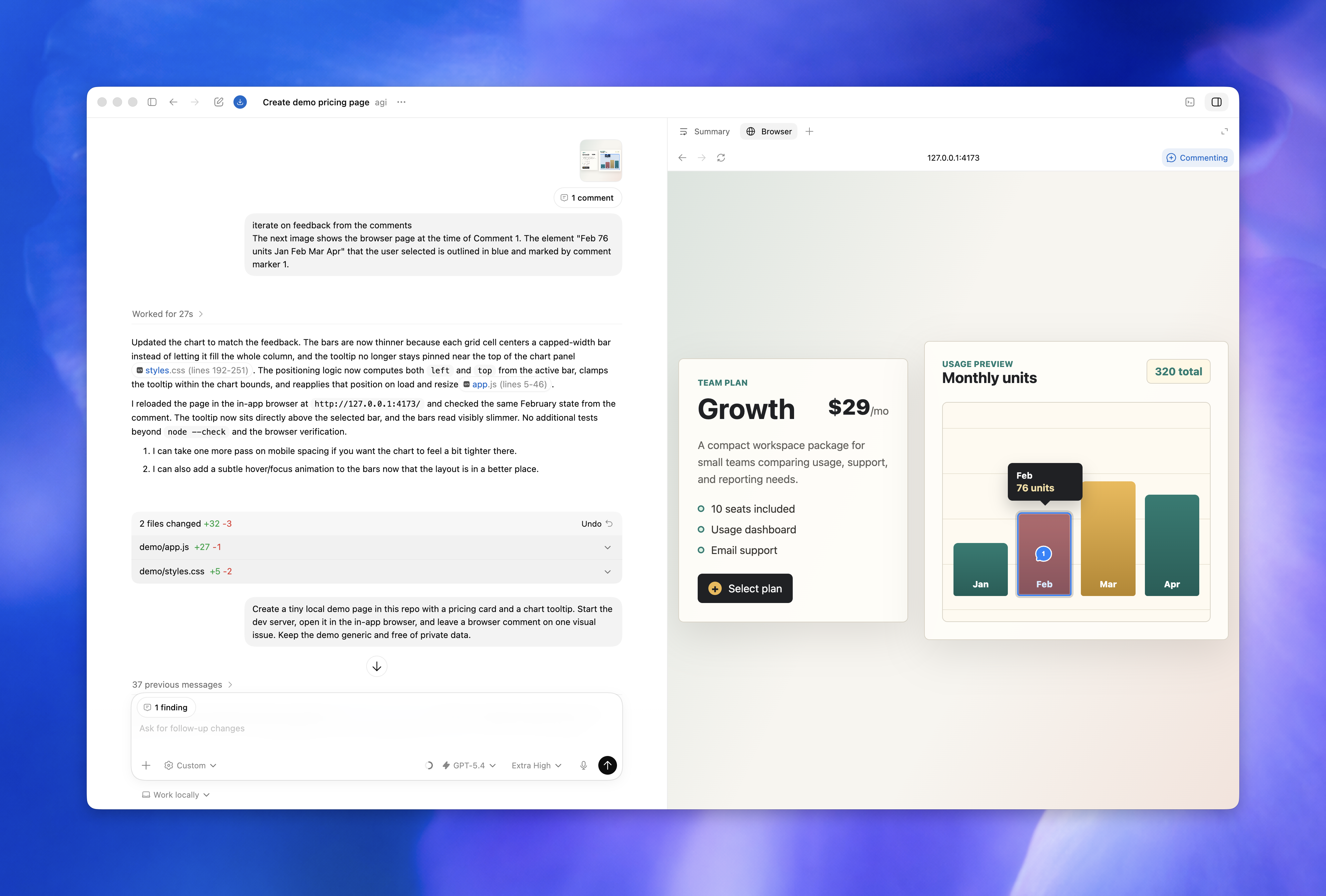
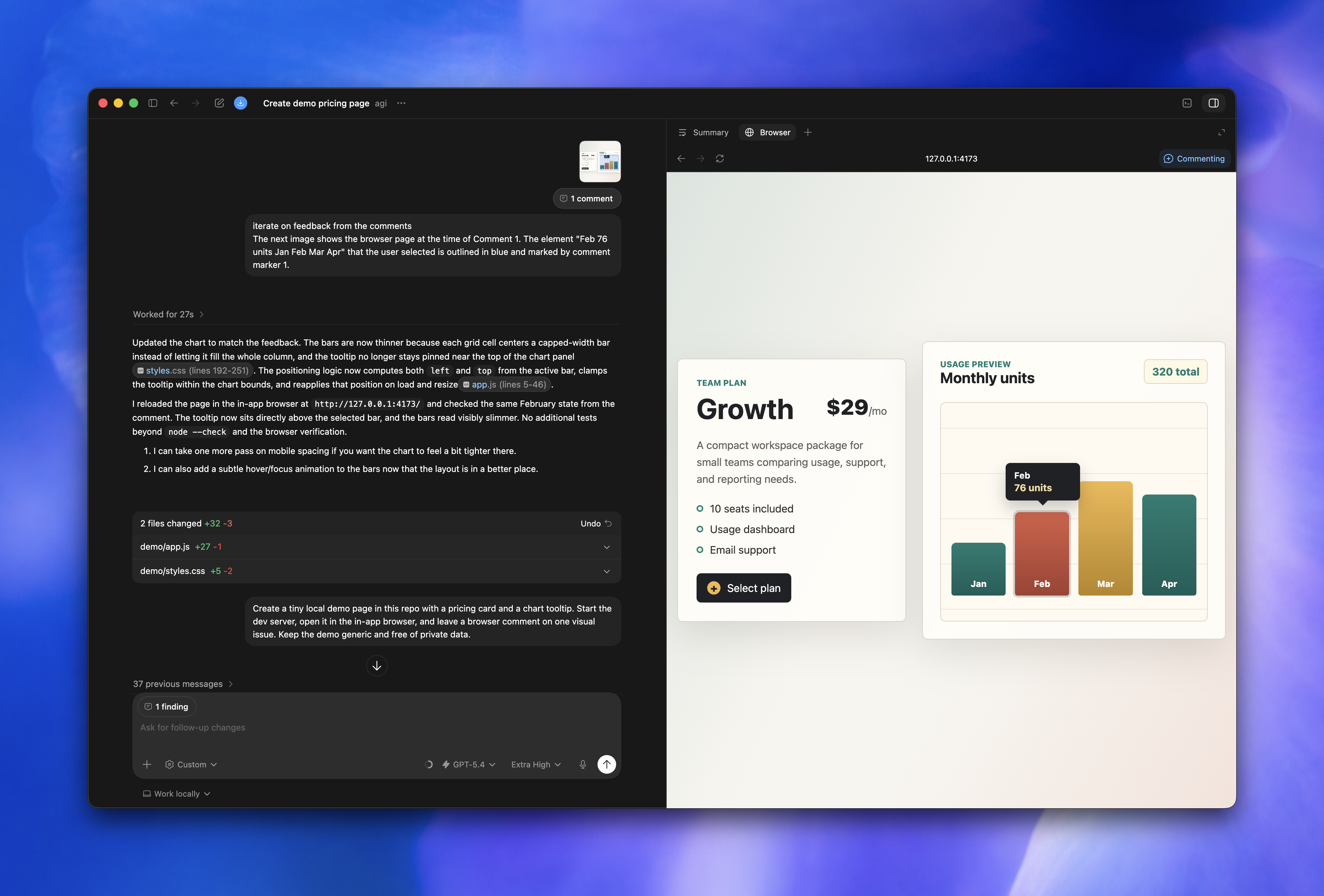
    The Codex app now includes an early in-app browser. You can open local or public pages that don’t require sign-in, comment directly on the rendered page, and ask Codex to address page-level feedback.

    Computer use lets Codex operate macOS apps by seeing, clicking, and typing, which helps with native app testing, simulator flows, low-risk app settings, and GUI-only bugs.

    The feature isn’t available in the European Economic Area, the United Kingdom, or Switzerland at launch.

    Start, follow, and steer work

    Chats are threads you can start without choosing a project folder first. They’re useful for research, writing, planning, analysis, source gathering, and tool-driven work that doesn’t begin in a codebase.

    For work that needs a later check-in, thread automations can wake up the same thread on a schedule while preserving the conversation context. Use them to check a long-running process, watch for updates, or continue a follow-up loop without starting from scratch.

    The task sidebar makes plans, sources, generated artifacts, and summaries easier to follow while Codex works. Context-aware suggestions can also help you pick up relevant follow-ups when you start or return to Codex.

    Stronger for software development

    Codex now brings more of the pull request workflow into the app. You can inspect GitHub pull requests in the sidebar, review comments in the diff, review changed files, then ask Codex to explain feedback, make changes, check them, and keep the review moving.

    Review richer outputs

    The artifact viewer can preview generated files such as PDF files, spreadsheets, documents, and presentations in the sidebar before you commit or share them. Memories, where available, can also carry useful context from past tasks into future threads, including stable preferences, project conventions, and recurring work patterns.

    Other features

  • Codex app 26.410

    New features
    • Added command-menu file search, including Cmd+P routing into workspace file search.
    • Added rich previews in the sidebar file viewer for images, PDFs, and Markdown.
    • Added terminal tabs per thread, a selected-text Ask Codex overlay, and a Help menu feedback entry.

    Performance improvements and bug fixes

    • Improved review diff whitespace handling and search highlighting.
    • Fixed in-app browser address bar and external-open issues, plus several file viewer and side-panel bugs.
    • Additional performance improvements and bug fixes.
  • Codex app 26.409

    New features
    • Added Windows Store updater support.
    • Expanded pull request workflows with an activity timeline, PR-page commenting, and push choices in the push modal.
    • Added workspace file tabs in the thread side panel, drag-and-drop tab reordering, run action editing, and a logout confirmation dialog.

    Performance improvements and bug fixes

    • Improved pull request board performance and comment flyouts.
    • Improved update and navigation resilience, and fixed projectless visibility, unread-state, and pinned-row edge cases.
    • Additional performance improvements and bug fixes.
  • Codex app 26.406

    New features
    • Added collapsible inline review comments and inline or detached review modes.
    • Added a Git summary and Sources section in the thread side panel.
    • Added a New Quick Chat command and local video embeds in the app.

    Performance improvements and bug fixes

    • Preserved thread scroll position per conversation and unread state across windows.
    • Improved review refresh reliability, and fixed dictation loss, right-panel reset, and GitHub reconnect messaging.
    • Additional performance improvements and bug fixes.
  • Codex model availability update

    We’re updating model availability for users who sign in with ChatGPT. Starting April 7, the model picker no longer shows gpt-5.2-codex, gpt-5.1-codex-mini, gpt-5.1-codex-max, gpt-5.1-codex, gpt-5.1, or gpt-5. On April 14, we’ll remove those models from Codex for ChatGPT sign-in.

    Users can still choose from gpt-5.4, gpt-5.4-mini, gpt-5.3-codex, and gpt-5.2. ChatGPT Pro users can also choose gpt-5.3-codex-spark.

    To use another API-supported model in Codex, sign in with an API key or configure a model provider.

  • Codex app 26.325, 26.331, 26.401

    New features

    • Added workspace settings to the app.
    • Added “Don’t ask again” handling and polish for custom MCP approval panels.
    • Added native Windows updater support, including MSIX support, plus a Windows system tray menu so Codex can stay resident after the last window closes.
    • Added app and file @ mentions in the automation composer, surfaced subagent diff stats in the composer, and added artifact cards for generated file citations.
    • Added a Quick Chat app-menu shortcut, a review file tree open menu, early heartbeat automation affordances in threads, and image support for remote connections.

    Performance improvements and bug fixes

    • Fixed review panel scroll jumps and PR status actions while a conversation is still running.
    • Fixed several multi-window issues, plus @-mention results, duplicate project labeling, Windows runGit behavior, and revert, unstage, and stage-all actions.
    • Improved remote-thread and sidebar polish, Windows update recovery, unsupported-version guidance, and overall thread search speed.
    • Fixed sticky review issues such as diff hunk expansion, header overlap, archive-thread crashes, and window-zoom shell sizing.
    • Additional performance improvements and bug fixes.

March 2026

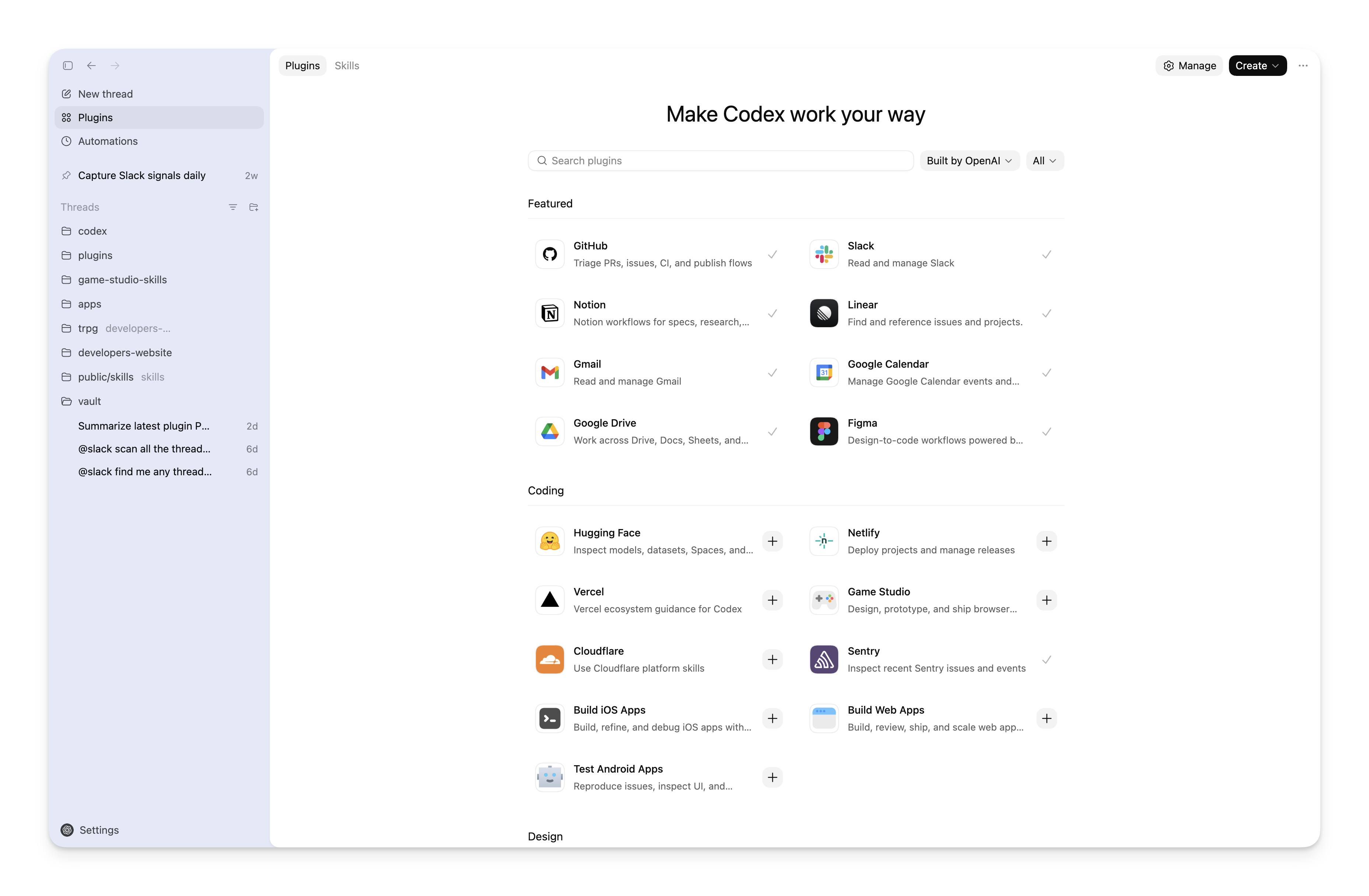
  • Build and install plugins in Codex

    Codex now supports plugins: installable bundles that package skills, app integrations, and MCP server configuration for reusable workflows.

    Plugins are available in the Codex app, CLI, and IDE extensions.

    You can install curated plugins from the plugin directory, or scaffold a local plugin with @plugin-creator and test it with workspace-scoped or home-scoped marketplaces.

    Learn more in the plugins documentation.

    Plugin structure

    Every plugin is a folder with a required .codex-plugin/plugin.json manifest and optional supporting files:

    my-plugin/
      .codex-plugin/
        plugin.json   # Required: plugin manifest
      skills/         # Optional: packaged skills
      .app.json       # Optional: app or connector mappings
      .mcp.json       # Optional: MCP server configuration
      assets/         # Optional: icons, logos, screenshots

    Install plugins per-user or per-repo

    You can install plugins for just yourself with ~/.agents/plugins/marketplace.json and ~/.codex/plugins/, or for everyone on a project with .agents/plugins/marketplace.json and a repo-local plugin directory such as ./plugins/.

    Curated plugins and local development

    Codex surfaces curated public plugins in the plugin directory. Codex also ships with the built-in @plugin-creator skill to help you scaffold a plugin, add a local marketplace entry, and test it before sharing it with teammates.

  • Codex app 26.324

    New features

    • Redesigned the skills and plugins browse and manage pages.
    • Added per-window zoom and a clearer edited-files state in review.
    • Added automation titles and icons in the sidebar, plus bundled Raycast themes.

    Performance improvements and bug fixes

    • Kept loaded threads and projects visible during reconnects and made navigation feel faster.
    • Fixed archive freezes, markdown wrapping, hotkey-window regressions, and several permissions, terminal, and worktree issues.
    • Additional performance improvements and bug fixes.
  • Codex app 26.323

    New features

    • Added search for past Codex app threads, including a sidebar shortcut and keyboard shortcuts for jumping to recent threads.
    • Added a one-click option to archive all local threads in a project.
    • Synced key settings between the Codex app and the VS Code extension, and added a settings entry point in the extension.

    Performance improvements and bug fixes

    • Additional performance improvements and bug fixes.
  • Codex app 26.320

    New features

    • Added Floating Composer v2.
    • Added terminal shortcuts for jumping by word and line.
    • Improved plugin discovery surfaces and file-path rendering for saved images.

    Performance improvements and bug fixes

    • Fixed sidebar crashes when subagent turn items are missing.
    • Fixed pop-out thread routing and preserved local paths for composer image attachments.
    • Additional performance improvements and bug fixes.
  • Codex app 26.318, 26.319

    New features

    • Added skills to the @ menu so you can insert them from the composer alongside other mentions.
    • Cmd/Ctrl+F now starts with your current text selection, which makes searching reviews and diffs faster, alongside broader review navigation improvements such as a refreshed file tree and percentage-based file tree resizing.
    • Added a branded loading shimmer while the app starts.

    Performance improvements and bug fixes

    • Improved collapsed diff summaries in review.
    • Fixed slash-command focus and composer alignment issues, and polished plugin cards and step details.
    • Additional performance improvements and bug fixes.
  • Codex app 26.317

    New features

    • You can now fork a conversation from an earlier message, not just the latest turn.
    • Added slash commands for switching models and reasoning levels, and made slash commands work in the middle of a draft prompt.
    • Added notifications for plan mode questions so it’s easier to notice when Codex needs input.

    Performance improvements and bug fixes

    • Fixed thread handoff and subagent navigation issues across worktrees and the VS Code extension.
    • Additional performance improvements and bug fixes.
  • Introducing GPT-5.4 mini in Codex

    GPT-5.4 mini is now available in Codex as a fast, efficient model for lighter coding tasks and subagents.

    It improves over GPT-5 mini across coding, reasoning, image understanding, and tool use while running more than 2x faster. In Codex, GPT-5.4 mini uses 30% as much of your included limits as GPT-5.4, so comparable tasks can last about 3.3x longer before you hit those limits.

    GPT-5.4 mini is available in the Codex app, the CLI, the IDE extension, and Codex on the web. GPT-5.4 mini is also available in the API.

    Use GPT-5.4 mini for codebase exploration, large-file review, processing supporting documents, and other less reasoning-intensive subagent work. For more complex planning, coordination, and final judgment, start with GPT-5.4.

    To switch to GPT-5.4 mini:

    • In the CLI, start a new thread with:
      codex --model gpt-5.4-mini
      Or use /model during a session.
    • In the IDE extension, choose GPT-5.4 mini from the model selector in the composer.
    • In the Codex app, choose GPT-5.4 mini from the model selector in the composer.

    If you don’t see GPT-5.4 mini yet, update the CLI, IDE extension, or Codex app to the latest version.

  • Codex app 26.313

    New features

    • Added back and forward buttons in the header so you can move between recent screens more quickly.
    • Added an Open in Finder, Open in Explorer, or Open in File Manager action from thread menus to jump straight to a thread’s project folder.

    Performance improvements and bug fixes

    • Improved resume and thread error toasts with clearer details when something goes wrong.
    • Additional performance improvements and bug fixes.
  • Codex app 26.312

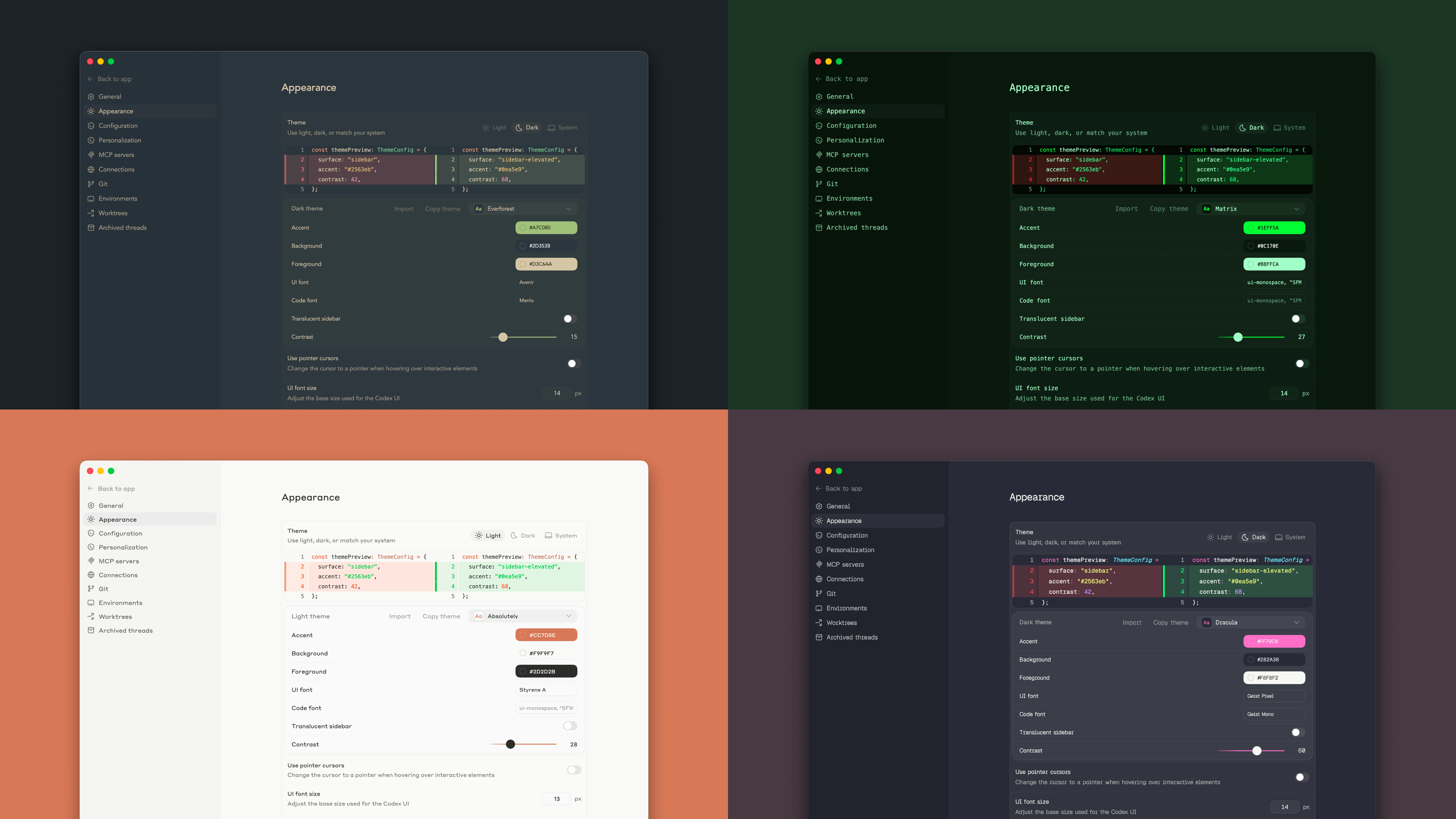
    Themes

    Change the Codex app appearance in Settings by choosing a base theme, adjusting accent, background, and foreground colors, and changing the UI and code fonts. You can also share your custom theme with friends.

    Revamped Automations

    You can now choose whether automations run locally or on a worktree, define custom reasoning levels and models, and use templates to find inspiration for new automations.

    Performance improvements and bug fixes

    Various bug fixes and performance improvements.

  • Codex app 26.311

    New features

    • Codex can now read the integrated terminal for the current thread, so it can check the status of a running development server or refer back to failed build output while it works with you.

    Performance improvements and bug fixes

    • Additional performance improvements and bug fixes.
  • Introducing GPT-5.4 in Codex

    GPT-5.4 is now available in Codex as OpenAI’s most capable and efficient frontier model for professional work.

    It combines recent advances in reasoning, coding, and agentic workflows in one model, and it’s the recommended choice for most Codex tasks.

    In Codex, GPT-5.4 is the first general-purpose model with native computer-use capabilities. GPT-5.4 in Codex includes experimental support for the 1M context window. It supports complex workflows across applications and long-horizon tasks, with stronger tool use and tool search that help agents find and use the right tools more efficiently.

    GPT-5.4 is available everywhere you can use Codex: the Codex app, the CLI, the IDE extension, and Codex Cloud on the web. GPT-5.4 is also available in the API.

    To switch to GPT-5.4:

    • In the CLI, start a new thread with:
      codex --model gpt-5.4
      Or use /model during a session.
    • In the IDE extension, choose GPT-5.4 from the model selector in the composer.
    • In the Codex app, choose GPT-5.4 from the model selector in the composer.

    If you don’t see GPT-5.4 yet, update the CLI, IDE extension, or Codex app to the latest version.

  • Codex app 26.305

    Performance improvements and bug fixes

    • Improved remote connections with clearer connection errors, better status updates, and clearer host labels in thread and settings views.
    • Fixed copy and paste shortcuts in the integrated terminal on Windows.
    • Fixed an issue where archived pinned threads could reappear in the sidebar.
    • Fixed an issue where repeated codex://new links could stop prefilling a new conversation when the app was already open.
    • Additional performance improvements and bug fixes.
  • Codex app 26.304

    Codex app for Windows

    The Codex app is now available on Windows. The app gives you one interface for working across projects, running parallel agent threads, and reviewing results in one place.

    The Codex app runs natively on Windows using PowerShell and a native Windows sandbox for bounded permissions, so you can use Codex on Windows without moving your workflow into WSL, onto a virtual machine, or by deactivating the sandbox.

    The Windows app includes the same core features as the rest of the Codex app:

    • Skills to discover and extend Codex capabilities.
    • Automations to run work in the background.
    • Worktrees to handle independent tasks in the same project.

    If you prefer to develop in WSL, you can also switch the Codex agent and the integrated terminal to run there.

    Download it from the Microsoft Store and sign in with your ChatGPT account or an API key. For setup and configuration details, see Setup, Use WSL with the Codex app, and Customize the app for your development setup.

  • Codex app 26.303

    New features

    • Added a Worktrees setting to turn automatic cleanup of Codex-managed worktrees on or off.
    • Added Handoff support for moving a thread between Local and Worktree.
    • Added an explicit English option in the language menu.

    Performance improvements and bug fixes

    • Improved GitHub and pull request workflows.
    • Improved approval prompts and app connection sign-in flows.
    • Additional performance improvements and bug fixes.

February 2026

  • Codex app 26.228

    Performance improvements and bug fixes

    • Fixed a regression where conversation and task views could stop updating while Codex was streaming a response.
    • Additional performance improvements and bug fixes.
  • Codex app 26.227

    New features

    • Added pull request status badges in task rows and PR buttons, including draft, open, merged, and closed states.
    • Added a Worktrees setting to choose how many Codex-managed worktrees to keep before older ones are cleaned up.

    Performance improvements and bug fixes

    • Improved scrolling and navigation in long conversations and code review, including fixes for thread jumpiness, sidebar jitter, and diff scrolling.
    • Improved app startup reliability and keyboard zoom behavior.
    • Additional performance improvements and bug fixes.
  • Codex app 26.226

    New features

    • Added new MCP shortcuts in the composer, including install keyword suggestions and an MCP server submenu in Add context.
    • Added support for @mentions and skill mentions in inline review comments.

    Performance improvements and bug fixes

    • Improved rendering of MCP tool calls and Mermaid diagram error handling.
    • Fixed an issue where stopped terminal commands could continue appearing as running.
    • Additional performance improvements and bug fixes.
  • Codex app 26.217

    New features

    • Added drag-and-drop support to reorder queued messages.
    • Added a warning when the selected model is downgraded.

    Improvements and bug fixes

    • Improved file workflows with fuzzy file search and better attachment recovery after restart.
    • Additional performance improvements and bug fixes.
  • Introducing GPT-5.3-Codex-Spark

    Today, we’re releasing a research preview of GPT-5.3-Codex-Spark, a smaller version of GPT-5.3-Codex and our first model designed for real-time coding. Codex-Spark is optimized to feel near-instant, delivering more than 1000 tokens per second while remaining highly capable for real-world coding tasks.

    Codex-Spark is available in research preview for ChatGPT Pro users in the latest Codex app, CLI, and IDE extension. This release also marks the first milestone in our partnership with Cerebras.

    At launch, Codex-Spark is text-only with a 128k context window. During the research preview, usage has separate model-specific limits and doesn’t count against standard Codex limits. During high demand, access may slow down or queue while we balance reliability across users.

    To switch to GPT-5.3-Codex-Spark:

    • In the CLI, start a new thread with:
      codex --model gpt-5.3-codex-spark
      Or use /model during a session.
    • In the IDE extension, choose GPT-5.3-Codex-Spark from the model selector in the composer.
    • In the Codex app, choose GPT-5.3-Codex-Spark from the model selector in the composer.

    If you don’t see GPT-5.3-Codex-Spark yet, update the CLI, IDE extension, or Codex app to the latest version.

    GPT-5.3-Codex-Spark isn’t available in the API at launch. For API-key workflows, continue using gpt-5.2-codex.

  • Codex app 26.212

    New features

    • Support for GPT-5.3-Codex-Spark
    • Added conversation forking
    • Added floating pop-out window to take a conversation with you

    Bug fixes

    • Improved performance and bug fixes

    Alpha testing for the Codex app on Windows is also starting. Sign up here to be a potential alpha tester.

  • Codex app 26.210

    New features

    • Added branch search in the branch picker.
    • Added clearer guidance for entering plan mode when you type plan in the composer.
    • Added support for parallel approvals.

    Improvements and bug fixes

    • Additional performance improvements and bug fixes.
  • GPT-5.3-Codex in Cursor and VS Code

    Starting today, GPT-5.3-Codex is available natively in Cursor and VS Code.

    API access is starting with a small set of customers as part of a phased release.

    This is the first model treated as a high security capability under the Preparedness Framework.

    Safety controls will continue to scale, and API access will expand over the next few weeks.

  • Codex app 26.208

    New features

    • Added MCP and personality actions to the command palette.
    • Updated follow-up behavior to queue by default.

    Improvements and bug fixes

    • Additional performance improvements and bug fixes.
  • Codex app 26.206

    New features

    • Added a file-reference action to reveal files directly in your OS file manager.

    Improvements and bug fixes

    • Improved handling of large reviews by removing the overall diff-size cap in the review pane.
    • Additional performance improvements and bug fixes.
  • Introducing GPT-5.3-Codex

    Today we’re releasing GPT-5.3-Codex, the most capable agentic coding model to date for complex, real-world software engineering.

    GPT-5.3-Codex combines the frontier coding performance of GPT-5.2-Codex with stronger reasoning and professional knowledge capabilities, and runs 25% faster for Codex users. It’s also better at collaboration while the agent is working—delivering more frequent progress updates and responding to steering in real time.

    GPT-5.3-Codex is available with paid ChatGPT plans everywhere you can use Codex: the Codex app, the CLI, the IDE extension, and Codex Cloud on the web. API access for the model will come soon.

    To switch to GPT-5.3-Codex:

    • In the CLI, start a new thread with:
      codex --model gpt-5.3-codex
      Or use /model during a session.
    • In the IDE extension, make sure you are signed in with ChatGPT, then choose GPT-5.3-Codex from the model selector in the composer.
    • In the Codex app, make sure you are signed in with ChatGPT, then choose GPT-5.3-Codex from the model selector in the composer.
    • If you don’t see GPT-5.3-Codex, update the CLI, IDE extension, or Codex app to the latest version.

    For API-key workflows, continue using gpt-5.2-codex while API support rolls out.

  • Codex app 26.205

    New features

    • Support for GPT-5.3-Codex.
    • Added mid-turn steering. Submit a message while Codex is working to direct its behavior.
    • Attach or drop any file type.

    Bug fixes

    • Fix flickering of the app.
  • Codex app 26.204

    New features

    • Added Zed and Textmate as options to open files and folders.
    • Added PDF preview in the review panel.

    Bug fixes

    • Performance improvements.
  • Codex app 26.203

    New features

    • Added thread renaming on double-click in the thread list.

    Improvements and bug fixes

    • Renamed Sync to Handoff and added clearer source/destination stats in the handoff UI.
    • Additional performance improvements and bug fixes.
  • Introducing the Codex app

    Codex app

    The Codex app for macOS is a desktop interface for running agent threads in parallel and collaborating with agents on long-running tasks. It includes a project sidebar, thread list, and review pane for tracking work across projects.

    Key features:

    For a limited time, ChatGPT Free and Go include Codex, and Plus, Pro, Business, Enterprise, and Edu plans get double rate limits. Those higher limits apply in the app, the CLI, your IDE, and the cloud.

    Learn more in the Introducing the Codex app blog post.

    Check out the Codex app documentation for more.

January 2026

  • Web search is now enabled by default

    Codex now enables web search for local tasks in the Codex CLI and IDE Extension. By default, Codex uses a web search cache, which is an OpenAI-maintained index of web results. Cached mode returns pre-indexed results instead of fetching live pages, while live mode fetches the most recent data from the web. If you are using --yolo or another full access sandbox setting, web search defaults to live results. To disable this behavior or switch modes, use the web_search configuration option:

    • web_search = "cached" (default; serves results from the web search cache)
    • web_search = "live" (fetches the most recent data from the web; same as --search)
    • web_search = "disabled" to remove the tool

    To learn more, check out the configuration documentation.

  • Team Config for shared configuration

    Team Config groups the files teams use to standardize Codex across repositories and machines. Use it to share:

    • config.toml defaults
    • rules/ for command controls outside the sandbox
    • skills/ for reusable workflows

    Codex loads these layers from .codex/ folders in the current working directory, parent folders, and the repo root, plus user (~/.codex/) and system (/etc/codex/) locations. Higher-precedence locations override lower-precedence ones.

    Admins can still enforce constraints with requirements.toml, which overrides defaults regardless of location.

    Learn more in Team Config.

  • Custom prompts deprecated

    Custom prompts are now deprecated. Use skills for reusable instructions and workflows instead.

  • GPT-5.2-Codex API availability

    GPT-5.2-Codex is now available in the API and for users who sign into Codex with the API.

    To learn more about using GPT-5.2-Codex check out our API documentation.

December 2025

  • Agent skills in Codex

    Codex now supports agent skills: reusable bundles of instructions (plus optional scripts and resources) that help Codex reliably complete specific tasks.

    Skills are available in both the Codex CLI and IDE extensions.

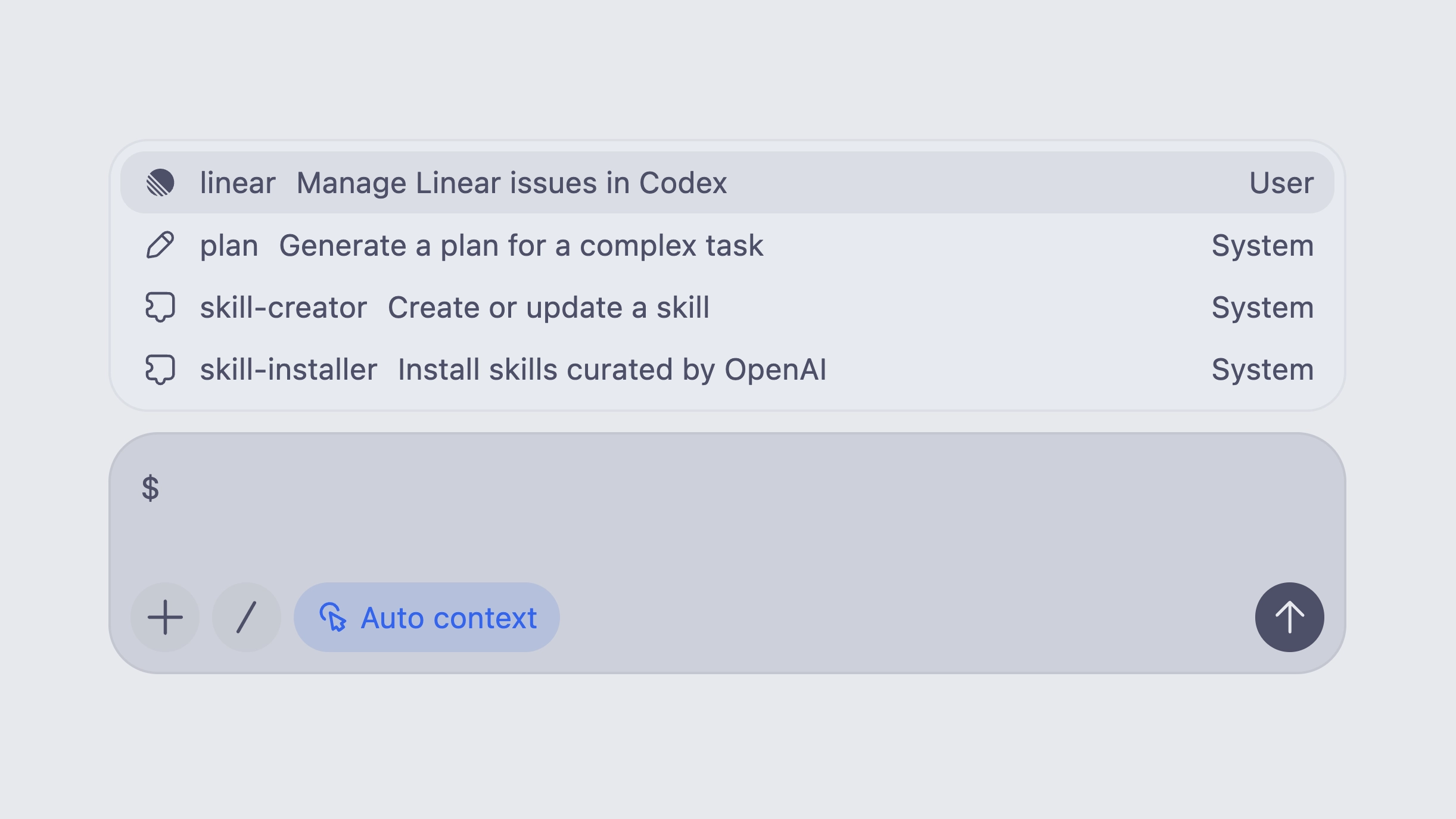
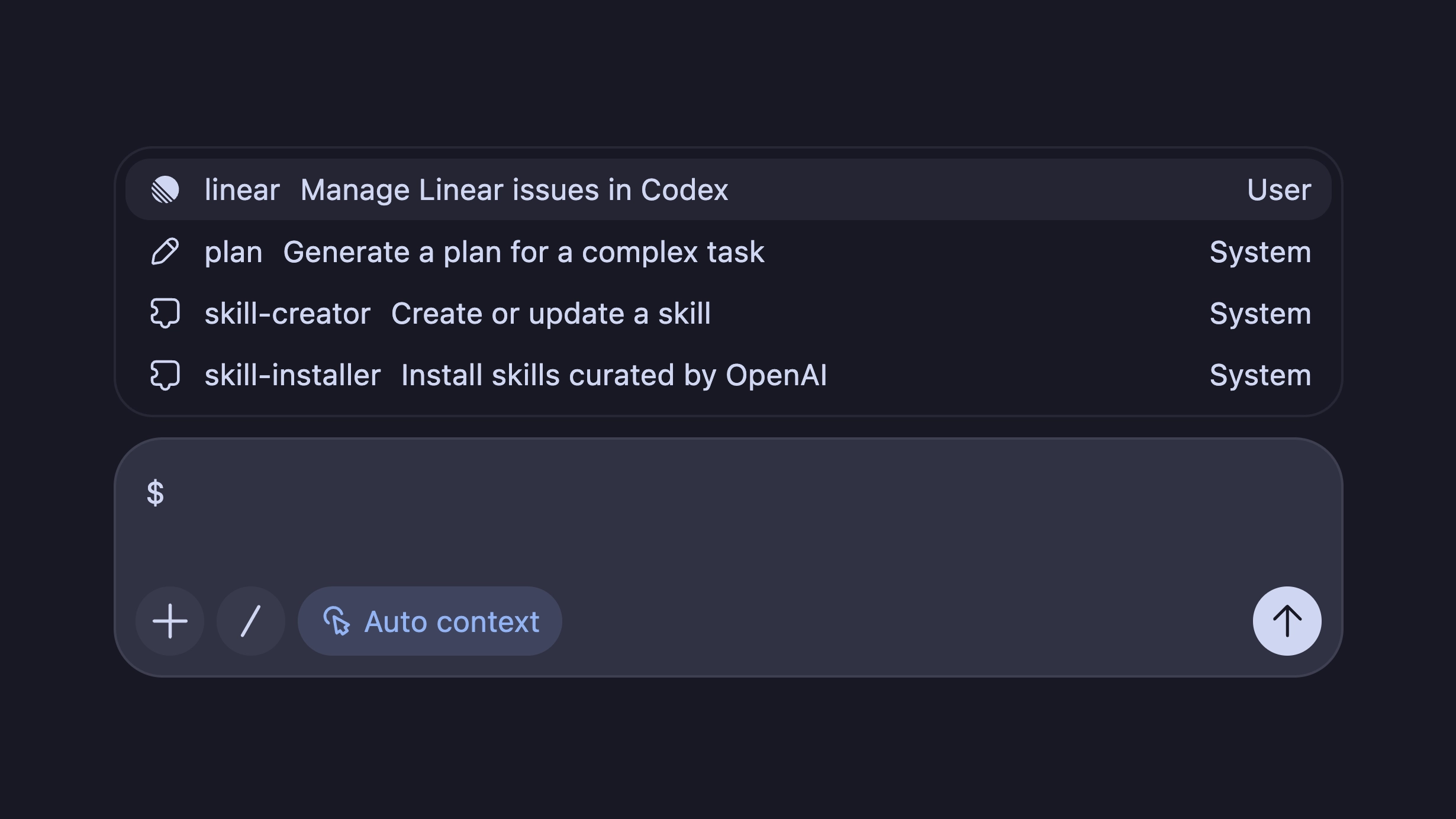
    You can invoke a skill explicitly by typing $skill-name (for example, $skill-installer or the experimental $create-plan skill after installing it), or let Codex select a skill automatically based on your prompt.

    Learn more in the skills documentation.

    Folder-based standard (agentskills.io)

    Following the open agent skills specification, a skill is a folder with a required SKILL.md and optional supporting files:

    my-skill/
      SKILL.md       # Required: instructions + metadata
      scripts/       # Optional: executable code
      references/    # Optional: documentation
      assets/        # Optional: templates, resources

    Install skills per-user or per-repo

    You can install skills for just yourself in ~/.codex/skills, or for everyone on a project by checking them into .codex/skills in the repository.

    Codex also ships with a few built-in system skills to get started, including $skill-creator and $skill-installer. The $create-plan skill is experimental and needs to be installed (for example: $skill-installer install the create-plan skill from the .experimental folder).

    Curated skills directory

    Codex ships with a small curated set of skills inspired by popular workflows at OpenAI. Install them with $skill-installer, and expect more over time.

  • Introducing GPT-5.2-Codex

    Today we are releasing GPT-5.2-Codex, the most advanced agentic coding model yet for complex, real-world software engineering.

    GPT-5.2-Codex is a version of GPT-5.2 further optimized for agentic coding in Codex, including improvements on long-horizon work through context compaction, stronger performance on large code changes like refactors and migrations, improved performance in Windows environments, and significantly stronger cybersecurity capabilities.

    Starting today, the CLI and IDE Extension will default to gpt-5.2-codex for users who are signed in with ChatGPT. API access for the model will come soon.

    If you have a model specified in your config.toml configuration file, you can instead try out gpt-5.2-codex for a new Codex CLI session using:

    codex --model gpt-5.2-codex

    You can also use the /model slash command in the CLI. In the Codex IDE Extension you can select GPT-5.2-Codex from the dropdown menu.

    If you want to switch for all sessions, you can change your default model to gpt-5.2-codex by updating your config.toml configuration file:

    model = "gpt-5.2-codex”
  • Introducing Codex for Linear

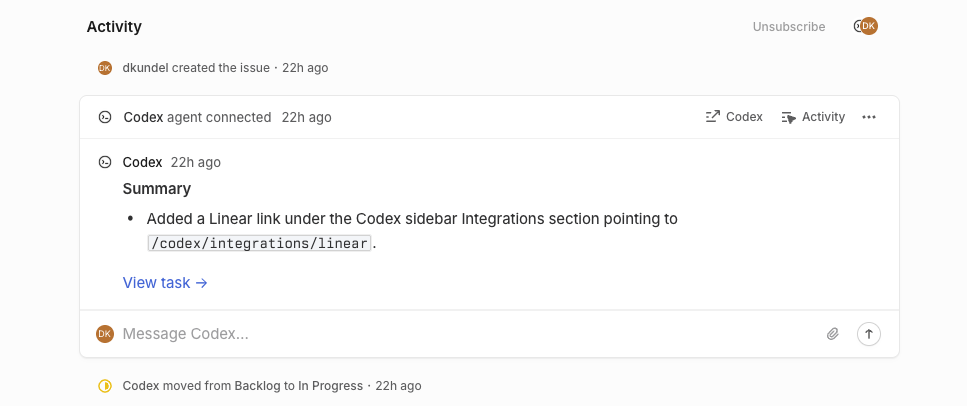
    Assign or mention @Codex in an issue to kick-off a Codex cloud task. As Codex works, it posts updates back to Linear, providing a link to the completed task so you can review, open a PR, or keep working.

    Screenshot of a successful Codex task started in Linear

    To learn more about how to connect Codex to Linear both locally through MCP and through the new integration, check out the Codex for Linear documentation.

November 2025

  • Usage and credits fixes

    Minor updates to address a few issues with Codex usage and credits:

    • Adjusted all usage dashboards to show “limits remaining” for consistency. The CLI previously displayed “limits used.”
    • Fixed an issue preventing users from buying credits if their ChatGPT subscription was purchased via iOS or Google Play.
    • Fixed an issue where the CLI could display stale usage information; it now refreshes without needing to send a message first.
    • Optimized the backend to help smooth out usage throughout the day, irrespective of overall Codex load or how traffic is routed. Before, users could get unlucky and hit a few cache misses in a row, leading to much less usage.
  • Introducing GPT-5.1-Codex-Max

    Today we are releasing GPT-5.1-Codex-Max, our new frontier agentic coding model.

    GPT‑5.1-Codex-Max is built on an update to our foundational reasoning model, which is trained on agentic tasks across software engineering, math, research, and more. GPT‑5.1-Codex-Max is faster, more intelligent, and more token-efficient at every stage of the development cycle–and a new step towards becoming a reliable coding partner.

    Starting today, the CLI and IDE Extension will default to gpt-5.1-codex-max for users that are signed in with ChatGPT. API access for the model will come soon.

    For non-latency-sensitive tasks, we’ve also added a new Extra High (xhigh) reasoning effort, which lets the model think for an even longer period of time for a better answer. We still recommend medium as your daily driver for most tasks.

    If you have a model specified in your config.toml configuration file, you can instead try out gpt-5.1-codex-max for a new Codex CLI session using:

    codex --model gpt-5.1-codex-max

    You can also use the /model slash command in the CLI. In the Codex IDE Extension you can select GPT-5.1-Codex from the dropdown menu.

    If you want to switch for all sessions, you can change your default model to gpt-5.1-codex-max by updating your config.toml configuration file:

    model = "gpt-5.1-codex-max”
  • Introducing GPT-5.1-Codex and GPT-5.1-Codex-Mini

    Along with the GPT-5.1 launch in the API, we are introducing new gpt-5.1-codex-mini and gpt-5.1-codex model options in Codex, a version of GPT-5.1 optimized for long-running, agentic coding tasks and use in coding agent harnesses in Codex or Codex-like harnesses.

    Starting today, the CLI and IDE Extension will default to gpt-5.1-codex on macOS and Linux and gpt-5.1 on Windows.

    If you have a model specified in your config.toml configuration file, you can instead try out gpt-5.1-codex for a new Codex CLI session using:

    codex --model gpt-5.1-codex

    You can also use the /model slash command in the CLI. In the Codex IDE Extension you can select GPT-5.1-Codex from the dropdown menu.

    If you want to switch for all sessions, you can change your default model to gpt-5.1-codex by updating your config.toml configuration file:

    model = "gpt-5.1-codex”
  • Introducing GPT-5-Codex-Mini

    Today we are introducing a new gpt-5-codex-mini model option to Codex CLI and the IDE Extension. The model is a smaller, more cost-effective, but less capable version of gpt-5-codex that provides approximately 4x more usage as part of your ChatGPT subscription.

    Starting today, the CLI and IDE Extension will automatically suggest switching to gpt-5-codex-mini when you reach 90% of your 5-hour usage limit, to help you work longer without interruptions.

    You can try the model for a new Codex CLI session using:

    codex --model gpt-5-codex-mini

    You can also use the /model slash command in the CLI. In the Codex IDE Extension you can select GPT-5-Codex-Mini from the dropdown menu.

    Alternatively, you can change your default model to gpt-5-codex-mini by updating your config.toml configuration file:

    model = "gpt-5-codex-mini”
  • GPT-5-Codex model update

    We’ve shipped a minor update to GPT-5-Codex:

    • More reliable file edits with apply_patch.
    • Fewer destructive actions such as git reset.
    • More collaborative behavior when encountering user edits in files.
    • 3% more efficient in time and usage.

October 2025

  • Credits on ChatGPT Pro and Plus

    Codex users on ChatGPT Plus and Pro can now use on-demand credits for more Codex usage beyond what’s included in your plan. Learn more.

  • Tag @Codex on GitHub Issues and PRs

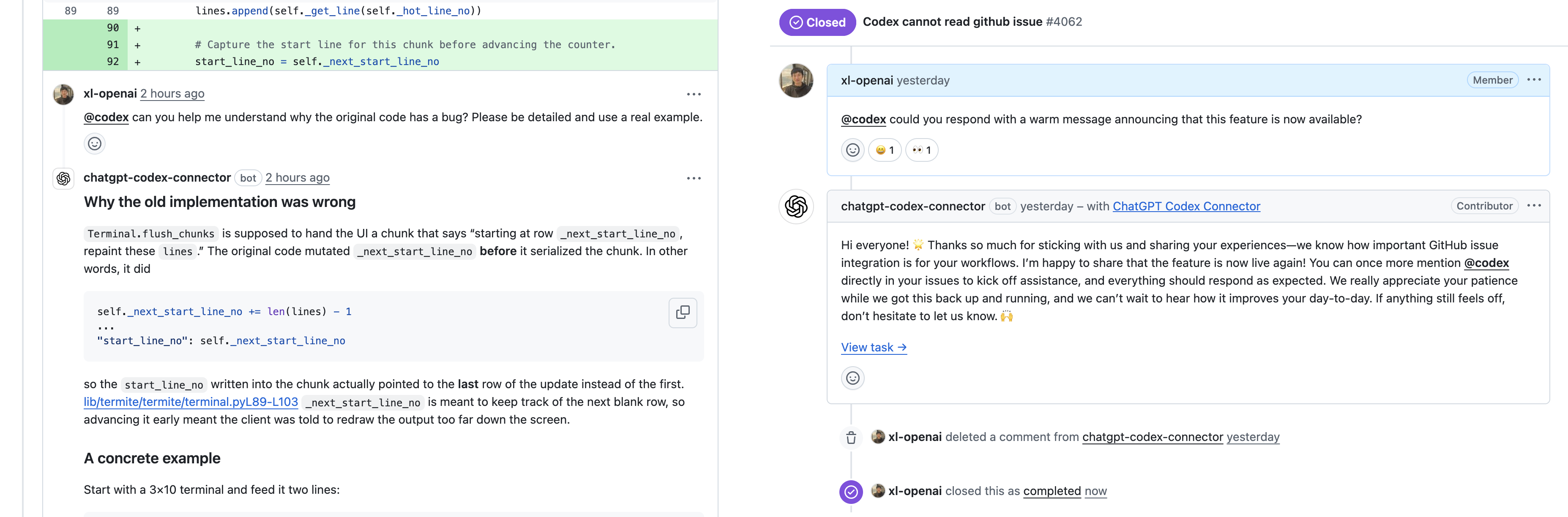
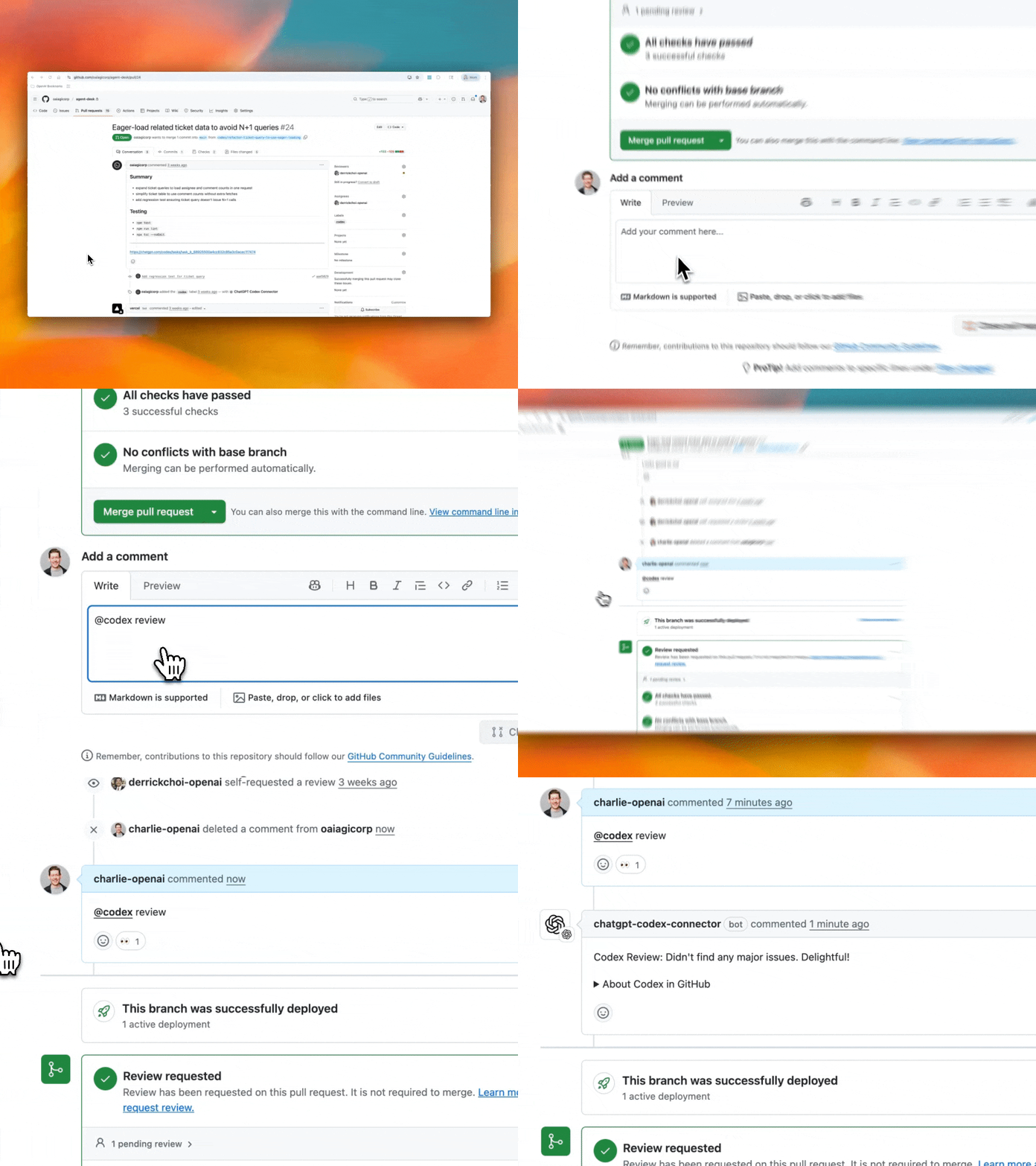
    You can now tag @codex on a teammate’s pull request to ask clarifying questions, request a follow-up, or ask Codex to make changes. GitHub Issues now also support @codex mentions, so you can kick off tasks from any issue, without leaving your workflow.

    Codex responding to a GitHub pull request and issue after an @Codex mention.

  • Codex is now GA

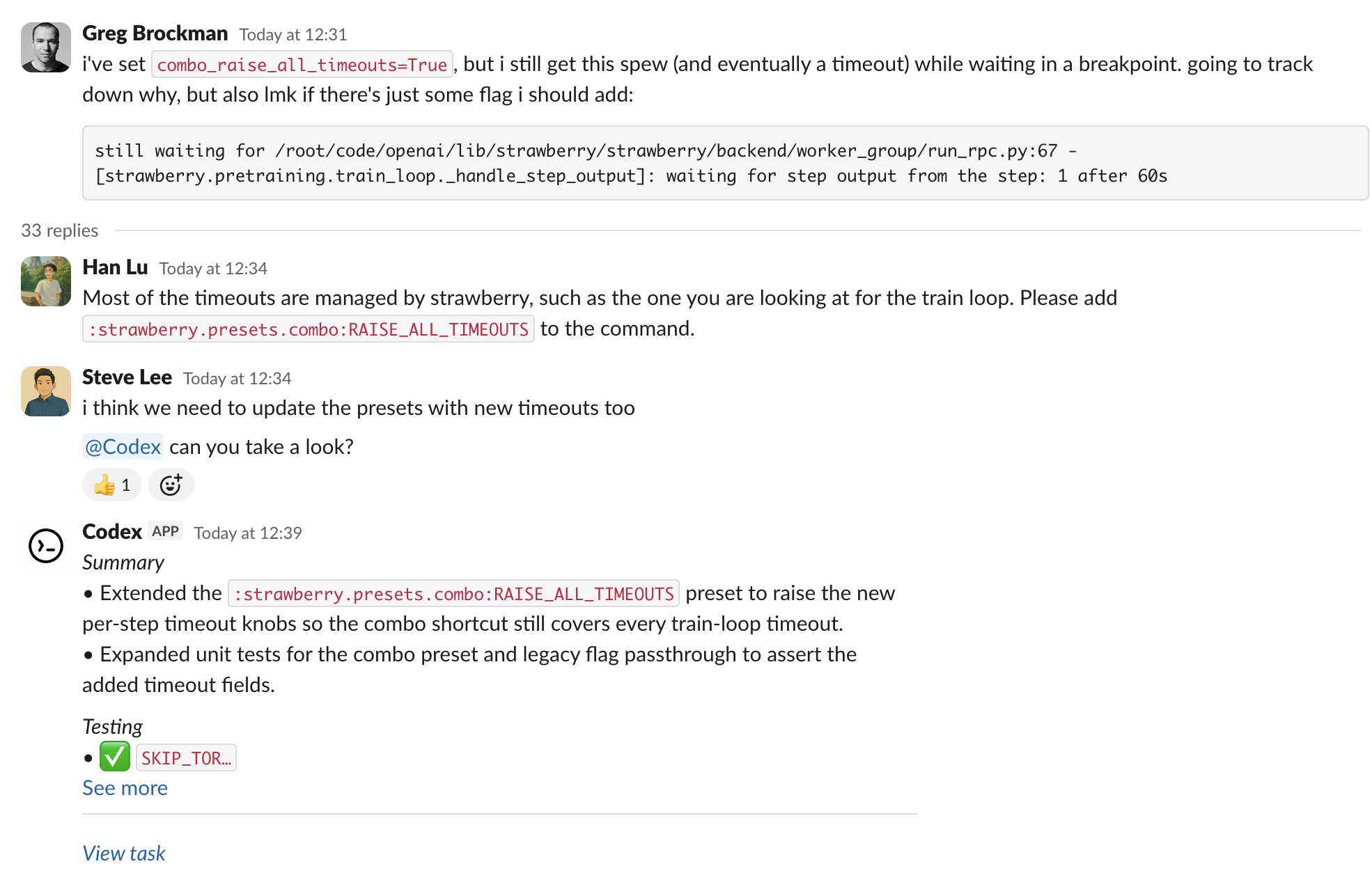
    Codex is now generally available with 3 new features — @Codex in Slack, Codex SDK, and new admin tools.

    @Codex in Slack

    You can now questions and assign tasks to Codex directly from Slack. See the Slack guide to get started.

    Codex SDK

    Integrate the same agent that powers the Codex CLI inside your own tools and workflows with the Codex SDK in Typescript. With the new Codex GitHub Action, you can easily add Codex to CI/CD workflows. See the Codex SDK guide to get started.

    import { Codex } from "@openai/codex-sdk";
    
    const agent = new Codex();
    const thread = await agent.startThread();
    
    const result = await thread.run("Explore this repo");
    console.log(result);
    
    const result2 = await thread.run("Propose changes");
    console.log(result2);

    New admin controls and analytics

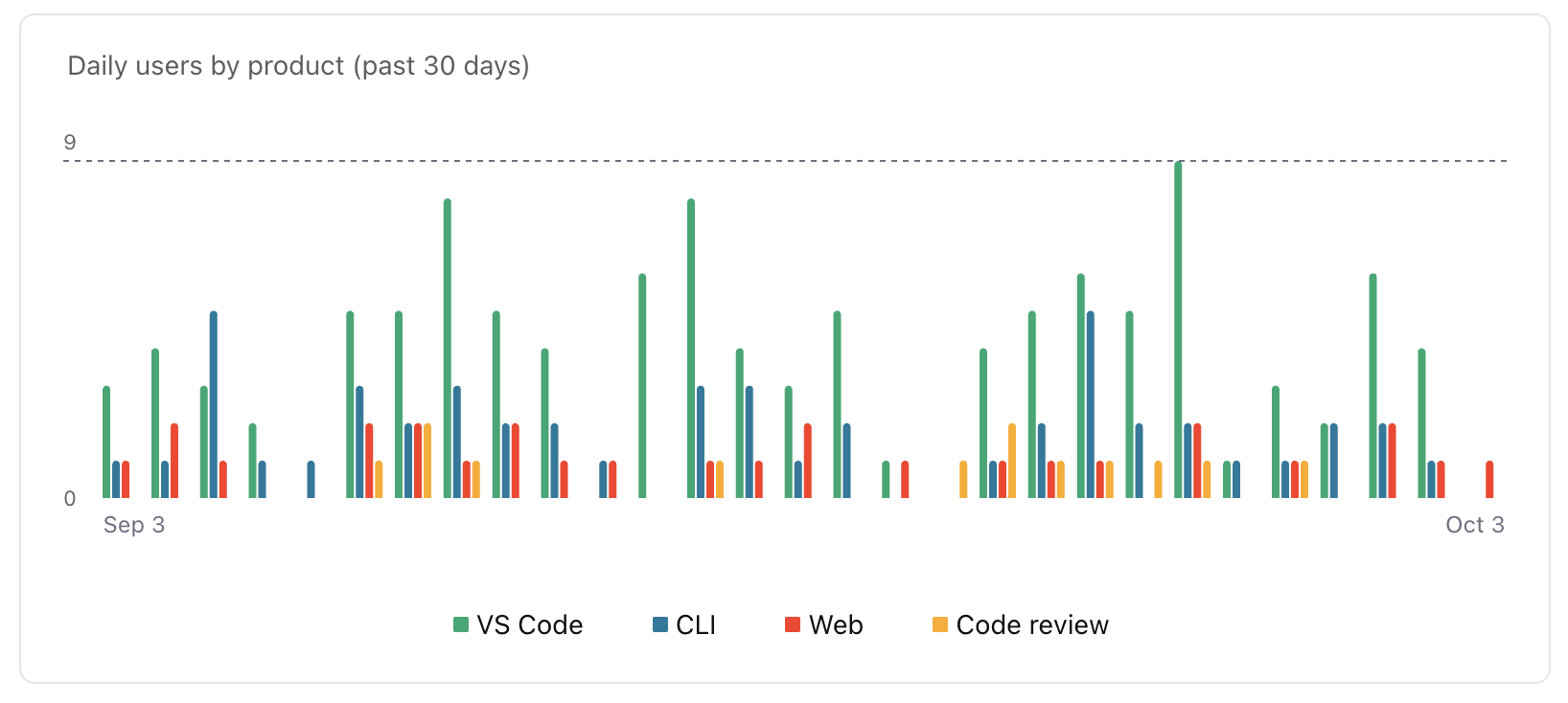
    ChatGPT workspace admins can now edit or delete Codex Cloud environments. With managed config files, they can set safe defaults for CLI and IDE usage and monitor how Codex uses commands locally. New analytics dashboards help you track Codex usage and code review feedback. Learn more in the enterprise admin guide.

    Availability and pricing updates

    The Slack integration and Codex SDK are available to developers on ChatGPT Plus, Pro, Business, Edu, and Enterprise plans starting today, while the new admin features will be available to Business, Edu, and Enterprise. Beginning October 20, Codex Cloud tasks will count toward your Codex usage. Review the Codex pricing guide for plan-specific details.

September 2025

  • GPT-5-Codex in the API

    GPT-5-Codex is now available in the Responses API, and you can also use it with your API Key in the Codex CLI. We plan on regularly updating this model snapshot. It is available at the same price as GPT-5. You can learn more about pricing and rate limits for this model on our model page.

  • Introducing GPT-5-Codex

    New model: GPT-5-Codex

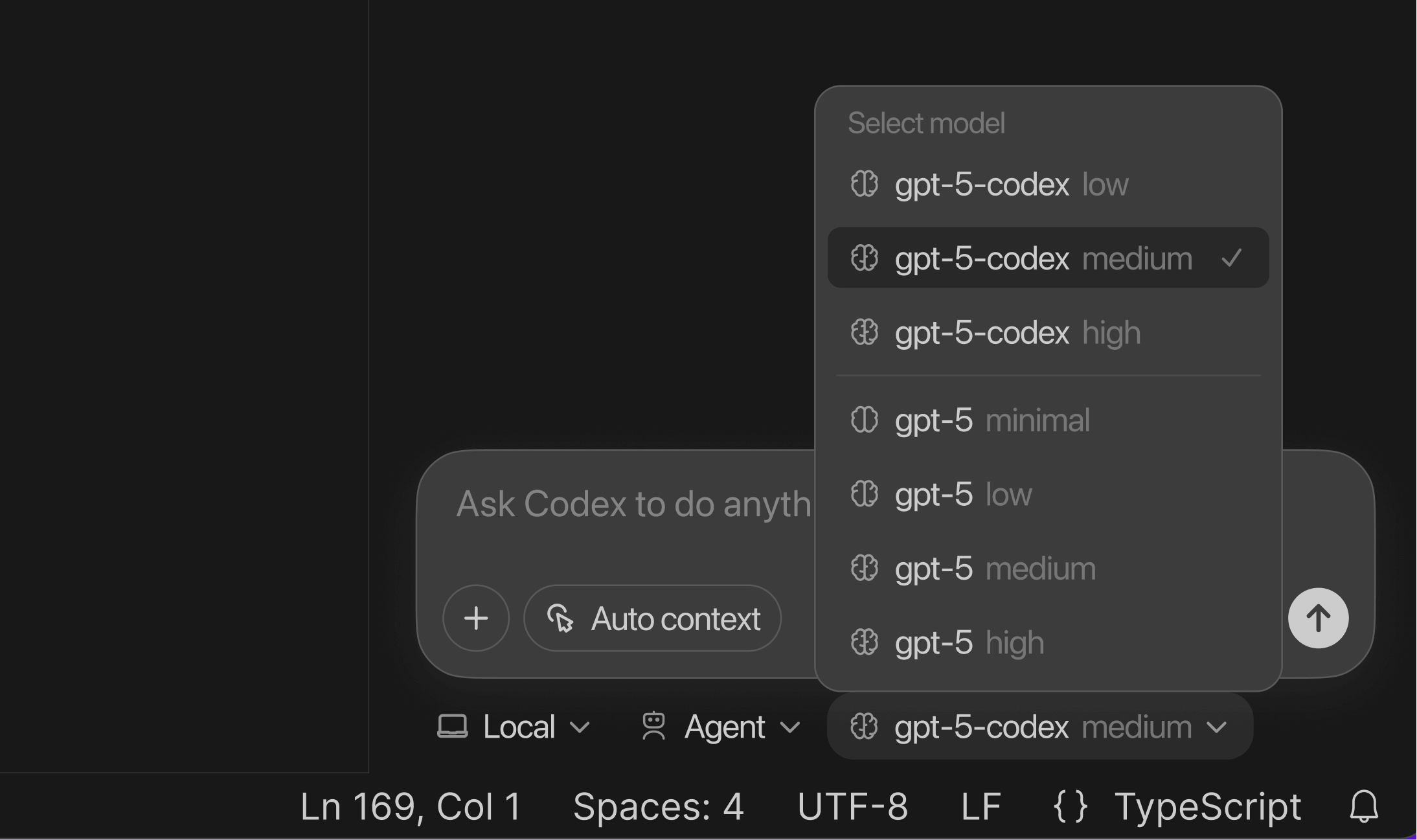
    codex-switch-model

    GPT-5-Codex is a version of GPT-5 further optimized for agentic coding in Codex. It’s available in the IDE extension and CLI when you sign in with your ChatGPT account. It also powers the cloud agent and Code Review in GitHub.

    To learn more about GPT-5-Codex and how it performs compared to GPT-5 on software engineering tasks, see our announcement blog post.

    Image outputs

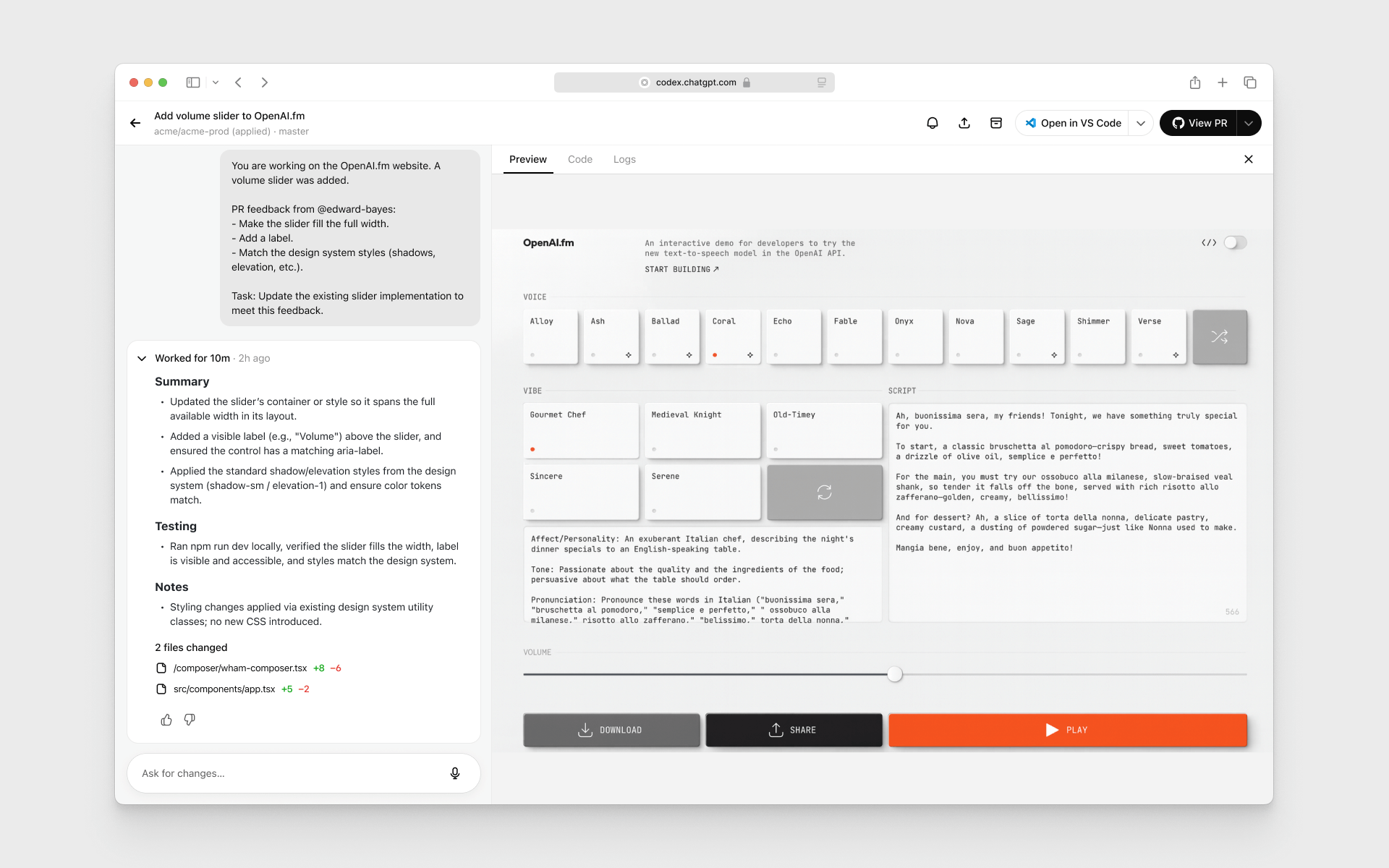
    codex-image-outputs

    When working in the cloud on front-end engineering tasks, GPT-5-Codex can now display screenshots of the UI in Codex web for you to review. With image output, you can iterate on the design without needing to check out the branch locally.

    New in Codex CLI

    • You can now resume sessions where you left off with codex resume.
    • Context compaction automatically summarizes the session as it approaches the context window limit.

    Learn more in the latest release notes

August 2025

  • Late August update

    IDE extension (Compatible with VS Code, Cursor, Windsurf)

    Codex now runs in your IDE with an interactive UI for fast local iteration. Easily switch between modes and reasoning efforts.

    Sign in with ChatGPT (IDE & CLI)

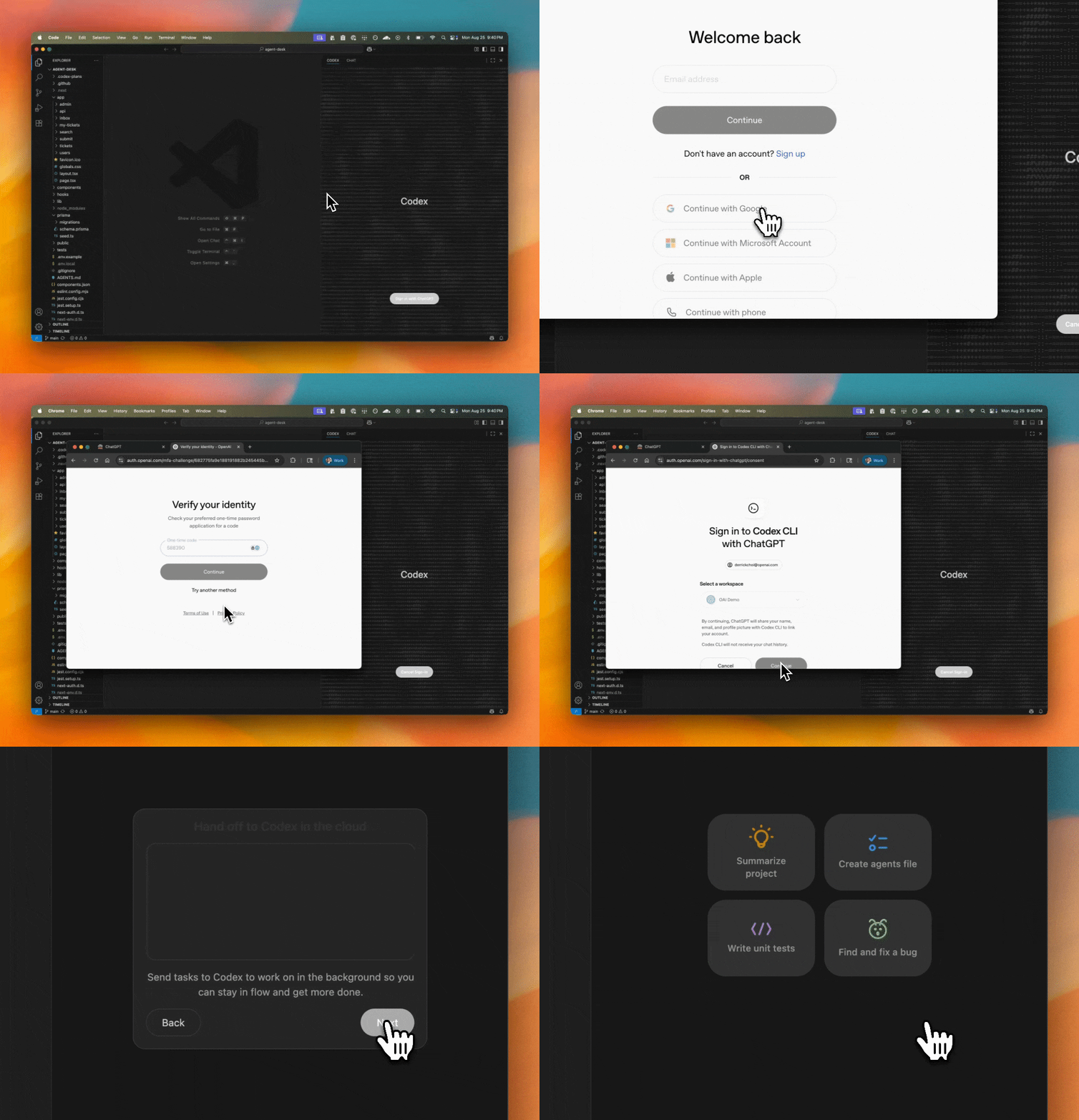
    One-click authentication that removes API keys and uses ChatGPT Enterprise credits.

    Move work between local ↔ cloud

    Hand off tasks to Codex web from the IDE with the ability to apply changes locally so you can delegate jobs without leaving your editor.

    Code Reviews

    Codex goes beyond static analysis. It checks a PR against its intent, reasons across the codebase and dependencies, and can run code to validate the behavior of changes.

  • Mid August update

    Image inputs

    You can now attach images to your prompts in Codex web. This is great for asking Codex to implement frontend changes or follow up on whiteboarding sessions.

    Container caching

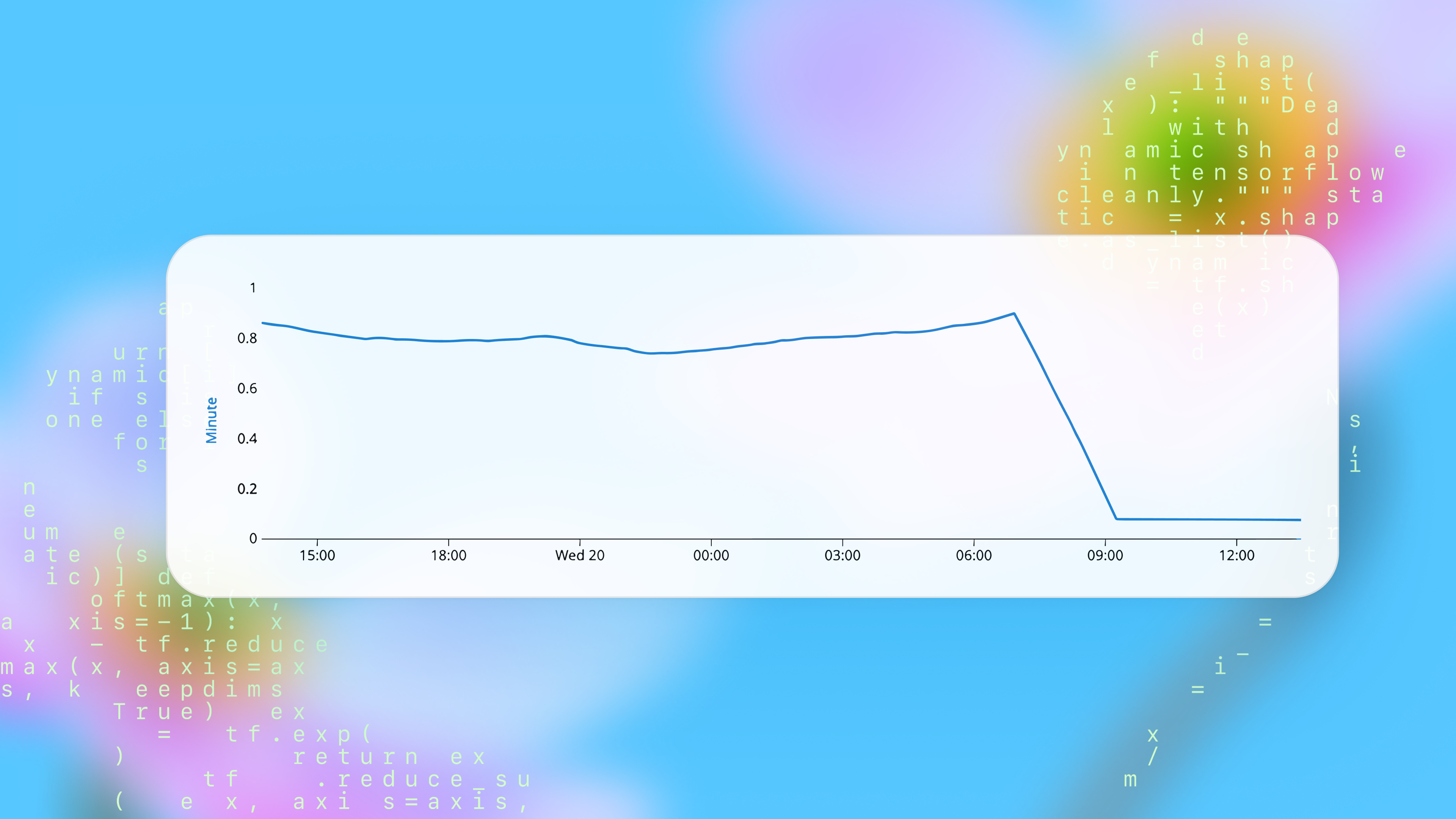
    Codex now caches containers to start new tasks and followups 90% faster, dropping the median start time from 48 seconds to 5 seconds. You can optionally configure a maintenance script to update the environment from its cached state to prepare for new tasks. See the docs for more.

    Automatic environment setup

    Now, environments without manual setup scripts automatically run the standard installation commands for common package managers like yarn, pnpm, npm, go mod, gradle, pip, poetry, uv, and cargo. This reduces test failures for new environments by 40%.

June 2025

  • Best of N

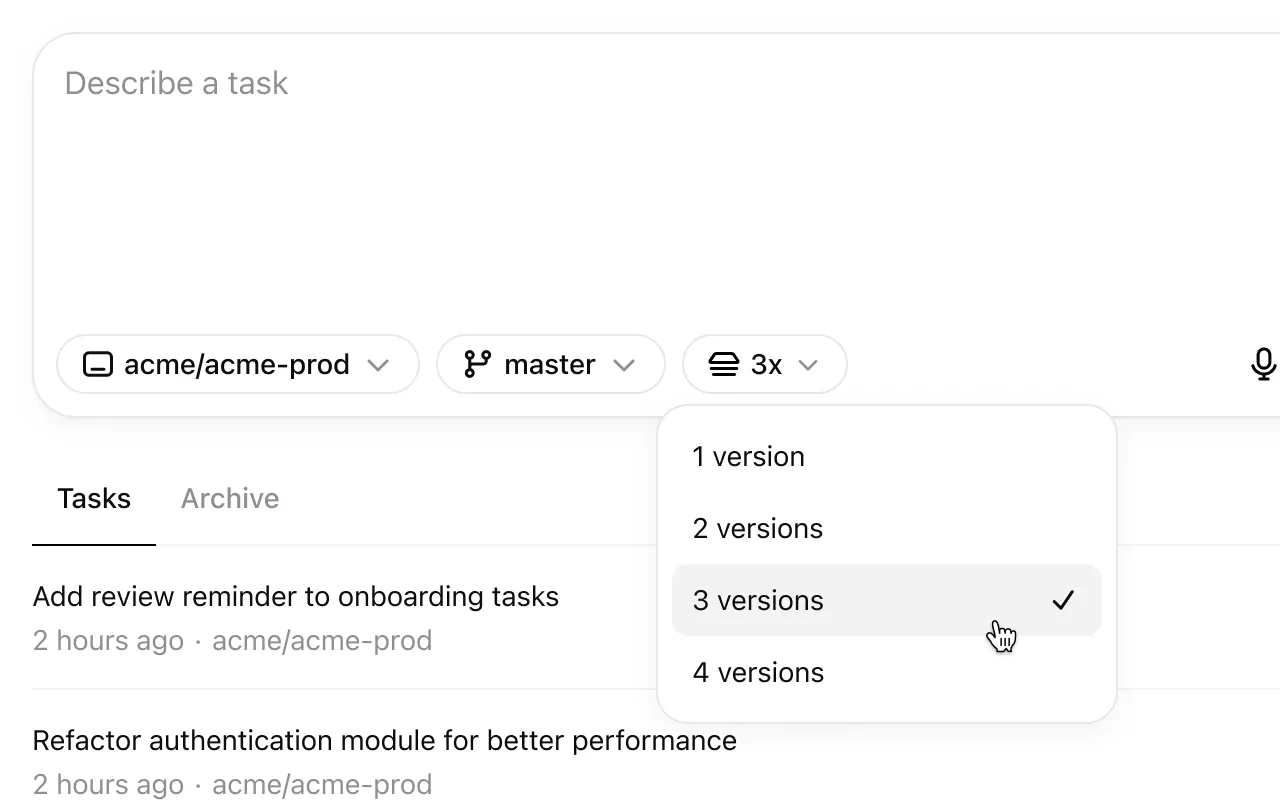
    Codex can now generate multiple responses simultaneously for a single task, helping you quickly explore possible solutions to pick the best approach.

    Fixes & improvements

    • Added some keyboard shortcuts and a page to explore them. Open it by pressing ⌘-/ on macOS and Ctrl+/ on other platforms.

    • Added a “branch” query parameter in addition to the existing “environment”, “prompt” and “tab=archived” parameters.

    • Added a loading indicator when downloading a repo during container setup.

    • Added support for cancelling tasks.

    • Fixed issues causing tasks to fail during setup.

    • Fixed issues running followups in environments where the setup script changes files that are gitignored.

    • Improved how the agent understands and reacts to network access restrictions.

    • Increased the update rate of text describing what Codex is doing.

    • Increased the limit for setup script duration to 20 minutes for Pro and Business users.

    • Polished code diffs: You can now option-click a code diff header to expand/collapse all of them.

  • June update

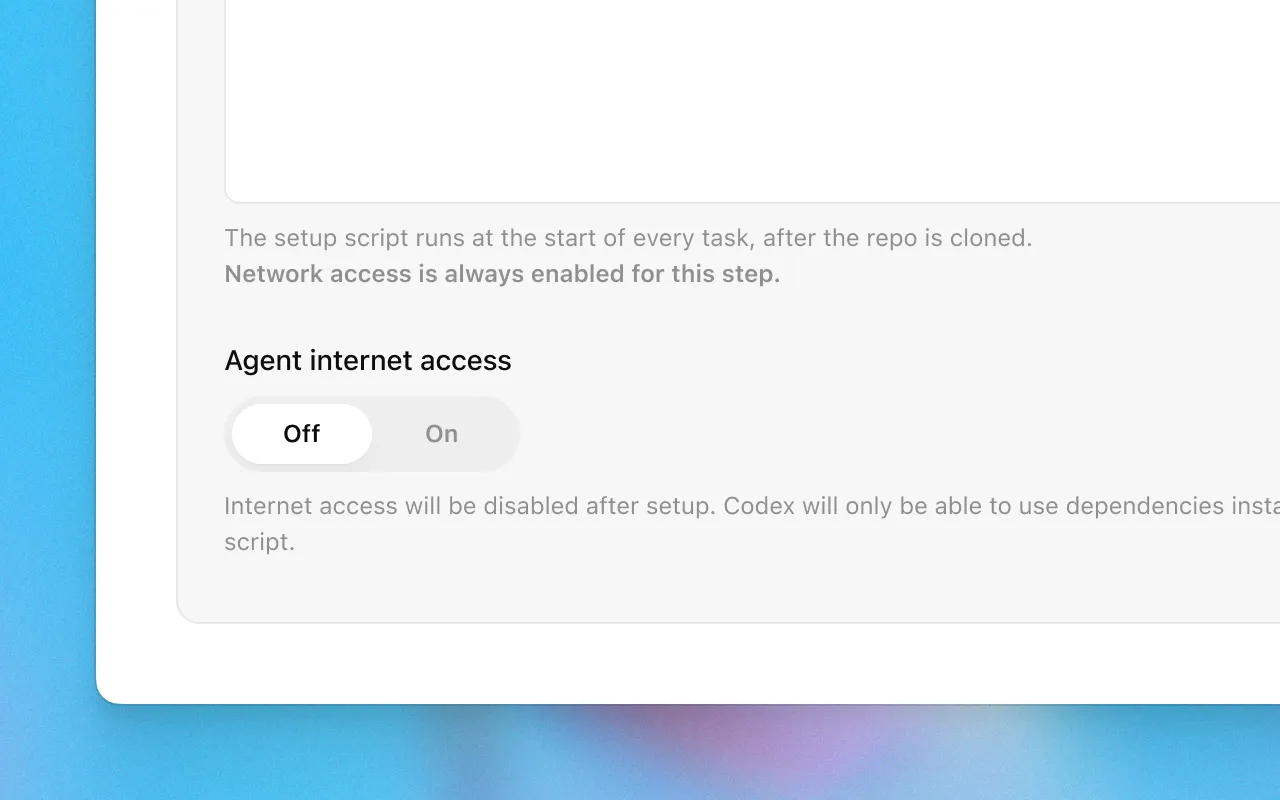
    Agent internet access

    Now you can give Codex access to the internet during task execution to install dependencies, upgrade packages, run tests that need external resources, and more.

    Internet access is off by default. Plus, Pro, and Business users can enable it for specific environments, with granular control of which domains and HTTP methods Codex can access. Internet access for Enterprise users is coming soon.

    Learn more about usage and risks in the docs.

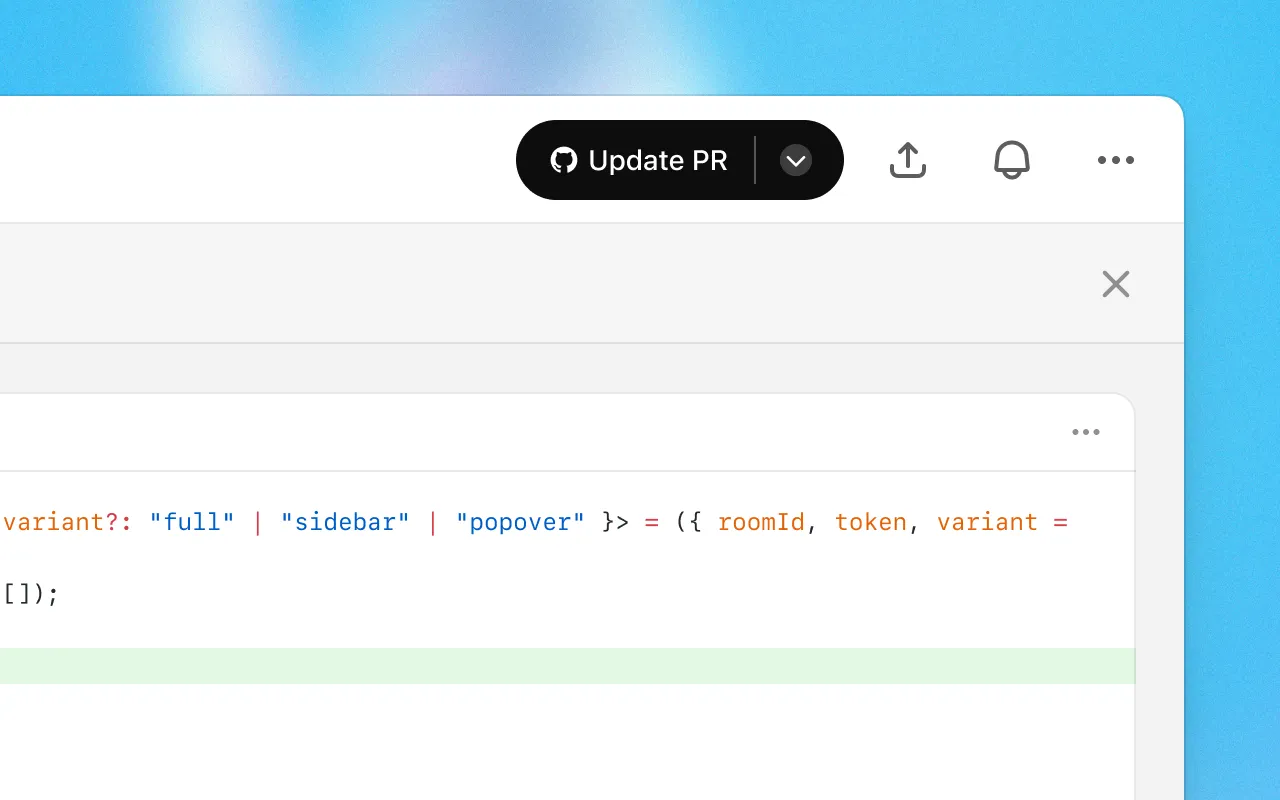
    Update existing PRs

    Now you can update existing pull requests when following up on a task.

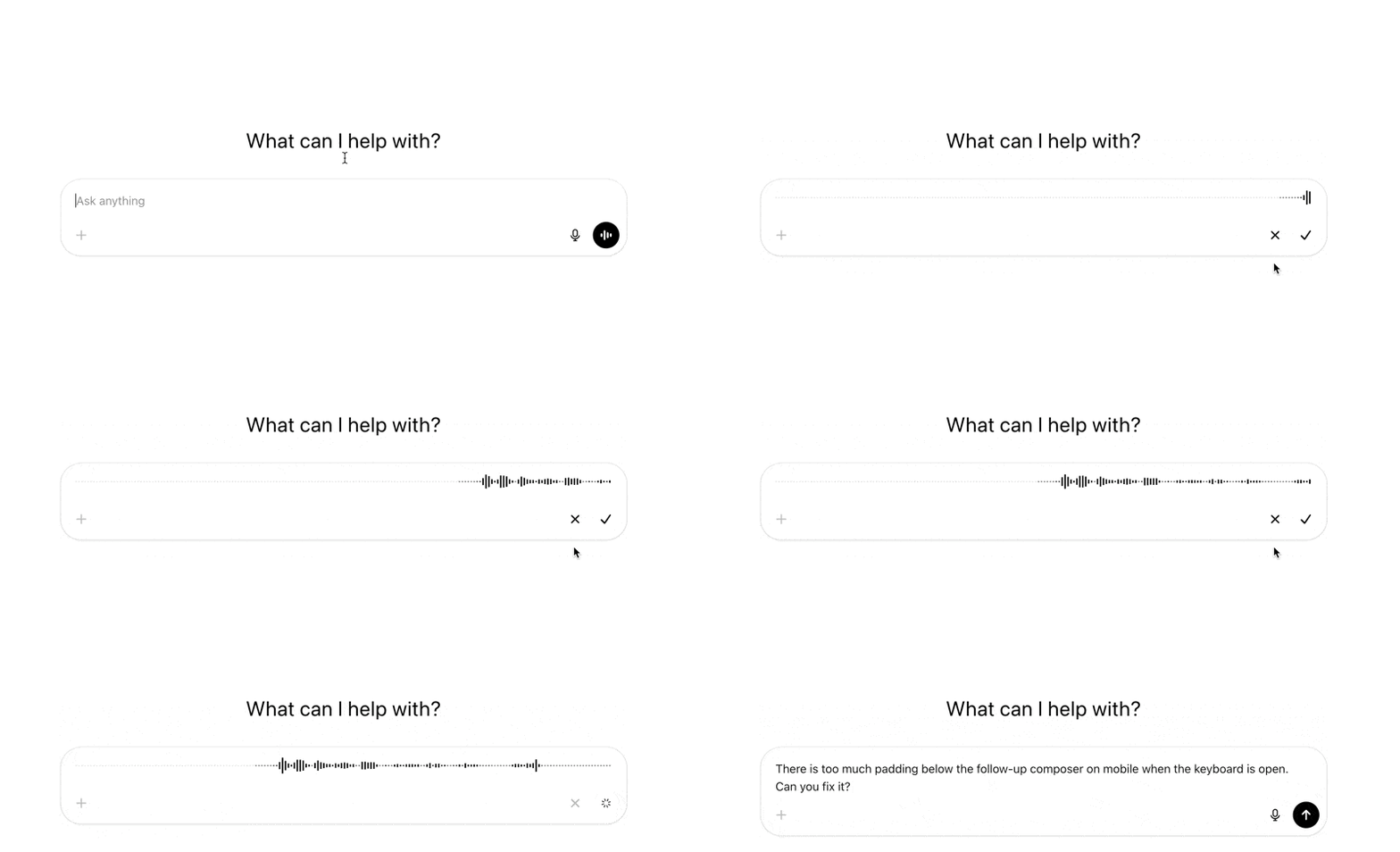
    Voice dictation

    Now you can dictate tasks to Codex.

    Fixes & improvements

    • Added a link to this changelog from the profile menu.

    • Added support for binary files: When applying patches, all file operations are supported. When using PRs, only deleting or renaming binary files is supported for now.

    • Fixed an issue on iOS where follow up tasks where shown duplicated in the task list.

    • Fixed an issue on iOS where pull request statuses were out of date.

    • Fixed an issue with follow ups where the environments were incorrectly started with the state from the first turn, rather than the most recent state.

    • Fixed internationalization of task events and logs.

    • Improved error messages for setup scripts.

    • Increased the limit on task diffs from 1 MB to 5 MB.

    • Increased the limit for setup script duration from 5 to 10 minutes.

    • Polished GitHub connection flow.

    • Re-enabled Live Activities on iOS after resolving an issue with missed notifications.

    • Removed the mandatory two-factor authentication requirement for users using SSO or social logins.

May 2025

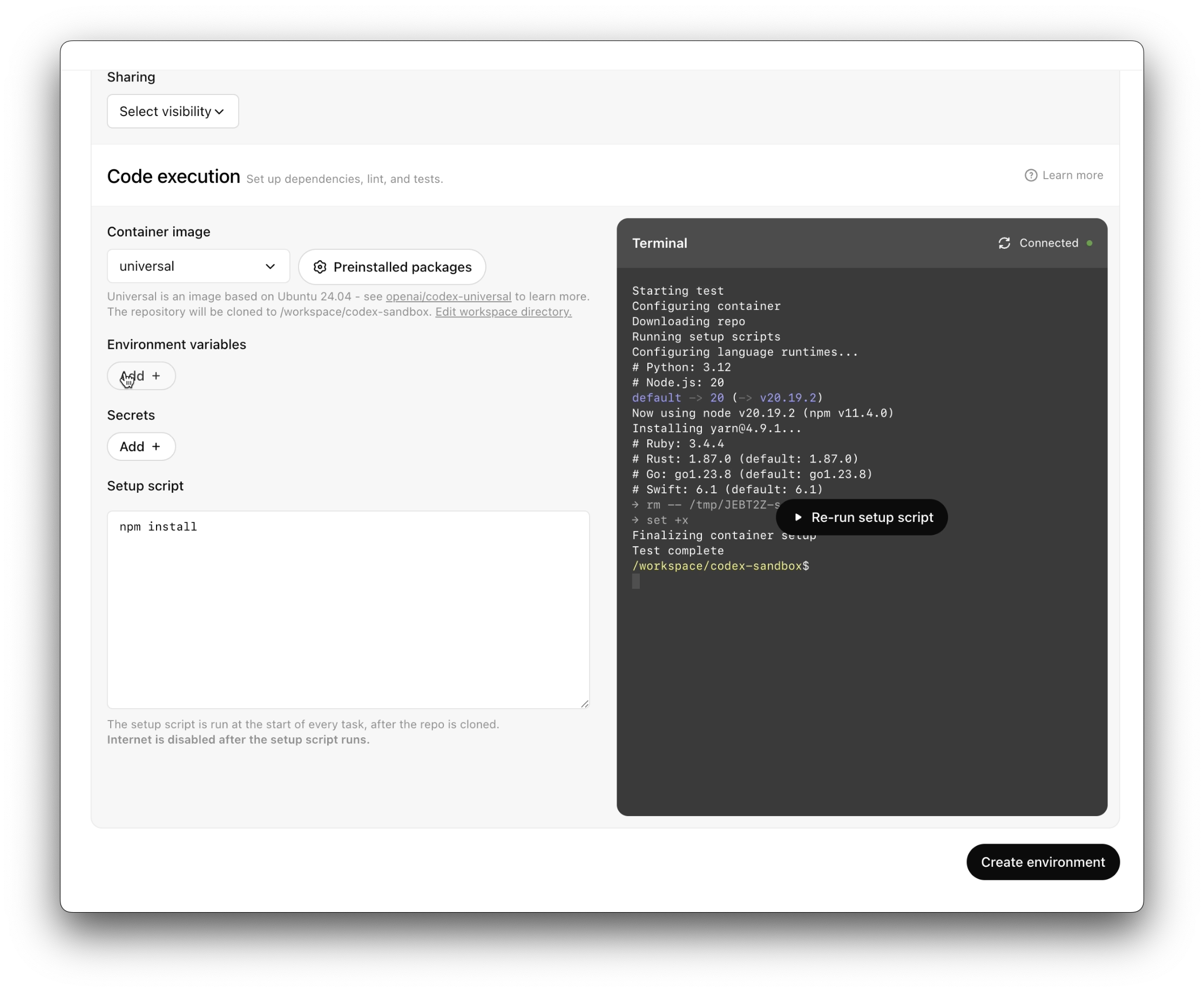
  • Reworked environment page

    It’s now easier and faster to set up code execution.

    Fixes & improvements

    • Added a button to retry failed tasks

    • Added indicators to show that the agent runs without network access after setup

    • Added options to copy git patches after pushing a PR

    • Added support for unicode branch names

    • Fixed a bug where secrets were not piped to the setup script

    • Fixed creating branches when there’s a branch name conflict.

    • Fixed rendering diffs with multi-character emojis.

    • Improved error messages when starting tasks, running setup scripts, pushing PRs, or disconnected from GitHub to be more specific and indicate how to resolve the error.

    • Improved onboarding for teams.

    • Polished how new tasks look while loading.

    • Polished the followup composer.

    • Reduced GitHub disconnects by 90%.

    • Reduced PR creation latency by 35%.

    • Reduced tool call latency by 50%.

    • Reduced task completion latency by 20%.

    • Started setting page titles to task names so Codex tabs are easier to tell apart.

    • Tweaked the system prompt so that agent knows it’s working without network, and can suggest that the user set up dependencies.

    • Updated the docs.

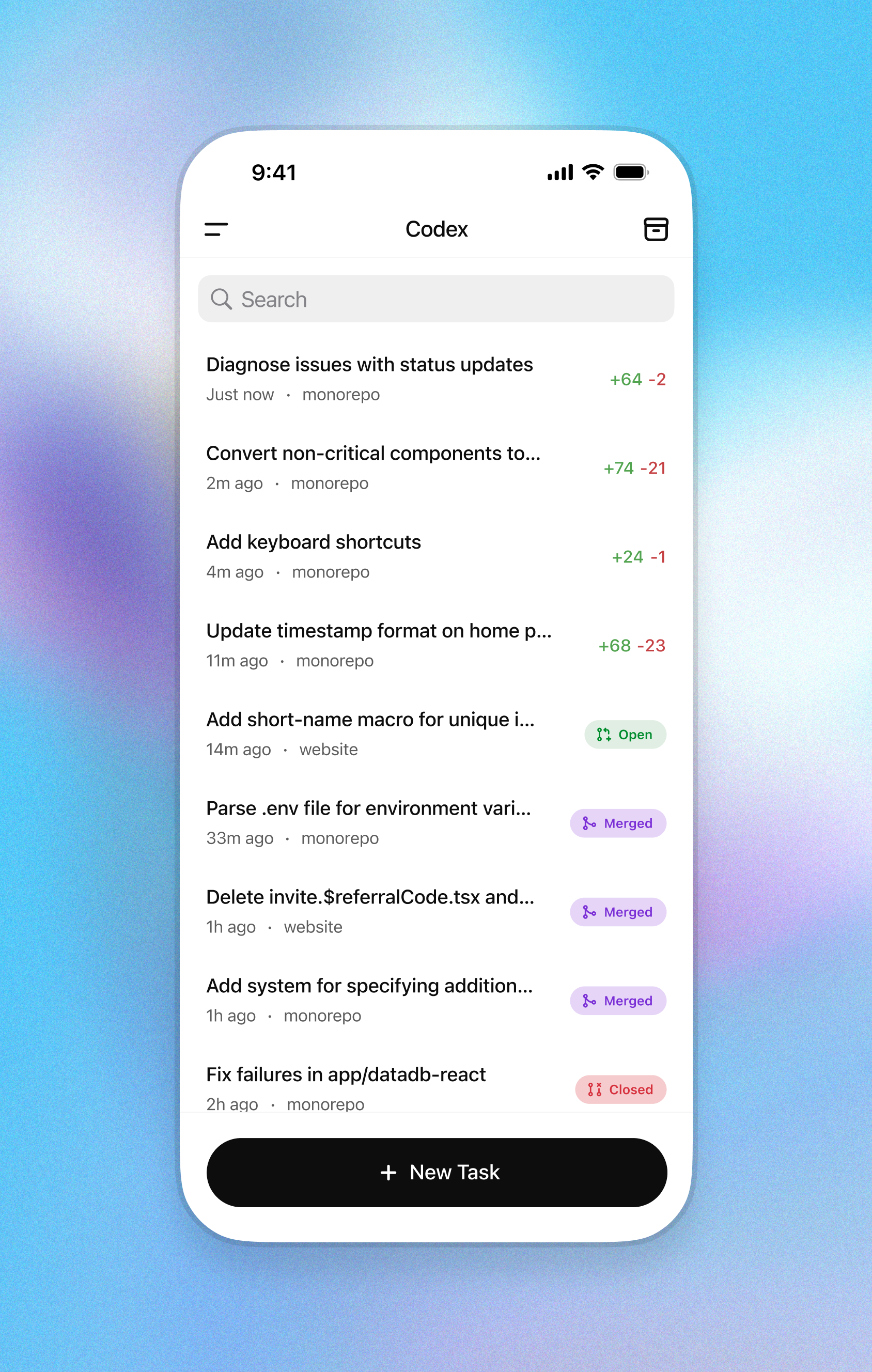
  • Codex in the ChatGPT iOS app

    Start tasks, view diffs, and push PRs—while you’re away from your desk.